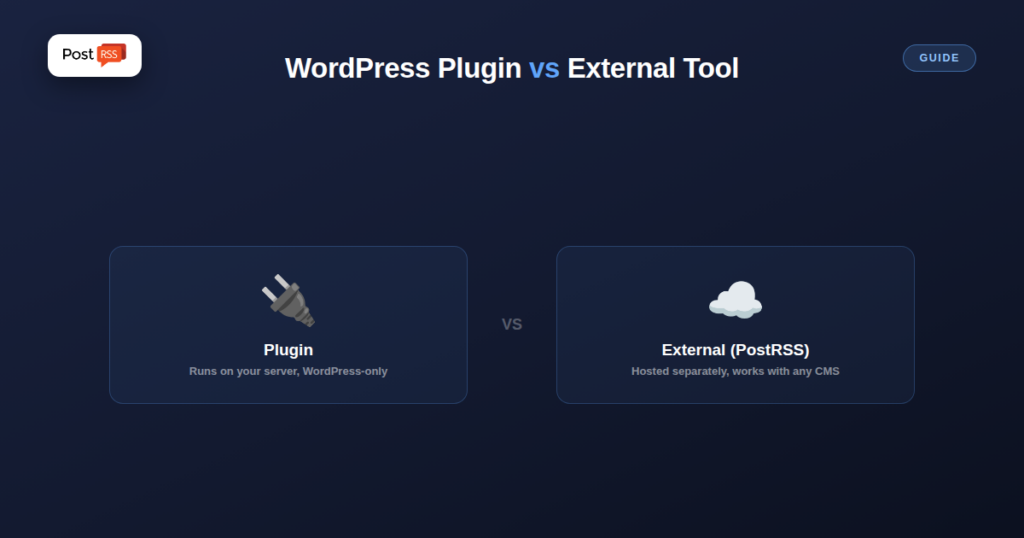
If your site runs on WordPress, you have a genuine choice most non-WordPress publishers don’t: automate social posting through a WordPress plugin that lives inside your dashboard, or connect an external tool like PostRSS that runs independently of your CMS entirely. Neither is universally better — the right choice depends on specifics worth walking through.
Plugins built for this (FS Poster is a commonly cited example) run entirely inside your WordPress admin: publish a post, and the plugin fires off a social share directly from your server, with settings, formatting rules, and history all managed in the same dashboard you already use to write content. Pricing for this category typically runs as a one-time or annual license fee rather than an ongoing monthly subscription.
A tool like PostRSS runs as a separate, independently hosted service that reads your site’s public RSS feed rather than plugging into WordPress internals directly. It has no access to your WordPress database or admin, doesn’t run any code on your server, and works identically whether your site is on WordPress, Shopify, Ghost, or a custom-built platform.
| Factor | WordPress Plugin | External Tool (PostRSS) |
|---|---|---|
| Runs on | Your own server | Independent hosted service |
| Works if you’re not on WordPress | No | Yes |
| Adds server load | Yes, however slight | No |
| Survives a WordPress migration | Needs reinstalling/reconfiguring | Unaffected, just watches the feed |
| Typical pricing model | One-time/annual license | Monthly subscription |
| Setup location | Inside WP admin you already use | Separate dashboard/account |
A plugin running on your own WordPress server means every social-posting action consumes your own hosting resources and runs in the same environment as everything else your site does — on a small, low-traffic site this is rarely noticeable, but it’s a real, non-zero draw on shared or budget hosting specifically. An external tool does this work entirely on its own infrastructure, adding zero load to your server regardless of how much automation activity is happening.
If you ever move hosts, switch themes, or migrate away from WordPress entirely, a plugin-based setup needs to be reinstalled and reconfigured as part of that migration — it’s tied to the CMS instance itself. An external tool watching your public feed URL is unaffected by any of this, as long as the feed URL itself keeps working; it doesn’t know or care what CMS is generating that feed.
If your entire publishing workflow lives inside WordPress, you have no plans to ever change platforms, and you’d rather pay once (or annually) than maintain an ongoing subscription, a well-regarded WordPress plugin is a reasonable, often cheaper long-term choice for a single WordPress site specifically.
If you manage content across more than one platform (not just WordPress), want zero added load on your hosting, or want your social automation setup to be completely unaffected by any future CMS or hosting change, an external, feed-based tool is architecturally the more resilient and flexible choice.
The choice is not always strictly either-or. PostRSS itself has an official WordPress plugin, which runs the whole setup from wp-admin: it builds the feed and creates the targets for you, so there is no copying of feed addresses between systems. The actual posting still happens on PostRSS’s own infrastructure, which means you keep the advantages of the external approach, with no posting load on your server and no dependency on your hosting environment, while managing the setup from the dashboard you already use every day.
If you later move the site away from WordPress, nothing about the social side has to be rebuilt from scratch: PostRSS works with any RSS or Atom feed, so you point it at the new feed and carry on. Our PostRSS WordPress plugin guide walks through the setup step by step.
A short checklist usually makes the decision obvious:
Whichever you pick, test it with a real post before switching off your old workflow, and keep only one system posting to each social account to avoid duplicates.
Technically yes, though running two systems both watching for new posts and pushing to the same social accounts risks duplicate posts unless you carefully separate which platforms each tool handles.
Not inherently, but any plugin adds to your site’s overall code footprint and potential attack surface, which is a general WordPress security consideration independent of what the plugin specifically does — keeping any installed plugin updated matters regardless of its function.
Generally no beyond normal setup — since an external tool reads your existing public RSS feed rather than anything plugin-specific, you can typically deactivate the old plugin and connect the external tool to the same feed URL without any data migration.
Yes. The official PostRSS WordPress plugin builds the feed and creates the targets from inside wp-admin, while the posting itself runs on PostRSS’s own infrastructure rather than on your server.
Neither approach is objectively better — a WordPress plugin fits a single-site, WordPress-only, pay-once preference well, while an external tool like PostRSS fits a multi-platform, zero-server-load, migration-resilient preference better. Knowing which factors actually matter for your specific setup, rather than defaulting to whichever you’ve heard of first, is what makes the choice straightforward.
What changed in the networks, what broke, and how to fix it before it costs you reach.
Built by Internet Solutions, the team behind PostRSS. Each product saves you time in its own way.
 English
 Lietuviškai
 Deutsch
 Français
 Русский
 Español
 Polski
 Italiano
 Українська
 Čeština
 Português
 日本語
日本語 Latviešu valoda
 Eesti
Eesti Magyar
 Bahasa Indonesia
 Türkçe
 हिन्दी
 Ελληνικά
 العربية
 ไทย
ไทย Tiếng Việt
 Română
 Bahasa Melayu
 বাংলা
বাংলা