Updated: August 24, 2026
Automating your RSS-to-social pipeline solves the "did I remember to post this everywhere" problem, but it raises a different question almost immediately: what happens to hashtags? An automated post pulling from a blog's title and description doesn't automatically know your Instagram-style hashtag strategy, and posting the exact same hashtag set to every platform ignores how differently X, LinkedIn, Facebook, and Pinterest actually use them. This guide covers how to build a hashtag approach that works with automation instead of against it.
Treating hashtags as one universal tactic is the single most common mistake in automated posting. X still uses hashtags for real-time topic discovery and trending conversations, where one or two well-chosen tags outperform a cluttered list. LinkedIn hashtags function more like content categories that professionals follow, rewarding a small number of consistent, industry-relevant tags rather than a large trending-focused set. Facebook has treated hashtags as largely cosmetic for years, with minimal discovery value, meaning a heavy hashtag block on Facebook mostly just looks like clutter. Pinterest uses hashtags more like searchable keywords tied to long-term content discovery, closer to SEO than social conversation. Sending an identical fifteen-hashtag block to all four platforms optimizes for none of them.
Because RSS automation publishes based on what's already in your feed item's title and description, the practical place to manage hashtags is at the source — in how you write the blog post or feed entry itself — rather than trying to add different hashtags per platform after the fact, which defeats the purpose of automation. Two approaches work well depending on your platform mix:
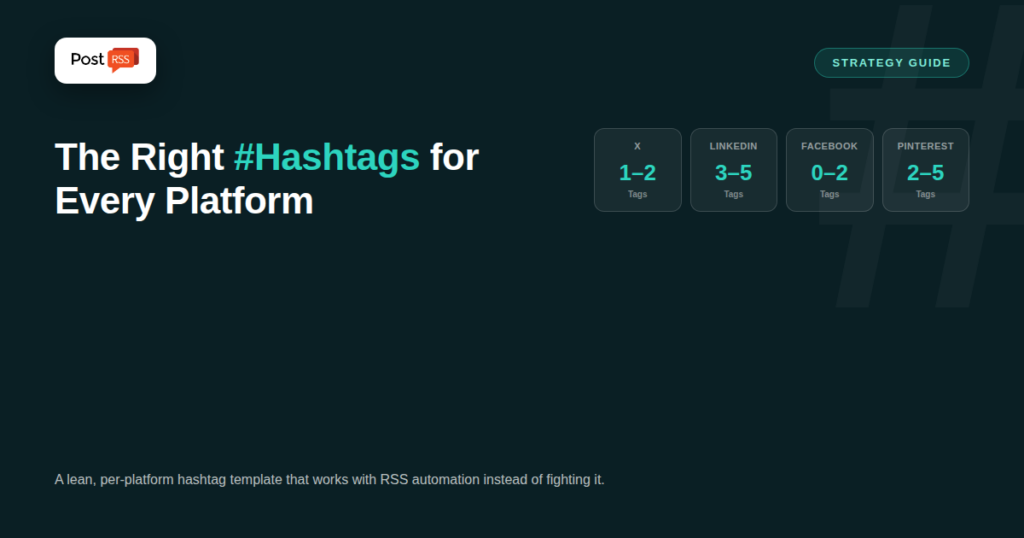
| Platform | Practical Range | Why |
|---|---|---|
| X | 1–2 | More than two reads as spam and dilutes trending-topic relevance. |
| 3–5 | Functions as content categorization; too many looks unprofessional. | |
| 0–2 | Minimal discovery value; hashtags mostly serve as visual labels only. | |
| 2–5 | Acts as searchable keywords supporting long-term discovery, closer to SEO. |
Broad, high-volume hashtags (#marketing, #fitness, #music) get buried in enormous volume within minutes and rarely help a smaller account get discovered. Mid-volume, specific hashtags — tied to your niche, location, or content type — consistently outperform broad ones for accounts without an existing large following, since your post has a real chance of surfacing near the top of a smaller, more relevant hashtag feed. A local business benefits more from a city-plus-category tag than a generic industry tag with millions of posts already competing for attention. A niche content creator benefits more from a specific sub-topic tag than the broadest possible category tag in their field.
A consistent, unique brand hashtag — used on every post regardless of platform — creates a searchable archive of your own content and, over time, helps followers find your full posting history in one place. Because it's static and doesn't change post to post, it's the easiest hashtag element to bake permanently into your RSS feed's post template, ensuring every automated post carries it without any per-post decision-making required.
A workable template that holds up across PostRSS's supported platforms: one consistent brand hashtag, followed by one or two content-specific hashtags relevant to that particular post's topic, kept short enough that even X's tighter character budget isn't a problem. Written directly into your blog post or feed entry's description, this template requires no per-platform customization and no manual intervention after publishing — it flows through the same way to every connected platform, imperfect for none of them and optimized enough for all of them.
Different content categories benefit from different hashtag shapes even within the same lean-template approach. A local business posting about a promotion does best combining a location tag with a category tag (a city name plus "coffee shop" or "gym" rather than either alone), since that combination is specific enough to surface in genuinely relevant local searches. A B2B or professional-services account tends to perform better with industry and role-based tags on LinkedIn specifically (a tag naming the profession or sector) rather than broad business buzzwords that every competitor is also using. A content publisher or blog benefits from topic-specific tags that mirror actual search behavior — the same keyword thinking that goes into SEO applies reasonably well to Pinterest and, to a lesser degree, X. An e-commerce or product-focused account tends to do best with a product-category tag plus a seasonal or occasion tag when relevant (holiday, back-to-school, summer), since that combination catches both evergreen and timely search intent.
Because RSS automation is fed by your own blog or website content, the words and phrases you'd naturally choose as hashtags often overlap meaningfully with the SEO keywords already driving that same content's search visibility. This isn't a coincidence worth ignoring: a blog post title and description written with a clear, specific keyword focus tends to produce naturally better hashtags too, since both are ultimately about the same thing — making it easy for the right audience to find a specific piece of content. Writing for SEO first, then pulling one or two of those same terms into your hashtag template, tends to outperform treating hashtag selection as a separate, disconnected exercise from how you write the content itself.
For most routine content, a consistent baked-in hashtag template outperforms manual per-post tuning simply because it actually gets used every time. But for genuinely high-stakes posts — a major product launch, a press announcement, a time-sensitive event tied to a trending topic — it's worth stepping outside full automation briefly to hand-tune hashtags for that specific moment, since the extra ten minutes of manual research can meaningfully outperform a generic template on a post that matters disproportionately more than your average update.
Track reach and engagement on posts using your standard hashtag template against any manually hand-tuned posts over a month or two; if the gap is small, your automated template is doing its job and manual tuning isn't worth the added time for routine content. If certain content types consistently underperform, that's a signal to revisit the specific hashtags tied to that content category rather than abandoning the templated approach altogether — the fix is usually a better template, not more manual work per post.
A mid-size blog running full RSS automation noticed its Pinterest engagement lagging well behind Facebook and X despite identical posting volume. Reviewing the hashtag template revealed the issue: the same one or two broad, generic tags were being reused on every post, regardless of topic, which worked reasonably on X (where hashtag specificity matters less) but badly underserved Pinterest's more search-driven, keyword-specific discovery model. The fix wasn't more manual work — it was adjusting the standing template to include one topic-specific tag pulled from each post's actual subject matter rather than a single static pair reused everywhere, still fully compatible with the automated workflow since it only required a small change to how new post descriptions were written going forward.
If you're already running RSS automation through PostRSS, updating your hashtag approach is as simple as adjusting how you write new feed entries going forward — no reconfiguration of the automation itself is required. See our pricing breakdown if you're evaluating which plan supports the platform mix your hashtag strategy is built around.
PostRSS distributes your feed item's content as written; platform-specific hashtag customization needs to happen in how you write the source content, since the automation itself publishes the same underlying content to each connected platform.
A mix works best: keep one consistent brand hashtag on every post, and vary one or two content-specific tags based on that post's actual topic, rather than reinventing your entire hashtag set each time.
Their discovery power has diminished on some platforms (notably Facebook) but remains meaningful on others, particularly Pinterest's search-driven model and X's topic-based discovery, so it's platform-dependent rather than universally declining.
Reviewing it quarterly is a reasonable cadence for most accounts — frequently enough to catch stale trends or shifting platform behavior, without treating it as a per-post decision that undermines the point of automating in the first place.
Either works, but a hashtag tied directly to your brand name is easier for followers to remember and search for later, while a descriptive hashtag can pull in some additional discovery traffic from people not yet familiar with your brand specifically.
For a small account, manual selection based on genuine platform familiarity is usually sufficient; hashtag research tools become more worthwhile once you're managing multiple accounts or content categories where guessing at volume and relevance gets harder to do reliably by hand.
The goal isn't a perfect, hand-tuned hashtag set on every single post — that's the manual workflow automation exists to replace. It's a consistent, reasonably well-chosen template baked into how you write content in the first place, so every automated post carries hashtags that work well enough across every platform it reaches, without requiring a manual decision each time something publishes.
What changed in the networks, what broke, and how to fix it before it costs you reach.
Built by Internet Solutions, the team behind PostRSS. Each product saves you time in its own way.
 English
 Lietuviškai
 Deutsch
 Français
 Русский
 Español
 Polski
 Italiano
 Українська
 Čeština
 Português
 日本語
日本語 Latviešu valoda
 Eesti
Eesti Magyar
 Bahasa Indonesia
 Türkçe
 हिन्दी
 Ελληνικά
 العربية
 ไทย
ไทย Tiếng Việt
 Română
 Bahasa Melayu
 বাংলা
বাংলা