Updated: August 24, 2026
Vista Social has built its reputation as an agency-friendly, all-in-one social media management platform — and unlike some broader "suite" comparisons, it actually includes a real RSS auto-posting feature (its "Smart Publisher" tool) rather than requiring a third-party bridge. That makes this comparison genuinely close on the surface. The real differences show up in scope, pricing structure, and who each tool is actually built for.
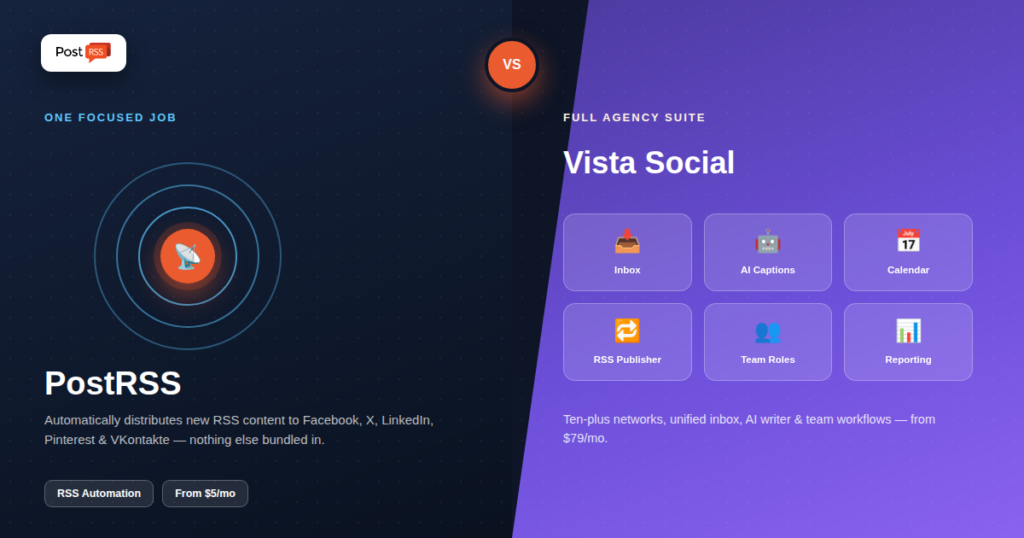
Vista Social is a social media management platform covering Facebook, Instagram, X, TikTok, Pinterest, YouTube, LinkedIn, and more, built around scheduling, bulk upload, tailored per-channel previews, and a unified inbox for comments, DMs, reviews, and mentions with automated response workflows for teams. Its Smart Publisher feature lets you auto-publish content from an RSS feed, pulling the title, link, and description into scheduled posts. It also includes AI-assisted caption writing, ideation, and hashtag suggestions. Pricing runs from $79/month (Professional) to $149/month (Advanced) to $379/month (Scale), with custom Enterprise pricing above that, and a 14-day free trial.
PostRSS is built around one job: watching an RSS feed and automatically distributing new items to 66 networks, including Facebook, X, LinkedIn, Pinterest, Threads, Bluesky, Mastodon, Telegram, Discord, Tumblr, VKontakte, Matrix, Webhook and Instapaper. There's no unified inbox, no AI caption generation, no bulk-upload calendar — the entire product is the RSS-triggered distribution pipeline, running continuously once configured. Pricing starts with a genuine free plan and runs from $5/month for a single-target Start plan.
The mechanics matter more than the marketing copy once you're actually relying on either tool day to day. Vista Social's Smart Publisher connects to an RSS or Atom feed, checks it on a schedule, and converts new items into draft or auto-published posts pulling the title, link, and description straight from the feed. Because it lives inside a full scheduling suite, those auto-generated posts land in the same content calendar as your manually created ones, which is convenient if you already review and adjust every post before it goes out — but it also means the "automatic" part of RSS automation still assumes a human is in the loop for anything beyond the most basic pass-through.
PostRSS is built around the opposite assumption: that the RSS feed itself is the trusted source of truth, and the job is to get new items onto your social accounts with zero manual intervention once the connection is configured. It checks feeds on a continuous schedule, formats each new entry per platform (respecting Twitter/X's character limits, Pinterest's image-first requirements, LinkedIn's link-preview behavior), and publishes without requiring anyone to open a dashboard and approve a queue. For a blog, newsroom, or e-commerce catalog publishing multiple times a day, that difference in default behavior — approval-oriented versus fire-and-forget — is often the actual deciding factor, independent of price.
| Capability | Vista Social | PostRSS |
|---|---|---|
| RSS auto-posting | Included (Smart Publisher), one feature among many | The entire product |
| Platform count | 10+ networks, including Instagram, TikTok, YouTube | 66 networks incl. Fediverse, Asian and team-chat platforms |
| Unified inbox / DM management | Included, a core strength | Not included |
| AI caption & hashtag generation | Included | Not included |
| Bulk upload / content calendar | Included | CSV upload on the Professional plan and above; no content calendar |
| Team workflow assignment | Included | Not included |
| Entry price | $79/month (Professional) | Free plan; paid from $5/month |
Vista Social's positioning is explicit: it's built for agencies and teams managing client engagement at scale, where the inbox, approval workflows, and reporting matter as much as publishing itself. Its RSS feature exists to feed that broader engine, not as the product's reason for existing. PostRSS's positioning is the inverse: distribution is the entire product, with no engagement or team-management layer bundled in. If your actual bottleneck is "nothing gets posted automatically," Vista Social's $79/month entry price is buying a great deal of functionality you won't touch; if your bottleneck is managing client conversations and approvals across dozens of accounts, that same price is buying exactly what you need.
| Tier | Vista Social | PostRSS |
|---|---|---|
| Free | 14-day trial only; no permanent free tier | Free plan (1 target: Facebook page, Telegram, Bluesky or Mastodon) |
| Entry paid | $79/month (Professional) | $5/month (Start, 1 target) |
| Mid | $149/month (Advanced) | $10–$40/month (Professional to Ultimate; network types by tier) |
| Top tier | $379/month (Scale), custom above that | $100–$2,500/month (Enterprise, up to 5,000 targets) |
The gap is substantial even at entry level — a direct consequence of Vista Social bundling inbox management, AI content tools, and team workflows into every tier. See our full pricing breakdown for current PostRSS tiers.
If Instagram or YouTube are core to your strategy, that's a real, immediate advantage PostRSS’s 66-network focus can't match today. Vista Social's unified inbox is also a genuine differentiator for any team fielding a meaningful volume of comments and DMs across platforms — that's simply outside PostRSS's scope by design, not an oversight.
For the single, specific job of "distribute new content automatically the moment it publishes," PostRSS's narrower focus means faster setup, a smaller learning curve, and a price built around that one job rather than a broader suite. It also includes VKontakte, which isn't part of Vista Social's platform list — a meaningful gap for audiences in VKontakte-active regions.
Neither move is difficult, which is worth knowing before treating this as a permanent decision. Downgrading from Vista Social to a focused tool like PostRSS mainly means walking away from the inbox and AI writer, not migrating data — your RSS feed is still the same feed, and reconnecting it to a new distribution tool takes minutes. Moving the other direction, from PostRSS up to a full suite once engagement volume grows, is equally low-friction since nothing about running PostRSS locks you into anything; you simply add the broader tool alongside or in place of it once the actual need for an inbox and team workflows shows up.
Ask whether your team actually needs to manage inbound engagement (comments, DMs, reviews) across platforms, or whether the real gap is purely outbound distribution. Agencies juggling client conversations at scale get real value from Vista Social's inbox and workflow tools. Solo creators, small businesses, and teams whose actual problem is "we keep forgetting to share new content" get the same core outcome from PostRSS at a fraction of the cost and setup time.
Setting up RSS automation in Vista Social means navigating to Smart Publisher inside a platform that also surfaces the inbox, AI writer, content calendar, and team tools — genuinely useful once you're using the whole platform, but more surface area to learn if RSS is your only need. PostRSS's setup is scoped to exactly that: connect a feed, choose target platforms, done.
A five-person marketing agency managing 15 client social accounts. If part of the retainer includes monitoring and replying to client comments and DMs, Vista Social's unified inbox becomes a genuine daily-use tool that justifies its price across the whole roster. But if the retainer is scoped narrowly to "make sure new blog posts and product launches get shared automatically," running 15 separate lightweight PostRSS connections is dramatically cheaper than putting every client on a $79–$149/month Vista Social seat, and it avoids paying for engagement tools that go unused.
A solo content creator publishing three blog posts a week. The creator doesn't need an inbox, AI captions, or team workflows — they need every new post to land on X, LinkedIn, and a Facebook page without having to remember. PostRSS's free-to-low-cost tiers cover exactly that need; Vista Social's $79/month entry tier would mean paying agency-scale pricing for a single-person workflow.
An e-commerce brand active on Instagram and TikTok with a busy comments section. Here Vista Social's breadth is the actual advantage: Instagram isn't live on PostRSS yet (it is still being tested), TikTok works on PostRSS only as a draft you publish, and the brand's engagement volume genuinely needs the inbox and team-assignment tools. This is the clearest case where paying for the fuller suite is the correct call rather than the more expensive option.
Vista Social's AI writer can rework the auto-pulled RSS title and description into a more conversational caption, suggest hashtags per platform, and let a team member edit before publishing — useful if brand voice consistency across dozens of auto-generated posts is a real concern. PostRSS keeps formatting closer to the source feed: title, link, and description flow through with platform-appropriate truncation and image handling, but without an AI rewriting layer. For publishers whose RSS feed titles are already written with social sharing in mind (a common practice for blogs optimized for distribution), that's a non-issue; for feeds with dense or jargon-heavy titles meant purely for internal cataloguing, Vista Social's AI pass can smooth over the gap PostRSS won't automatically fix.
Both tools are built to check feeds and publish without manual triggering, but the products differ in what happens around that core loop. Vista Social's approval-oriented design means a post can sit in a draft state until someone reviews it, which is a safeguard against embarrassing auto-posts but also a point where automation silently stalls if no one checks the queue for a few days. PostRSS's fire-and-forget default removes that human checkpoint entirely, which maximizes uptime and consistency for feeds you already trust completely, but means you're relying on your RSS feed itself being clean — a badly formatted feed entry goes out immediately rather than waiting for review.
For basic feed-to-post automation, both are built to work reliably. The difference is depth of focus: PostRSS's entire engineering effort goes into this one workflow; Vista Social's Smart Publisher is one feature inside a much larger platform.
Yes, technically, though you'd still be paying for a plan priced around the full feature set rather than the RSS piece specifically.
Because it does one job instead of bundling inbox management, AI content tools, and team workflows into the price. You're not paying for capabilities you won't use.
No — PostRSS is intentionally scoped to distribution only. Comment and DM management would need a separate tool if that's part of your workflow.
Depends on the actual workload: if managing client engagement and approvals is a daily task, Vista Social's built-in tools justify the price. If the agency's job is purely "make sure every client's new content gets distributed automatically," PostRSS covers that at a fraction of the cost per client.
Yes, and some teams do — using PostRSS for pure feed-to-social distribution on a subset of accounts while using Vista Social's broader toolset for the accounts that need active engagement management. They're not mutually exclusive, just built for different jobs.
No, VKontakte isn't part of Vista Social's supported network list. If VKontakte reach matters for your audience, PostRSS supports it directly.
Vista Social and PostRSS aren't really competing for the same buyer despite both offering RSS automation. One is a comprehensive agency engagement platform with distribution as one piece; the other is a distribution specialist with nothing else bundled in. If your team's real workload includes managing engagement at scale, Vista Social's price reflects real value. If the workload is purely "get new content out automatically," PostRSS delivers that outcome without asking you to pay for, learn, or maintain the rest.
What changed in the networks, what broke, and how to fix it before it costs you reach.
Built by Internet Solutions, the team behind PostRSS. Each product saves you time in its own way.
 English
 Lietuviškai
 Deutsch
 Français
 Русский
 Español
 Polski
 Italiano
 Українська
 Čeština
 Português
 日本語
日本語 Latviešu valoda
 Eesti
Eesti Magyar
 Bahasa Indonesia
 Türkçe
 हिन्दी
 Ελληνικά
 العربية
 ไทย
ไทย Tiếng Việt
 Română
 Bahasa Melayu
 বাংলা
বাংলা