Of all the platforms people ask about connecting to an RSS feed, TikTok is the one where the honest answer disappoints the most people. It’s not that auto-posting to TikTok is impossible — it’s that TikTok’s entire platform is built around a content type (short-form video) that a typical RSS feed simply doesn’t contain, and the API access required to post there at all is far more involved than anything Facebook, X, LinkedIn, or Pinterest ask for.
This guide walks through exactly what TikTok requires for automated posting, why “publish my blog post to TikTok automatically” isn’t really a solvable problem in the way “publish my blog post to Facebook automatically” is, and what your realistic options actually look like in 2026.
Every RSS-to-social tool works by turning a feed item’s title, link, and thumbnail image into a post. That pattern works because 66 networks, including Facebook, X, LinkedIn, Pinterest, Threads, Bluesky, Mastodon, Telegram, Discord, Tumblr, VKontakte, Matrix, Webhook and Instapaper all accept link-style posts as a completely normal, native format. TikTok doesn’t have an equivalent — there’s no “post type” on TikTok that’s just a title and a link. Every post on the platform is a video or a photo post, never a bare link. Unless your RSS feed already contains video files (a podcast feed with video episodes, for example), the only part of a typical blog or news item that TikTok’s format can accept is its image.
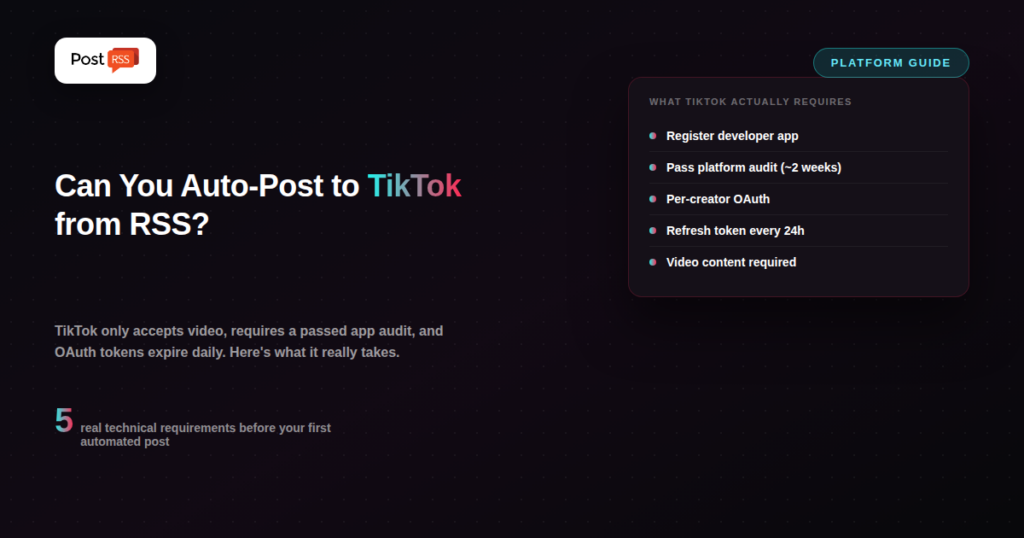
Even setting the video-content problem aside, TikTok’s Content Posting API is considerably more demanding than what other platforms ask of automation tools. A working integration needs a registered developer app with the Content Posting API product enabled, the correct permission scopes, and OAuth authorization granted individually by each creator account — there’s no single “connect once for everyone” flow. Critically, any app that hasn’t passed TikTok’s audit can only post privately; your automated posts won’t be publicly visible to anyone until the app clears that review, which can take anywhere from a few days to roughly two weeks. On top of that, access tokens expire every 24 hours, meaning any automation has to include its own token-refresh logic just to keep working day to day, and TikTok caps posting at roughly 15 videos per day per account regardless of how automated your pipeline is.
If your RSS feed is podcast- or video-based — episodes with an actual video file attached — there’s a real automation opportunity here: a workflow that pulls the video from your feed and posts it to TikTok through the Content Posting API, once your app has cleared TikTok’s audit and you’ve built token-refresh handling. This is genuinely achievable, but it’s a video pipeline project, not a simple “connect my feed” setup.
For text-based blog or news content, some tools and workflows generate a short video automatically — often a simple template with the headline as text-on-screen, a background image or motion graphic, and sometimes AI narration — specifically to satisfy TikTok’s video-only requirement. This works, but it’s a content-creation step layered on top of automation, not automation replacing content creation the way RSS-to-social tools do on other platforms.
Given the audit requirement, the daily token refresh, and the fundamental content-type mismatch, most publishers who want a presence on both TikTok and link-friendly platforms end up automating the platforms where automation actually works cleanly, and treating TikTok as a manual, intentional channel — often because TikTok content tends to need platform-native editing (trends, sounds, pacing) that a repurposed blog headline wouldn’t capture well even if it could be posted automatically.
| Requirement | Facebook / X / LinkedIn | TikTok |
|---|---|---|
| Accepts link + thumbnail posts | Yes | No — video or photo posts only |
| App review required to go public | Standard app review, not per-post | Yes — posts stay private until audit passes |
| Access token lifespan | Long-lived, infrequent refresh | 24 hours — daily refresh required |
| Per-account authorization | Typically once per connected page | OAuth required per creator, every integration |
| Daily posting cap | Not typically a practical constraint | ~15 posts/day per account |
Every row in this table adds friction that a simple RSS-to-social tool would otherwise remove. Combined, they explain why “just connect TikTok like you connect Facebook” isn’t a realistic expectation for any automation product, regardless of price or brand.
For publishers with genuine video content in their feed (podcast video episodes, for example), a working pipeline generally involves:
This is meaningfully closer to a small software project than a “paste a feed URL” setup — which is exactly why most dedicated RSS-to-social tools don’t attempt to offer it as a built-in feature; PostRSS takes the simpler photo-draft route described below.
PostRSS offers TikTok from the Professional plan ($10/month). One detail matters more than the plan: TikTok works as a draft flow — PostRSS prepares the post and you publish it yourself from TikTok. That is not a limitation anyone chose; it follows from what TikTok is. TikTok accepts video, an RSS item is a title, a link and a picture, and its posting API sits behind an audit process, so it will never be the feed-URL-and-done setup that Facebook or LinkedIn automation is. What PostRSS does well is the automation that RSS was actually designed for: publishing a title, link, and thumbnail the moment a new item appears in your feed, with no developer app, no audit, and no daily token refresh to maintain. That starts at $5/month for one target from 36 network types; the wider network list opens up on Professional, Professional Plus and Ultimate. If TikTok video is part of your strategy, plan for it as a separate, more hands-on video workflow; for article images, PostRSS sends a ready photo draft to your TikTok inbox from the Professional plan.
Search around for “auto post RSS to TikTok” and you’ll find plenty of tools claiming to do it. Read the fine print on most of them and you’ll typically find one of a few patterns: the tool actually generates a video from your text content as a separate (often paid) AI step, it requires you to personally complete TikTok’s developer audit before anything works, or it’s describing a much narrower capability than “any RSS feed, automatically” — often limited to specific content types or requiring manual approval per post. None of that makes those tools dishonest, exactly, but it does mean the marketing phrase “auto-post to TikTok” is doing a lot of work to paper over a genuinely more complex reality than the same phrase implies for Facebook or LinkedIn.
Even in a hypothetical world where TikTok’s API had no audit requirement and accepted plain link posts, there’s a reasonable argument that blindly auto-posting blog headlines to TikTok wouldn’t perform well regardless. TikTok’s audience responds to platform-native video — trends, sounds, pacing, editing style — in a way that repurposed blog content typically doesn’t replicate, even when it’s technically possible to post it there. This is worth factoring in before investing in a video-generation pipeline just to satisfy the platform’s format requirement: solving the technical posting problem doesn’t automatically solve the “will anyone watch this” problem that’s specific to how TikTok’s audience actually engages with content.
No — TikTok has no post format that accepts plain text or a bare link; every post needs a video or a photo. Any tool claiming to “auto-post to TikTok” from a text-based RSS feed is either generating a video from your content as an extra step, turning the article image into a photo post (PostRSS sends it to TikTok as a draft you publish), or isn’t actually posting to TikTok at all.
Based on current developer documentation, the review process typically takes anywhere from a few days to about two weeks. Until an app passes, any posts it publishes are visible only privately, not to the public — a critical detail if you’re testing an automation pipeline and wondering why nobody seems to see your posts.
This is a TikTok platform security decision, not something specific to any automation tool. It means any working TikTok automation needs an automated token-refresh mechanism built in — without one, the integration simply stops posting after 24 hours until someone manually re-authorizes it.
Yes — TikTok caps posting at roughly 15 videos per day per creator account through the API. This is rarely the limiting factor for typical blog or news publishing cadences, but it’s worth knowing if your use case involves high-volume video content.
For most text-first blogs and news sites, the honest answer is that TikTok automation isn’t worth the audit process, token maintenance, and video-generation overhead unless TikTok is already a proven, meaningful traffic source for your business. It’s usually more efficient to automate the platforms where your existing content already fits natively, and treat TikTok as a deliberate, separately-produced channel if you decide to invest in it at all.
Auto-posting to TikTok from an RSS feed isn’t a matter of finding the right tool — it’s a matter of your feed containing content TikTok can actually accept, and being willing to take on a developer audit and daily token maintenance that other platforms don’t require. For text and article-based feeds, there’s no realistic shortcut around generating video content specifically for TikTok. For the platforms where a link-and-thumbnail post is the native, accepted format, PostRSS handles the automation cleanly at a fraction of the complexity — TikTok is the exception, and there PostRSS sends each new article image as a photo draft that you publish in the TikTok app, from the Professional plan.
What changed in the networks, what broke, and how to fix it before it costs you reach.
Built by Internet Solutions, the team behind PostRSS. Each product saves you time in its own way.
 English
 Lietuviškai
 Deutsch
 Français
 Русский
 Español
 Polski
 Italiano
 Українська
 Čeština
 Português
 日本語
日本語 Latviešu valoda
 Eesti
Eesti Magyar
 Bahasa Indonesia
 Türkçe
 हिन्दी
 Ελληνικά
 العربية
 ไทย
ไทย Tiếng Việt
 Română
 Bahasa Melayu
 বাংলা
বাংলা