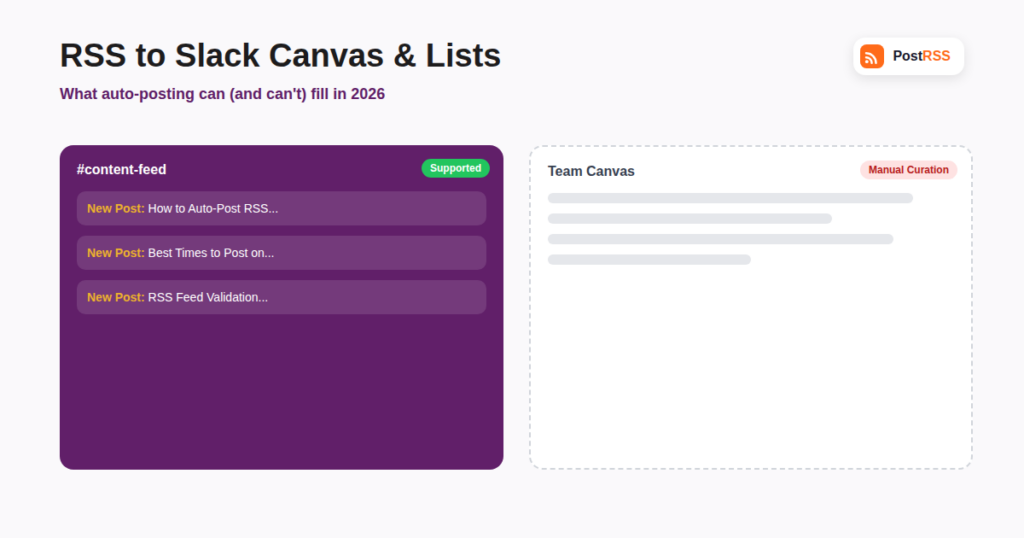
Slack has expanded well beyond channel messages in recent years, adding Canvas (a flexible, document-like surface pinned inside a channel) and Lists (a structured way to track tasks, requests, and items as rows rather than scrollable messages). If your team already uses RSS-to-Slack automation to drop new blog posts, product updates, or news mentions into a channel, it’s a reasonable question whether that same automated content can populate a Canvas or a List instead of just posting another message. This guide explains what Canvas and Lists actually are, what’s realistically automatable today, and how to build a practical workflow around the gap.
Canvas is a persistent, editable document that lives inside a channel or DM — think of it as a shared whiteboard or wiki page attached to a conversation, meant for content that should stick around and stay organized rather than scroll away like a normal message. Teams use it for onboarding guides, project briefs, running meeting notes, and curated reference material that’s meant to be revisited and edited over weeks or months rather than read once and scrolled past.
Lists is Slack’s structured, spreadsheet-like tool for tracking discrete items — requests, tasks, bugs, or approvals — as rows with defined fields, rather than as free-form text. It’s built for workflows where you need to see status, assignee, and priority at a glance across many items at once, not for a fast-moving stream of individual, one-off updates.
Both are meaningfully different from a normal Slack message, which is exactly why RSS-based auto-posting, which is built around delivering a stream of new items as they appear, doesn’t map onto either of them the same way it maps onto a channel feed.
Standard RSS-to-Slack automation, including how most tools handle team notifications from a feed, works through Slack’s incoming webhook or a registered Slack app that posts messages into a specific channel whenever a new item appears in the connected feed. Each new blog post, press mention, or product update shows up as its own message, in the order it was published, functioning like a live news ticker for the team.
This model is a good fit for channels, which are explicitly designed to display a scrolling stream of individual automated updates without anyone needing to intervene. It’s a poor fit for Canvas and Lists, both of which are designed around a small number of items being deliberately curated, edited, and reorganized over time rather than continuously appended to automatically.
| Destination | Built For | RSS Auto-Posting Fit | Current Support |
|---|---|---|---|
| Slack Channel Message | A scrolling stream of updates | Excellent — this is exactly what RSS feeds naturally produce | Fully supported |
| Slack Canvas | A curated, persistent document | Poor — automated appends fight against Canvas’s edit-and-organize model | Limited; mostly requires manual curation |
| Slack Lists | Structured, status-tracked rows | Moderate — new feed items could map to new rows in theory | Limited and still maturing as a platform feature |
As Slack continues to build out its developer platform around these newer surfaces, direct API support for writing structured rows into a List or sections into a Canvas is evolving, but as of 2026 it isn’t yet a standard, broadly supported target for mainstream RSS-to-social and RSS-to-team automation tools the way channel messages are. Building against these APIs directly is possible for teams with in-house developer resources, but it isn’t something a general-purpose RSS auto-posting tool currently offers as a point-and-click destination.
Until broader, standardized automation support catches up, the workflow that works well in practice is a two-step one:
This keeps the always-on, no-effort part of the workflow (catching every new item without anyone needing to check manually) fully automated, while keeping the curation step — deciding what’s actually worth turning into a lasting reference document or a tracked task — in human hands, which is arguably where Canvas and Lists are strongest anyway.
It’s worth setting expectations here rather than assuming Canvas and List automation will eventually work exactly like channel webhooks do. Channel messages are inherently append-only and chronological, which maps naturally onto an RSS feed’s own structure. Canvas and Lists are explicitly built around editing, reorganizing, and curating a smaller, deliberately maintained set of content — properties that are somewhat at odds with fully automated, unattended posting. Even as Slack’s APIs for these surfaces mature over the coming release cycles, the most likely outcome is structured, opt-in automation (for example, automatically creating a new List row with defined fields when a feed item matches specific criteria) rather than a simple drop-in replacement for the “post everything as it happens” model that works so well for ordinary channels today.
Slack isn’t alone in adding structured, curated surfaces alongside its traditional stream-based messaging, and the automation gap described here shows up in similar form elsewhere. Notion’s databases, Asana’s task boards, and Microsoft Teams’ Lists all face the same basic tension: a stream-based automation model (new item appears, gets posted) doesn’t map cleanly onto a structured, status-tracked, human-curated view. In every one of these cases, the mature pattern that’s emerged is the same two-layer approach described above — automation feeds a simple stream (a channel, an inbox, a notification feed), and a human or a more deliberate, rules-based automation promotes selected items into the structured view. If you’re already comfortable with this pattern from another tool in your stack, applying the same logic to Slack Canvas and Lists should feel familiar rather than like a workaround unique to Slack.
Even where APIs exist for writing into newer Slack surfaces, it’s worth being deliberate about which bots and integrations get write access to shared, persistent content like a Canvas or a List, as opposed to a channel message that simply appends to a scrolling history. A misconfigured integration posting into a normal channel produces an easily deleted message; a misconfigured integration with write access to a shared Canvas or List can overwrite or duplicate content that other people are actively relying on and editing. Most teams are well served by keeping RSS automation scoped narrowly to channel messages, which are lower-risk and easier to review or roll back, and reserving any experimental Canvas or List automation for a controlled pilot with a small group before rolling it out more broadly.
It’s reasonable to ask how long this gap is likely to persist. Slack’s own history with developer platform features offers a rough guide: incoming webhooks and basic bot messaging were mature, stable, and widely supported by third-party tools within a year or two of launch, because the underlying model (post a message) was simple and general-purpose. Canvas and Lists are structurally more complex — they involve nested content, field types, permissions, and editing history that a simple webhook was never designed to handle — which historically tends to mean a longer runway before third-party automation tools build broad, reliable support on top of them. Teams that need this integration today are better served planning around the two-layer workaround described above than waiting for full automation to arrive on a specific timeline.
Slack’s Workflow Builder has been expanding to support Lists-related triggers and actions, which may eventually allow a channel message to automatically create a List item through an in-Slack automation rather than a third-party RSS tool. This is worth checking directly in your workspace’s Workflow Builder, since availability and capability can vary by plan and rollout stage.
Microsoft Teams has its own set of structured surfaces (like Lists, built on Microsoft Lists/SharePoint) with a similar dynamic — channel message automation via webhook is well supported, while writing directly into structured list views from a third-party RSS tool is more limited and dependent on Microsoft’s own Power Automate or Graph API integrations rather than a simple webhook.
Automation capabilities for these features are tied to Slack’s platform API rollout and your plan’s app and workflow permissions rather than a straightforward “pay more, get more automation” toggle — check Slack’s own current developer documentation for your specific plan.
For purely automated, high-volume content like an RSS feed, yes — channels remain the best-suited destination for that job today. Canvas and Lists are worth using for the curated, human-reviewed layer on top, not as a direct, one-to-one replacement for the raw automated stream a channel already handles well.
Not through standard RSS auto-posting tools today, since that would require aggregating multiple feed items into a single formatted update rather than posting each one individually — a capability outside what channel-message-based automation is built to do. A custom script using Slack’s Canvas API could achieve this with in-house development work.
Support depends on Slack’s own API maturity for these surfaces reaching a stable, general-availability state suitable for third-party integrations. As that develops, this is exactly the kind of feature worth revisiting.
Start with a single dedicated channel and a single RSS feed — your blog is usually the easiest first source. Get comfortable with the automated channel feed running reliably for a few weeks before layering in any Canvas or List curation step, since the manual curation habit is easier to build once the underlying automated feed is already something the team trusts and checks regularly.
A similar logic applies. Discord’s forum channels and threads are more structured than a flat message stream, and while auto-posting into a forum channel as a new thread is broadly workable, deeper structured features tend to lag behind simple message-posting in third-party automation support, following the same general pattern seen across most chat platforms as they add richer, more organized content types.
Slack Canvas and Lists are genuinely useful additions to how teams organize information, but they’re built around curation and structure rather than the continuous, unattended stream that RSS auto-posting is designed to produce. The practical setup today is to let automation keep a dedicated channel reliably updated, and use a human review step to promote anything worth turning into a lasting Canvas reference or a tracked List item — automating the catch, and keeping the curation firmly human for as long as that distinction keeps making the most practical sense for your team.
What changed in the networks, what broke, and how to fix it before it costs you reach.