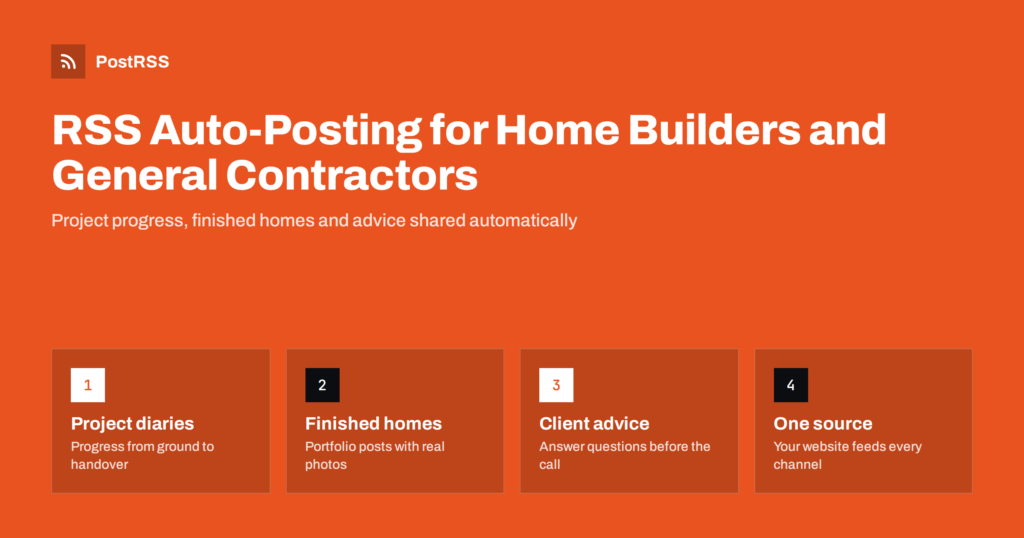
Short answer: Home builders and general contractors can publish project updates, completed builds, advice articles and company news on their own website, and let an RSS auto-posting tool share each new post with photos on Facebook, LinkedIn, Pinterest, X and other channels automatically. The website becomes a growing portfolio that search engines and prospective clients can find, and social channels stay active even during the busiest building season.
Construction is one of the most visual trades there is. Every project moves from bare ground or a tired old room to something finished and lived in, and that transformation is exactly what prospective clients want to see. Yet many builders and contractors have social accounts that were active for a few months and then went quiet. The reason is simple: the people who know the projects best are on site, managing trades, solving problems and talking to clients. Posting to four different apps at the end of a long day is not realistic.
The cost of silence is real. Building and renovation decisions are big, and clients research for a long time before they call. They look at a builder’s website, check recent work, read reviews and look at social profiles to see whether the company is active and reliable. An account whose last post is from two years ago raises doubts, even if the business is thriving.
A “website first” workflow with RSS auto-posting reduces the effort to one step. Someone in the office, or the owner on a quiet evening, publishes a short project update with a few photos on the website. Automation takes care of every social channel.
Almost every website platform, including WordPress, Squarespace, Wix and most builder-focused website services, generates an RSS feed for blog or news posts. The feed is a machine-readable list of your latest posts. An auto-posting service checks it regularly and publishes each new post to the social accounts you connect.
The workflow in practice:
The website keeps every update permanently, organised by project or category. Over a year, that becomes a detailed portfolio that no social platform will keep as neatly for you.
You do not need to publish every day. One or two useful posts a week is plenty for most building businesses. Content types that work well:
Keep claims factual. Avoid promising specific costs, timescales or energy savings in general posts; those depend on each project and belong in a proper quotation.
For builders, photos do most of the selling. In most automated setups the image attached to each social post is the featured image of the website post, or the first suitable image the tool finds. A few habits make a big difference:
Builders speak to homeowners, architects, property developers, suppliers and future employees. Each group favours different channels:
Pick the two or three channels where your clients actually are, and keep them consistently active.
Not every post belongs everywhere. A detailed update on a commercial fit-out suits LinkedIn more than Pinterest, while a finished kitchen suits Pinterest and Facebook. Use website categories such as “Projects”, “Advice”, “News” and “Careers”. Most platforms create a separate feed for each category, so each channel can receive only the categories that fit it. Our guide to category filtering for social accounts explains how to set this up.
Keyword filters, where your tool supports them, add more precision. For example, you might send only posts containing “kitchen” or “bathroom” to a Pinterest board dedicated to interiors.
Construction schedules are unpredictable, so the content plan should be light and flexible:
Write several posts on a rainy day and schedule them on the website for the coming weeks. Scheduled posts only appear in the feed when they go live, so social posts follow the same rhythm. On paid plans of many auto-posting tools you can also restrict posting to certain hours, so updates appear in the evening when homeowners browse rather than at six in the morning.
If the office manager or a family member helps with the website, give them a simple template: project name, stage, three photos, two or three sentences about what happened this week and what comes next. With a template, anyone on the team can publish an update in a few minutes, and the tone stays consistent across projects.
Social posts are short-lived. A post on most networks gets most of its attention within a day or two, then disappears into the timeline. The page on your website that the post links to is different: it stays, it can be found through search engines, and it can be linked from other pages for years. That is why the website-first approach suits builders especially well.
A few practices turn a stream of updates into a portfolio that works on its own:
Because every post also travels through your feed, the same work that builds the portfolio keeps your social channels active. One effort serves search, social media and the prospective client reading your website late in the evening.
PostRSS has been running since 2014. It checks your RSS or Atom feed every 5 minutes and publishes each new post, with its real image and link, to the networks you choose, 66 in total, including Facebook Pages, LinkedIn company pages, Pinterest boards, X, Threads, Bluesky, Mastodon and Telegram. One feed can go to several targets with different wording, keyword filters decide which items go where, UTM parameters show which network brings visitors, and paid plans add posting windows and exact posting times. Evergreen advice posts can be republished on a schedule. See the features page and compare plans on the pricing page.
Builders have the most convincing content there is: real projects, real progress and real results. Publish each update once on your website with good photos and client consent, let RSS auto-posting distribute it to the channels your clients use, route news by category, and spend the time you save answering the enquiries it brings in. Over time, the website becomes a portfolio and the social channels a steady proof that your company is active and reliable.
Yes. Publish updates as posts on your website, which creates an RSS feed, and connect that feed to an auto-posting tool. Each new update is then shared with its photo and link on the channels you choose.
One or two genuinely useful posts a week is enough for most builders. Consistency matters more than volume, so a steady rhythm of progress updates and advice posts works better than bursts followed by silence.
You should always ask. Agree in advance what may be shown, avoid identifying details such as house numbers if the client prefers, and wait for approval before publishing completed project posts.
A Facebook Page usually reaches local homeowners, LinkedIn suits architects, developers and recruitment, and Pinterest is strong for finished interiors and exteriors. Choose two or three channels your clients actually use.
Generally no. Building costs depend on each project and change over time, and old posts stay visible. It is better to explain what affects costs and invite people to request a quotation.
What changed in the networks, what broke, and how to fix it before it costs you reach.
Built by Internet Solutions, the team behind PostRSS. Each product saves you time in its own way.
 English
 Lietuviškai
 Deutsch
 Français
 Русский
 Español
 Polski
 Italiano
 Українська
 Čeština
 Português
 日本語
日本語 Latviešu valoda
 Eesti
Eesti Magyar
 Bahasa Indonesia
 Türkçe
 हिन्दी
 Ελληνικά
 العربية
 ไทย
ไทย Tiếng Việt
 Română
 Bahasa Melayu
 বাংলা
বাংলা