Updated: 2026-09-27
Short answer: choose PostRSS if you need feed-driven publishing and nothing else, across up to 66 networks — free for one Facebook Page, all networks from $40/month. Choose SocialBu if comments and DMs are part of the job: its unified inbox solves an operational problem PostRSS does not touch, and its evergreen recycling works from a content library, while PostRSS republishes evergreen articles straight from your feed. SocialBu starts at $19/month.
SocialBu is a broad social media management platform trusted by a reported 20,000+ businesses, covering scheduling, bulk uploads, content queues, a unified social inbox for comments and DMs, an AI writer for captions, team collaboration with approval workflows, and — relevant to this comparison — automation features that include RSS feed triggers and evergreen content recycling. It supports around 12 platforms, including Google Business Profile, Instagram, TikTok, Facebook, LinkedIn, and Pinterest.
PostRSS covers one narrow slice of that feature list — RSS-to-social automation — and builds its entire product around doing it well, without the surrounding dashboard. Comparing the two comes down to a familiar question in this series: do you want a full management suite with automation as one feature among many, or a tool that only does automation, with nothing else to configure?
SocialBu’s pricing starts at $19/month for the Standard plan, moving to $59/month for Super and $199/month for Supreme, with a 7-day free trial on every paid tier and no credit card required to start. Its automation module — RSS feeds, triggers, and evergreen recycling — sits alongside a much larger toolkit: bulk content uploads, a shared content queue, a social inbox that consolidates comments and messages across platforms, an AI writer that drafts and rewrites captions, and role-based team permissions with approval workflows for agencies and larger teams.
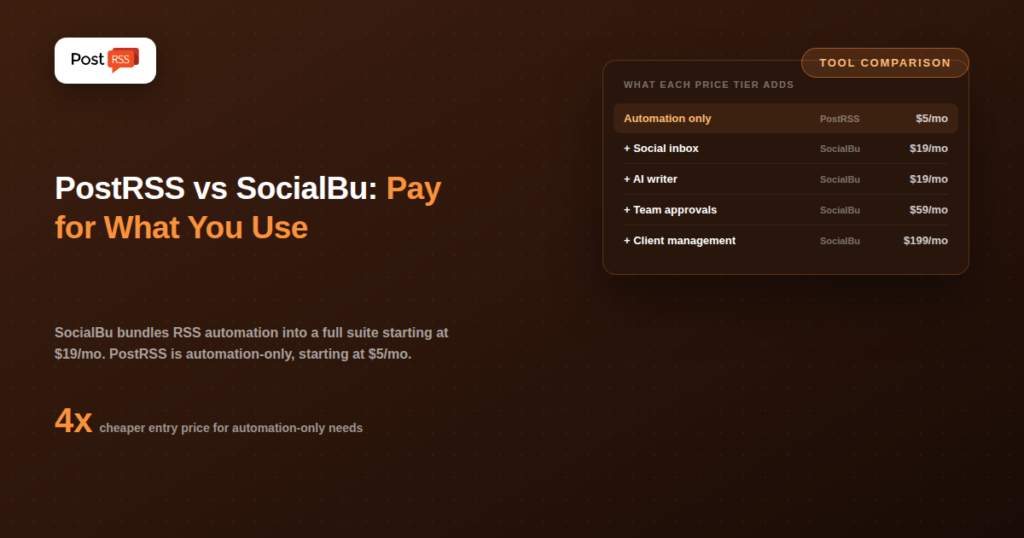
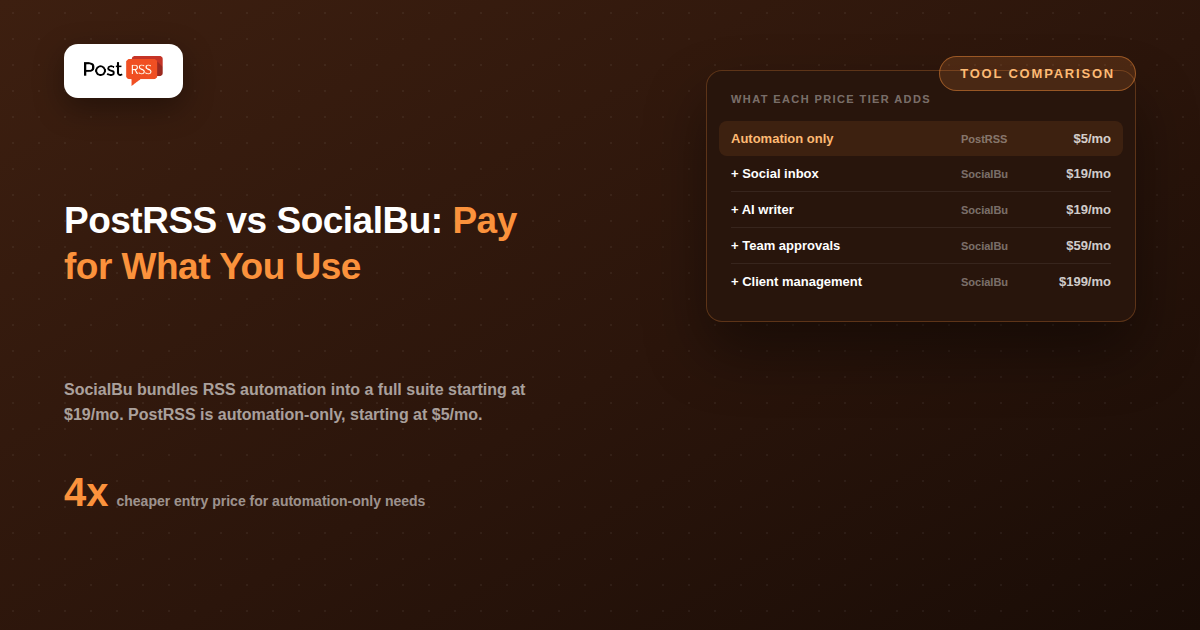
PostRSS has no inbox, no AI writer, and no approval workflow — because the entire product is the automation piece SocialBu offers as one module among several. You connect an RSS feed, choose your destinations (66 networks, including Facebook, X, LinkedIn, Pinterest, Threads, Bluesky, Mastodon, Telegram, Discord, Tumblr, VKontakte, Matrix, Webhook and Instapaper), and new items get posted automatically, checked every 5 minutes by default. Pricing starts free (1 target, 10 tasks/month), then Start at $5/month (1 target, 500 tasks/month), and Professional at $10/month (10 targets, 10,000 tasks/month) — a fraction of SocialBu’s $19/month entry price for a comparable core automation workflow.
| Feature | PostRSS | SocialBu |
|---|---|---|
| Core focus | RSS-to-social automation only | Full social media management suite |
| Entry price | Free, then $5/month | $19/month |
| Social inbox (comments/DMs) | No | Yes, unified across platforms |
| AI caption writer | No | Yes |
| Evergreen content recycling | Yes, republishing from your feed | Yes |
| Team approval workflows | No | Yes |
| Platforms supported | 66 networks incl. Fediverse, Asian and team-chat platforms | ~12, incl. Google Business Profile, TikTok |
| RSS check frequency | As often as every minute | Not published as a specific interval |
Because RSS is one of several trigger types inside SocialBu’s automation module (alongside evergreen recycling and other rules), the setup screen involves more choices than a tool built around RSS alone.
A solo business owner running a local shop, publishing a blog post or update once or twice a week, and wanting it to reach a Facebook Page and a LinkedIn Page automatically has no real use for SocialBu’s inbox, AI writer, or team approval workflow — there’s no team, and the inbox duplicates what they’d check directly on each platform anyway. For that owner, PostRSS’s $5/month Start plan covers the actual need without the extra $14–54/month SocialBu would add for features that go unused.
A social media agency managing ten client accounts is a different story entirely. They need the inbox to triage client comments and messages, the approval workflow to route drafts to clients before publishing, and the AI writer to speed up caption drafting across accounts. RSS automation is genuinely useful to them too, but it’s one small piece of a much larger operational need — and SocialBu’s higher price reflects a platform doing all of that work in one place, not just the automation slice PostRSS specializes in.
SocialBu fits best for agencies and businesses managing customer engagement (comments, DMs) alongside publishing, teams that need approval workflows before content goes live, and anyone who wants evergreen content recycling as part of their strategy.
PostRSS fits best for solo creators, small businesses, and publishers whose need is narrowly “auto-post my new content” without an inbox, AI writer, or approval chain adding cost and complexity to a simple workflow.
If you’re managing customer comments and DMs alongside publishing, SocialBu’s unified social inbox solves a real operational problem PostRSS doesn’t touch at all. Its evergreen recycling feature is also a genuinely different use case from straightforward RSS automation — reposting a library of older content on a rotating schedule, rather than only publishing new items as they’re released. And for a business already juggling Google Business Profile updates, TikTok, and customer messaging in one place, having automation live inside that same dashboard is a real convenience worth paying for.
If RSS automation is the specific job you need done — not team inboxes, not AI captions — PostRSS gets there, republishing of evergreen articles included, for under a third of SocialBu’s entry price, with a setup that takes minutes rather than a broader platform to learn. There’s no dashboard to navigate beyond the automation itself, and no risk of paying $19–59/month for an inbox and approval workflow you’ll never use because you’re a solo creator or small business without a content team to manage.
PostRSS’s task-based pricing is also more transparent about what you’re actually getting: an exact number of posting actions per month, rather than a bundled “automation” feature inside a broader plan where the real RSS-specific limits aren’t clearly separated from the rest of the platform’s usage caps.
SocialBu’s pricing structure scales with team size and feature depth rather than posting volume specifically. The $19/month Standard plan covers core scheduling and a limited set of automation and inbox features — enough for a small business testing the platform, but light on the collaboration tools that justify the higher tiers. The $59/month Super plan expands account limits, adds deeper analytics, and unlocks more of the automation and inbox capacity. The $199/month Supreme plan is aimed squarely at agencies: more team seats, more client accounts, and the full breadth of approval and collaboration workflows. RSS automation itself is available across these tiers, but the broader value of paying for Super or Supreme comes from the surrounding features, not the automation module in isolation.
PostRSS’s pricing scales differently — by targets (connected destinations) and tasks (posting actions), independent of team size or feature depth, because there’s no broader feature set to gate behind higher tiers. A solo user and a small team with the same posting volume pay the same price on PostRSS; on SocialBu, team size and collaboration needs are what push you up the pricing ladder.
SocialBu’s evergreen recycling deserves a closer look because it solves a genuinely different problem than RSS automation. Where RSS automation publishes new content once, as it’s released, evergreen recycling takes a library of existing posts — old blog articles, cornerstone content, seasonal reminders — and republishes them on a rotating schedule, so older but still-relevant content keeps getting fresh visibility instead of disappearing after its first posting. If a meaningful part of your content strategy depends on resurfacing older material, PostRSS covers it as well: set the source’s publishing order to random with repeats and choose posting windows or exact times, and older articles from your feed go out again on that schedule, next to new ones (see PostRSS features). SocialBu’s recycling works from a separate content library, while PostRSS works from the articles already in your feed.
Broadly yes — both connect a feed and auto-post new items to social. The difference is context: SocialBu’s RSS automation is one trigger type inside a larger automation and management system, while PostRSS’s entire product is built around that single workflow, which tends to mean a simpler, more direct setup for that specific job.
Probably not on its own. At $19/month minimum, SocialBu costs roughly 2–4x PostRSS’s comparable plans for a use case that doesn’t touch most of what makes SocialBu’s price justified — the inbox, AI writer, and team tools. It becomes worth it once those other features are part of your actual workflow.
Yes. PostRSS can republish evergreen articles: set the source’s publishing order to random with repeats and choose posting windows or exact times, and older articles from your feed go out again on that schedule, next to new ones. SocialBu recycles posts from a separate content library, while PostRSS republishes the articles already in your feed.
SocialBu, generally — its team permissions, approval workflows, and unified inbox are built for exactly that kind of multi-account, multi-person management. PostRSS’s target-based pricing can technically cover multiple accounts, but it has no built-in structure for team roles or client approval steps.
PostRSS’s free plan works differently — rather than a time-limited trial, it’s a permanently free tier (1 target, 10 tasks/month) you can use indefinitely to test the automation before upgrading, with no credit card or expiration date involved.
No — PostRSS’s supported destinations are all 66 networks. If Google Business Profile updates are part of your publishing workflow, SocialBu’s broader platform list covers that in a way PostRSS currently doesn’t.
SocialBu and PostRSS both offer RSS automation, but it means something different in each context. In SocialBu, it’s one module inside a $19–199/month management platform built for teams handling inboxes, AI content, and client approvals. In PostRSS, it’s the entire product, priced from $5/month with nothing else to configure. If your business genuinely needs the inbox, the AI writer, and the team workflows, SocialBu’s broader price tag is earned. If RSS-to-social automation is the actual requirement, PostRSS delivers it for less money, less setup, and no unused features sitting in the way.
What changed in the networks, what broke, and how to fix it before it costs you reach.
Built by Internet Solutions, the team behind PostRSS. Each product saves you time in its own way.
 English
 Lietuviškai
 Deutsch
 Français
 Русский
 Español
 Polski
 Italiano
 Українська
 Čeština
 Português
 日本語
日本語 Latviešu valoda
 Eesti
Eesti Magyar
 Bahasa Indonesia
 Türkçe
 हिन्दी
 Ελληνικά
 العربية
 ไทย
ไทย Tiếng Việt
 Română
 Bahasa Melayu
 বাংলা
বাংলা