Updated: August 23, 2026
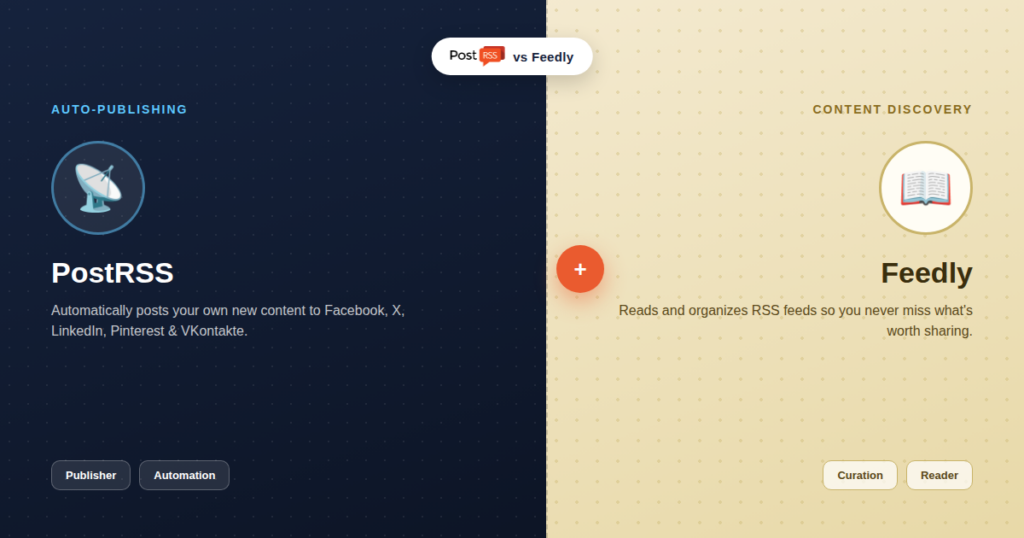
"Do I need Feedly or PostRSS?" is a question with a slightly surprising answer: it's usually the wrong question. Feedly and PostRSS aren't competing for the same job — one helps you find and monitor content, the other automatically publishes content you already have. Understanding that distinction clearly is more useful than any feature-by-feature scorecard, so that's where this comparison starts.
Feedly is a content-discovery and monitoring platform built around RSS. You add feeds from sites, blogs, and publications you want to track, and Feedly organizes everything into a clean reading interface, layers on AI-powered filtering and summarization, and helps you spot what's worth your attention across dozens or hundreds of sources at once. What Feedly does not do is publish anything anywhere. It's explicitly a reading and curation tool — if you want to share something you found in Feedly to social media, you either do it manually or connect Feedly to a separate scheduling tool via an integration.
PostRSS solves the opposite half of the equation. It doesn't help you find or read content — it watches your own RSS feed (from your blog, store, or any site you publish to) and automatically posts new items to 66 networks, including Facebook, X, LinkedIn, Pinterest, Threads, Bluesky, Mastodon, Telegram, Discord, Tumblr, VKontakte, Matrix, Webhook and Instapaper the moment they're published. There's no reading interface, no content discovery, no curation dashboard — just reliable, automatic distribution of content you've already created.
| Capability | Feedly | PostRSS |
|---|---|---|
| Reads and organizes RSS feeds from other sites | Yes — its core function | No |
| Auto-publishes to social media | No — not a scheduler at all | Yes — its core function |
| Content discovery / AI filtering | Yes | No |
| Watches your own site's feed for new posts | Can track it as a source, but won't publish from it | Yes, and automatically distributes it |
| Team content curation workflows | Yes, a core strength | Not applicable |
| Typical price | $6–$8/month for individual plans | Free plan, paid from $5/month |
| Networks reachable from one feed | Varies by plan — check their current list | 66 networks incl. Fediverse, Asian and team-chat platforms |
Both tools have "RSS" at the center of what they do, and both are genuinely useful to people running content-driven websites — which is exactly why they get lumped together in searches and comparisons. But "built around RSS" describes two very different jobs here: Feedly uses RSS to pull content in for you to read; PostRSS uses RSS to push content out to your social audience. They're on opposite ends of the same underlying technology, not two versions of the same tool.
For many content creators and small teams, yes — and not as a compromise, but because they solve genuinely different problems in the same workflow. A common, effective setup looks like this: use Feedly to monitor industry news, competitor blogs, and sources worth sharing or referencing, curating what's actually worth your attention out of the noise. Use PostRSS separately to make sure everything you publish — your own blog posts, product updates, announcements — goes out automatically to your social channels without you lifting a finger. One handles input, the other handles output, and neither replaces the other.
The two tools never touch the same step in that workflow, which is why running them together, rather than picking one, is the setup that best matches what each was actually built for.
Picture a content marketer's actual week. Monday morning starts in Feedly, scanning overnight industry news and competitor posts, saving three articles worth referencing and one worth writing a response to. Wednesday, that response article gets written and published on the company blog. From that moment, Feedly plays no further role — it already did its job, days earlier, helping decide what to write about. PostRSS picks up exactly where Feedly's involvement ends: the instant that Wednesday article publishes, it's automatically distributed across all 66 networks, with zero manual posting required. Neither tool ever does the other's job during that week; they simply hand off cleanly at the publish moment.
It's worth understanding what makes Feedly more than "just an RSS reader" in 2026: its AI layer can summarize long articles, flag emerging trends across your tracked sources, and filter noise out of high-volume feeds so a marketer isn't manually skimming hundreds of headlines a day. That's a genuinely different skillset from anything PostRSS attempts — PostRSS has no reading interface and makes no attempt to help you decide what's worth your attention. This isn't a gap in PostRSS; it's simply outside its scope entirely, the same way Feedly makes no attempt to guarantee your own content gets distributed anywhere.
Feedly for Teams does offer integrations that push saved articles into tools like Buffer or Hootsuite for scheduling — but that's Feedly handing off to a separate scheduler, not Feedly publishing on its own. It's the same underlying pattern: Feedly curates, a different tool distributes. If your team's setup already routes curated Feedly content into a scheduler, adding PostRSS specifically for automating your own published content (rather than manually queuing content you found elsewhere) is a complementary addition, not a redundant one.
Part of what makes this comparison unusual is that "RSS tool" spans a genuinely wide range of purposes: feed readers built for humans to browse (Feedly, Inoreader), feed-to-webhook automation platforms built for developers (used inside tools like Make or Zapier), and feed-to-social distribution tools built specifically for marketers and site owners (PostRSS). All three technically "use RSS," but asking which one is "the best RSS tool" is a bit like asking which is the best kitchen tool without specifying whether you need a knife, an oven, or a refrigerator — the honest answer depends entirely on which step of the process you're trying to solve.
Feedly's individual plans run roughly $6–$8/month for AI-powered reading and monitoring features. PostRSS's plans start free and run from $5/month for basic automation up through enterprise tiers for high-volume, multi-target distribution. Comparing these numbers side by side implies they're substitutes competing for the same budget line — they're not. A content team's actual monthly cost, if both are genuinely useful to them, is the sum of both, not a choice between them.
It's worth being direct about what happens when a content operation only has the Feedly half of this pipeline covered: content gets researched well, written well, and published well — and then sits on the site waiting for someone to remember to manually share it across 66 networks. In practice, that manual step is exactly the kind of task that gets skipped under deadline pressure, which means well-researched, well-written content quietly gets far less reach than it deserves, not because the content was weak, but because distribution never happened consistently. Automating that one step is often the single highest-leverage fix available to a content team that already writes well.
If distribution — not discovery — is your actual gap, setup is straightforward: connect your site's RSS feed (our step-by-step setup guide covers the process), connect your social accounts, and every future post distributes itself automatically from that point on, completely independent of whatever content-discovery tools your team already uses.
No — Feedly doesn't publish or schedule posts to social media at all. It's built for reading and curating, not distributing.
No — PostRSS is built to distribute your own feed's content automatically; it isn't a reading or content-discovery interface for tracking other sources.
If you only ever publish your own content and never curate from outside sources, you may not need Feedly. If you only read and curate but never need automatic distribution of your own posts, you may not need PostRSS. Most active content operations end up needing both.
No — adding your own feed as a source in Feedly only lets you (or your team) read and track it there. Publishing to social media requires a separate tool built for that, like PostRSS.
Whichever solves your more immediate bottleneck. If you're already publishing consistently but nothing gets shared automatically, start with PostRSS. If you're struggling to find or keep up with what's worth writing about, start with Feedly.
No — Feedly for Teams adds collaborative curation and annotation on top of its reading core, but still doesn't add automatic distribution of your own published content. The two remain complementary regardless of which Feedly plan you're on.
Feedly isn't built for analytics or reach tracking — it's a reading tool. For understanding how your automated posts perform, platform-native analytics (Facebook Page Insights, X Analytics, and similar) remain the source of truth regardless of which tools sit upstream in your workflow.
No — they don't depend on each other technically. Feedly reads whatever feeds you add to it whether or not PostRSS exists, and PostRSS distributes your own feed whether or not you use Feedly at all. Order only matters in terms of which problem you solve first.
No — PostRSS only reads your feed to trigger social posts; it doesn't modify your feed's content, structure, or how it appears to anyone (including in Feedly) subscribed to it elsewhere.
Because these two tools don't actually compete, there's no "winner" to declare here in the way most comparison articles land on one. The only genuinely useful question is whether your content operation currently has both the input side (discovery, curation, monitoring) and the output side (automatic, reliable distribution) covered, or just one. Answering that honestly is more useful than treating this as a head-to-head contest.
Feedly and PostRSS aren't rivals — they sit on opposite sides of the same content pipeline, one bringing relevant information in, the other pushing your own published content out. Comparing them head-to-head misses the point; the more useful question isn't "which one" but "do I have both halves of this pipeline covered," and for most active publishers, the honest answer is that both tools earn their place, quietly working on opposite ends of the same daily routine.
What changed in the networks, what broke, and how to fix it before it costs you reach.
Built by Internet Solutions, the team behind PostRSS. Each product saves you time in its own way.
 English
 Lietuviškai
 Deutsch
 Français
 Русский
 Español
 Polski
 Italiano
 Українська
 Čeština
 Português
 日本語
日本語 Latviešu valoda
 Eesti
Eesti Magyar
 Bahasa Indonesia
 Türkçe
 हिन्दी
 Ελληνικά
 العربية
 ไทย
ไทย Tiếng Việt
 Română
 Bahasa Melayu
 বাংলা
বাংলা