Updated: 2026-09-27
Short answer: choose PostRSS if RSS automation is the actual requirement — up to 66 networks, free for one Facebook Page, all networks from $40/month, with RSS included from the first paid tier. Choose Circleboom if your strategy depends on designed posts, Instagram carousels and Stories, or RSS into Google Business Profile; note that its RSS automation needs the $34.99/month Premium plan, not the cheaper Pro tier.
Circleboom is a broad social media management platform with a multimedia post designer (Canva-integrated), bulk scheduling, AI content generation, and support for advanced formats like Instagram carousels, reels, and stories. Its RSS auto-posting feature lets you connect a feed and automatically publish new articles, photos, and videos to Facebook, X, LinkedIn, Pinterest, Threads, and Google Business Profile.
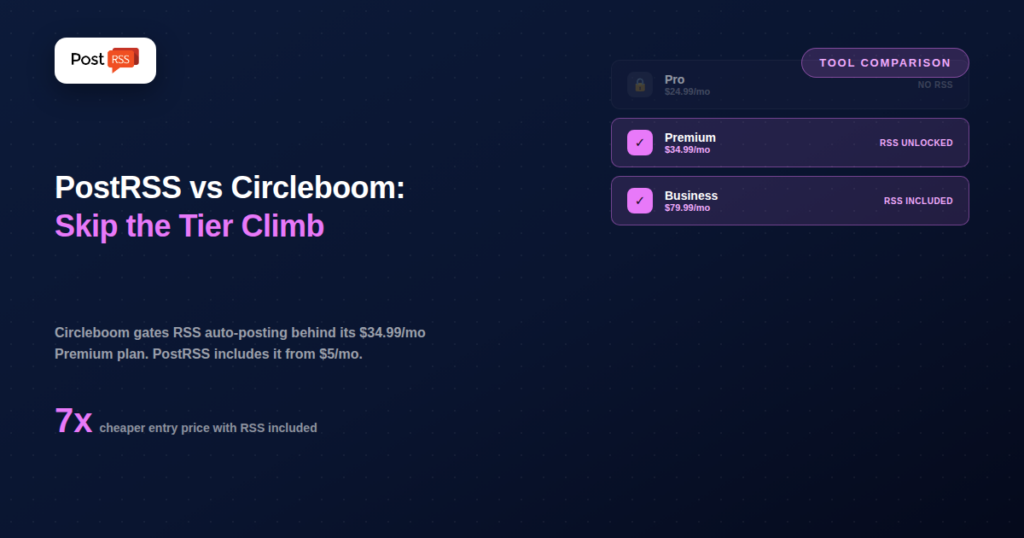
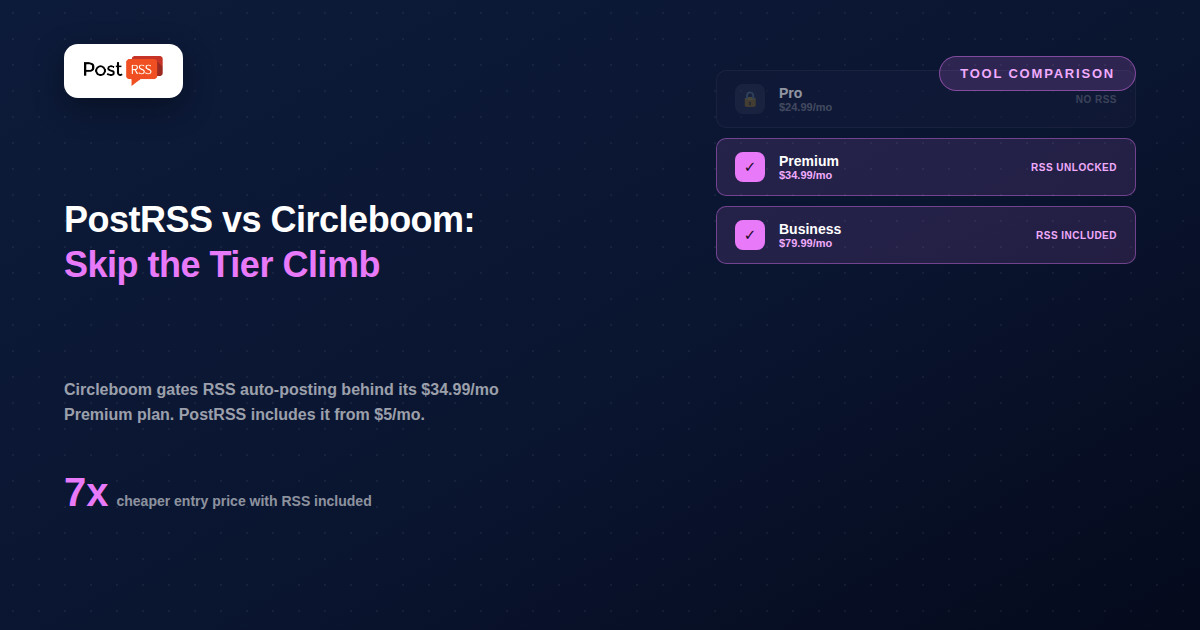
The detail that matters most for this comparison: RSS auto-posting isn’t available on Circleboom’s entry-level Pro plan ($24.99/month). It’s gated behind the $34.99/month Premium plan and above. If RSS is the specific reason you’re evaluating Circleboom, that’s the plan you actually need to price against — not the cheaper Pro tier that shows up first on their pricing page, and one that’s easy to miss unless you check the feature comparison table closely before subscribing.
Circleboom Publish is priced by number of connected social accounts across four tiers: Pro at $24.99/month (5 accounts, 300 queued posts, no RSS), Premium at $34.99/month (10 accounts, unlimited queued posts, RSS auto-posting unlocked), Business at $79.99/month (30 accounts, up to 100 connectable RSS feeds), and Enterprise at $209.99/month (100 accounts). Beyond RSS automation, its broader toolkit includes a visual post designer, AI-assisted caption and image generation, bulk upload and scheduling, and support for platform-specific formats most dedicated RSS tools don’t attempt, like Instagram carousels and Stories.
PostRSS doesn’t have a post designer, AI generation, or carousel support — RSS-to-social automation is the entire product, available from the very first paid plan. Connect a feed, choose your destinations from 66 networks — Facebook, X, LinkedIn, Pinterest, Threads, Bluesky, Mastodon, Telegram, Discord, Tumblr, VKontakte, Matrix, Webhook and Instapaper among them — and pick a plan. Free (1 target, 10 tasks/month) covers a Facebook Page, Telegram, Bluesky or Mastodon; Start at $5/month (1 target, 500 tasks/month) opens 36 network types; Professional at $10/month opens 10 targets, 10,000 tasks/month and 66 network types, including LinkedIn, Threads and TikTok; X arrives on Professional Plus at $20/month. Feeds are checked every 5 minutes by default, with no plan upgrade required to access the feature at all.
| Feature | PostRSS | Circleboom |
|---|---|---|
| RSS automation on entry plan | Yes ($5/month, Facebook Page) | No — needs $34.99/month Premium |
| Core focus | RSS-to-social automation only | Full social media management suite |
| Post designer / Canva integration | No | Yes |
| Instagram carousels / Stories | No | Yes |
| Google Business Profile | No | Yes |
| Threads | Yes (Professional, $10/month) | Yes |
| VKontakte support | Yes | No |
| Entry price with RSS included | $5/month | $34.99/month |
| Networks reachable from one feed | 66 networks incl. Fediverse, Asian and team-chat platforms | Varies by plan — check their current list |
Because RSS sits inside a much larger publishing suite, the setup screen involves navigating past features you may not need (the post designer, carousel builder, AI tools) to reach the automation you’re actually there for.
Consider a blog auto-posting to Facebook and LinkedIn. On PostRSS that’s the $20/month Professional Plus plan — 20 targets, 30,000 tasks/month, RSS automation included from the first paid tier. On Circleboom, the same requirement means subscribing to at least the $34.99/month Premium plan, since Pro doesn’t include RSS at all, before factoring in whether you’ll actually use Circleboom’s design tools, AI features, or carousel support. Add X to that list and PostRSS still costs less: X sits on PostRSS’s $20/month Professional Plus plan, which is less per month than Circleboom Premium — so Circleboom is the better-value subscription only if you would also use its post designer. Worth checking the current pricing page before you commit either way.
Over a year, the Facebook-and-LinkedIn scenario is the difference between $240 and roughly $420 — a meaningful amount for a solo creator or small business, and one worth weighing against how much of Circleboom’s broader toolkit you’d realistically put to use. The X-inclusive scenario runs the other way, at roughly $480 against $420.
Circleboom fits best for businesses whose content strategy depends on visually designed posts, Instagram carousels and Stories, and multi-platform reach into Google Business Profile — where RSS automation is a useful addition to a broader publishing workflow, not the primary reason to subscribe.
PostRSS fits best for anyone whose core need is “publish my feed automatically” without paying for — or navigating around — a post designer, AI content tools, and carousel builders that a simpler RSS workflow doesn’t require.
If your content strategy depends on Instagram carousels, Stories, or visually designed posts — not just link-style shares — Circleboom’s design tools do work PostRSS was never built for. Its RSS reach into Google Business Profile also covers ground PostRSS doesn’t, which matters if that platform is core to your local visibility. For a business already paying for Circleboom’s broader feature set, RSS automation is a reasonable feature to use once you’re on Premium or above.
If RSS automation is the actual requirement, PostRSS costs a fraction of what Circleboom charges for the plan tier where RSS becomes available — $5/month versus $34.99/month, a difference that adds up fast over a year. There’s also no plan-tier gate to navigate: PostRSS’s cheapest plan includes full RSS automation from day one, so you’re never stuck comparing “which tier do I actually need” the way Circleboom’s Pro-vs-Premium split requires. For anyone who doesn’t need a post designer or carousel support, that’s meaningfully less to pay for and less to configure.
Circleboom’s pricing scales primarily by connected social account count rather than posting volume: Pro ($24.99/month, 5 accounts, 300 queued posts, no RSS) is aimed at individuals with a small footprint who don’t need automation from a feed. Premium ($34.99/month, 10 accounts, unlimited queued posts) is where RSS auto-posting actually turns on, making it the realistic entry point for anyone comparing Circleboom specifically against a dedicated RSS tool. Business ($79.99/month, 30 accounts, up to 100 connectable RSS feeds) targets agencies and larger publishers managing many separate feeds at once. Enterprise ($209.99/month, 100 accounts) sits at the top for large organizations. It’s worth noting that Circleboom Publish and Circleboom Twitter are billed as separate products — if you need both, the two subscription costs stack.
PostRSS’s structure is simpler by design: two dimensions (targets and tasks) rather than four tiers gating different feature bundles, which makes it easier to predict exactly what a given monthly price gets you without cross-referencing a feature comparison chart first. There’s no equivalent of the Pro-vs-Premium confusion, because there’s only one version of the product to begin with — every plan includes the same core automation, just scaled up in targets and monthly task volume as you grow.
Circleboom’s RSS automation reaches Google Business Profile, which PostRSS doesn’t cover at all — relevant if local-business visibility is central to your plan. Threads is on both lists: Circleboom includes it in its RSS automation, PostRSS from the Professional plan ($10/month). PostRSS, in turn, supports VKontakte, a platform absent from Circleboom’s list entirely, relevant for any business with an audience in VK-heavy markets. Neither platform list is objectively broader; the right choice depends entirely on which specific destinations your actual distribution strategy requires.
No. Circleboom’s $24.99/month Pro plan explicitly excludes RSS auto-posting — you need the $34.99/month Premium plan or higher to use it. This is one of the more commonly misunderstood details in Circleboom’s pricing structure.
Not today. Instagram and Google Business Profile support are still being tested (both sit on the Professional Plus plan) — if either is part of your RSS distribution needs, Circleboom covers them. Threads is a different case: it’s on both lists, and PostRSS posts to it from the Professional plan ($10/month). PostRSS’s full list runs to 66 networks, and the pricing page shows which plan unlocks each one.
Only if you genuinely need to manage close to 100 separate RSS feeds from one account — a use case for larger publishers or agencies. For most single-site or small-business use cases, PostRSS’s Professional plan (10 targets, $10/month) covers a comparable practical need at a much lower price.
PostRSS, since RSS is the only workflow it offers — there’s no broader platform to learn first. Circleboom’s RSS feature exists inside a larger dashboard with a post designer, AI tools, and multiple content types, which takes longer to fully navigate even once you’re on a plan that includes RSS.
On the Pro plan, the 300 queued-post cap is a moot point since RSS isn’t available there at all. On Premium and above, queued posts are unlimited, so RSS-driven posting volume isn’t artificially capped the way it would be on a lower tier — a detail worth confirming directly with Circleboom if your feed publishes at high volume.
For RSS-focused needs, PostRSS is almost always cheaper. Circleboom Publish and Circleboom Twitter are billed as separate subscriptions, so a setup needing both stacks two monthly fees on top of each other — well above PostRSS’s single, unified pricing for the same core automation task.
Circleboom is a strong choice if RSS automation is one part of a broader need that includes visual post design, Instagram carousels, and Google Business Profile publishing — but that capability starts at $34.99/month, not the $24.99/month Pro plan most people see first. PostRSS delivers the RSS-to-social piece alone, starting at $5/month, with no tier to climb before the feature actually works. If a designed, multi-format content strategy is the goal, Circleboom’s price is earned. If RSS automation is the whole requirement, PostRSS gets there for a fraction of the cost.
What changed in the networks, what broke, and how to fix it before it costs you reach.
Built by Internet Solutions, the team behind PostRSS. Each product saves you time in its own way.
 English
 Lietuviškai
 Deutsch
 Français
 Русский
 Español
 Polski
 Italiano
 Українська
 Čeština
 Português
 日本語
日本語 Latviešu valoda
 Eesti
Eesti Magyar
 Bahasa Indonesia
 Türkçe
 हिन्दी
 Ελληνικά
 العربية
 ไทย
ไทย Tiếng Việt
 Română
 Bahasa Melayu
 বাংলা
বাংলা