If you’re searching for a way to auto-post your RSS feed to Instagram, you’ve probably already noticed something: most of the RSS automation tools that handle Facebook, X, and LinkedIn without a second thought either skip Instagram entirely or bury it behind extra setup steps. That’s not an accident, and it’s not a gap in any one tool’s feature list — it’s a structural limitation baked into how Instagram’s platform works.
This guide explains exactly what Instagram requires for automated posting, why a simple “publish the article link” approach that works everywhere else doesn’t work here, what your realistic options actually are in 2026, and which platforms make more sense if hands-off, zero-configuration RSS automation is what you’re actually after.
RSS-to-social automation tools work by taking a feed item’s title, link, and (if available) a thumbnail image, then publishing that as a native post on each connected platform. Facebook, X, LinkedIn, and Pinterest all support this pattern well — a link post with a title and image is a completely normal, expected post format on each of them.
Instagram doesn’t work that way. Every post on Instagram requires an image or video as the actual content — there’s no supported post type that’s just a link and a caption the way there is elsewhere. A blog post’s featured image can sometimes be repurposed, but it wasn’t designed for Instagram’s square or vertical aspect ratios, and clickable links don’t work in captions at all (they only work in Stories, with restrictions, or in the bio). That single design difference is the reason “auto-post my RSS feed to Instagram” is a fundamentally harder problem than the same request for almost any other platform.
Automated posting to Instagram is only possible through a Business or Creator account, and that account has to be linked to a Facebook Page you administer. Personal Instagram accounts have no API access for automated publishing at all — if you’re running a personal profile, no tool, RSS-based or otherwise, can legally automate posts to it. Beyond the account type requirement, Instagram’s Graph API requires the image or video being posted to already be hosted at a publicly accessible URL before the post request is made, which is a meaningfully more involved technical step than the simple link-and-thumbnail format other platforms accept.
The most common working approach is bridging an RSS feed into Instagram through a general-purpose automation tool. You build a flow that watches your feed, generates or selects an image for each new item, formats a caption, and publishes through Instagram’s Business API. This works, but it means building and maintaining a multi-step flow yourself, checking your feed on an interval you configure (commonly every 15 minutes), and handling image formatting as a separate step rather than something that happens automatically.
Platforms built around visual content — ones with post designers, Canva-style templates, and automatic image generation from article text — handle the “Instagram needs an image” problem by generating one for you from your feed’s headline and description. That’s a meaningfully different product category from simple RSS-to-social automation, and it usually costs more, precisely because generating a branded graphic per post is real additional work the tool is doing on your behalf.
Many publishers land on a hybrid approach: full RSS automation for Facebook, X, LinkedIn, and Pinterest — where a title-link-thumbnail post works natively — and manual, intentional posting for Instagram, where a designed image and a caption written for that specific audience tends to perform better anyway. This isn’t a workaround so much as a recognition that Instagram was never really a “republish the same thing everywhere” platform to begin with.
| Platform | Accepts Link + Thumbnail Posts | Requires Image/Video as Primary Content |
|---|---|---|
| Yes | No | |
| X (Twitter) | Yes | No |
| Yes | No | |
| Yes (image + link) | Image required, but link posts are the native format | |
| VKontakte | Yes | No |
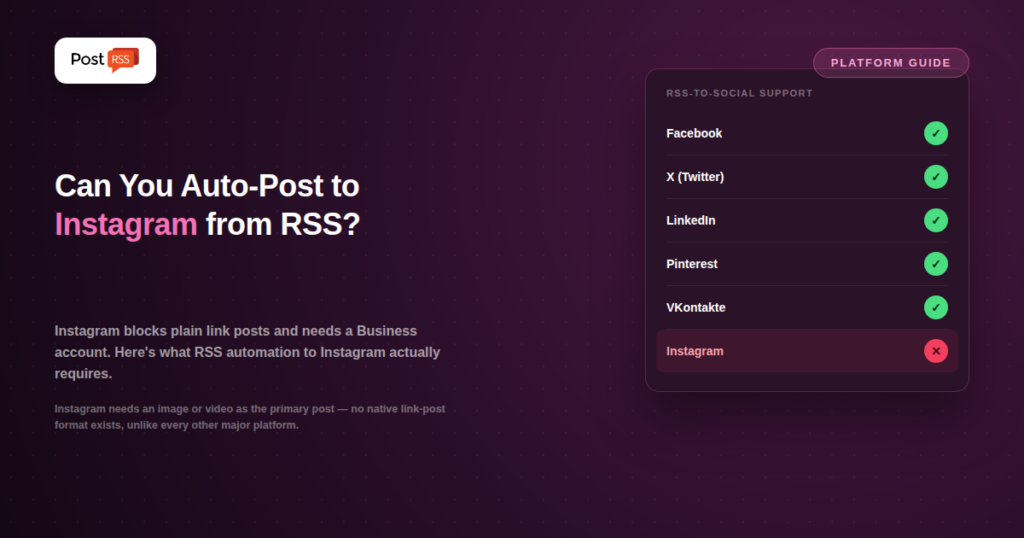
| No | Yes — no plain link-post format exists |
This table is really the whole explanation in one place: five of the six major platforms treat a link with a thumbnail as a completely normal post. Instagram is the outlier, and every workaround discussed above exists specifically to paper over that one structural difference.
If you decide the general-automation-platform route (Option 1 above) is worth the setup effort, the process generally looks like this:
None of these steps are exotic if you’re comfortable with workflow builders, but taken together they represent real, ongoing setup and maintenance work — a genuinely different commitment than pasting a feed URL into a dedicated RSS tool and being done.
PostRSS doesn’t support Instagram, and this guide isn’t going to pretend otherwise or bury that fact under a workaround. What PostRSS does well is exactly the part of this problem that has a clean, automatic answer: Facebook, X, LinkedIn, Pinterest, and VKontakte all accept a native link-and-thumbnail post the moment a new item appears in your feed, with no image generation, no template, and no multi-step flow required. If your distribution strategy includes those five platforms, PostRSS handles them for $5/month with a five-minute setup. Instagram, by design, was never going to be part of that same simple equation — and no RSS tool, PostRSS included, is going to make it one without adding real complexity somewhere.
It’s a fair question: if Instagram is such a commonly requested platform, why don’t more RSS-to-social tools just build the image generation and formatting logic in, the way some broader suites do? The honest answer is that doing it well changes what kind of product you’re building. Generating a usable Instagram graphic from a headline and description — one that actually looks intentional rather than like an auto-generated template — is a design problem, not an automation problem. Tools that do this well (with template libraries, brand kits, and AI-assisted image generation) are effectively running a separate product alongside their scheduling features, priced accordingly. A tool that stays narrowly focused on “publish this feed item as a native post” either has to expand into that design territory or accept that Instagram sits outside its scope — and for a tool built around simplicity and low cost, staying narrow is often the more honest trade-off.
If Instagram absolutely has to be part of your automated distribution and you don’t want to build a custom flow yourself, look specifically for tools that advertise automatic image generation from article content as a named feature — not just “RSS support” in a general feature list. The presence of a template library, a Canva-style editor, or AI image generation in a tool’s marketing is a reliable signal that it’s actually solved the Instagram-specific problem, rather than just checking a box for “connects to Instagram” without addressing what a post there actually needs to look like.
No. Instagram’s API only supports automated posting through a Business or Creator account linked to a Facebook Page. Personal accounts have no automated posting access under any circumstances, regardless of which tool you use.
Most blog featured images are sized for a 1200×630 landscape format (matching Facebook and LinkedIn link previews), while Instagram favors square or vertical formats. An image that displays perfectly as a Facebook thumbnail often needs cropping or a redesign to work well as a native Instagram post.
No — links in regular Instagram post captions aren’t clickable. This is a major reason plain “here’s a link to my new post” content, which works fine as a Facebook or X post, doesn’t translate directly to Instagram without a different content approach (e.g., “link in bio”).
Not in the same one-click sense. Every working approach — a general automation platform, a design-focused social suite, or manual posting — involves either extra setup, extra cost, or a deliberate choice to treat Instagram differently from your other channels. That’s a reflection of Instagram’s platform design, not a specific tool’s limitation.
There’s no indication of that changing. Instagram’s product identity has always centered on visual content, and that design choice — not a temporary API restriction — is why link-only posting isn’t supported. Planning around Instagram staying image-first is the safer long-term assumption for anyone building a distribution strategy that includes it.
Auto-posting your RSS feed to Instagram is possible, but it’s never going to be as simple as it is on Facebook, X, LinkedIn, or Pinterest, because Instagram’s platform doesn’t support the plain link-post format RSS automation is built around. If Instagram is a must-have channel, expect to either build a flow through a general automation platform, pay for a tool that generates images automatically, or post there manually while automating everywhere else. For the platforms where a title-link-thumbnail post genuinely works, PostRSS handles the automation cleanly and cheaply — Instagram just isn’t one of them, for reasons that have nothing to do with which RSS tool you pick.