Breweries, wineries, cideries, and craft distilleries run on a content calendar most industries would envy: new releases, seasonal batches, taproom events, food truck nights, medal wins, and harvest updates all happen on a predictable rhythm. The problem is rarely a shortage of things to talk about — it’s that the person writing tasting notes for a new release is usually the same person who has to remember to post about it on four different platforms before the taproom opens that weekend.
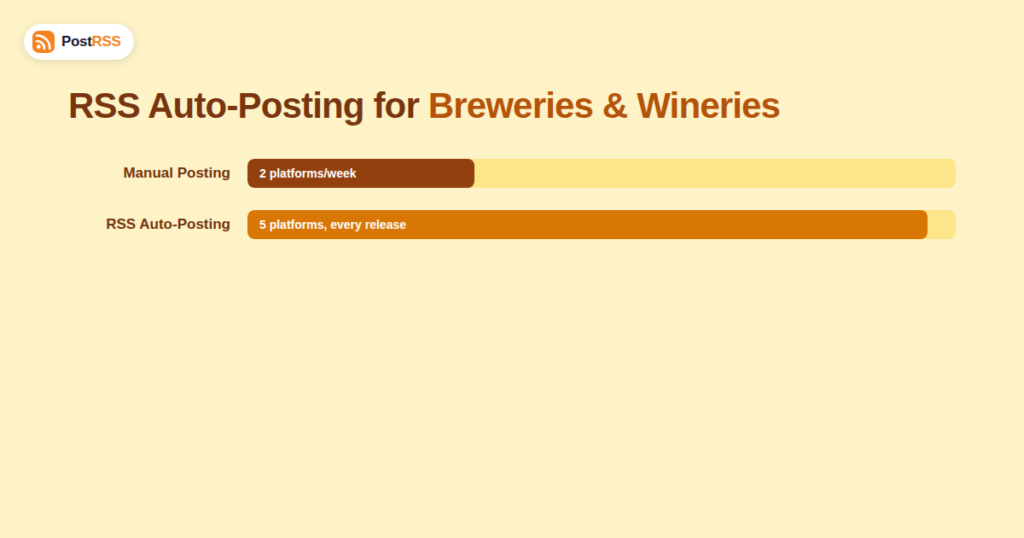
RSS auto-posting fixes the distribution half of that problem. If your brewery or winery publishes new releases, event announcements, or blog-style tasting notes on your website, that content already generates an RSS feed. Connect it once to an RSS-to-social automation tool, and every new release or event post flows out to Facebook, Instagram, X, and Pinterest automatically, on the day it’s published, without anyone re-typing a caption.
A short blog post per release — name, style, ABV, tasting notes, availability date — becomes a clean, structured item to auto-post. Many breweries already write this copy for their taproom menu or can sheet; publishing it as a blog post costs almost nothing extra and feeds the whole distribution pipeline.
Trivia nights, live music, food truck schedules, and seasonal festivals (Oktoberfest releases, harvest parties) benefit from time-sensitive, reliable posting — exactly what automation is good at and manual posting frequently drops during a busy event week.
“Now available at [retailer]” or “back on tap at [bar]” posts help retail and on-premise partners as much as the brand itself, and are easy to template since the structure repeats for every new placement.
Harvest updates for wineries, brew day photos, barrel-aging updates — this content builds the story behind the product and tends to outperform pure promotional posts on engagement.
| Factor | Manual Posting | RSS Auto-Posting |
|---|---|---|
| Release-day consistency | Depends on who’s free during a busy production day | Publishes automatically the moment the release post goes live |
| Multi-platform coverage | Usually just Instagram, since it’s fastest for photos | Facebook, Instagram, X, Pinterest simultaneously |
| Event promotion lead time | Often posted the day of, or forgotten | Can be scheduled and published exactly when planned |
| Staff dependency | Stops if the one social-savvy employee is out | Runs regardless of who’s on shift that day |
| Cost | Staff time, or a marketing hire | Flat monthly automation cost |
yoursite.com/feed if your site runs on WordPress, or check your e-commerce/website platform’s documentation if you sell direct-to-consumer through a dedicated storefront.It’s worth understanding the mechanism, because it explains most “why didn’t this post” questions. An RSS automation tool periodically checks your feed for items with a unique ID (GUID) it hasn’t seen before. When a new release post or event announcement appears with a new GUID, the tool pulls its title, excerpt, image, and link, and formats a post for each connected platform. Editing an already-published release post (updating availability dates, for instance) usually won’t trigger a second social post, since the GUID hasn’t changed — if you want a “now available” update to go out as its own post, publish it as a new, separate item rather than editing the original.
Because craft beverage production already runs on a seasonal cycle — spring saisons, summer sours, fall harvest releases, winter barrel-aged stouts — it’s worth mapping that cycle to a simple content calendar before connecting the automation, rather than after. A basic version looks like this: block out the months you expect each seasonal release, note the taproom or festival events tied to each one, and schedule the corresponding blog posts a week or two ahead of the actual release date. The automation doesn’t need a sophisticated calendar tool to work — a shared spreadsheet is enough, as long as someone is publishing to the blog on the dates the calendar calls for.
This matters because RSS automation only ever distributes what already exists; it has no opinion about pacing or timing beyond publishing new items as they appear. A brewery that dumps twelve release announcements into the blog in one afternoon will see all twelve auto-post in a tight cluster, which can overwhelm followers. Spacing out publication to match the actual release cadence produces a much healthier posting rhythm on the social side.
Many wineries and breweries split marketing responsibilities between an in-house team handling the taproom and social presence, and a distributor or agency handling retail placement and broader brand campaigns. RSS automation draws a clean line between the two: the in-house team keeps publishing release and event content to the website as part of their existing workflow, while the distributor or agency can be given visibility into the connected social accounts without needing a new manual handoff process for every release. It also means a change in agency doesn’t require re-training anyone on a bespoke posting workflow — the automation keeps running exactly the same way regardless of who’s interpreting the results.
| Metric | Where to check it | Healthy pattern |
|---|---|---|
| Taproom foot traffic after event posts | POS system comparison of event vs. non-event days | Noticeable bump around auto-posted event announcements |
| Instagram engagement per release post | Instagram Insights | Higher than average on release-day posts vs. general content |
| Retailer/distributor inquiries from social | Direct messages or a dedicated contact link in captions | A steady trickle following availability-update posts |
| Pinterest outbound clicks | Pinterest analytics | Pairing-guide-style posts keep generating clicks months after publishing |
No — this is arguably most valuable for the one-person marketing operation common at small breweries and wineries, since it removes the manual re-posting step entirely rather than adding a new tool to manage.
Yes. Availability and “now pouring at” content works the same way whether you’re driving people to your own taproom or to retail and on-premise partners carrying your product.
If your events calendar plugin generates its own RSS feed (many do), you can connect that as a second source alongside your main blog feed, keeping releases and events on separate schedules if needed.
Keep the gap between a keg or bottling run selling out and updating your website as short as possible — the feed only reflects what’s currently published, so stale availability pages are a content-freshness problem, not an automation problem.
Not necessarily. If your tool supports feed category routing, you could send release announcements to Instagram and Pinterest while keeping event and trivia-night posts to Facebook only.
Automation only distributes what’s already published on your site, so age-gating, required disclaimers, and regional restrictions need to be handled in your normal content review process before anything is published, exactly as they would with manual posting.
It’s a smaller lift than it looks — pairing guides and “best fall beers” style roundup posts have a long shelf life on Pinterest and can drive steady website traffic for months after a single blog post, at effectively no ongoing cost once connected.
Yes — automation handles getting the post out, but replying to “when’s this back in stock” or “will you ship to my state” comments still needs a human, ideally the same day the post goes live while interest is highest.
Yes, as long as both live under the same website, though it’s usually cleaner to keep new-product listings and taproom/event announcements as separate categories so you can route each to the platforms where it performs best.
This is a pacing problem, not an automation problem — since the tool only posts what you publish, the fix is spacing out your own release calendar rather than turning the automation off, which just brings back the original manual-posting workload.
Craft beverage brands already generate exactly the kind of structured, recurring content that RSS automation handles best: releases, events, and availability updates on a predictable cycle. The bottleneck usually isn’t ideas, it’s the busy production and event schedule eating into the time needed to manually post everywhere. Connect the feed once, keep publishing release notes and event pages the way you already do, and the distribution across Facebook, Instagram, Pinterest, and X takes care of itself — leaving the actual brewing, winemaking, or distilling to the people who should be spending their time on it.
What changed in the networks, what broke, and how to fix it before it costs you reach.
Built by Internet Solutions, the team behind PostRSS. Each product saves you time in its own way.
 English
 Lietuviškai
 Deutsch
 Français
 Русский
 Español
 Polski
 Italiano
 Українська
 Čeština
 Português
 日本語
日本語 Latviešu valoda
 Eesti
Eesti Magyar
 Bahasa Indonesia
 Türkçe
 हिन्दी
 Ελληνικά
 العربية
 ไทย
ไทย Tiếng Việt
 Română
 Bahasa Melayu
 বাংলা
বাংলা