Updated: 2026-09-27
Short answer: for RSS-driven Facebook posting, a dedicated tool is cheaper and simpler than a general automation platform — PostRSS is free for one Page and $5/month for 500 posts. Choose Buffer or Hootsuite instead if you need a queue, approvals and analytics; choose Zapier or Make only when the same trigger must also do something outside social media.
“Auto-poster” gets used loosely to describe two genuinely different categories of tool: dedicated social media schedulers that let you queue and publish content to Facebook (Buffer, Hootsuite, Sprout Social, and similar), and general-purpose automation platforms that can be wired up to post to Facebook as one trigger-action pair among thousands of possible workflows (Zapier, Make, n8n, IFTTT). Both categories can auto-post to a Facebook Page. Neither category was originally built around the single job PostRSS does — watching an RSS feed and posting new content to Facebook automatically, in real time, the moment it publishes, with nothing to queue and nothing to approve.
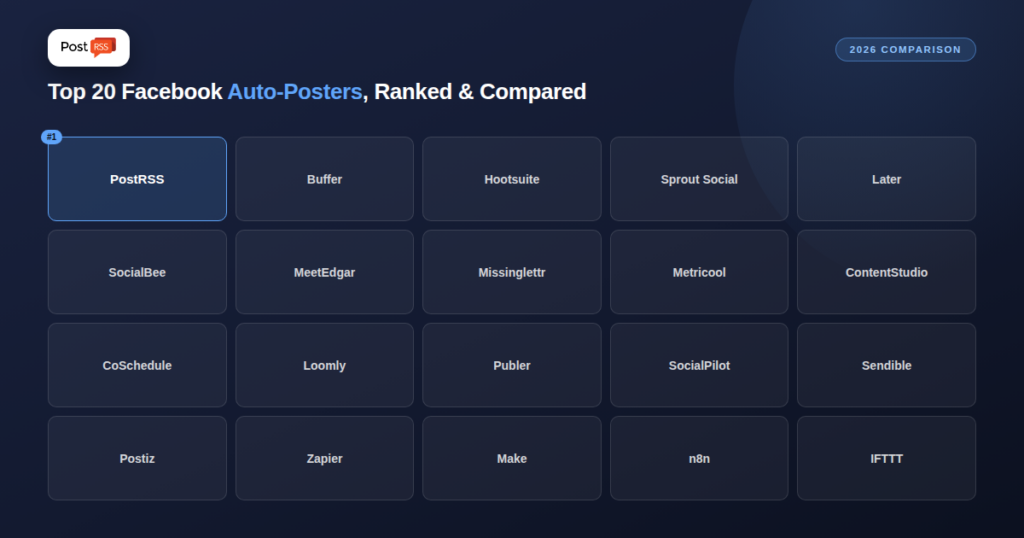
This guide ranks and reviews the 20 tools people actually compare when they search for a way to auto-post to Facebook, with PostRSS first since every other entry gets measured against it directly. For each tool: what it actually is, exactly how it handles Facebook specifically, current 2026 pricing, pros and cons for this specific use case, and a direct PostRSS comparison so you can see where the real differences are instead of guessing from a marketing page. It’s long — deliberately — because “which one should I actually use” deserves a real answer per tool, not a table and a paragraph.
These 20 are the tools that consistently come up in “auto post to Facebook,” “RSS to Facebook,” and “schedule Facebook posts automatically” searches and comparisons as of 2026 — a mix of dedicated social media schedulers, one all-in-one enterprise suite, and the general-purpose automation platforms builders reach for when a dedicated scheduler doesn’t fit. Pricing reflects each vendor’s own published 2026 pricing pages and recent third-party pricing breakdowns at the time of writing; monthly, entry-tier pricing is used throughout unless noted, since that’s what most people comparing tools actually want to know first, and pricing tiers shift often enough that it’s worth confirming the current number on each vendor’s own site before buying. Every comparison focuses specifically on Facebook auto-posting behavior — not each tool’s full feature set, which in several cases (Sprout Social, Hootsuite, Zapier) extends far beyond social publishing alone into customer care, analytics, or general workflow automation entirely unrelated to Facebook.
Every legitimate tool on this list — the dedicated schedulers and the automation platforms alike — publishes to Facebook through the same underlying mechanism: the Facebook Graph API, specifically the Pages API. A tool authenticates as a Page admin (via OAuth), receives a long-lived access token, and calls the API’s post-creation endpoint with your content — text, image or link, and any additional metadata. That’s the entire mechanism; there’s no other officially-supported way to publish programmatically to a Facebook Page.
Two restrictions matter more than any feature comparison in this guide. First, this only works for Facebook Pages, not personal profiles — Meta has never allowed third-party auto-posting to a personal timeline, for any tool, at any price, a limitation no amount of software cleverness works around. Second, access tokens expire and require periodic refresh; tools differ meaningfully in how reliably they handle that refresh automatically versus requiring you to manually reconnect your account when a token lapses, which is a common, quietly frustrating failure mode across cheaper or less actively maintained tools.
What differs between tools isn’t the underlying API call — it’s what triggers it. A “manual queue” tool calls the API at your scheduled time for content you added by hand. An “RSS-triggered” tool (PostRSS, and RSS-configured Zapier/Make/n8n/Sendible workflows) calls it automatically when a feed check detects a new item. Understanding that distinction is the single most useful thing to know before comparing any two tools on this list.
Rate limits are the other practical constraint worth understanding upfront. Facebook’s Graph API enforces per-app and per-page call limits that reset on a rolling window; a single site posting a handful of times a day never comes close to hitting them, but a tool managing hundreds of client Pages at once has to actively manage call volume — part of why agency-oriented tools (SocialPilot, Sendible, Hootsuite) invest specifically in call-batching and queuing infrastructure most single-site tools never need to think about. Meta has also tightened app review requirements for Page-publishing permissions over the past several years, meaning any tool that wants to auto-post on your behalf has to pass Meta’s own review process to keep that capability — a real, if invisible, quality signal: a tool still able to auto-post to Facebook Pages in 2026 has necessarily kept its integration in good standing with Meta’s ongoing review requirements.
Every tool on this list, dedicated scheduler or automation platform, is vulnerable to the same handful of underlying failure modes — understanding them matters more than any single feature comparison, because this is where “it worked in testing” and “it’s still working eight months later” diverge.
Token expiration. Covered above, but worth repeating as the single most common real-world failure: a lapsed Facebook access token silently stops all posting until someone notices and reconnects the account. Dedicated tools with larger engineering teams (PostRSS, Buffer, Hootsuite) generally handle refresh automatically; DIY automation-platform workflows depend entirely on how carefully you built the refresh logic yourself.
Feed structure changes. A CMS update, a new SEO plugin, or a theme change can alter your RSS feed’s structure without changing how your site looks — and a tool that was parsing your feed correctly can suddenly start missing posts, duplicating them, or pulling in malformed data. This affects RSS-triggered tools specifically (PostRSS, Sendible’s RSS import, DIY Zapier/Make/n8n workflows); it’s irrelevant to pure manual-queue tools since nothing there depends on feed structure at all.
Rate limiting under burst conditions. Publishing many posts in a short window (a migration, a bulk import, catching up after time away) can hit per-page or per-app rate limits, causing some posts to fail or queue with delay. Tools that handle this gracefully retry automatically; tools that don’t simply drop the failed post silently, which is worth testing deliberately before trusting any tool with genuinely bursty publishing patterns.
Image fetch failures. When a tool auto-posts with a featured image, it typically fetches that image from your site at post time rather than storing a copy in advance. If your site is down, the image is behind authentication, or the URL structure changed, the post can go out with no image, or fail entirely, depending on how the specific tool handles that edge case.
Duplicate detection breaking after a URL change. Most tools track “already posted” items by URL or a similar unique identifier. A site migration, permalink structure change, or CMS switch that alters URLs can make a tool believe old content is new again, triggering a wave of unwanted reposts — a scenario worth testing deliberately with a small batch before and after any planned URL change.
List pricing tells you the entry cost; it doesn’t tell you what running the same real workload — three separate Facebook Pages, auto-posted continuously for a year — actually costs once you account for how each tool’s pricing model scales. The numbers below use each tool’s published entry-tier pricing extended to 3 connected Pages/channels where that’s how pricing works, and are meant as a directional comparison, not an exact quote — always confirm current pricing directly before buying.
| Tool | Pricing Model | Approx. Annual Cost, 3 Pages |
|---|---|---|
| PostRSS | Flat plan tiers, not per-channel | ~$60/year at entry tier |
| Buffer | $6/channel/month | ~$216/year (3 × $6 × 12) |
| IFTTT | Flat subscription | ~$36/year |
| Make | Flat + operations | ~$108/year at entry tier |
| SocialPilot | Flat tier (5 accounts included) | ~$240/year (Essentials covers 3 Pages) |
| Hootsuite | Flat tier, no free plan | ~$1,188/year minimum |
| Sprout Social | Per seat | ~$2,388/year (1 seat, Standard) |
The pattern that matters: per-channel and per-seat pricing models (Buffer, Sprout Social) scale directly with how many Pages or people you connect, while flat-tier tools (PostRSS, IFTTT, most agency schedulers up to their included account limit) stay the same regardless of adding a second or third Page, as long as you’re under the plan’s included limit. For exactly 3 Facebook Pages specifically, that difference is the single biggest lever on total annual cost — often larger than the gap in headline “starting price” the marketing pages lead with.
Meta has continued tightening how third-party apps interact with Pages over the past several review cycles — more granular permission scopes, more frequent re-verification requirements for apps with Page-publishing access, and continued restrictions on what Groups-related posting is allowed via API at all (a gap that’s pushed several tools, including some on this list, to drop or limit Group support entirely rather than maintain increasingly narrow API access). None of this is specific to any one tool; it’s the general direction of the platform, and it’s why a tool’s ongoing app-review standing with Meta matters as much as its feature list — a tool that loses its API access can’t auto-post at all, regardless of price or features, until it’s reinstated.
For anyone evaluating tools on this list for long-term, unattended use, it’s worth checking each vendor’s status page or support documentation for any recent notices about Facebook API changes affecting their service specifically, since this is the one category of disruption that a feature comparison alone won’t surface.
| Tool | Starting Price | Facebook Posting Model | Best For |
|---|---|---|---|
| PostRSS | $5/month | Real-time RSS-to-Facebook | Sites automating publishing from a feed |
| Buffer | $6/channel/month | Manual queue + scheduling | Solo creators, simple queues |
| Hootsuite | $99/month | Manual queue + team approval | Agencies, larger teams |
| Sprout Social | $199/seat/month | Manual queue + analytics suite | Enterprise social + care teams |
| Later | $25/month | Visual calendar scheduling | Visual-first brands |
| SocialBee | $29/month | Category-based recycling | Evergreen content recyclers |
| MeetEdgar | ~$29–49/month | Category-based recycling | Small teams recycling evergreen posts |
| Missinglettr | $15/month | Auto-generated drip campaigns | Bloggers wanting auto-generated campaigns |
| Metricool | $25/month | Scheduling + analytics | Multi-brand agencies wanting analytics |
| ContentStudio | $29/month | AI content + scheduling | Teams wanting AI-assisted content discovery |
| CoSchedule | $29/month | Marketing calendar scheduling | Marketing teams needing a shared calendar |
| Loomly | $42/month | Approval-workflow scheduling | Teams needing sign-off before posting |
| Publer | $10/month (free tier available) | Manual queue + scheduling | Budget-conscious individuals |
| SocialPilot | $20/month | Manual queue + client management | Agencies managing many clients cheaply |
| Sendible | $29/month | Manual queue + RSS import (add-on) | Agencies wanting white-label reports |
| Postiz | $29/month (free tier available) | Manual queue, open-source option | Developers wanting a self-hostable scheduler |
| Zapier | Free / $19.99/month | Custom-built RSS-to-Facebook Zap | Builders who want it wired into a bigger workflow |
| Make (Integromat) | $9/month | Custom-built visual scenario | Builders wanting complex branching logic cheaply |
| n8n | $20/month or free self-hosted | Custom-built workflow, self-hostable | Technical teams wanting full control |
| IFTTT | $2.99/month | Simple single-step applet | Hobbyists wanting the cheapest simple trigger |
PostRSS is a focused RSS-to-social automation tool built around one job: watching a feed and posting new items to your connected accounts — including Facebook Pages — the moment they publish, with no manual queueing, no drafting, and no approval step required. It isn’t a social media management suite; it doesn’t do listening, customer care, or a content calendar. It does exactly one thing, which is why it starts at $5/month with self-serve signup and no sales call.
On Facebook specifically, PostRSS connects directly to Facebook Pages via the official Graph API, checks your RSS feed on a schedule (as frequently as your plan allows), and auto-publishes new items as native Facebook posts — including the featured image, title, and a link back to the original content — without you touching the Facebook interface at all after initial setup. Token refresh is handled automatically in the background, and because there’s no manual queue to maintain, there’s nothing to forget to fill.
Pros:
Cons:
Every other entry below gets compared back to PostRSS on the same specific question: how does it handle turning new content into a Facebook post, and how does that compare to doing it automatically from a feed with no manual step at all.
Buffer is the simplest, most widely-used social scheduler for solo creators and small teams — a clean queue you fill manually (or via its browser extension and mobile app) and Buffer publishes at your scheduled times. It supports Facebook Pages natively, with straightforward text, image, and link posting, plus basic engagement analytics on its higher tiers.
Buffer’s Essentials plan runs $6 per connected channel per month, with a Team plan at $12 per channel adding unlimited users and approval workflows — genuinely affordable for a handful of channels, though cost scales linearly as you add more, which matters if you’re managing several Pages.
Pros:
Cons:
Buffer has no native RSS-to-Facebook automation — every post in the queue is something a human added manually (or pasted in), even if scheduling itself is automatic. PostRSS’s entire purpose is the opposite: detecting new content and posting it without anyone touching a queue. If you publish content elsewhere (a blog, a podcast feed) and want it on Facebook automatically, PostRSS does that natively; Buffer requires you to manually add each item, or bolt on a separate RSS integration Buffer doesn’t offer out of the box.
Hootsuite is one of the oldest and most feature-dense social media management platforms, built for larger teams and agencies managing many accounts across many networks with approval chains, team permissions, and a unified inbox for engagement. It supports Facebook Pages with a full manual scheduling and publishing suite.
Hootsuite discontinued its free plan; all current plans start at $99/month, positioning it well above most of the tools on this list and squarely at teams with budget for a full management suite rather than individuals wanting simple auto-posting.
Pros:
Cons:
Hootsuite’s $99/month starting price buys a genuinely comprehensive social suite — but if the actual need is “auto-post my RSS feed to Facebook,” that’s a tiny fraction of what Hootsuite is priced for. PostRSS does the specific auto-posting job for a fraction of the cost, with none of the team-inbox, approval-chain, or cross-network management overhead Hootsuite is built around. Choose Hootsuite if you need the full suite; choose PostRSS if RSS-to-Facebook automation is the actual job.
Sprout Social is an enterprise-grade social media management and customer care platform, combining publishing, listening, analytics, and a shared team inbox into one system built for larger marketing and support organizations. Facebook posting is fully manual or scheduled through its publishing calendar, with strong analytics layered on top.
Pricing is per-seat and enterprise-oriented: Standard starts at $199 per seat per month, scaling up through Professional ($299/seat), Advanced ($399/seat), and custom Enterprise tiers — a different budget category entirely from the rest of this list.
Pros:
Cons:
At $199 per seat per month minimum, Sprout Social is priced for teams that need its full customer-care and analytics stack, not simple auto-posting. PostRSS starts at $5/month total, not per seat, and needs no seats at all for the specific job of turning new feed content into Facebook posts. If your actual requirement is RSS-driven auto-posting rather than an enterprise social suite, Sprout Social is significant overkill.
Later built its reputation as a visual-first scheduler, originally strongest for Instagram grid planning but now supporting Facebook, TikTok, Pinterest, and more through the same visual calendar interface. Posting to Facebook is manual: you build out a visual queue and Later publishes on schedule.
Later’s Starter plan is $25/month (one user, one social set, capped at 30 posts per profile monthly), Growth is $50/month, and Scale reaches $110/month for unlimited publishing — publishing limits on the lower tiers are a real constraint worth checking against your actual posting volume.
Pros:
Cons:
Later has no RSS feed integration at all — everything in its visual queue is added by hand, and its lower tiers even cap how many posts you can publish monthly. PostRSS has no such cap and requires no manual queue-building whatsoever: new feed items become Facebook posts automatically. If visual grid planning for manually-curated content is the goal, Later fits; if the goal is hands-off automation from an existing feed, it doesn’t do that job at all.
SocialBee organizes content into categories (e.g., “blog posts,” “quotes,” “promotions”) and cycles through them on a repeating schedule, making it a genuine content-recycling tool rather than a one-and-done poster. Facebook posting works the same way — content in a category rotates back into the queue automatically once it’s been posted.
Pricing starts at $29/month for the Bootstrap tier (5 profiles, 1 user), scaling to Accelerate ($49/month, 10 profiles) and Pro ($99/month, 25 profiles, 3 users).
Pros:
Cons:
SocialBee’s core strength — recycling a fixed library of evergreen content on repeat — is a different job from PostRSS’s main one: posting new content the moment it’s published (PostRSS can also republish evergreen articles from your feed, but it has no category library). SocialBee can technically import from RSS as one way to seed its categories, but the platform’s real design center is the repeating recycling engine, not real-time single-post automation. If you want evergreen content recycled indefinitely, SocialBee is built for that. If you want new content posted once, automatically, PostRSS is the more direct fit at a third of the starting price.
MeetEdgar pioneered the category-based content recycling model SocialBee and others later adopted: you feed it a library of posts, tag them by category, and Edgar automatically re-shares them on a recurring schedule, refilling the queue as it runs low. Facebook posting follows the same recycling logic as everything else in the platform.
Reported entry pricing varies by source, generally landing in the $19–49/month range depending on plan and current promotions — check MeetEdgar’s own pricing page for the exact current figure before committing.
Pros:
Cons:
Like SocialBee, MeetEdgar’s whole value proposition is repeating a finite library of content over time — useful for evergreen posts that stay relevant indefinitely, but not built for “post this new article once, right now.” PostRSS does the latter natively and continuously from a live feed, with no library to build or categorize first. The two tools solve genuinely different problems that happen to both touch Facebook.
Missinglettr’s signature feature is auto-generating a months-long “drip campaign” of social posts from a single published blog article — pulling quotes, images, and suggested captions automatically, then spacing them out over weeks. It’s built specifically for bloggers wanting to squeeze extended social mileage out of each piece of content, including on Facebook.
Plans start at $15/month, making it one of the more affordable dedicated schedulers on this list, particularly for solo bloggers.
Pros:
Cons:
Missinglettr does connect to RSS feeds, but its purpose is turning one article into many spread-out posts over time, with AI-suggested copy variations — a content-extension tool as much as a posting tool. PostRSS posts the new item once, immediately, exactly as published, with no drip campaign or AI rewriting involved. If you want extended, varied social mileage from each article over weeks, Missinglettr’s drip model is genuinely useful; if you want a direct, real-time mirror of your feed on Facebook, PostRSS is simpler and cheaper.
Metricool pairs scheduling with genuinely deep analytics — competitor tracking, link-in-bio tools, ad performance, and cross-platform reporting alongside its publishing calendar. Facebook posting is manual/scheduled, with the analytics layer as the platform’s real differentiator.
Pricing starts at $25/month for the Starter tier (5 brands), with an additional $10/month per connected X/Twitter account — a pricing quirk worth noting if X is part of your stack.
Pros:
Cons:
Metricool’s strength is analytics depth across many brands, not RSS-based automation — there’s no native “new feed item becomes a Facebook post automatically” workflow. PostRSS doesn’t compete on analytics at all; it competes on doing the specific automation job Metricool doesn’t natively offer. Some teams end up using both: Metricool for reporting, PostRSS for the actual auto-posting pipeline.
ContentStudio leans heavily into AI-assisted content discovery and generation — suggesting trending content in your niche, generating captions and images, and scheduling across platforms including Facebook from one composer. It’s positioned as much as a content-creation tool as a scheduler.
The Standard plan runs $29/month (or $19/month billed annually), including 5 social accounts and 1 user, with extra accounts, users, and workspaces available as add-ons.
Pros:
Cons:
ContentStudio’s AI content-discovery and generation features are genuinely different from what PostRSS offers — PostRSS doesn’t generate or suggest content at all; it posts exactly what’s already in your feed. If you want AI to help find and create content to post, ContentStudio does that job PostRSS doesn’t attempt. If you already have a content source (your own RSS feed) and just want it distributed automatically without AI intervention, PostRSS is the more direct, cheaper path.
CoSchedule centers on a shared marketing calendar that unifies blog posts, social scheduling, email campaigns, and project management in one view — built for marketing teams coordinating multiple content types, not just social posting in isolation. Facebook publishing sits inside that broader calendar.
Pricing starts at $29/month, positioned toward small-to-mid marketing teams needing calendar-level coordination across content types.
Pros:
Cons:
CoSchedule’s real value is coordinating a marketing calendar across content types and channels — a project-management layer PostRSS doesn’t attempt to replicate. PostRSS has no calendar view and no cross-channel campaign coordination; it has one job, done automatically. Teams that need calendar-level marketing coordination plus manual social scheduling will find more in CoSchedule; teams that just want their feed auto-posted to Facebook get there faster and cheaper with PostRSS.
Loomly is built around structured approval workflows — post ideas, drafts, review stages, and sign-off — making it a strong fit for teams where content needs formal approval before it goes live on Facebook or anywhere else. It includes post-idea suggestions and built-in optimization tips alongside scheduling.
Plans start at $42/month, reflecting its positioning toward teams that specifically need the approval-workflow structure rather than the cheapest possible scheduler.
Pros:
Cons:
Loomly’s approval-chain workflow is the opposite of what PostRSS does: PostRSS posts new feed content immediately, with no review or sign-off step by design, because the entire point is removing manual intervention. If your organization genuinely requires approval before anything goes live on Facebook, Loomly’s workflow is built for exactly that; if you trust your published content to go out as-is, PostRSS skips the approval layer entirely and costs a fraction as much.
Publer positions itself as a budget-friendly, feature-complete scheduler — queueing, a free tier, and reasonably broad platform support including Facebook Pages, aimed at individuals and small businesses who don’t want to pay agency-tier prices for basic scheduling.
Publer offers a genuine free plan (3 accounts, 10 queued posts per account), with its Business tier starting at $10/month for expanded limits and API access.
Pros:
Cons:
Publer’s free tier and low entry price make it a reasonable choice for pure manual scheduling on a budget — but like most schedulers on this list, it has no built-in “auto-post my RSS feed” behavior; everything published still starts as a manually queued item. PostRSS’s $5/month starting price is comparable, but the entire workflow is different: nothing to queue, nothing to add manually, just a feed that becomes Facebook posts on its own.
SocialPilot targets agencies specifically, with client management, white-label reporting, and bulk scheduling across a large number of accounts at a lower price point than most agency-oriented competitors. Facebook Pages are supported for manual and bulk-scheduled posting.
Pricing runs from Essentials at $20/month (5 accounts, 1 user) up through Standard ($40/month), Premium ($100/month), and Ultimate ($200/month) as account and user counts scale — a genuinely competitive price-per-account ratio for agencies.
Pros:
Cons:
SocialPilot’s agency-focused bulk scheduling and client management have no equivalent in PostRSS, which isn’t built as a multi-client agency tool at all. Where SocialPilot helps an agency manually schedule content across many client accounts efficiently, PostRSS automates one specific pipeline — a feed becoming Facebook posts — per site. An agency managing many clients’ manual content calendars fits SocialPilot; a site owner wanting their own feed auto-posted fits PostRSS.
Sendible is an agency-oriented scheduler with white-label client reports, a unified content queue, and — notably, compared to most tools on this list — genuine RSS import functionality as a built-in feature, letting agencies pull client blog content into the queue automatically.
Plans start at $29/month across five tiers (Core, Plus, Premium, Elite, Enterprise), scaling with account and client counts.
Pros:
Cons:
Sendible is the closest tool on this list to PostRSS in one specific respect: it does support RSS import natively, pulling new feed items into its queue automatically. The difference is what happens next — Sendible’s RSS-imported items typically still land in a queue for review and manual publishing rather than posting immediately and independently, and the feature sits inside a much broader (and pricier) agency platform. PostRSS is purpose-built around the real-time posting step itself, at a fraction of Sendible’s starting price, without the agency-management layer around it.
Postiz is a newer, open-source-friendly scheduler with both a hosted paid version and a self-hostable option for technically-inclined users who want to run it on their own infrastructure. It supports Facebook alongside a broad list of other networks from one composer.
The hosted version starts at $29/month for 5 channels and 400 posts, with a free plan offering 5 posts per month across all supported platforms; the self-hosted option removes the subscription cost entirely for those willing to run their own instance.
Pros:
Cons:
Postiz’s open-source, self-hostable nature appeals specifically to developers who want infrastructure control PostRSS doesn’t offer — PostRSS is a hosted-only, no-infrastructure product by design. On the actual auto-posting question, Postiz still centers on manual/scheduled queue publishing rather than RSS-triggered automation, which remains PostRSS’s specific focus. Developers wanting to self-host their own scheduler have a real option in Postiz; anyone wanting RSS-to-Facebook automation without running any infrastructure gets there more directly with PostRSS.
Zapier is a general-purpose automation platform, not a social media tool — but its “RSS by Zapier” trigger connected to a “Create Page Post” Facebook action is a commonly-built workaround for RSS-to-Facebook automation when someone wants it wired into a larger multi-app workflow (adding a Slack notification, logging to a spreadsheet, and so on, all in the same Zap).
Zapier’s free plan includes 100 tasks per month; the Professional plan is $19.99/month (750 tasks, unlimited multi-step Zaps, 2-minute polling intervals), with a Team plan at $69/month for shared workspaces.
Pros:
Cons:
Building an RSS-to-Facebook Zap in Zapier genuinely works, but it requires assembling the workflow yourself (trigger, filters, formatting, the Facebook action) and paying by task volume as it scales — a general-purpose tool bent toward a specific job rather than a tool built for that job. PostRSS does the same core outcome natively, pre-built, with no Zap to construct or task-count ceiling to watch. If Facebook posting is one small piece of a much larger multi-app automation you’re already building in Zapier, it may make sense to keep it there; if RSS-to-Facebook is the actual goal on its own, PostRSS gets you there without the assembly work.
Make is Zapier’s more visual, more powerful competitor — a drag-and-drop scenario builder with routers, iterators, and branching logic that can express workflows Zapier’s lower tiers can’t, generally at a meaningfully lower cost per operation. An RSS-to-Facebook scenario is entirely buildable, with more flexibility than Zapier’s linear Zap structure.
Make starts at $9/month, undercutting Zapier’s entry pricing while offering more workflow complexity per dollar — a favorite among builders comfortable with a slightly steeper learning curve.
Pros:
Cons:
Make can absolutely be configured to watch an RSS feed and post new items to Facebook — but, like Zapier, that’s a scenario you build and maintain yourself, rather than a purpose-built feature. PostRSS is that specific outcome, already built, without needing to understand Make’s module system, error handling, or operation-based pricing. Make earns its place for teams already running other automations who want Facebook posting as one more branch of a bigger scenario; PostRSS earns its place when RSS-to-Facebook is the actual, standalone goal.
n8n is the automation platform of choice for technical teams that want either genuine self-hosting (free, running on your own infrastructure) or a hosted cloud plan, with the same visual workflow-building approach as Make but built specifically with extensibility and custom code nodes in mind. An RSS-to-Facebook workflow is fully buildable and, when self-hosted, has no per-operation billing ceiling at all.
n8n’s cloud plan starts at $20/month, or it’s entirely free to self-host (excluding your own infrastructure costs) — a genuinely different cost model from every other tool on this list.
Pros:
Cons:
n8n’s self-hosting option is a real advantage for technical teams that want full control and zero per-operation limits — something PostRSS, as a hosted-only product, doesn’t offer. But building and maintaining that RSS-to-Facebook workflow, including handling Facebook’s API and token refresh logic yourself, is real ongoing engineering work. PostRSS trades that control for zero setup: no workflow to build, no self-hosted infrastructure to maintain, working immediately for $5/month.
IFTTT is the simplest, cheapest general automation tool on this list — single-step “if this, then that” applets connecting one trigger to one action, deliberately without the multi-step branching logic Zapier, Make, and n8n offer. An RSS-triggered Facebook post is a classic, well-worn IFTTT applet pattern.
Paid plans start at $2.99/month, the lowest price point of any tool on this list, reflecting IFTTT’s intentionally simple, single-purpose applet model.
Pros:
Cons:
IFTTT’s RSS-to-Facebook applet is genuinely simple to set up and among the cheapest options here on price alone — but it’s also the least reliable and least flexible: no formatting control, no error handling, and a long-documented history of applets silently failing without clear notification. PostRSS costs slightly more but is purpose-built specifically for this job, with reliable detection, proper image and caption handling, and no applet to silently break.
Assuming a personal profile can be auto-posted to. It can’t — the Graph API only supports Pages, permanently, for every tool on this list. If content is going to a personal timeline, no tool here (or anywhere) auto-posts it; that has to stay manual.
Not checking how a tool handles token expiration. Facebook access tokens lapse periodically. Tools that don’t refresh them automatically will silently stop posting until you manually reconnect — a common, quietly frustrating failure across cheaper or less actively maintained integrations, worth testing before fully relying on any tool.
Choosing a recycling tool (SocialBee, MeetEdgar) for a constantly-updating news or blog feed. Recycling tools are built to circulate a finite library repeatedly, not to post a constant stream of genuinely new items once each — using one for that job means fighting the tool’s core design.
Building a Zapier/Make/n8n workflow without planning for failure notifications. A self-built automation that silently stops (due to a token issue, a changed feed structure, or a hit rate limit) can go unnoticed for weeks unless you’ve specifically configured error alerts — a step it’s easy to skip when first setting a workflow up.
Assuming excerpt-only feeds will post full content. If your RSS feed is configured to publish only summaries, no auto-posting tool can pull full article text from a feed that doesn’t contain it — that’s a feed-configuration fix, not a tool limitation.
You publish new content regularly (blog, news, podcast) and want it on Facebook automatically: PostRSS is built specifically for this. Sendible is the closest traditional-scheduler alternative if you also need agency-style client management alongside it.
You want to keep a fixed library of evergreen tips or quotes circulating indefinitely: SocialBee or MeetEdgar’s recycling model fits this better than a real-time poster like PostRSS.
You’re an agency managing many clients’ Facebook Pages manually: SocialPilot or Sendible, both built around client management and white-label reporting.
You need formal approval before anything goes live: Loomly’s approval-chain workflow is the most purpose-built option on this list for that requirement.
You want deep analytics alongside scheduling: Metricool or Sprout Social, depending on budget — Metricool for small-to-mid teams, Sprout Social for enterprise.
You’re a developer who wants full infrastructure control: n8n (self-hosted) or Postiz (self-hosted) both avoid ongoing subscription costs entirely, at the price of maintaining your own infrastructure.
RSS-to-Facebook is one small piece of a much bigger automation you’re already building: Zapier or Make, since you’re likely already paying for and maintaining one of them for other workflows.
You just want the cheapest possible way to auto-post an RSS feed and nothing else: PostRSS at $5/month, or IFTTT at $2.99/month if you’re willing to accept its reliability tradeoffs.
Graph API: Facebook’s official interface for programmatic access to Pages, posts, and related data. Every legitimate auto-posting tool, regardless of price or category, ultimately calls this same API to publish a post — there’s no other officially-supported path.
OAuth token / access token: The credential a tool receives after you authorize it to manage your Page, used on every subsequent API call instead of asking for your password each time. Tokens expire periodically and need refreshing, which is where a meaningful share of real-world auto-posting failures actually originate.
Polling interval: How often an RSS-triggered tool checks your feed for new items. A 5-minute polling interval means new content can take up to 5 minutes to be detected and posted — not a malfunction, just how pull-based detection works, covered in more depth in our guide to RSS vs. webhooks vs. API polling.
Webhook: A push-based alternative to polling, where the publishing side actively notifies a tool the instant something happens, rather than the tool checking repeatedly. None of the RSS-based tools on this list use webhooks for detecting new content, since RSS itself is inherently a pull-based, polled format.
Approval workflow: A review-and-sign-off step between drafting a post and it actually publishing. Loomly is built specifically around this; PostRSS deliberately has none, since its entire premise is removing manual steps rather than adding a review gate.
Content recycling: Automatically re-sharing the same library of posts on a repeating schedule (SocialBee, MeetEdgar), as distinct from posting new content as it’s published (PostRSS, which can also republish evergreen articles from your feed). Both touch Facebook auto-posting, but they solve different problems.
Feature lists don’t capture how long it actually takes to get from “I just signed up” to “a post genuinely appeared on my Facebook Page without me clicking publish.” Roughly, by category: dedicated RSS-native tools like PostRSS typically take 5–10 minutes — connect the Facebook Page, paste the feed URL, done. Traditional schedulers (Buffer, Later, Publer, SocialPilot) take a similar 5–10 minutes to connect Facebook, but that only gets you a working manual queue; there’s no “done” moment for automation because none exists to configure. Recycling tools (SocialBee, MeetEdgar) take meaningfully longer — connecting Facebook is quick, but building out categories and populating them with enough content to actually recycle is real setup work, often an hour or more for a first real content library. Agency tools with RSS import (Sendible) sit in between: the RSS connection itself is quick, but configuring the review/publish workflow around it takes longer than a pure auto-poster. DIY automation platforms (Zapier, Make, n8n, IFTTT) vary the most — a simple IFTTT applet can be running in under 10 minutes, while a properly error-handled Zapier or Make workflow with formatting, filtering, and failure notifications built in realistically takes an hour or more for someone doing it for the first time, and meaningfully longer if you’re new to the platform’s logic.
Facebook has its own setup page: our Facebook auto poster walkthrough covers the connection and the template fields.
With a purpose-built tool like PostRSS, typically 5–10 minutes: connect the Facebook Page, add the feed URL, done. Building the equivalent workflow yourself in Zapier, Make, or n8n realistically takes an hour or more the first time, once you account for formatting, error handling, and testing.
Among tools genuinely built to detect new feed content and post it automatically without manual setup per item, PostRSS’s $5/month is the lowest dedicated starting price on this list. IFTTT’s $2.99/month is cheaper but comes with real reliability tradeoffs for this specific use case.
Not as a core built-in feature in the way PostRSS does — Sendible is the closest with genuine RSS import, but it still generally routes into a manual queue rather than posting immediately and independently. The rest require manually adding each post, regardless of where the content originated.
If RSS-to-Facebook is one small piece of a much larger multi-app automation you’re already building, keeping it inside Zapier, Make, or n8n can make sense. If it’s the standalone goal, a purpose-built tool avoids the setup, maintenance, and per-operation billing that come with building it yourself in a general-purpose platform.
SocialPilot and Sendible are both built specifically around agency needs — client management, white-label reporting, and bulk account handling — that PostRSS doesn’t attempt to replicate, since PostRSS is intentionally focused on the single-site auto-posting job rather than multi-client account management.
Neither is universally better — they solve different problems. Recycling tools keep a finite library of evergreen content circulating indefinitely; PostRSS posts new content the moment it’s published and can also republish evergreen articles from your feed. Sites with a constant stream of new content (blogs, news, podcasts) generally want real-time posting; accounts built mostly around a fixed library of timeless tips or quotes benefit more from recycling.
No — this is a Facebook platform restriction, not a tool limitation. The Graph API has never supported third-party publishing to personal timelines, for any tool on this list, at any price. If your content needs to go to a personal profile, that has to be posted manually, regardless of which tool you use for everything else.
This varies significantly by tool. Some handle token refresh automatically and never bother you; others require manually reconnecting your account once a token lapses, silently pausing posting until you notice and fix it. Worth testing directly, or asking support, before fully relying on any tool for unattended, long-term automation.
No, because Groups posting is no longer available to any of them. Meta closed the Facebook Groups publishing API on 22 April 2024, so every tool on this list is a Pages tool now, whatever older documentation may still say. If reaching a group matters, publish to your Page automatically and share that post into the group by hand.
Generally no — if the actual requirement is getting new content onto Facebook automatically, paying for a Sprout Social or Metricool-level analytics suite to get that one outcome is significant overspend. A purpose-built tool like PostRSS delivers the specific outcome at a fraction of the cost; analytics can always be added separately later if it becomes a genuine need.
Yes, significantly — per-channel pricing (Buffer) and per-seat pricing (Sprout Social) scale directly with Page count, while flat-tier tools (PostRSS, most agency schedulers up to their included limit) don’t change in price at all until you exceed the plan’s included accounts. Running exactly 1 Page versus 10 can flip which tool is actually cheapest.
Generally yes — disconnecting one tool and connecting another just requires re-authorizing Page access through Facebook’s own permission dialog, which takes a minute or two. Nothing about your Page itself is tied to any specific third-party tool; the connection lives entirely on the tool’s side.
Most require at minimum that you’re an admin on the Facebook Page itself; a full Business Manager setup isn’t strictly required for basic Page posting access with most tools on this list, though several agency-oriented tools (SocialPilot, Sendible, Sprout Social) work more smoothly with one in place, particularly when managing Pages you don’t personally own.
Most of the tools on this list are genuinely strong at what they’re built for — manual scheduling, approval workflows, agency client management, content recycling, or general-purpose automation — but almost none of them are built specifically around detecting new content in an RSS feed and posting it to Facebook automatically, in real time, with no manual step. Sendible comes closest with native RSS import; Zapier, Make, and n8n can be configured to do it with real setup effort. PostRSS is the one tool on this list built around exactly that single job, which is why it’s both the cheapest dedicated option and the simplest to actually set up and forget.
What changed in the networks, what broke, and how to fix it before it costs you reach.
Built by Internet Solutions, the team behind PostRSS. Each product saves you time in its own way.
 English
 Lietuviškai
 Deutsch
 Français
 Русский
 Español
 Polski
 Italiano
 Українська
 Čeština
 Português
 日本語
日本語 Latviešu valoda
 Eesti
Eesti Magyar
 Bahasa Indonesia
 Türkçe
 हिन्दी
 Ελληνικά
 العربية
 ไทย
ไทย Tiếng Việt
 Română
 Bahasa Melayu
 বাংলা
বাংলা