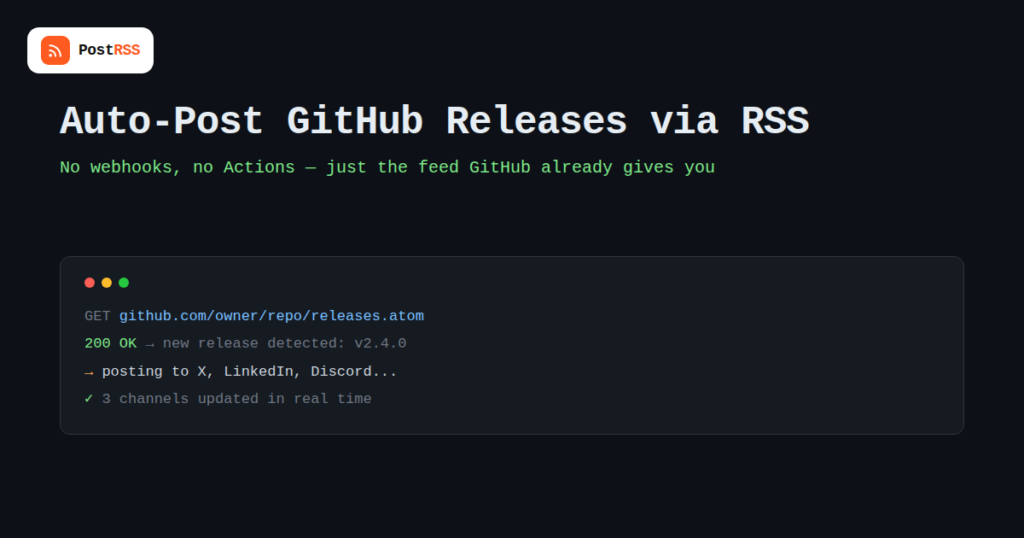
Every time you tag a release on GitHub, there’s a small window where people who care about your project are actually paying attention — and most maintainers let that window pass with nothing more than the release notes sitting quietly on the repository page. The good news is that GitHub already gives you the exact mechanism needed to fix this: a built-in Atom feed for every repository’s releases, ready to plug into any RSS feed automation tool without touching GitHub’s API, webhooks, or GitHub Actions at all. It’s one of the more underused corners of GitHub’s platform, largely because it was never marketed as a growth feature — it’s just quietly sitting there, standards-compliant and ready to be consumed like any other feed.
Every public repository automatically exposes a releases feed at a predictable URL:
https://github.com/{owner}/{repo}/releases.atom — a feed of the repository’s releases, most recent firsthttps://github.com/{owner}/{repo}/tags.atom — a feed of tags, useful for projects that tag versions without publishing formal GitHub Releaseshttps://github.com/{owner}/{repo}/commits/{branch}.atom — a feed of commits on a specific branch, which is far noisier and generally not what you want for public-facing announcementsFor release announcements specifically, the releases.atom feed is almost always the right choice. It includes the release title, the tag name, the full release notes body (rendered from Markdown), and a link back to the release page — everything an automation tool needs to construct a meaningful post without any extra configuration on GitHub’s side.
| Feed | Fires On | Best Used For |
|---|---|---|
| releases.atom | A new GitHub Release is published | Version announcements to social media, Discord, Slack |
| tags.atom | A new git tag is pushed | Projects that version via tags without formal release notes |
| commits/{branch}.atom | Every commit to a branch | Internal monitoring only — too frequent for public posting |
| Repository “Activity” feed | Various repo events | General project activity tracking, not release-specific |
Release announcements have a shelf life measured in hours, not weeks. A user deciding whether to upgrade, a contributor checking whether their fix landed, or someone evaluating your project against a competitor is most likely to see and act on the announcement in the first day after it goes out. Manually cross-posting a release to three or four channels every time takes only a few minutes, but those few minutes are exactly the kind of small recurring task that quietly stops happening once a project has more than one maintainer, or once releases start happening late at night, or during a busy week. Automating it removes the dependency on someone remembering, which matters more here than almost anywhere else in a content calendar.
GitHub release notes are written in Markdown and often include bullet lists, code snippets, and links to closed issues — none of which render cleanly as a raw dump on a character-limited social post. A few adjustments make the automated posts look intentional rather than like a copy-paste accident:
If your organization maintains several repositories that each ship independently, you’ll need a separate feed subscription per repository, since GitHub’s release feed is scoped to a single repo rather than an entire organization. For teams managing five or more actively released projects, it’s worth deciding upfront which repositories actually warrant public release announcements versus which are internal tooling that doesn’t need a social presence — subscribing to every repository indiscriminately tends to produce a noisy, low-signal feed of announcements that readers eventually mute.
Projects that follow semantic versioning (major.minor.patch) will naturally produce a lot more feed activity from patch releases than from anything users actually need to hear about on social media. A security patch or a breaking major version bump is worth a full announcement across every connected channel. A routine patch release fixing a minor internal bug often isn’t — posting it anyway, every time, is one of the fastest ways to train an audience to stop paying attention to the account altogether. Some teams handle this by maintaining two release channels: a full releases.atom subscription feeding an internal Slack or Discord channel for the team, and a more selective, manually-triggered announcement for major and minor releases only, reserved for the public-facing social accounts. There’s no single right answer here, but it’s worth deciding deliberately rather than defaulting to “announce everything” and adjusting only after followers start muting the account.
Confirm the release was actually published rather than saved as a draft — draft releases don’t appear in the public releases.atom feed. Also double-check the owner/repo spelling in the feed URL, since a typo will simply return an empty or 404 feed rather than an obvious error in most automation tools.
This happens when an automation tool posts the release notes body verbatim without stripping Markdown formatting. Most RSS-to-social tools offer a way to post just the title and a link rather than the full body content — that setting is usually the fix.
GitHub includes pre-releases in the same releases.atom feed as stable releases by default. If your automation tool can’t filter by pre-release status, the cleanest fix is a tagging convention your team follows manually, or routing pre-release announcements to a separate, lower-visibility Discord channel via a second connected feed.
This setup pays off disproportionately for a specific kind of project: open source libraries and developer tools where the user base actively tracks version changes, versus consumer apps where most users never think about version numbers at all. A handful of scenarios where automating GitHub release announcements tends to be worth the ten minutes of setup:
Projects that release rarely, or where version numbers are purely internal bookkeeping with no user-facing impact, will get less out of this than the noise it might add — which is worth weighing before wiring up automation for its own sake.
Release feeds are the most broadly useful for public-facing automation, but GitHub exposes Atom feeds for several other events too, including a repository’s commit history per branch and, for authenticated users, a personal activity feed. These are generally too noisy for public social posting but can be genuinely useful piped into an internal Slack or Discord channel for a team that wants an ambient sense of project activity without checking GitHub directly. The same RSS mechanism applies — it’s really a question of matching the feed’s signal level to the audience on the receiving end.
No — the releases.atom feed is public for any public repository, so anyone can subscribe to it without special permissions. Private repositories require authentication to access their feeds.
GitLab offers similar Atom feeds for releases and tags on its own predictable URL pattern. Bitbucket’s feed support is more limited and varies by plan, so it’s worth checking your specific Bitbucket workspace’s feed availability before assuming parity with GitHub.
Yes, if your automation tool supports multiple source feeds pointing at the same set of destinations, you can subscribe to several repositories’ release feeds and have all their announcements flow into the same X or Discord channel.
Only if every tag is published as a formal GitHub Release, since the releases.atom feed reflects Releases, not raw git tags, unless you’re specifically using the tags.atom feed instead.
Essentially immediately from GitHub’s side — the feed updates as soon as the release is published. The delay you’ll actually experience depends on how frequently your automation tool polls the feed.
Most RSS-to-social tools let you set a caption template using the feed item’s title and link, so you can control the wording around the release name rather than posting the raw feed content unedited.
No — this approach doesn’t touch your repository’s CI/CD setup at all. It works entirely from the outside, by reading the public feed GitHub already generates, which makes it something you can set up once without maintaining any code in the repo itself.
Editing an existing release’s notes typically doesn’t trigger a brand-new item in the feed the way publishing a new release does, since most RSS tools track items by a unique identifier rather than re-checking content on every poll. If you need to correct something already announced, a manual follow-up post is usually more reliable than expecting the edit to auto-propagate.
GitHub already does the hard part for you: every repository ships with a clean, standard Atom feed of its releases, no API tokens or webhook configuration required. Pointing an RSS-to-social tool at that feed turns “remember to announce the release everywhere” into something that happens automatically the moment you hit publish on GitHub, which is exactly the kind of small, easy-to-neglect task that automation is best suited for.
What changed in the networks, what broke, and how to fix it before it costs you reach.
Built by Internet Solutions, the team behind PostRSS. Each product saves you time in its own way.
 English
 Lietuviškai
 Deutsch
 Français
 Русский
 Español
 Polski
 Italiano
 Українська
 Čeština
 Português
 日本語
日本語 Latviešu valoda
 Eesti
Eesti Magyar
 Bahasa Indonesia
 Türkçe
 हिन्दी
 Ελληνικά
 العربية
 ไทย
ไทย Tiếng Việt
 Română
 Bahasa Melayu
 বাংলা
বাংলা