Here’s a scenario that trips up more publishers than you’d expect: you publish five articles in one busy afternoon, expecting all five to auto-post to social media, and only the latest two or three actually show up. Nothing is broken. This is RSS feed pagination — or more precisely, the lack of it — and it’s one of the most misunderstood mechanics behind RSS-to-social auto-posting.
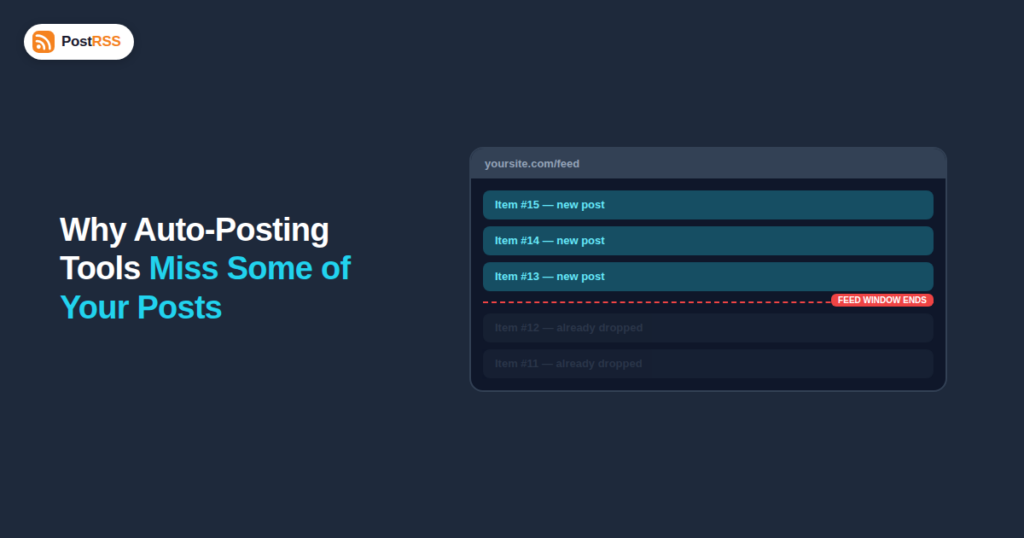
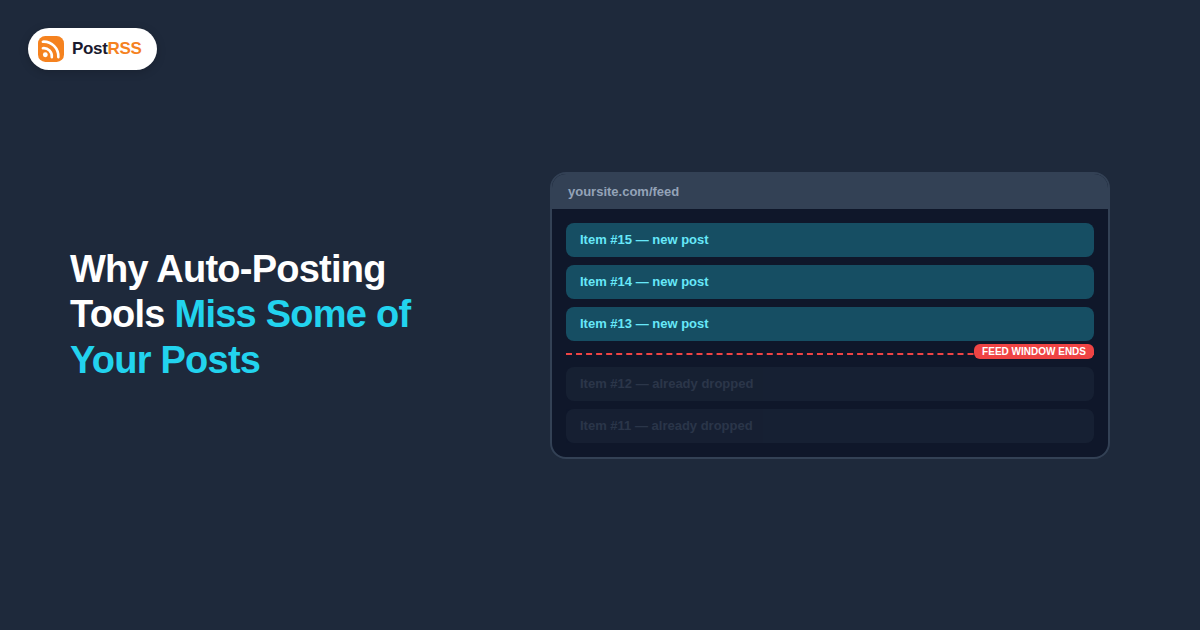
Most RSS feeds are not a complete archive of everything you’ve ever published. They’re a rolling window of your most recent items — typically the last 10 to 20 — that gets capped at your website platform’s default settings. When you publish a new item, it gets added to the front of that window, and the oldest item currently in the feed falls off the back. If your auto-posting tool checks the feed less often than you publish, or if you publish in a large batch, some items can enter and exit that window between checks, and the automation never sees them at all.
The RSS 2.0 specification was designed around a simple model: a feed is a snapshot of recent activity, not a full paginated archive like a website’s blog index. There’s no standardized “page 2 of the feed” mechanism the way there is for a paginated blog listing page. Some platforms, including WordPress, do support fetching older feed pages through a URL parameter (typically something like /feed/?paged=2), but this isn’t part of the core RSS spec, isn’t consistently supported across content management systems, and most auto-posting tools are built to read the primary feed URL, not to hunt for older pages behind it.
This design makes sense for the format’s original purpose — letting a feed reader show you “what’s new” — but it creates a real limitation for automation tools whose entire job depends on seeing every new item exactly once.
An RSS automation tool works by periodically requesting your feed URL and comparing the items it finds against a list of GUIDs (unique identifiers) it has already processed. Any item with a GUID it hasn’t seen gets turned into a social post; anything it’s already processed gets skipped to avoid duplicate posting. This works well as long as every new item is still present in the feed the next time the tool checks.
The problem surfaces when the number of items published between two consecutive checks exceeds the feed’s retained item count. If your feed only shows the last 10 items and you publish 15 items in the gap between two checks, the oldest 5 of those 15 have already scrolled out of the feed’s window by the time the automation looks again — they were never seen, and they’ll never be auto-posted, unless something else catches the gap.
| Scenario | Feed retains | Check frequency | Published between checks | Result |
|---|---|---|---|---|
| Typical blog | 10 items | Every 15 minutes | 1 post | All posts seen — no risk |
| Active news site | 10 items | Every 15 minutes | 3 posts in a burst | Still fine — well under the retained window |
| Bulk import or migration | 10 items | Every 15 minutes | 25 posts imported at once | Only the newest 10 are ever visible to the feed reader — 15 are silently skipped |
| E-commerce bulk product upload | 15 items | Every 30 minutes | 40 products added via CSV import | Only the last 15 remain in the feed by the time it’s checked — 25 are missed |
| Platform | Where the setting lives | Typical default |
|---|---|---|
| WordPress | Settings → Reading → “Syndication feeds show the most recent” | 10 items |
| Shopify | Blog feed is generated automatically; item count is generally fixed by the theme/platform rather than user-configurable | Varies by storefront |
| Squarespace | Not directly user-configurable; feed length follows the platform’s built-in defaults | Platform default, typically around 10-20 |
| Ghost | Feed item count is generally fixed by the theme/platform | Platform default |
| Custom-built site | Whatever limit is hardcoded in the feed template by the developer | Depends entirely on the implementation |
If your platform doesn’t expose a setting at all, the practical workaround is usually on the automation side: checking the feed more frequently, or, for platforms with a genuinely fixed low item count, accepting that very large batch publishes will need a manual follow-up pass for anything that falls outside the window.
It’s tempting to assume that simply polling the feed every minute solves the problem entirely, but that only addresses the timing side of the equation, not the volume side. If your feed retains 10 items and a single bulk import publishes 30 items in the same instant — a CSV product upload, a content migration, a batch of scheduled posts all going live in the same minute — then even a one-second check interval only ever sees the newest 10 of those 30. The retained item count is what determines how much of a publishing burst is visible at any single moment; check frequency only determines how quickly the automation reacts to whatever is currently in that window. Both settings matter, but the item-count ceiling is the one that actually limits how large a burst you can safely handle.
Most platforms let you raise the number of items a feed retains. On WordPress, this is under Settings → Reading → “Syndication feeds show the most recent X items,” which can typically be raised well above the default 10. On other platforms, check your CMS’s feed or syndication settings, or ask your developer whether the feed template has a hardcoded limit that can be adjusted.
If your auto-posting tool supports configurable check intervals, tightening the frequency reduces the chance that a burst of publishing outpaces the feed’s retention window. This won’t help with a genuine bulk import of dozens of items at once, but it meaningfully reduces risk for normal day-to-day publishing spikes.
If you’re migrating content, bulk-importing products, or backfilling old posts, consider whether those items actually need to be auto-posted to social at all. If they do, some platforms let you stagger a bulk import’s publish dates rather than publishing everything simultaneously, which keeps each batch within the feed’s retention window as it’s processed.
If your site publishes a high volume of low-priority items (routine product restocks, minor updates) alongside genuinely important content (new blog posts, major launches), consider whether your platform can expose a separate, lower-volume feed just for the content you actually want auto-posted, keeping the retention math simpler.
It’s worth distinguishing this from feed caching, a related but separate issue that also causes delayed or missing auto-posts. Caching happens when your website, a CDN, or a caching plugin serves a stored, slightly stale copy of the feed instead of regenerating it fresh on every request — the automation checks the feed, but gets an outdated snapshot rather than the current one. Pagination, by contrast, happens even with a perfectly fresh, uncached feed — it’s simply a structural limit on how many recent items the feed format exposes at all, regardless of how up-to-date that snapshot is. A site can have zero caching issues and still lose items to pagination during a large publishing burst, and conversely a site with a generous item count can still show stale data if caching is misconfigured. Both are worth checking independently when auto-posted content goes missing.
If you notice gaps in your auto-posted content — some published items simply never showed up on social — check your feed URL directly in a browser (most feeds render as readable XML) and count how many items are currently listed. If that number is smaller than the number of items you published in the relevant time window, pagination is very likely the cause rather than a bug in the automation itself. Cross-reference the oldest item still visible in the feed against your site’s publish log to see exactly which items would have already rolled off by a given check time.
No — this is a structural characteristic of how RSS feeds work, not a defect in any particular automation tool. Any tool reading a standard RSS feed is subject to the same retention-window limitation.
Atom feeds have the same fundamental limitation — they’re also typically capped at a set number of recent items rather than serving as a full paginated archive, though some Atom implementations do support pagination links more consistently than RSS.
A reasonable rule of thumb is to set it comfortably above your typical publishing volume for the longest realistic gap between automation checks — for most businesses, 20-30 items provides a healthy buffer beyond the default 10.
Feed generation is generally lightweight even with a higher item count, though very large feeds (100+ items with full content rather than excerpts) can add some server load — most sites won’t notice a meaningful difference raising from 10 to 30 items.
Consider staggering the publish dates over several days rather than publishing everything at once, or accept that a true bulk backfill may need manual posting for the items that fall outside the feed’s retention window.
Most tools can only read what the feed currently exposes — they can’t retrieve items the feed itself has already dropped, so the fix has to happen on the feed’s retention setting, not on the automation’s side.
Yes, the same principle applies — a podcast feed with a capped episode count can have older episodes drop off exactly the same way a blog feed does, which matters if you’re auto-posting new episode announcements.
The underlying mechanism is identical, but e-commerce sites are more prone to hitting the limit in practice, since a single supplier restock or CSV import can add far more items at once than a typical day of blog publishing ever would.
Setting it comfortably above your realistic worst-case publishing burst is reasonable, but setting it extremely high (hundreds of items) mostly adds unnecessary load without meaningfully reducing risk beyond a sensible buffer — matching it to your actual publishing patterns is more useful than maximizing it blindly.
RSS feed pagination isn’t really pagination at all — it’s the absence of it, and that absence is the root cause behind most “why didn’t this get auto-posted” mysteries that aren’t actually connection problems. The fix is almost always the same: raise your feed’s retained item count comfortably above your realistic publishing volume, and tighten your automation’s check frequency if your platform allows it. Get those two settings right once, and the silent-skip problem disappears for good — no code changes, no new tooling, just matching your feed’s memory to how you actually publish.
What changed in the networks, what broke, and how to fix it before it costs you reach.
Built by Internet Solutions, the team behind PostRSS. Each product saves you time in its own way.
 English
 Lietuviškai
 Deutsch
 Français
 Русский
 Español
 Polski
 Italiano
 Українська
 Čeština
 Português
 日本語
日本語 Latviešu valoda
 Eesti
Eesti Magyar
 Bahasa Indonesia
 Türkçe
 हिन्दी
 Ελληνικά
 العربية
 ไทย
ไทย Tiếng Việt
 Română
 Bahasa Melayu
 বাংলা
বাংলা