Publishing in more than one language multiplies your reach and multiplies your workload at exactly the same rate — unless the distribution side is automated. If you run a multilingual WordPress site, a translated Shopify store, or separate regional blogs, the question isn’t whether to automate social posting; it’s how to do it without sending German content to your Spanish audience or posting the same story four times to the same followers. This guide covers how multilingual RSS automation actually works, the setups that succeed, and the specific mistakes that cause language mix-ups.
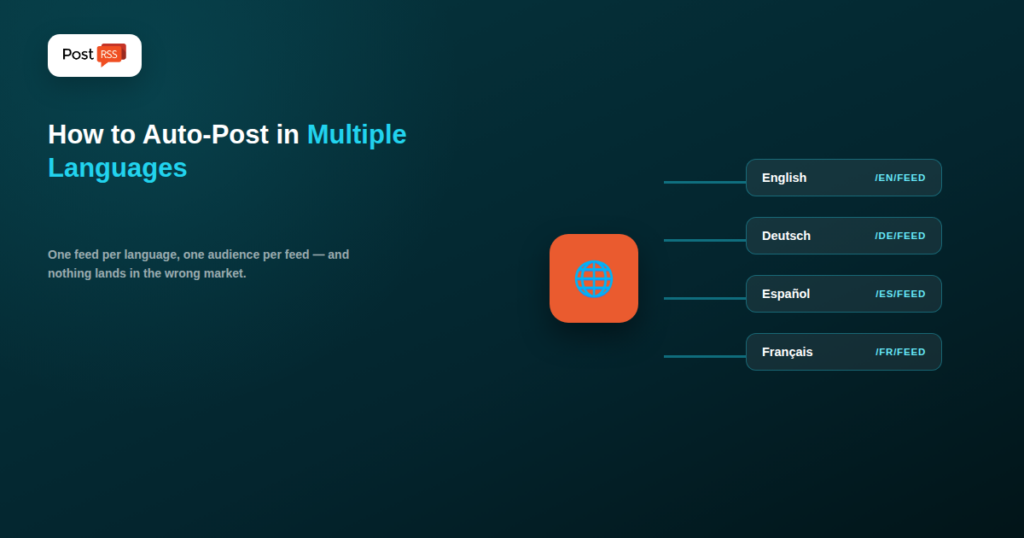
Almost every successful multilingual automation setup follows the same architecture: each language gets its own RSS feed, and each feed connects to its own set of social accounts. That’s it. The complexity people expect — language detection, automatic translation, conditional routing — is almost never necessary, and attempting it usually creates more problems than it solves.
The reason this works is that language is fundamentally an audience question, not a technical one. Your German-speaking followers and your English-speaking followers are different audiences with different expectations, and they generally follow different accounts. Once you accept that, the automation becomes straightforward: feed A goes to accounts A, feed B goes to accounts B, and nothing ever has to decide anything at runtime.
The first practical step is finding the per-language feed URL your platform already generates. Most multilingual setups produce them automatically, whether or not the documentation makes that obvious.
WordPress with WPML. Language-specific feeds follow your site’s language URL structure. On a directory-based setup, that typically means example.com/en/feed/ and example.com/de/feed/. On a subdomain setup, it’s en.example.com/feed/ and so on. If your site uses a language query parameter instead, the feed usually accepts the same parameter.
WordPress with Polylang. Behaves similarly, with each language’s feed sitting under that language’s URL prefix. Polylang also lets you configure whether the default language uses a prefix at all, which changes the feed URL for that one language — a common source of confusion when one language’s automation works and another’s doesn’t.
WordPress Multisite. If each language is a separate site in the network, each has its own completely independent feed at its own domain or subdirectory. This is the cleanest possible arrangement for automation, because there’s no shared feed to accidentally pull from.
Shopify. Markets and translated storefronts expose locale-prefixed URLs, and blog feeds follow the same locale prefix pattern.
Headless and custom setups. You control feed generation directly, which means you can produce exactly one feed per locale with a clean, predictable URL — the ideal case.
Whatever the platform, the verification step is the same: open each feed URL in a browser and confirm that the items you see are actually in the expected language. It takes a minute and catches configuration errors before they reach an audience.
Your feed architecture only pays off if the account side matches it. There are three common patterns, each suited to a different situation:
| Pattern | How it works | Best for |
|---|---|---|
| Separate accounts per language | A dedicated page or profile per language, each fed by its own feed | Brands with substantial audiences in each market |
| One account, primary language only | Only the main language feed is automated; other languages stay manual or unpublished socially | Sites where one language dominates traffic |
| One account, mixed languages | Multiple feeds post to the same account, alternating languages | Genuinely bilingual audiences in the same region |
The third pattern is the one that most often disappoints. Mixing languages in a single feed trains followers to scroll past roughly half your posts, and platform ranking systems interpret that low engagement as a signal to show your content less often overall — including the posts in the language a given follower does read. It works when the audience genuinely is bilingual, as in some Nordic, Swiss, or Canadian markets. It works badly when you’re simply trying to avoid managing a second account.
Facebook Pages support a feature that’s worth knowing about before you create separate pages: multilingual posts, where you attach translations to a single post and Facebook shows each viewer the version matching their language setting. This gives you one page with a single follower count while still serving people in their own language.
The catch for automation is that this feature is designed around manual composition — you write the post and add its translations in the composer. Automated posting from a feed generally produces single-language posts, because the feed item carries one version of the content. So the choice is roughly: use Facebook’s multilingual feature manually for a small number of high-value posts, or automate single-language posting to separate pages at volume. Most publishers doing real volume choose the latter.
This question comes up constantly, and the honest answer is: only when a human reviews the output. Machine translation has improved enormously, but social captions are exactly the content type where it fails most visibly — they’re short, idiomatic, often playful, and carry brand voice. A translation that’s 95% accurate still produces a caption that reads as slightly wrong to a native speaker, and “slightly wrong” is enough to undermine credibility in a market you’re trying to enter.
The specific failure modes worth knowing:
The sustainable pattern is to translate your source content properly — where translation quality is already part of your publishing workflow — and let automation distribute the already-correct text. Your CMS translations were reviewed by a human; your feed carries them; your automation posts them unchanged. No translation happens at the automation layer at all, which is exactly why nothing goes wrong there.
A frequent worry: does publishing the same article in five languages, and linking to all five versions from social media, create a duplicate content problem?
No — provided the translations are genuine translations and your site declares the relationships properly. Search engines treat translated pages as distinct content serving distinct audiences, not as duplicates. What matters is that each language version carries a self-referencing canonical tag pointing to itself, and that hreflang annotations declare the alternate language versions so search engines understand they’re variants of the same content for different audiences.
Where this intersects with automation: your feeds should link to the language-specific URL, not to a generic URL that redirects based on browser language. Automatic language redirection is hostile to social sharing — someone in France clicking your German post’s link gets bounced to the French version and never sees what was actually shared. Link directly to the specific language URL every time.
Multiple languages usually means multiple regions, and multiple regions mean different peak hours. This is one of the genuine advantages of running separate feeds and separate targets: each one can carry its own schedule.
Rather than posting everything at once and hoping, set each language’s target to post during its own audience’s active window. A tool with per-target scheduling — PostRSS supports independent check frequency and posting windows per target — lets a German feed post during Central European working hours while a US English feed posts hours later, from the same underlying publishing workflow. The content team publishes once; the distribution layer handles regional timing without anyone thinking about it.
A common real-world situation: your site publishes 40 articles a month in English and 15 of them get translated into German. What should the German automation do about the other 25?
The answer depends on how your CMS handles untranslated posts, and it’s worth checking explicitly rather than assuming. Some multilingual plugins fall back to showing the original-language post inside the translated site’s feed, which means your German feed silently contains English articles and your German social account starts posting in English. Others simply omit untranslated posts, which is usually the behaviour you want.
Look for a setting along the lines of “show untranslated content” or “language fallback” and set it deliberately. If your platform doesn’t offer the option, a category- or tag-filtered feed containing only translated posts achieves the same result.
A subtlety that catches people out once the language routing itself is correct: the conventions around a post are as local as the post. Hashtags are the clearest example — a hashtag that performs well in English often has a completely different, more widely used equivalent in another language, and translating it literally produces a tag nobody follows. If your automation appends a fixed hashtag set to every post, that set should be configured per target rather than globally.
The same applies to a handful of formatting details: date formats differ by locale, decimal separators differ (a comma in much of Europe, a point in English-speaking markets), and currency symbols and their placement vary. If your captions are generated from templates that include any of these, build the template per language rather than translating one master template.
Once several languages run in parallel, aggregate metrics stop being useful — a healthy English channel can mask a German channel that isn’t working at all. Track each language as its own line of reporting: engagement rate per target, click-through per target, and follower growth per account. Tagging your links with a language-specific campaign parameter makes this visible in your analytics without any additional tooling.
What this usually reveals is that the languages perform quite differently, and for reasons worth acting on — a market where your translations are strong but your posting times are wrong, or one where volume is too low to build momentum. Neither is visible in a combined number.
Yes, and it’s the recommended setup. Connect each language’s RSS feed as its own target pointing at that language’s accounts, so each audience only receives content in the language they follow you for.
With WPML or Polylang, yes — feeds follow the language URL structure, typically example.com/de/feed/ for a directory-based setup. Multisite installations give each language a fully independent feed.
Not without human review. Machine translation struggles with idioms, formality registers, and brand voice in short captions. Translate your source content properly and let automation distribute the already-correct text.
No. Genuine translations are treated as distinct content for distinct audiences, as long as each version has a self-referencing canonical tag and correct hreflang annotations declaring the alternates.
It depends on your CMS’s fallback setting. Some plugins include the original-language version in the translated feed, which causes wrong-language posts. Check that setting and disable the fallback, or use a filtered feed containing only translated content.
Technically yes, by connecting several feeds to the same account — but it usually depresses engagement, because most followers scroll past the half they can’t read. Reserve it for genuinely bilingual audiences.
Yes, when each language is configured as its own target with its own posting window — which is one of the main practical reasons to keep the feeds separate rather than merged.
Multilingual automation is simpler than it looks, because the hard part — producing good translations — belongs to your publishing workflow, not your distribution layer. One feed per language, one set of accounts per language, one schedule per region, and no translation happening at the automation step at all. Set that up once, verify each feed carries the language you expect, and every future translated article reaches the right audience in the right language at the right local hour, with no additional work per post.
What changed in the networks, what broke, and how to fix it before it costs you reach.
Built by Internet Solutions, the team behind PostRSS. Each product saves you time in its own way.
 English
 Lietuviškai
 Deutsch
 Français
 Русский
 Español
 Polski
 Italiano
 Українська
 Čeština
 Português
 日本語
日本語 Latviešu valoda
 Eesti
Eesti Magyar
 Bahasa Indonesia
 Türkçe
 हिन्दी
 Ελληνικά
 العربية
 ไทย
ไทย Tiếng Việt
 Română
 Bahasa Melayu
 বাংলা
বাংলা