Updated: 2026-09-27
Short answer: choose PostRSS if the job is distribution — new feed item in, native post out, to up to 66 networks, free for one Facebook Page and all networks from $40/month. Choose Postiz if you want content created as well: AI captions, images and short clips, or a self-hosted, open-source instance you run yourself. Postiz gates RSS automation behind its $39/month Team plan.
Postiz has built a genuinely impressive following as an open-source alternative to Buffer and Hootsuite — over 30,000 stars on GitHub, active development, and a feature set that goes well beyond scheduling into AI-generated captions, AI images, and even short AI video clips. It supports more than 30 platforms and can be self-hosted for free under its AGPL-3.0 license, or run as a managed cloud service starting at $29/month.
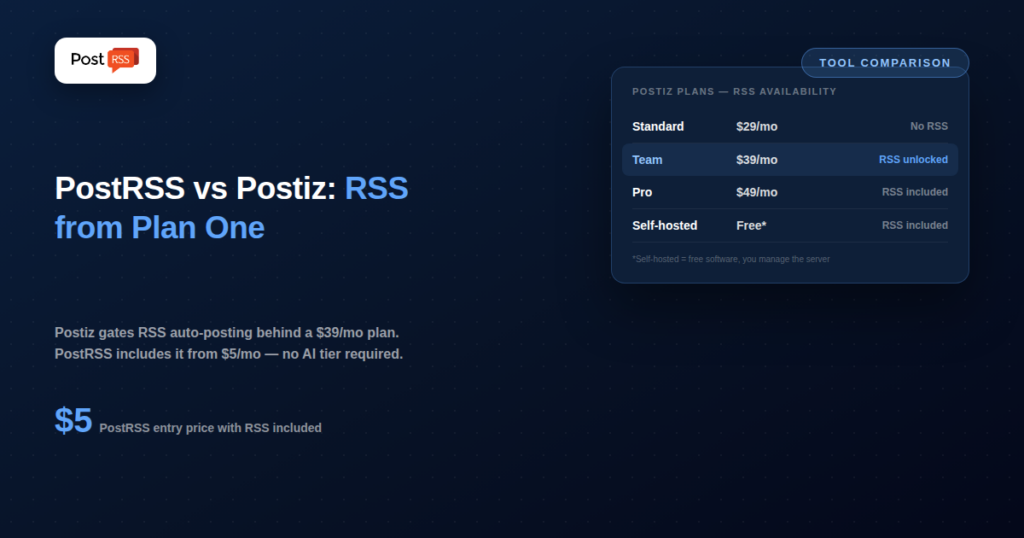
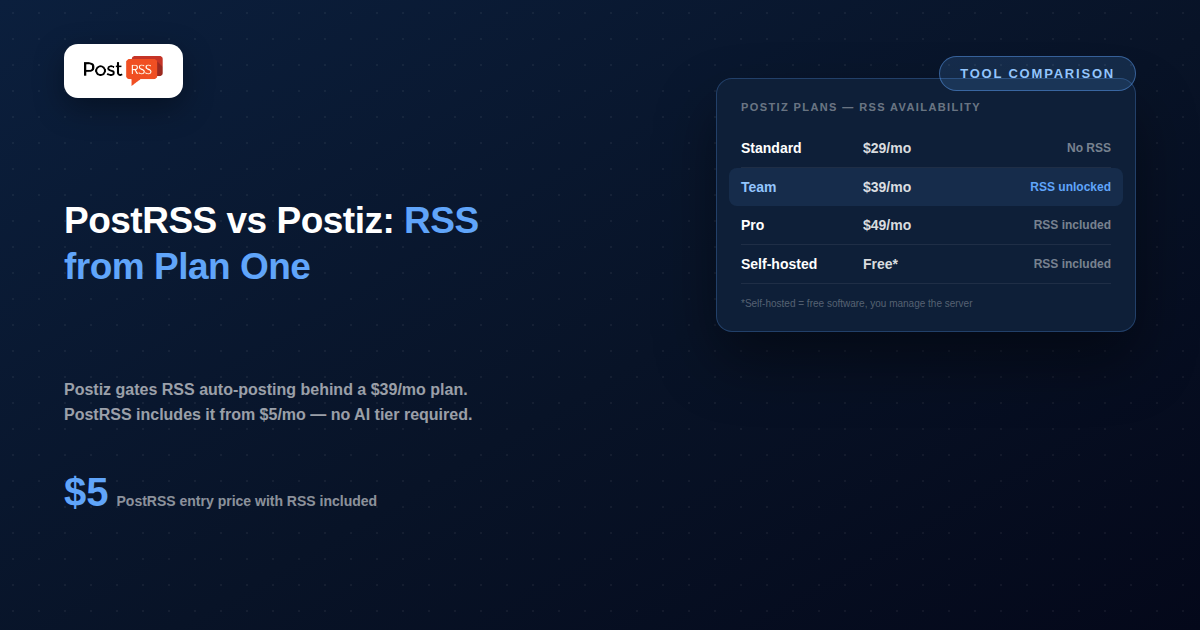
Buried inside that broad AI-content platform is an RSS auto-posting feature — but it’s not available on Postiz’s entry-level Standard plan. You need the $39/month Team plan or higher to turn on feed-based automation. That single detail reframes the whole comparison: Postiz is an AI content creation suite that happens to support RSS further up its pricing ladder, while PostRSS is built around RSS from the very first (and cheapest) plan. Understanding that gate is the key to picking the right tool — it’s easy to see Postiz’s long feature list and assume it’s automatically the stronger option, until you check which plan actually includes the one feature you came looking for.
Postiz’s core pitch is AI-assisted content creation plus wide platform reach: an AI writing assistant, a Canva-style design interface, AI image generation, and limited AI video generation, on top of standard scheduling and publishing across X, Bluesky, Mastodon, Instagram, YouTube, LinkedIn, Reddit, TikTok, Facebook, Pinterest, Threads, Discord, Slack, and more. Every paid plan includes API and webhook access, useful if you want to wire Postiz into other tools like n8n or Zapier. Pricing runs Standard at $29/month (5 channels, 400 posts/month, AI text and images, no RSS), Team at $39/month (10 channels, unlimited posts, team seats, RSS auto-posting unlocked here), Pro at $49/month (30 channels), and Ultimate at $99/month (100 channels). The self-hosted Community Edition is free if you’re comfortable running your own infrastructure.
PostRSS doesn’t do AI content generation, design, or video — it does one thing: watch an RSS feed and publish new items to your connected accounts automatically. No AI writing credits to manage, no image-generation quota, no separate platform tier to unlock before RSS automation actually works. Plans start free (1 target, 10 tasks/month), then Start at $5/month (1 target, 500 tasks/month), Professional at $10/month (10 targets, 10,000 tasks/month), with Ultimate and Enterprise tiers above that for high-volume publishers. The feed is checked every 5 minutes by default across 66 networks, including Facebook, X, LinkedIn, Pinterest, Threads, Bluesky, Mastodon, Telegram, Discord, Tumblr, VKontakte, Matrix, Webhook and Instapaper.
| Feature | PostRSS | Postiz |
|---|---|---|
| Core focus | RSS-to-social automation | AI content creation + wide-reach scheduling |
| RSS automation available on entry plan | Yes ($5/month) | No — requires $39/month Team plan |
| AI writing / image / video generation | No | Yes, all paid plans |
| Self-hosting option | No | Yes, free (Community Edition, AGPL-3.0) |
| Platforms supported | 66 networks incl. Fediverse, Asian and team-chat platforms | 30+ (including Discord, Slack, TikTok) |
| Entry price with RSS included | $5/month | $39/month (cloud) |
| API / webhooks | Yes — REST API v1, plus webhooks for Slack, Microsoft Teams, Zapier, Make and n8n | Yes, on every paid plan |
Alternatively, on the self-hosted Community Edition, you’d first need to deploy Postiz on your own server (Docker is the typical route), configure a database, connect your accounts, and then set up the same RSS automation — free of subscription cost, but with real setup and maintenance work attached.
Consider a blog that wants to auto-post to three destinations. On PostRSS, that’s the $10/month Professional plan — 10 targets, 10,000 tasks/month, RSS automation included from day one. On Postiz, the same requirement means subscribing to at least the $39/month Team plan, since RSS isn’t available on the cheaper $29/month Standard tier — nearly four times PostRSS’s price, for a feature that’s a small part of what that Postiz plan actually includes (AI content tools, unlimited posts, team seats, and 10 channels rather than 10 targets specifically for RSS).
That price gap only makes sense if you’re actually going to use Postiz’s other features — the AI writing assistant, image generation, or its wider platform reach. If RSS automation is the entire requirement, paying for capacity you won’t touch is the core inefficiency this comparison keeps coming back to.
Postiz fits best for teams that want AI-assisted content creation and scheduling across a very wide range of platforms — including less common ones like Discord, Slack, Mastodon, and Bluesky — and who are comfortable either paying for a higher-tier cloud plan or self-hosting to access RSS automation specifically.
PostRSS fits best for anyone whose core need is turning new content into automatic social posts, without paying for (or configuring around) AI credits, video generation, or a platform count far beyond what they’ll actually use.
If AI-generated captions, images, and short video clips are part of how you want to produce content — not just distribute it — Postiz does something PostRSS was never built to do. Its open-source, self-hostable option is also a genuine advantage for technically comfortable teams who want zero recurring cost and full control over their data, and its 30+ platform list includes YouTube, which PostRSS does not cover today (TikTok is covered by both; on PostRSS it is a draft you publish, from Professional); Discord, Mastodon, Bluesky and Slack (through a webhook) are within PostRSS’s 66 networks as well. For a team that wants one platform handling everything from content generation to publishing across a huge range of channels, Postiz’s breadth is the point.
If RSS automation is specifically what you need — and it usually is, if you’re here comparing these two tools — PostRSS gets you there for $5/month with no AI tier to unlock first. Postiz’s cheapest plan with RSS enabled costs nearly 8x more than PostRSS’s Start plan, and even its self-hosted free option requires setting up and maintaining your own server, database, and updates — real ongoing technical work that PostRSS’s hosted model removes entirely. For anyone whose actual requirement is “publish my feed automatically,” paying for AI credits and image generation you won’t use is added cost without added value.
PostRSS also supports VKontakte, which isn’t on Postiz’s platform list — relevant if part of your audience is in a VK-heavy market.
Postiz’s open-source Community Edition is a genuine, no-catch option if you have the technical skills and time to run it — no subscription fee, full control over your data, and an actively maintained codebase behind it. But “free” only accounts for the software license, not the total cost of ownership. You still need a server (even a small one costs something monthly), you’re responsible for applying updates as the project evolves, you handle your own backups and uptime monitoring, and if something breaks at 2am, there’s no support line — you’re debugging it yourself or searching GitHub issues.
PostRSS’s pricing works differently: you’re not paying for software you host and maintain, you’re paying for a working RSS-to-social pipeline that’s already running, monitored, and updated on someone else’s infrastructure. For a five-dollar-a-month plan, that trade-off is usually a clear win for anyone who isn’t already comfortable operating self-hosted infrastructure as a routine part of their work — the time saved not debugging a Docker deployment is worth more than the subscription cost for most small businesses and solo creators.
Postiz’s 30+ platform list covers some channels PostRSS doesn’t, such as YouTube; TikTok, Discord communities, Slack workspaces (through a webhook), Mastodon and Bluesky are covered by both. PostRSS does one thing — RSS auto-posting — but to 66 networks, chosen because they’re the platforms where RSS-driven auto-posting is most commonly needed and where native link/photo posts work cleanly without extra formatting work. If your channels line up with PostRSS’s 66 networks, the list isn’t a limitation — Discord is a native PostRSS network and Slack is reached through a webhook; if you need YouTube specifically, that’s a real point in Postiz’s favor.
No. Postiz’s $29/month Standard plan doesn’t include RSS auto-posting — that feature is gated behind the $39/month Team plan and above. If RSS is your primary use case, PostRSS’s $5/month Start plan covers it at a fraction of the cost.
Yes, the Community Edition is free and open source under AGPL-3.0 — but “free” means free of subscription cost, not free of setup and maintenance. You’re responsible for hosting infrastructure, updates, and uptime, which is a meaningful ongoing commitment compared to a managed service like PostRSS.
No — PostRSS publishes your feed content as-is, using the title, link, and image already in the feed item. If you want AI-rewritten captions or AI-generated images layered on top of your posts, that’s a capability Postiz offers that PostRSS intentionally doesn’t try to replicate.
Postiz’s Community Edition is the stronger fit if you want full control, zero recurring subscription cost, and don’t mind maintaining your own server. If you’d rather not manage infrastructure at all — even for a simple automation task — PostRSS’s hosted, pay-as-you-go model trades a small monthly fee for zero maintenance.
Not directly, since they’re separate platforms with their own publishing pipelines. Some users run PostRSS for straightforward, hands-off RSS-to-social posting on one set of accounts, while using Postiz (or a similar AI content platform) separately for content that benefits from AI-generated captions or images and doesn’t originate from an RSS feed.
Postiz counts connected social accounts as “channels” per plan (5 on Standard, 10 on Team, 30 on Pro), while PostRSS counts “targets” the same way but ties its pricing more directly to posting volume via monthly task limits. For a setup with a handful of destinations and moderate posting frequency, PostRSS’s Professional plan at $10/month for 10 targets is a more direct, RSS-specific equivalent to Postiz’s $39/month Team plan.
Postiz and PostRSS solve overlapping but distinct problems. Postiz is an ambitious, actively developed, open-source content creation and scheduling platform where RSS automation is one feature among many — genuinely powerful if you want AI-assisted content plus wide platform reach, but expensive and arguably overbuilt if RSS is your only real requirement. PostRSS is the opposite: it does one thing — RSS auto-posting, to 66 networks — as the entire product, available from its cheapest plan, with no AI tier or platform count to work around. If your task list is “get my feed onto social automatically,” PostRSS gets there for less money and less setup than Postiz’s cloud plans, and without the maintenance burden of Postiz’s free self-hosted option.
What changed in the networks, what broke, and how to fix it before it costs you reach.
Built by Internet Solutions, the team behind PostRSS. Each product saves you time in its own way.
 English
 Lietuviškai
 Deutsch
 Français
 Русский
 Español
 Polski
 Italiano
 Українська
 Čeština
 Português
 日本語
日本語 Latviešu valoda
 Eesti
Eesti Magyar
 Bahasa Indonesia
 Türkçe
 हिन्दी
 Ελληνικά
 العربية
 ไทย
ไทย Tiếng Việt
 Română
 Bahasa Melayu
 বাংলা
বাংলা