RSS vers 66 réseaux sociaux : Facebook, Instagram, X, LinkedIn, Telegram et plus Blog Affiliation Contacts
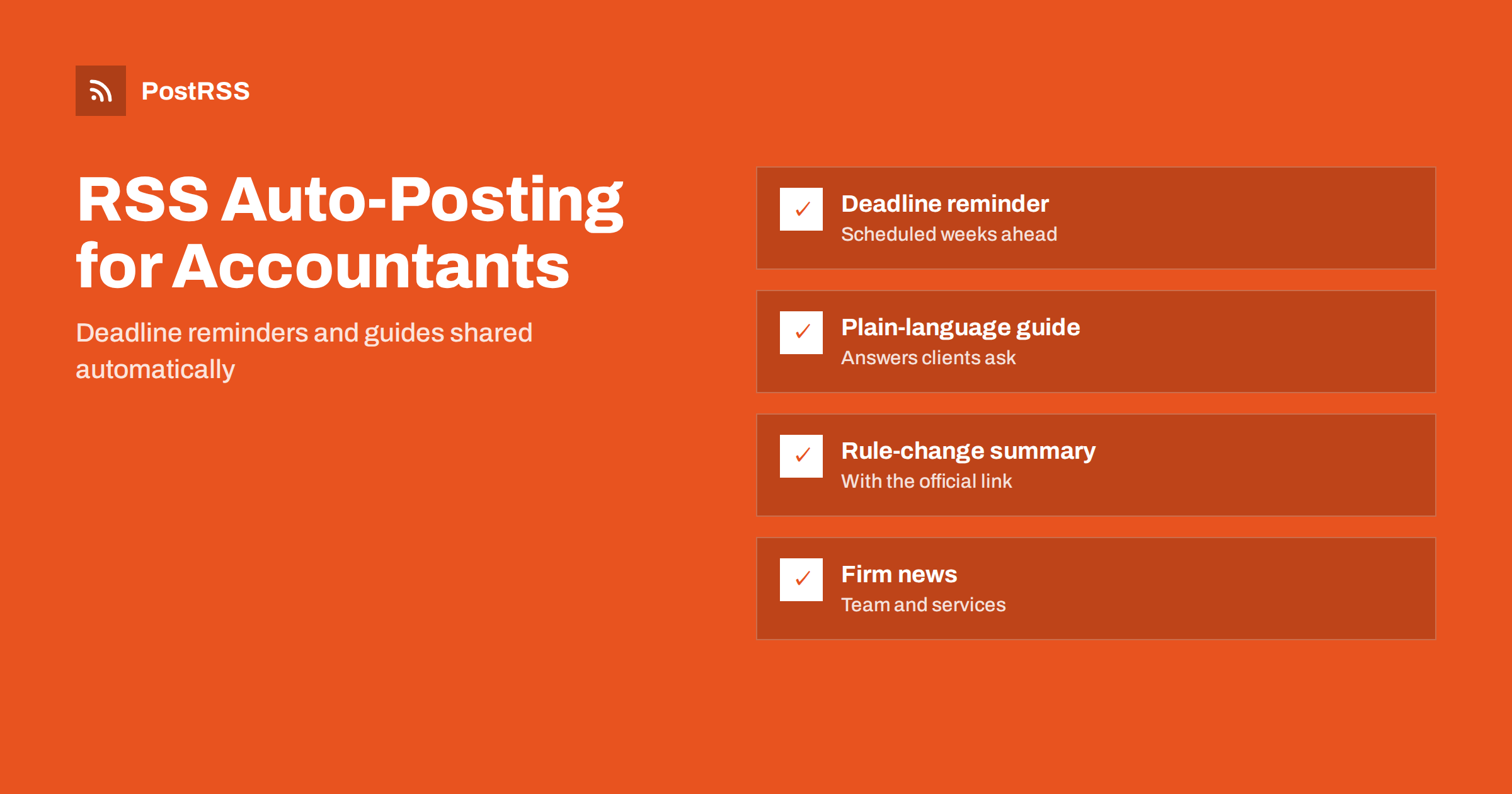
Short answer: RSS auto-posting lets accountants, bookkeepers and tax preparers share deadline reminders, plain-language guides, law-change summaries and firm news on social media automatically. Publish each reminder or guide as a page on your website, let an auto-poster read the RSS feed, and it appears on LinkedIn, your Facebook Page and other channels with its link and image. Clients get timely, accurate information from a firm that looks organised and active, while you stay with the work that bills.
Accounting is a seasonal profession with fixed dates. Clients need to hear about filing deadlines, payment dates and changes in the rules before those moments arrive, not after. Yet the weeks when reminders matter most are the weeks when the firm is busiest, so the social media page goes quiet exactly when it could be most useful. Because a website can hold a short page for every reminder and every guide, automation can carry them to the networks without adding another task to the list. This guide explains how to set it up, and where accuracy, confidentiality and professional rules must stay in human hands.
An accounting practice already writes a great deal of useful material, often in client emails that nobody else ever sees. Much of it can be turned into pages on your own website:
Each of these can be a short page. When the page is published, the feed announces it. You write it once, in a place that you own, and the automation spreads it to the networks where small business owners spend time. Pages on your site also appear in local search results when someone looks for an accountant or a bookkeeper nearby, which social posts alone do not achieve.
Most firm websites run on platforms that publish feeds without extra work:
/feed/ and a feed for every category, such as /category/deadlines/feed/. If you are unsure of the address, see how to find your WordPress feed link.Use categories to separate the audiences: deadlines, guides, rule changes and firm news. Each category has its own feed, and each feed can go to the channel where it works best. Routing by category is explained in category filtering for auto-posting.
| Content | Automate? | Notes |
|---|---|---|
| Deadline reminders | Yes | Schedule weeks ahead and check each date against the official source |
| General guides and checklists | Yes | Evergreen pages that keep bringing enquiries |
| Rule-change summaries | Yes, after review | Link the official announcement and state the date |
| Firm news and staff introductions | Yes | Publish qualifications only if you can prove them |
| Advice about one client’s affairs | Never | Confidential and specific, so handle it privately |
| Corrections and urgent changes | By hand | Contact affected clients directly first |
A simple rule: if it is general information on a finished page of your website, automate it. If it concerns one client, one figure or one correction, handle it personally and privately.
A reminder page earns its place by being specific, correct and early. Write one page for each date that matters to your clients: when returns are due, when estimated payments fall, when payroll reports are filed and when the financial year closes. State who the date applies to, what has to be done, what documents you need from the client and how long you need to prepare them. Link the official source so readers can verify the date for themselves. Dates and rules differ between countries, regions and even types of taxpayer, so say clearly which jurisdiction and which group the page covers. Set the publication date on your website a few weeks ahead, and the feed starts the conversation while people still have time to act. After the date has passed, update the page or add a short note so that it does not mislead anyone next year.
Every practice hears the same questions: which expenses can a sole trader keep track of, how long should records be kept, what is the difference between a bookkeeper and an accountant, when should a small business register for sales tax or value-added tax, how does payroll work for a first employee. Write one page for each question, in plain words, with a short example. Add a sentence saying that the page is general information and that individual circumstances differ, and invite readers to book a conversation. These evergreen guides attract visitors from search engines for years, and the feed shares each one once when it appears. They also save time, because you can send the link when a client asks the same thing again.
Changes in the rules are the most valuable thing a firm can explain and the easiest place to make a damaging mistake. Before publishing a summary, read the official text, name it and link it. Write what changes, from which date and for whom, and keep opinions out of the headline. Avoid predictions about how rules will develop. If a rule is still a proposal, say so in the first sentence. Have a second qualified person read the page before it goes live, and keep a dated note of who approved it. Because the feed shares the page automatically, a mistake travels fast, so accuracy matters more here than speed. If a correction is needed later, edit the page, add a visible note about what changed and contact clients who may have relied on the earlier version.
Rules for professional firms vary widely, so check the requirements that apply to you. Accurate, modest statements protect both clients and the firm.
People hire accountants they believe are competent and reachable. Short pages about the team help: who joined, what they specialise in, which training they completed, what the firm does for charities or local groups. A page describing how the first meeting works, what it costs to get started in general terms and how a typical engagement runs removes a lot of anxiety for new clients. Use real photographs of real staff, with their consent, and write alternative text for every image. Keep the tone calm and professional. A feed of useful, dated pages tells prospects that the firm is active and up to date, which is a reassuring signal when they compare several practices.
Most practices do best with LinkedIn and one more channel. Add others only if you can keep them useful and accurate.
/feed/, and check that it lists recent items.Finance pages often look dull, and a clear featured image makes the post stand out in a crowded timeline. Use a simple graphic with the topic and the date, or a photograph of the team, rather than stock pictures of coins and calculators. Keep text on images short and large enough to read on a phone. Write alternative text for each image, naming what it shows. Keep file sizes reasonable so pages load quickly; see image optimization for RSS auto-posting. If a network shows the wrong picture, check the Open Graph tags of the page as described in why auto-posted links show the wrong image.
PostRSS has been automating RSS posting since 2014. It checks your website feeds as often as every minute and publishes each reminder, guide and announcement, with its real image and link, to the channels you connect, from LinkedIn and Facebook Pages to Telegram, Bluesky and many more among its 66 supported networks. You can choose how each post is built, filter items by keywords, add UTM parameters and post only within chosen hours or at exact times in your time zone. See the PostRSS features page for everything it does and the pricing page for plan limits. More ideas for small businesses are under the Local Business tag.
Accountants, bookkeepers and tax preparers already produce the most useful content their clients could ask for: the right reminder at the right time, and a plain explanation of what the rules mean. RSS auto-posting shares each deadline, guide and rule-change summary automatically on LinkedIn, Facebook and your other channels, on time and with the right image, while you stay with client work. Give every reminder its own page, check every date and rule against the official source, link that source, keep client information out of public pages, state qualifications exactly, route content by category and handle personal questions privately.
Yes. If your website has a news or guides section, its RSS feed can be connected to an auto-poster that shares each new page on LinkedIn, your Facebook Page and other channels. Advice about one client’s affairs should never be posted publicly.
Deadline reminders, plain-language guides, summaries of rule changes, checklists of documents, answers to common questions and firm news. Each item should have its own page on your website so the feed can share it.
Check each date against the official source before you publish, link that source on the page and review dated pages at the start of each season. If a date changes, edit the page and add a visible note.
LinkedIn reaches business owners and finance managers, and a Facebook Page helps with local reach. Most firms do well with LinkedIn plus one other channel.
Many countries and professional bodies regulate how accountants may advertise and describe their expertise. Check the rules that apply to you before you publish, and keep claims modest and accurate.
One page for each deadline, guide or announcement is enough for most practices. Prepare pages in advance and schedule them on your website so the feed keeps posting during the busiest weeks.
What changed in the networks, what broke, and how to fix it before it costs you reach.
Conçus par Internet Solutions, l'équipe derrière PostRSS. Chaque produit vous fait gagner du temps à sa façon.
 English
 Lietuviškai
 Deutsch
 Français
 Русский
 Español
 Polski
 Italiano
 Українська
 Čeština
 Português
 日本語
日本語 Latviešu valoda
 Eesti
Eesti Magyar
 Bahasa Indonesia
 Türkçe
 हिन्दी
 Ελληνικά
 العربية
 ไทย
ไทย Tiếng Việt
 Română
 Bahasa Melayu
 বাংলা
বাংলা