WordPress to Facebook

This tag covers connecting a WordPress site to Facebook for fully automated posting through PostRSS, from initial setup through ongoing feed monitoring. In PostRSS, a Facebook destination is set up as a "Target" — each connected Page or Group counts toward your plan's target limit, and every post it publishes counts against your monthly "Tasks" allowance. PostRSS checks your source feed every 5 minutes on every plan, including Free, so a new Facebook post typically appears within minutes of the original content going live. Posting to a Facebook Group specifically requires that the PostRSS app be added to the Group with admin-level posting rights, which Meta enforces separately from Page permissions. Because WordPress's feed is checked every 5 minutes by PostRSS, new posts typically reach Facebook within minutes of publishing. Articles here cover the complete setup path end to end, useful as a single reference alongside the more specific WordPress-to-Facebook tags.
Post Automatically RSS Feeds to Social Networks with the PostRSS Tool
Cập nhật: 2026-08-20

Updated: 2026-08-20 Manually sharing every new website update across multiple social profiles is an ineffective use of ...

Xem thêm »
Auto Post WordPress and Blog RSS Feed to Facebook, X, LinkedIn, and VKontakte
Cập nhật: 2026-08-30

Updated: 2026-08-20 If you run a WordPress website or a professional blog, consistently promoting your new content on s...

Xem thêm »
Post Your RSS Feeds Easier and Faster Than Ever
Cập nhật: 2026-08-30

Updated: 2026-08-20 Managing multiple social media accounts while regularly publishing fresh content on your website ca...

Xem thêm »
How to Connect Official PostRSS Apps to Securely Auto-Post to Major Social Networks
Cập nhật: 2026-08-30

In the world of social media automation, security and ease of use are paramount. To broadcast your website’s RSS or Atom ...

Xem thêm »
Which PostRSS Plan Supports Which Platform? A Clear 2026 Breakdown
Cập nhật: 2026-08-30

Updated: 2026-08-20 This post originally announced, back in December 2016, that PostRSS's Start and Professional pl...

Xem thêm »
How to Increase Your Sales Automatically Using E-Commerce RSS Syndication
Cập nhật: 2026-08-30

Updated: 2026-08-20 For e-commerce store owners, digital marketers, and product creators, driving consistent revenue is...

Xem thêm »
Tính năng mới trên PostRSS: Tùy chọn thời gian đăng bài nâng cao
Cập nhật: 2015-11-11

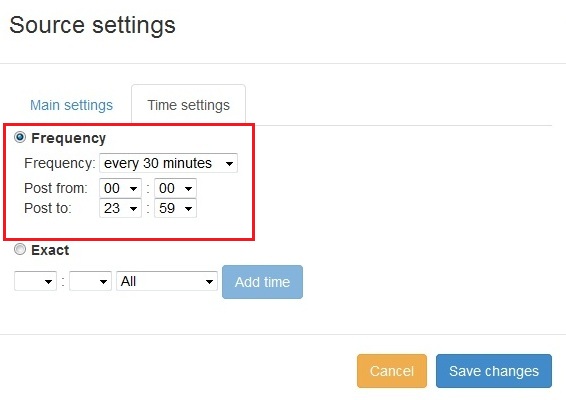
  New feature added to PostRSS Advanced posting time selection. No source from Advanced time settings Possible to add i...

Xem thêm »

Cách đồng bộ hóa tài khoản mạng xã hội với ứng dụng PostRSS?
Cập nhật: 2015-11-03

We receiving many questions: How to synchronize social my accounts? I am don't see my Facebook page in listings? How po...

Xem thêm »
Cách đăng liên kết lên Facebook với hình thu nhỏ (thumbnail) kích thước lớn
Cập nhật ngày: 2026-08-26

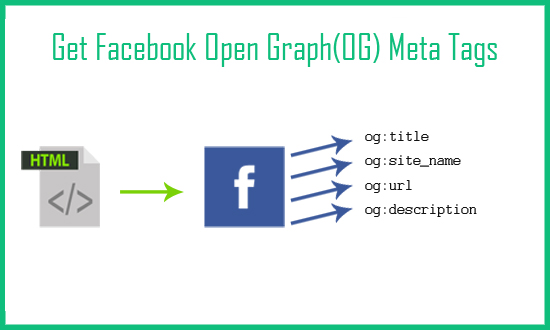
Today I will show you how to fetch facebook Open Graph (OG) meta tags with php script. Open Graph meta tags are used in html pa...

Xem thêm »
PostRSS Plans for Every Size: From Solo Start to Enterprise 5000
Cập nhật: 2026-08-30

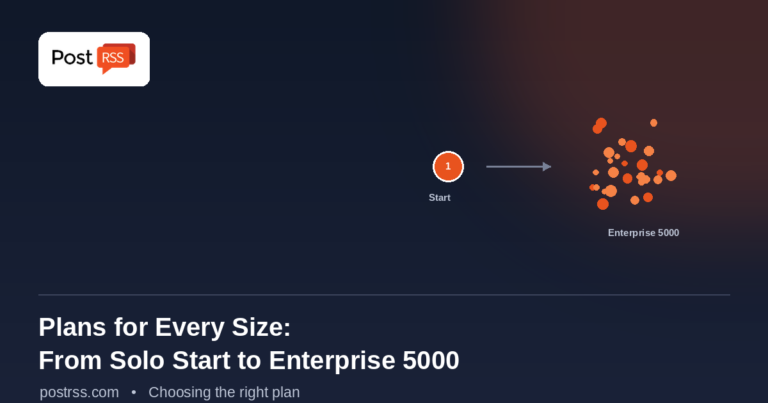
Updated: 2026-08-20 This post originally announced two additions to PostRSS's pricing lineup back in June 2015: a S...

Xem thêm »
Automate Your Pinterest Marketing: How to Turn Visual Content into Continuous Web Traffic
Cập nhật: 2026-08-30

Updated: 2026-08-20 Pinterest is not just another social network; it is a powerful visual search engine. For e-commerce...

Xem thêm »
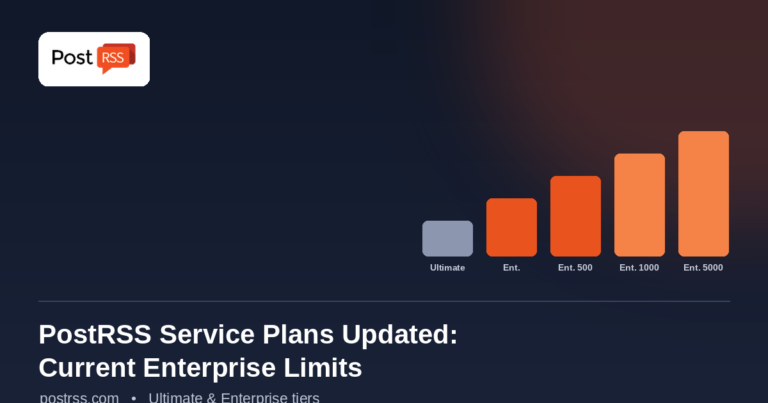
PostRSS Enterprise & Ultimate Plans (2026 Update)
Cập nhật: 2026-08-30

Updated: 2026-08-20 This post originally announced a May 2015 increase to Ultimate and Enterprise plan task limits. Those nu...

Xem thêm »
Menu
x
PostRSS - Nền tảng tự động hóa RSS Feed & Công cụ tự động đăng bài
Tổng quan về quyền riêng tư

Website này sử dụng cookie để chúng tôi có thể cung cấp cho bạn trải nghiệm người dùng tốt nhất có thể. Thông tin cookie được lưu trữ trong trình duyệt của bạn và thực hiện các chức năng như nhận diện bạn khi bạn quay lại website và giúp đội ngũ của chúng tôi hiểu được những phần nào của website mà bạn thấy thú vị và hữu ích nhất.