WordPress to Facebook

This tag covers connecting a WordPress site to Facebook for fully automated posting through PostRSS, from initial setup through ongoing feed monitoring. In PostRSS, a Facebook destination is set up as a "Target" — each connected Page or Group counts toward your plan's target limit, and every post it publishes counts against your monthly "Tasks" allowance. PostRSS checks your source feed every 5 minutes on every plan, including Free, so a new Facebook post typically appears within minutes of the original content going live. Posting to a Facebook Group specifically requires that the PostRSS app be added to the Group with admin-level posting rights, which Meta enforces separately from Page permissions. Because WordPress's feed is checked every 5 minutes by PostRSS, new posts typically reach Facebook within minutes of publishing. Articles here cover the complete setup path end to end, useful as a single reference alongside the more specific WordPress-to-Facebook tags.
Post Automatically RSS Feeds to Social Networks with the PostRSS Tool
Actualizado: 2026-08-20

Updated: 2026-08-20 Manually sharing every new website update across multiple social profiles is an ineffective use of ...

Leer más »
Auto Post WordPress and Blog RSS Feed to Facebook, X, LinkedIn, and VKontakte
Actualizado: 2026-08-30

Updated: 2026-08-20 If you run a WordPress website or a professional blog, consistently promoting your new content on s...

Leer más »
Post Your RSS Feeds Easier and Faster Than Ever
Actualizado: 2026-08-30

Updated: 2026-08-20 Managing multiple social media accounts while regularly publishing fresh content on your website ca...

Leer más »
How to Connect Official PostRSS Apps to Securely Auto-Post to Major Social Networks
Actualizado: 2026-08-30

In the world of social media automation, security and ease of use are paramount. To broadcast your website’s RSS or Atom ...

Leer más »
Which PostRSS Plan Supports Which Platform? A Clear 2026 Breakdown
Actualizado: 2026-08-30

Updated: 2026-08-20 This post originally announced, back in December 2016, that PostRSS's Start and Professional pl...

Leer más »
How to Increase Your Sales Automatically Using E-Commerce RSS Syndication
Actualizado: 2026-08-30

Updated: 2026-08-20 For e-commerce store owners, digital marketers, and product creators, driving consistent revenue is...

Leer más »
Nueva función añadida a PostRSS: selección avanzada de la hora de publicación
Actualizado: 2015-11-11

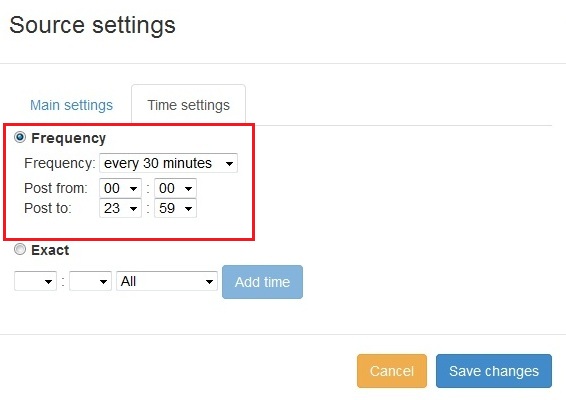
  New feature added to PostRSS Advanced posting time selection. No source from Advanced time settings Possible to add i...

Leer más »

¿Cómo sincronizar su cuenta social con las aplicaciones de PostRSS?
Actualizado: 2015-11-03

We receiving many questions: How to synchronize social my accounts? I am don't see my Facebook page in listings? How po...

Leer más »
Cómo publicar un enlace en Facebook con una miniatura de imagen grande
Actualizado: 26-08-2026

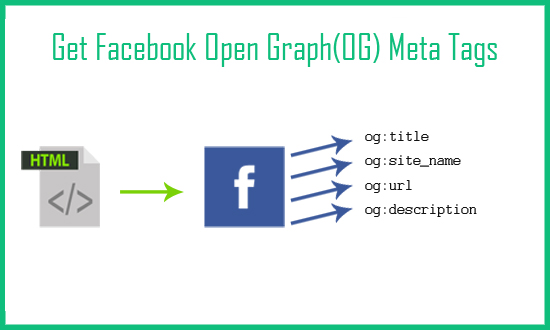
Today I will show you how to fetch facebook Open Graph (OG) meta tags with php script. Open Graph meta tags are used in html pa...

Leer más »

PostRSS Plans for Every Size: From Solo Start to Enterprise 5000
Actualizado: 2026-08-30

Updated: 2026-08-20 This post originally announced two additions to PostRSS's pricing lineup back in June 2015: a S...

Leer más »

Automate Your Pinterest Marketing: How to Turn Visual Content into Continuous Web Traffic
Actualizado: 2026-08-30

Updated: 2026-08-20 Pinterest is not just another social network; it is a powerful visual search engine. For e-commerce...

Leer más »
PostRSS Enterprise & Ultimate Plans (2026 Update)
Actualizado: 2026-08-30

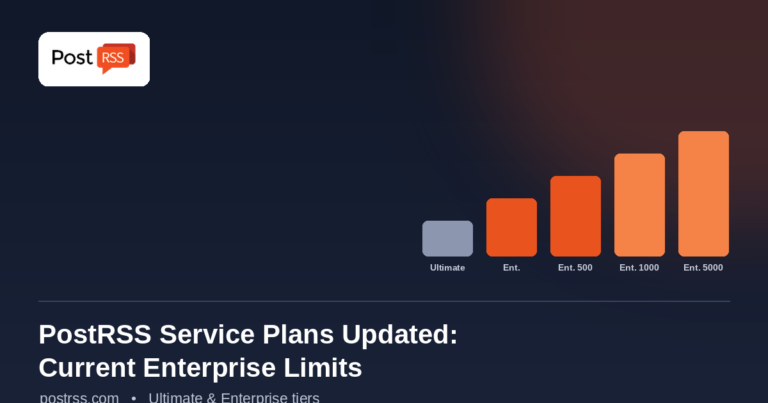
Updated: 2026-08-20 This post originally announced a May 2015 increase to Ultimate and Enterprise plan task limits. Those nu...

Leer más »
Menú
x
PostRSS - Plataforma de automatización de feeds RSS y herramienta de auto-publicación
Resumen de privacidad

Este sitio web utiliza cookies para que podamos brindarle la mejor experiencia de usuario posible. La información de las cookies se almacena en su navegador y realiza funciones como reconocerlo cuando regresa a nuestro sitio web y ayudar a nuestro equipo a comprender qué secciones del sitio web le resultan más interesantes y útiles.