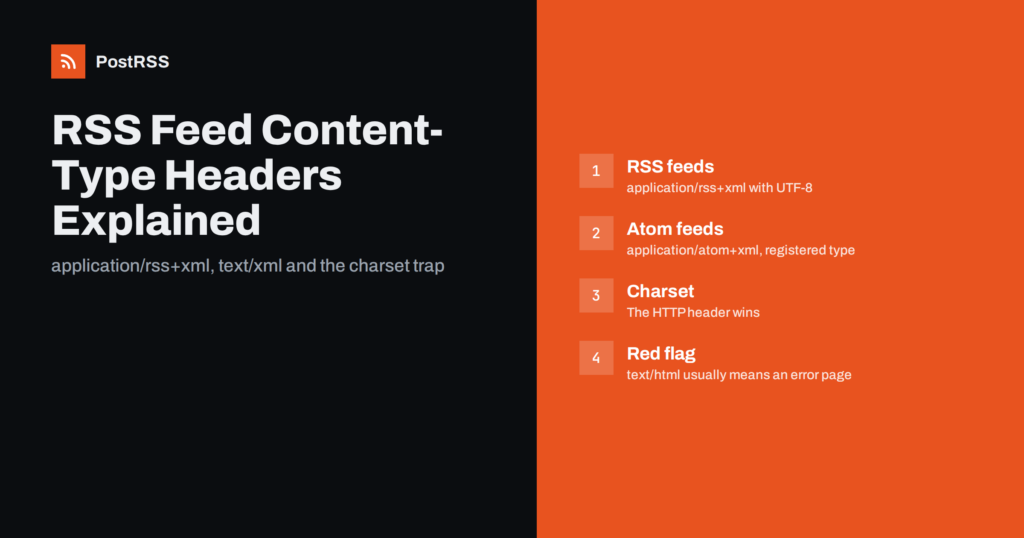
Short answer: Serve an RSS 2.0 feed as application/rss+xml; charset=utf-8 and an Atom feed as application/atom+xml; charset=utf-8. Generic application/xml also works with every serious feed reader and auto-posting tool. What really breaks feeds is not the choice between these, but a header that says text/html or declares the wrong charset.
Every HTTP response carries a Content-Type header that tells the client what kind of document it is receiving and, optionally, which character encoding it uses. For a web page that value is text/html. For a feed it should say that the body is XML, and ideally which flavour of XML.
Feed readers, podcast apps and auto-posting services use the header in three ways:
charset parameter decides how bytes become letters, which matters for accents, currency symbols and emoji.text/html, something upstream has changed: a redirect to a login page, a firewall challenge or a server error.Most mature feed parsers are forgiving. They look at the first bytes of the body and will happily parse a valid RSS document even if the header is generic. That forgiveness is why many broken headers go unnoticed for years, until a stricter client or a browser shows the problem.
There are four values you will see in the wild, and they are not equally official.
| Content-Type | Used for | Status | Practical verdict |
|---|---|---|---|
application/rss+xml | RSS 2.0 and older RSS | Widely used de facto, never formally registered | Best choice for RSS 2.0 |
application/atom+xml | Atom feeds | Registered by the Atom specification | Correct choice for Atom |
application/xml | Any XML document | Registered generic XML type | Safe fallback for any feed |
text/xml | Any XML document | Registered, but with a history of charset confusion | Works, but add an explicit charset |
The Atom format has a registered media type defined in RFC 4287. RSS 2.0 never went through that process: application/rss+xml was proposed, adopted by browsers, content management systems and feed readers, and became a convention rather than a standard. That sounds worrying but is not. It is the value WordPress, most static site generators and the autodiscovery <link> tags on millions of sites use, so every client that matters understands it.
JSON Feed is a separate format and uses application/feed+json. If you publish both an RSS and a JSON version, make sure each URL sends its own type.
For a long time the rules for XML media types said that a text/xml response without a charset parameter should be treated as US-ASCII, regardless of what the XML declaration inside the file said. A feed that declared <?xml version="1.0" encoding="UTF-8"?> could, by the letter of the rules, be decoded as ASCII and have every accented character mangled. Clients handled that inconsistently, and feed validators warned about it.
The current XML media type rules in RFC 7303 removed that ASCII default and treat text/xml および application/xml much more alike. The part that did not change is the priority order: when the HTTP header carries a charset parameter, it takes precedence over the encoding in the XML declaration. So text/xml is acceptable today, but only if you add ; charset=utf-8 and make sure it matches the file.
The most common real-world encoding bug is a mismatch like this:
encoding="UTF-8".Content-Type: text/xml; charset=ISO-8859-1 because of an old server-wide setting.A strict client follows the header, decodes the UTF-8 bytes as Latin-1 and produces text such as “café” instead of “café”. When that text is auto-posted to a social network, the garbled characters go out to every follower. Emoji are hit hardest, because each one uses four bytes in UTF-8 and becomes a small cluster of nonsense symbols.
The fix is always the same: make the header and the declaration say the same thing, and make both say UTF-8. Changing the file to Latin-1 to match an old server default only moves the problem, because modern content almost always contains characters outside that range.
Two related details are worth checking while you are there. First, a byte order mark at the start of a UTF-8 file is allowed by XML, but some older tools choke on it, and it is invisible in most editors. Saving the feed template as UTF-8 without a BOM avoids the question entirely. Second, if your feed is generated by a script, make sure the script itself outputs UTF-8. A database connection that still uses a legacy encoding can produce a perfectly labelled UTF-8 header on top of bytes that are not UTF-8 at all, and no header setting can repair that.
Browsers are where the choice of type is most visible, and where site owners most often get confused.
If your only reason to switch from application/rss+xml to text/xml is that the feed downloads in a browser, consider a better fix: attach an XSLT stylesheet and serve the feed as application/xml, or keep the specific type and add a normal HTML page that explains what the feed is and how to subscribe. Either way, the machines that consume the feed will keep working.
Also check for a Content-Disposition: attachment header. Some hosting setups add it to anything they do not recognise, which forces a download no matter which type you choose.
You cannot see response headers by opening the feed in a browser tab, but you can see them in a few seconds with other tools.
curl -sI https://example.com/feed/ and read the content-type line. Add -L to follow redirects and see the header of the final URL, which is the one that counts.Run the check with a plain user agent as well as a browser one. Some firewalls and bot filters return an HTML challenge page to scripts while showing browsers the real feed, and that difference is exactly what an auto-posting service will run into.
Keep in mind that -I sends a HEAD request. Most servers answer HEAD and GET with the same headers, but some frameworks and caches do not. If the result looks odd, repeat the test with a normal GET that discards the body, for example curl -s -o /dev/null -D - https://example.com/feed/, which prints only the headers of a real download.
WordPress sends application/rss+xml for its RSS 2.0 feed and application/atom+xml for Atom, with the charset from the site settings. If you see something else, a caching plugin, a security plugin or a CDN rule is usually rewriting the response. Clear or exclude the feed URL in the cache and test again.
Nginx picks the type from the file extension through its mime.types file, which normally maps .rss および .atom correctly. Trouble starts when the feed is saved as feed.xml or as index.html inside a /feed/ folder. Either rename the file to a matching extension or add a location block with default_type application/rss+xml; and set charset utf-8;.
Use AddType application/rss+xml .rss および AddType application/atom+xml .atom in the configuration or an .htaccess file, plus AddDefaultCharset utf-8 または AddCharset utf-8 .rss .xml so that the charset is explicit.
Most static hosts let you set custom headers per path in a configuration file. Add a rule for the feed path that sets Content-Type with a charset. If you cannot set headers at all, naming the file feed.xml usually produces a generic XML type, which is still perfectly usable.
If a framework route builds the feed, set the header explicitly in the response object instead of relying on defaults. Many frameworks default to text/html for any route that returns a string.
If a feed that worked yesterday now returns text/html, do not start by editing server configuration. Look at the body first. In most cases the server is not sending the feed with a wrong label, it is sending something that is not a feed at all:
Fix the underlying problem and the correct type usually comes back on its own. Changing the header to an XML type while the body is still an HTML error page would only hide the error from monitoring tools.
PostRSS reads any RSS 2.0 or Atom feed and checks it every 5 minutes on all plans, or every minute on Enterprise plans. What it needs from your server is simple: a valid feed document at a stable URL, served with an XML content type. A correct type and a matching UTF-8 charset matter, because they keep accented characters and emoji intact in the posts that go out to your connected networks. If your feed returns an HTML page instead of XML, fix that first, then add the feed and pick your targets. The features page lists the supported sources and the 66 supported networks.
Use application/rss+xml for RSS 2.0, application/atom+xml for Atom, and add charset=utf-8 to both. Generic XML types are acceptable fallbacks, especially on static hosts. Spend your effort on the two things that cause real failures: a charset that disagrees with the file, and a feed URL that quietly returns HTML. Check the header with curl after every server, CDN or plugin change, and your feed will keep working for readers and automation alike.
It is not formally registered, but it is the convention used by content management systems, browsers and feed readers for RSS 2.0. Every mainstream feed client understands it. Atom, by contrast, has the registered type application/atom+xml.
No, it works with nearly all clients. Add an explicit charset such as utf-8 so the header and the XML declaration agree. Without a charset, some older clients may decode the feed incorrectly.
Browsers no longer include feed previews, so feed-specific types often trigger a download. Feed readers and automation tools are not affected. If you want humans to see a readable page, attach an XSLT stylesheet or link to an explanatory HTML page.
The charset in the HTTP header takes precedence under the XML media type rules. That is why a server default like ISO-8859-1 can garble a feed saved as UTF-8. Make both say UTF-8.
Usually only indirectly. Most auto-posting tools parse the XML body regardless of the exact type, but a wrong charset can corrupt special characters in your posts. A text/html response often means the tool is receiving an error or challenge page instead of the feed.
What changed in the networks, what broke, and how to fix it before it costs you reach.
PostRSSを手がけるInternet Solutionsが開発。どの製品も、それぞれの形で時間を節約します。
 English
 Lietuviškai
 Deutsch
 Français
 Русский
 Español
 Polski
 Italiano
 Українська
 Čeština
 Português
 日本語
日本語 Latviešu valoda
 Eesti
Eesti Magyar
 Bahasa Indonesia
 Türkçe
 हिन्दी
 Ελληνικά
 العربية
 ไทย
ไทย Tiếng Việt
 Română
 Bahasa Melayu
 বাংলা
বাংলা