RSS vers 66 réseaux sociaux : Facebook, Instagram, X, LinkedIn, Telegram et plus Blog Affiliation Contacts
Short answer: Nail salons and lash studios can use RSS auto-posting to share new seasonal designs, price list updates, opening hours and booking news from their website on social networks without retyping each post. The website publishes a feed, PostRSS reads it and posts every new item with its image and link. The studio stays in charge of hygiene claims, accurate prices, client privacy and the personal replies that make clients return.
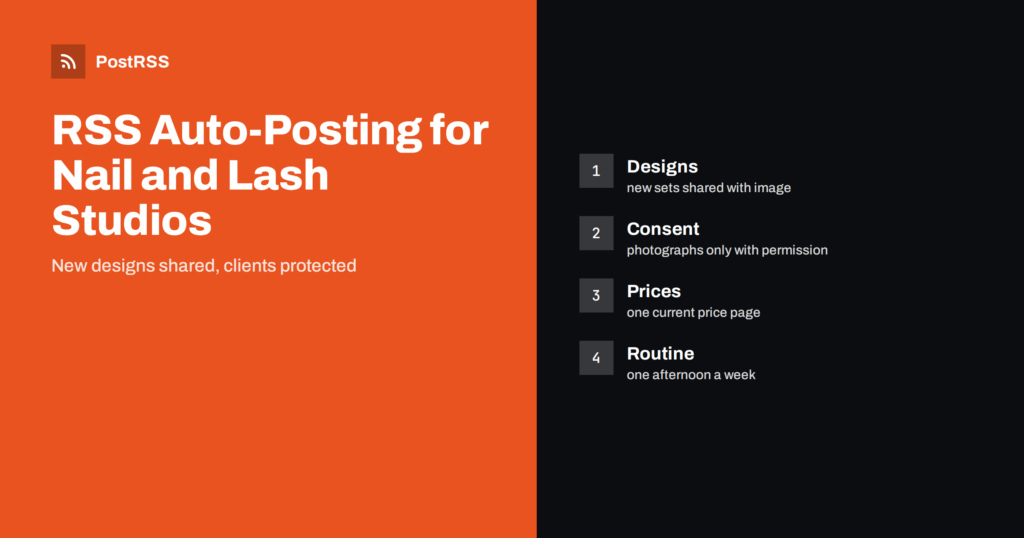
Beauty is one of the most visual businesses on social media. A nail artist’s work is a small canvas, and a good photograph of a finished set can bring a new client faster than any advertisement. The difficulty is time. A technician works with both hands, often with a client for an hour or two, and the phone stays in a drawer. After a long day, photographing, editing and posting each design feels like a second job, so the page goes quiet exactly when the studio is busiest. Publishing once to the website and letting the feed carry the post to the social networks solves that. This guide explains what to publish, how to protect clients, how to keep prices and promises accurate and how to set up a simple weekly routine.
It is written for nail salons, independent nail artists with a studio room, lash and brow studios, beauty bars that offer manicures and lash extensions and small salons with a few technicians. It is useful if you already have a website with a gallery, a blog, a price page or a booking page, and you want your social accounts to reflect it without extra work. If you do not have a feed yet, most website builders can create one for a blog or a news page.
The website is the record, and the social networks are the shop window. Good feed items include a new seasonal collection, a gallery of recent designs with a short note about the technique, a price list update, a new service such as a different extension style, a holiday opening schedule, a gift card offer, a training or model call, a care guide for clients and answers to common questions. Each item should invite the reader to do something specific: look at the gallery, read the care tips or book an appointment.
Mix the types. A page made only of finished sets feels like a catalog. Care guides, behind-the-scenes posts and honest explanations of what is possible in an hour attract clients who are still deciding.
If your website runs on WordPress, Squarespace, Wix or a beauty booking platform with a blog, it probably publishes a feed at an address such as feed or rss. Add the address to the auto-poster and check that each item has a clear featured image. For nails and lashes, the image carries the post, so use a sharp, well-lit photograph with a clean background and the hands or eyes as the clear subject. Many studios keep a fixed corner with a lamp and a neutral cloth, which makes every photograph consistent without a lot of effort.
A photograph of a hand or an eye can still identify a person, through a tattoo, a ring, a distinctive scar or a face reflected in a mirror. Ask clients before you publish their photographs, include the rule in your booking terms and respect a no without argument. Do not tag clients or post their names without permission. For lash work, avoid close photographs of the eye area if the client prefers privacy, and show the result from an angle that is comfortable for them. These habits protect trust, which is the foundation of a service business.
Clients care about cleanliness, and it is tempting to write that a studio is the safest or the most sterile in town. Such claims are risky unless you can prove them, and in many places advertising rules apply. Describe what you actually do: how tools are cleaned and stored, which products you use and how you handle a client who has a skin condition. Never promise that a treatment is harmless for everyone. Encourage clients with allergies, infections or medical conditions to talk to a professional before booking, and link to a page that explains your policy on cancellations when a client is unwell.
Prices change, and an old post that shows an outdated price creates arguments at the reception desk. Link to a single price page and update it first. When you run an offer, state the start and end dates, the services included and any conditions, such as new clients only. After the offer ends, remove or update the page so that the feed does not keep promoting it. Auto-posting makes it easy to publish an offer, so make it equally easy to retire one.
PostRSS builds each message from the item title, the description or your own text. A caption such as new set is weak. A better caption names the style, the shape and the finish, for example a short almond set with a soft pink gradient, and tells the reader how long the appointment takes. Clients who know what to expect book with more confidence. Keep a short vocabulary of consistent terms, so that your posts sound like one studio and not like five different technicians.
Clients look for beauty appointments in predictable waves: before weddings, before holidays, at the start of summer for sandals and before a vacation. They also browse in the evening and at the weekend. Plan announcements for those moments a few weeks ahead, and publish gift card offers before the main gift-giving seasons. On paid plans PostRSS can post only between chosen hours or at exact times in your time zone, which stops posts from appearing at three in the morning. Two to four posts a week are enough to stay present.
A Facebook Page is useful for opening hours, offers and local reach, and it lets clients read reviews and message the studio. Pinterest suits design ideas, because pins continue to bring visitors for months. Telegram channels can work for a loyal group that wants last-minute openings. Bluesky and Mastodon reach creative communities. Instagram is the obvious home for beauty photography, although in PostRSS it is currently listed as being tested, so check the features page before relying on it. Do a few networks well instead of many badly.
Hashtags help people find work by style, such as a color or a technique, and by place. PostRSS can turn the categories and tags of each feed item into hashtags, up to a limit, and you can add a few fixed ones such as your city. Name your categories clearly, for example gel manicure, lash extensions and seasonal sets. Two to five tags are plenty. A long block of tags looks desperate and rarely helps.
A salon often has a free slot at short notice. A feed is too slow for a same-hour message, so keep that kind of notice manual or use a messaging channel where regulars can see it quickly. Use the feed for planned news such as new services, price changes and holiday closures. A clear split between planned and urgent communication keeps both reliable.
Add your own query parameters to the links so that your analytics shows which network sends visitors to the booking page. After a month, compare visits and bookings by source. A handful of bookings from a Pinterest design post can be worth more than many likes elsewhere. Use the numbers to decide where to spend your limited time, and drop the networks that bring nothing.
A routine beats inspiration. Choose one afternoon a week for photographs and writing. Photograph the sets finished that week, select the best three, write a short caption for each and publish them to the website, scheduled over the coming days. The feed shares them on the days they go live. Another half hour at the end of the week can be spent answering comments and checking the numbers. Over a quarter, this small habit produces a gallery of dozens of designs and a social page that never goes quiet.
If the studio has several technicians, agree on who uploads what. Each technician can send two or three finished photographs a week with a one-line description to the person who maintains the website. A shared folder and a simple naming rule are enough. This way the feed reflects the whole team, clients see the range of styles and no single person carries the whole burden of content.
PostRSS reads the feed of your website and publishes each new item, with its image and link, to the networks you connect. It has been running since 2014, needs no code and offers a Free plan that can post to one target, such as a Facebook Page, a Telegram channel, Bluesky or Mastodon. Paid plans add more targets and networks, listed on the pricing page, and the features page explains keyword filters, hashtags, UTM parameters and posting windows. The benefit is simple: you publish once, and the sharing takes care of itself.
A nail or lash studio can keep a lively social presence by publishing designs, prices and news to its website and letting an auto-poster share them. Ask for permission before showing clients, make only claims you can prove, keep prices current, write captions that explain the work, pick a few networks and measure bookings. The technicians keep their hands on the clients, and the posting happens in the background.
Yes, for planned content such as new designs, price updates and holiday hours. Replies and last-minute openings should stay personal.
You should have it. Put photograph use into your booking terms and respect a refusal, because hands and eyes can identify a person.
Give every offer an end date, update or remove its page when it ends and link posts to a single current price page.
A Facebook Page works for hours and local reach, Pinterest for design ideas. Choose the networks your clients use and keep them accurate.
Yes, if the site publishes an RSS or Atom feed that opens without a login. PostRSS posts each new item with its image and link.
What changed in the networks, what broke, and how to fix it before it costs you reach.
Conçus par Internet Solutions, l'équipe derrière PostRSS. Chaque produit vous fait gagner du temps à sa façon.
 English
 Lietuviškai
 Deutsch
 Français
 Русский
 Español
 Polski
 Italiano
 Українська
 Čeština
 Português
 日本語
 Latviešu valoda
 Eesti
 Magyar
 Bahasa Indonesia
 Türkçe
 हिन्दी
 Ελληνικά
 العربية
 ไทย
 Tiếng Việt
 Română
 Bahasa Melayu
 বাংলা