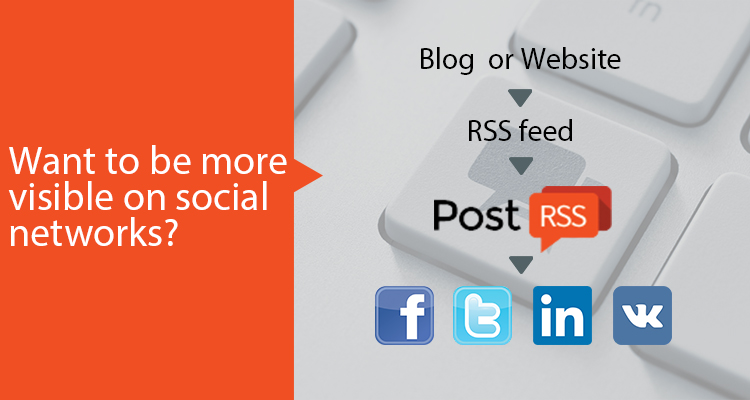
Automation copies whatever your feed contains, so a few minutes of preparation pays off for every post that follows:
og:image tag, so every post carries a real picture.utm_source=postrss to every link, so your analytics shows what each network brings.Your feed is checked every 5 minutes on all plans, including Free, and every minute on Enterprise plans. The full list of options is on the features page, and the networks included in each plan are on the pricing page.
Most websites start with a single Facebook Page and add networks later. One feed can be connected to several targets at once, and each target keeps its own settings: a different message format, its own keyword filters, its own posting windows on paid plans. That makes it easy to post every article to your Facebook Page while sending only selected topics to a specialist community or a team chat.
If you run several sites or product lines, add each feed as a separate source and route it to the accounts that fit its audience. When you need more targets or more network types, you can move to a larger plan that includes them.
No. You paste your feed address, connect an account and PostRSS does the rest. WordPress users can also install the official PostRSS plugin, which builds the feed and creates the targets for them.
PostRSS checks each feed every 5 minutes on all plans and every minute on Enterprise plans, so a new article usually appears within minutes of going live on your site.
Yes. The Free plan posts to one Facebook Page with 10 posts per month. Paid plans from Start to Enterprise add more posts, more targets and more networks.
Yes. Pick the date to start from and turn on catch-up, and PostRSS also posts older feed items that were never published.
What changed in the networks, what broke, and how to fix it before it costs you reach.
 English
 Lietuviškai
 Deutsch
 Français
 Русский
 Español
 Polski
 Italiano
 Українська
 Čeština
 Português
 日本語
日本語 Latviešu valoda
 Eesti
Eesti Magyar
 Bahasa Indonesia
 Türkçe
 हिन्दी
 Ελληνικά
 العربية
 ไทย
ไทย Tiếng Việt
 Română
 Bahasa Melayu
 বাংলা
বাংলা