RSS tới 66 mạng xã hội: Facebook, Instagram, X, LinkedIn, Telegram và nhiều mạng khác Blog Tiếp thị liên kết Liên hệ
Open any podcast’s RSS feed and you’ll find a tag that does more work than almost anything else in the document: <enclosure>. It’s a single line buried inside each <item>, but it’s the reason Apple Podcasts, Spotify, and every other podcast app know where to find the actual audio file for an episode. Understanding how this tag works — and how auto-posting tools treat it differently from a normal blog post link — explains a lot about why podcast episodes show up on social media the way they do, and why some auto-posting setups quietly fail on Nguồn cấp RSS content that looks perfectly valid at first glance.
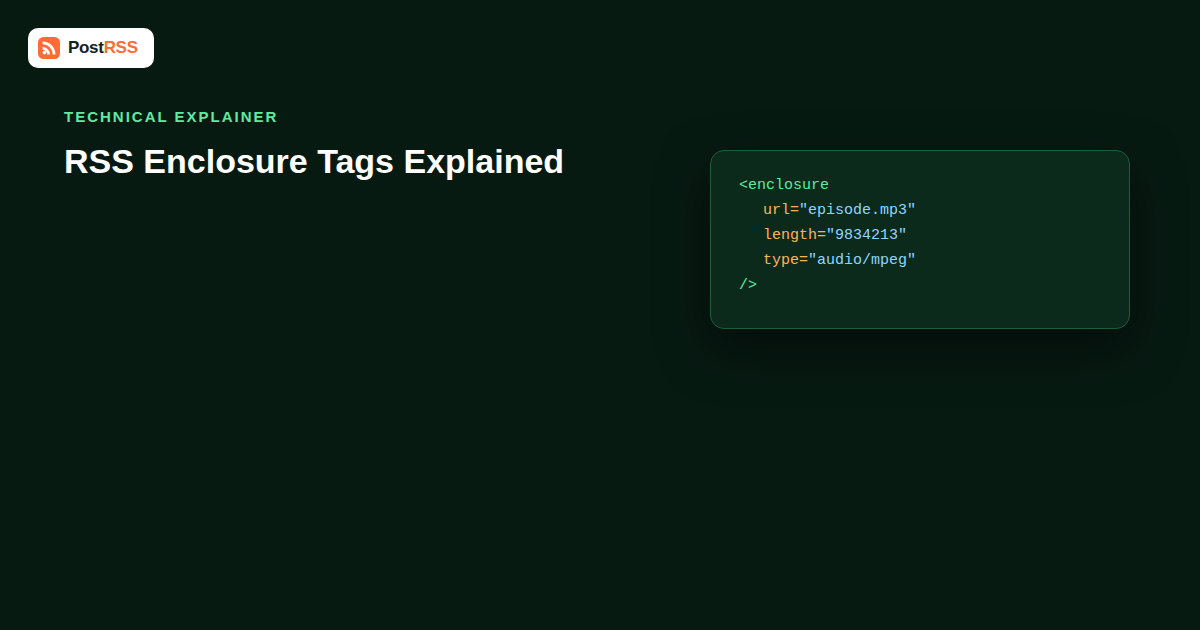
RSS 2.0 defines <enclosure> as a way to attach a binary media file to a feed item — audio, video, or an image — without embedding the file itself in the XML. Instead, the tag points to the file’s location and describes it with three attributes. It sits inside an <item> alongside the more familiar <title>, <link>, <guid>, and <pubDate> tags that make up the rest of the entry. A typical podcast item looks like this:
<title>Episode 42: Scaling a Newsletter to 50,000 Subscribers</title><pubDate>Thu, 10 Sep 2026 09:00:00 GMT</pubDate><enclosure url="https://cdn.example.com/ep42.mp3" length="48213984" type="audio/mpeg" />Unlike most RSS tags, <enclosure> is self-closing and carries all of its information as attributes rather than text content. That’s a deliberate design choice — the tag isn’t meant to be read, it’s meant to be machine-parsed by a podcast client that needs to know exactly what file to download or stream and how big it is before committing to it.
The RSS 2.0 specification defines exactly three attributes for <enclosure>, and all three are technically required, even though real-world feeds sometimes skip one and get away with it depending on which app is reading the feed.
| Attribute | Purpose | Example |
|---|---|---|
url | Direct, publicly accessible link to the media file. Must be a full URL, not a relative path. | https://cdn.example.com/ep42.mp3 |
length | File size in bytes. Used by podcast apps to show download size and estimate progress before playback starts. | 48213984 |
type | MIME type of the file, telling the client how to handle it (audio player vs. video player vs. image viewer). | audio/mpeg |
Common MIME types you’ll see in the wild: audio/mpeg for MP3 files (still the overwhelming majority of podcast audio), audio/x-m4a hoặc audio/mp4 for AAC-encoded episodes, video/mp4 for video podcasts, and image/jpeg hoặc image/png when an enclosure is used to attach a standalone image rather than audio or video.
Podcasting predates Apple Podcasts, Spotify, and every modern app — but it doesn’t predate RSS. When Dave Winer and others extended RSS 2.0 with the enclosure tag in the early 2000s, they solved a problem that had no other clean solution at the time: how do you tell a piece of software “here’s a downloadable file attached to this post” using a format designed for syndicating text articles? The enclosure tag became the answer, and two decades later it’s still the mechanism every major podcast platform depends on.
When you submit a podcast to Apple Podcasts, Spotify, Pocket Casts, Overcast, or any other directory, none of them ask you to upload audio files directly. They ask for your RSS feed URL, and then they crawl that feed looking for <enclosure> tags inside each item. If the enclosure is present, valid, and points to a reachable audio file, the episode gets pulled in, its length attribute gets used to show file size and estimate download time, and its type attribute tells the app which player component to use. No enclosure, no episode — it’s genuinely that binary. A podcast feed without enclosure tags is just a blog feed as far as podcast apps are concerned.
This is also why podcast hosting platforms (Libsyn, Transistor, Buzzsprout, Podbean, Simplecast, and similar) exist as a separate category from generic blog or CMS platforms. Their core job is generating a spec-compliant RSS feed where every episode has a correctly formed enclosure — accurate byte length, correct MIME type, a stable and permanently reachable URL — because a single malformed enclosure can get an episode silently skipped by a directory’s crawler, or worse, rejected during initial feed validation when you first submit the show.
This is where things get genuinely interesting for anyone running a podcast alongside a social media presence. The enclosure is, in a very real sense, the actual content of a podcast episode — it’s the audio people came to listen to. But no social platform lets you “post” a raw MP3 file as a status update. Facebook, X, LinkedIn, Threads, and Instagram are all built around either text-and-link posts or native video, not arbitrary audio file attachments. So a raw enclosure URL dropped into a social post is close to useless — at best it becomes a bare download link with no context, at worst the platform strips it entirely.
A well-built auto-posting tool handles this by deliberately not posting the enclosure itself. Instead, it treats the podcast episode the same way it would treat any other RSS item, pulling the parts that actually work as a social post:
<title>, often the single most important piece of copy in the post.<description> or the iTunes-namespace <itunes:summary>, trimmed to a platform-appropriate length.<link>, pointing at a web player or landing page rather than the raw audio file, so listeners land somewhere they can actually press play.<itunes:image> at the item level, falling back to the show-level <itunes:image> in the <channel>, or a generic featured image if neither exists.The audio enclosure itself gets ignored for the social post — not because it’s unimportant, but because it’s the wrong shape for the destination. This is a subtle but important distinction from how the same tool handles a standard blog RSS feed, where the featured image usually comes from an <media:content> tag or an image embedded in the HTML description rather than from enclosure metadata at all. Podcast auto-posting is really a translation problem: converting a file-delivery format into a scroll-stopping social post, using everything in the item except the one thing a podcast app actually needs.
Video feeds complicate the picture because RSS 2.0’s enclosure tag was designed with a simplifying assumption baked in: one enclosure per item. That works fine for a podcast episode with a single audio file, but it breaks down for video publishers who want to offer multiple resolutions, a thumbnail, and sometimes both an audio-only and video version of the same content. That’s the gap the Media RSS (MRSS) namespace was built to fill, adding tags like <media:content>, <media:thumbnail>, and <media:group> that can appear multiple times per item and carry richer metadata than the plain enclosure tag ever could.
| Feature | <enclosure> | <media:content> |
|---|---|---|
| Spec origin | RSS 2.0 core specification | Media RSS (MRSS) namespace, added by Yahoo |
| Multiple files per item | Technically one per item is the norm | Multiple allowed via <media:group> (e.g. different resolutions) |
| Metadata richness | url, length, type only | Adds duration, bitrate, dimensions, thumbnails, credits, ratings |
| Podcast app support | Universal — required for Apple Podcasts, Spotify, etc. | Generally ignored by podcast apps |
| Video/YouTube-adjacent feed support | Sometimes present as a fallback | Common for dedicated video RSS and syndication feeds |
| Auto-posting tool support | Broadly supported, treated as the primary media signal | Supported by more capable tools; simpler tools may skip it entirely |
In practice, most podcast feeds use only <enclosure> because that’s what directories require, while dedicated video platforms and some self-hosted video RSS feeds lean on <media:content> because it lets them describe multiple quality tiers and richer metadata in a single item. Feeds that serve both audiences sometimes include both tags redundantly — an enclosure for podcast-app compatibility and a parallel media:content block for platforms that understand the MRSS namespace. Auto-posting tools vary a lot in how well they handle this: most reliably parse enclosure since it’s part of the core RSS spec every parser has to support, but support for media:content is inconsistent — some tools read it for thumbnail extraction only, others ignore the namespace entirely and fall back to whatever image appears in the item’s HTML description. If you’re publishing a video RSS feed and your auto-posted thumbnails look wrong or missing, checking whether your tool actually parses the MRSS namespace — rather than assuming every RSS tool treats all media tags equally — is a reasonable first troubleshooting step.
Video RSS feeds — whether from a self-hosted video CMS, a podcast platform that also offers video episodes, or a YouTube-adjacent syndication feed — tend to be messier than audio-only podcast feeds because there’s no single dominant standard the way there is for audio podcasting. Some platforms enclose the actual video file directly (large type="video/mp4" enclosures), which works for auto-posting tools that treat enclosures generically, but produces enormous file sizes that some platforms’ crawlers time out on. Others enclose a lower-bandwidth preview or point the enclosure at a hosted player page instead of a raw file, which plays more nicely with automated posting since the “content” being linked is already something a human can meaningfully click into.
For social auto-posting specifically, video enclosures create the same fundamental problem as audio ones: platforms don’t accept a raw video file dropped in via URL the way they accept native uploads. A good auto-posting workflow for video RSS pulls the thumbnail (from media:thumbnail, itunes:image, or an og:image fallback on the linked page) and the title/description, and links out to a watchable page rather than attempting to attach the raw enclosure. Feeds that get this wrong — enclosing a bare .mp4 file with no corresponding web page — often end up posting a link that just triggers a browser download instead of a preview, which is a noticeably worse experience for anyone clicking through from social.
Enclosure-related issues are some of the more frustrating problems in RSS because a feed can look completely fine when you view it in a browser, yet fail silently in a podcast app or an auto-posting tool. A few problems come up constantly:
Some feed generators output length="0" or omit the attribute entirely, usually because the file size wasn’t known at the time the feed was generated (common with dynamically inserted ads that change file size per request). Most podcast apps tolerate this reasonably well today, but it’s technically non-compliant and a small number of stricter validators and directories will flag it during submission review.
This is the more damaging version of the same problem. If type is missing, some parsers fall back to guessing the MIME type from the file extension in the URL, which works most of the time — until the URL doesn’t end in a recognizable extension (common with CDN-generated or tracking-wrapped URLs), at which point the guess fails and the file gets treated as an unknown binary rather than playable audio.
Less common but more disruptive: a feed that reports type="audio/mpeg" for a file that’s actually AAC, or reports a generic application/octet-stream regardless of the actual file. Some podcast apps and auto-posting tools trust the declared type over the file’s real content, which can cause playback failures or cause a directory to reject the episode outright during its automated validation pass.
The url attribute must be a fully qualified, publicly reachable URL. Enclosures pointing at a relative path, a staging domain that later gets taken down, or a URL sitting behind authentication will parse fine as XML but fail the moment any external tool actually tries to fetch the file — including auto-posting tools trying to pull episode artwork or metadata from the linked page.
Occasionally a CMS or podcast host will enclose a transcript file, a chapter-marker JSON file, or an unrelated asset instead of the actual audio, usually due to a plugin misconfiguration. This tends to get caught quickly by listeners but can sit unnoticed in a feed for a while if the podcast doesn’t have many downloads to flag the issue.
Fixing enclosure problems starts with actually looking at the raw XML rather than trusting how a feed renders in a browser or podcast app, since both tend to hide or gracefully work around errors that a stricter parser won’t forgive.
?format=xml style parameters some CMS platforms support) rather than trusting a browser’s rendered RSS preview, which can mask missing attributes.These same checks are worth running any time an auto-posting tool starts behaving oddly on a feed that previously worked fine — a sudden format change upstream, a plugin update, or a hosting migration are the usual culprits, and working through a structured RSS troubleshooting checklist tends to surface the cause faster than guessing.
If you run a podcast and want new episodes to show up automatically on Facebook, X, LinkedIn, or Threads the moment they go live, the practical takeaway is straightforward: the enclosure tag isn’t something you need to expose on social media, it’s something your auto-posting tool needs to correctly ignore in favor of the item’s title, description, link, and artwork. What you do need to get right is everything that feeds those fields — a clear episode title, a show notes description that reads well as a standalone snippet (not just a wall of timestamps), and consistent artwork set at either the item or show level via <itunes:image>. Get those right and the enclosure quietly does its job in the background, feeding podcast apps exactly what they need, while the rest of the item feeds a clean, click-worthy social post everywhere else. Most people evaluating an RSS auto-posting tool for a podcast feed should specifically check that it handles iTunes-namespace tags and falls back gracefully to show-level artwork, since that’s usually the difference between a social post with a recognizable cover image and one with none at all.
No — if your only goal is distributing blog-style content to social platforms, a standard RSS item without an enclosure works fine, since auto-posting tools primarily read title, description, link, and image fields. The enclosure only becomes mandatory once you want podcast apps like Apple Podcasts or Spotify to recognize the episode.
The RSS 2.0 spec doesn’t explicitly forbid it, but the accepted convention — and what every major podcast app expects — is exactly one enclosure per item. If you need to offer multiple file variants, that’s what the Media RSS namespace’s <media:group> and multiple <media:content> tags exist for.
Podcast apps tend to be forgiving and will often play a file even with a missing or slightly wrong type attribute, guessing from the file extension instead. Directory validators are usually stricter and will flag the same issue that the app silently worked around, which is why “it plays fine for me” doesn’t guarantee a feed will pass submission review.
Generally no. Social platforms’ APIs don’t support attaching an arbitrary hosted audio file to a text post the way you’d attach a native upload, so auto-posting tools instead link to the episode’s web page and use the episode’s artwork and description to build a normal-looking post.
Most modern podcast apps tolerate an incorrect or missing length attribute reasonably well and will still download and play the file, but it’s worth fixing since some stricter validators and a handful of directories treat it as a compliance issue during initial submission or periodic re-crawls.
No, they’re separate tags that often get confused because they both relate to media. <enclosure> points to the downloadable audio or video file; <itunes:image> is a completely separate tag from the iTunes namespace that specifies episode or show artwork, and it’s the one auto-posting tools typically use for the image in a social post.
Test it directly — publish a video feed item that includes both an enclosure and a media:content tag pointing at different images, and see which one the tool actually pulls into the generated post. Documentation isn’t always explicit about namespace support, so an empirical test is more reliable than reading feature lists.
The <enclosure> tag is small, rigid, and easy to overlook, but it’s the single piece of RSS infrastructure that makes podcasting as a distribution format possible — every podcast app in existence depends on it to know what file to play. Auto-posting tools that handle podcast feeds well understand this and deliberately work around the enclosure rather than through it, pulling title, show notes, link, and artwork into a proper social post while leaving the raw audio file where it belongs: in the podcast app, not the news feed.
What changed in the networks, what broke, and how to fix it before it costs you reach.
Do Internet Solutions, đội ngũ đứng sau PostRSS, phát triển. Mỗi sản phẩm giúp bạn tiết kiệm thời gian theo một cách riêng.
 English
 Lietuviškai
 Deutsch
 Français
 Русский
 Español
 Polski
 Italiano
 Українська
 Čeština
 Português
 日本語
日本語 Latviešu valoda
 Eesti
Eesti Magyar
 Bahasa Indonesia
 Türkçe
 हिन्दी
 Ελληνικά
 العربية
 ไทย
ไทย Tiếng Việt
 Română
 Bahasa Melayu
 বাংলা
বাংলা