RSS tới 66 mạng xã hội: Facebook, Instagram, X, LinkedIn, Telegram và nhiều mạng khác Blog Tiếp thị liên kết Liên hệ
Running social distribution for a single podcast is a manageable, if repetitive, task: new episode drops, you post a link and a quote graphic, done. Running it for a podcast network — five, ten, or thirty shows under one umbrella, each with its own release schedule, its own hosts, and often its own dedicated audience — is a completely different operational problem. Multiply one show’s posting checklist by twenty shows releasing on different days, and manual distribution stops being realistic well before you reach double digits.
This guide covers how podcast networks and multi-show studios structure RSS-driven automation differently from individual podcasters, where per-show branding and per-network consistency need to coexist, and the specific setup decisions that keep the system manageable as the network grows.
An individual podcaster typically has one RSS feed, one set of social accounts, and one person deciding what gets posted. A network multiplies every one of those variables:
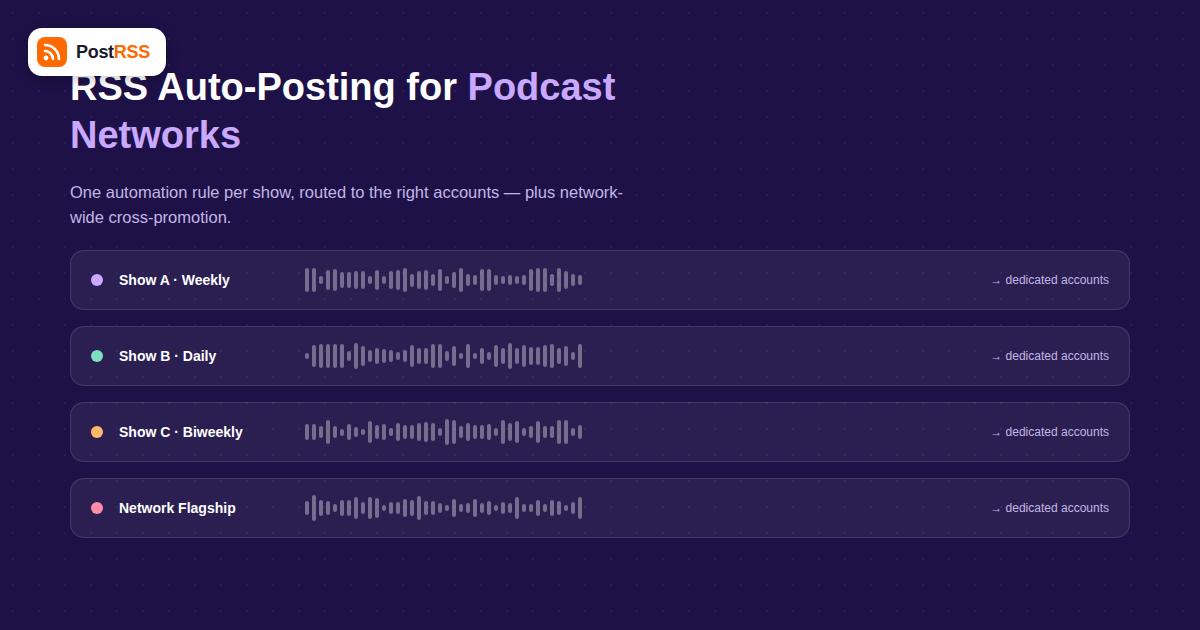
The foundational setup for a network is straightforward in principle: each show’s RSS feed gets its own automation rule pointing to that show’s dedicated accounts, exactly as it would for an independent podcaster. The network-level complexity comes from layering a second rule on top — the same show feed also feeds into the network’s flagship accounts, either for every episode or filtered to only the most notable ones.
| Feed | Primary Destination | Secondary Destination | Posting Frequency to Secondary |
|---|---|---|---|
| Show A (weekly) | Show A’s own accounts | Network flagship accounts | Every episode |
| Show B (daily) | Show B’s own accounts | Network flagship accounts | Weekly digest only, not every episode |
| Show C (biweekly, new) | Show C’s own accounts | Network flagship accounts | Every episode, to help build early audience |
Daily or high-frequency shows are the key exception in this model: cross-posting every single episode from a daily show to the network’s flagship account would quickly overwhelm the audience following that account for a mix of shows. Networks typically either exclude high-frequency shows from automatic cross-posting entirely, or reduce it to a rolled-up weekly digest post, which requires a slightly different content structure than a straightforward per-episode auto-post.
A common concern network operators raise is losing each show’s distinct voice if everything runs through one automation tool. In practice, this is a content and template problem, not an automation-capability problem: PostRSS and similar tools post whatever your feed’s title, excerpt, and image fields contain, so show-specific branding lives in how each show’s RSS feed and episode artwork are set up (per-show cover art, per-show title formatting conventions), not in the automation layer itself. Keep each show’s feed producing genuinely show-specific metadata, and the automated posts will read as authentically that show’s voice, because they’re pulling from that show’s actual content fields.
Networks frequently feature guests who appear across multiple shows, or run special crossover episodes involving hosts from two different shows in the lineup. These cases benefit from manual override rather than full automation: a crossover episode is exactly the kind of content worth manually posting to both shows’ accounts with tailored framing for each audience, rather than relying on identical auto-posted copy across accounts that don’t otherwise share content. Treat automation as the default for regular episodes and manual posting as the exception reserved for genuinely cross-cutting content — trying to build automated logic for every crossover scenario usually costs more setup time than it saves.
| Network Size | Typical Setup Complexity | Key Risk if Unmanaged |
|---|---|---|
| 2-5 shows | Simple, one rule per show plus optional network cross-posting | Low — manageable even semi-manually |
| 6-15 shows | Moderate — need a documented mapping of feed-to-destination rules | Rules drift out of sync when a show’s account changes or a new show launches |
| 16+ shows | High — often benefits from a dedicated ops owner for the automation layer | No single person remembers every show’s specific routing without documentation |
The practical lesson at scale: maintain a simple internal reference (a spreadsheet is fine) listing every show, its feed URL, its own destination accounts, and whether it cross-posts to the network flagship. This becomes the source of truth for onboarding new shows and auditing the setup periodically, independent of whichever automation tool executes it.
When a network adds a new show, the fastest path to full automation coverage on day one looks like this: confirm the show’s RSS feed is live and correctly formatted before launch, set up its dedicated destination accounts in advance rather than after the first episode drops, configure its automation rule alongside the other shows using the same template the network already uses, and decide upfront (not after a few episodes) whether it cross-posts to the flagship account from episode one or only after it’s built some independent audience. Making these decisions before launch avoids the common pattern of a new show’s first several episodes going out manually while the “proper” automation gets set up later.
Individual show hosts naturally care about their own show’s engagement, but network operators need a rolled-up view to make decisions about where to invest production and promotion resources. Because each show’s automated posts flow through the same underlying multi-channel distribution setup, tagging each show’s outbound links with a consistent UTM structure (e.g., utm_campaign=showname, utm_source=network-auto) makes it possible to pull a single report across all shows rather than logging into a dozen separate analytics dashboards. Reviewing this monthly typically surfaces useful patterns: which shows’ automated posts consistently outperform their download numbers (suggesting untapped audience potential worth a promotional push), and which shows see high downloads but low social engagement (suggesting the audience prefers listening apps over following on social, which should shape where marketing effort goes).
A single account can typically manage automation rules for many shows and their respective destination accounts — the separation that matters is between destination social accounts (which should stay distinct per show), not the management tool itself.
Pause or remove that show’s automation rule when the feed stops updating; there’s no need to delete historical posts, but leaving an active rule pointed at a dead feed is harmless since no new items means no new posts, though cleaning it up periodically keeps your setup documentation accurate.
Network announcements are usually better handled as their own RSS source (or a manual post) rather than piggybacking on a show’s episode feed, since they’re a different content type with a different audience-relevance profile.
Track referral traffic and follow growth for the smaller show’s own accounts in the weeks after flagship cross-posting starts; a meaningful lift suggests the cross-promotion is working, while flat numbers suggest that audience isn’t converting and the frequency might need adjusting.
This is a common setup error during network reorganizations — audit your feed-to-show mapping whenever shows are renamed, merged, or moved between hosting platforms, since a shared feed will cause one show’s automation rule to post the other show’s episodes.
Once a network passes roughly 15-20 shows, most operations find it worthwhile to designate one person as the owner of the automation configuration, even part-time, simply to keep the growing set of rules from drifting out of sync with the current show lineup.
If the re-release goes out through the show’s normal RSS feed as a new-dated item, it will flow through the existing automation rule like any other episode. If it’s a separate manual re-share outside the feed, that’s better handled as a one-off manual post so it’s clearly framed as a rerun rather than presented identically to new content.
Not every platform deserves equal automation investment across every show in a network. Podcast audiences skew heavily toward a handful of platforms, and network operators generally get the best return by prioritizing accordingly:
| Platform | Typical Value for Podcast Networks | Automation Priority |
|---|---|---|
| X (Twitter) | Strong for real-time episode announcements and host engagement | High — automate for every show |
| Strong for visual quote cards and audiograms, if artwork assets exist | High, contingent on having per-episode artwork | |
| Useful for shows with an older or more established audience demographic | Medium — automate, but review show-by-show relevance | |
| High value specifically for B2B, business, or industry-focused shows | Selective — automate for relevant shows, skip for general-interest ones | |
| Threads/Bluesky | Growing but audience size varies significantly by show’s niche | Low-to-medium, worth testing per show rather than network-wide |
Rather than automating every show to every platform uniformly, most networks get better results by matching each show’s platform mix to its actual audience, then keeping that mapping consistent so it’s clear which shows are and aren’t set up for a given platform.
Networks increasingly run limited-run or seasonal shows alongside their always-on lineup — a investigative series that runs for eight episodes and then goes dormant, for instance. These need a slightly different automation lifecycle than a continuously releasing show: set up the automation rule when the season launches, let it run for the season’s duration exactly like any other show, and then deliberately pause (rather than delete) the rule once the season wraps, so reactivating it for a second season later doesn’t require rebuilding the configuration from scratch. Keeping a paused rule around costs nothing, since no new feed items means no new posts, but it saves setup time if and when the show returns.
Podcast networks need an automation setup built around per-show feed-to-destination rules with an optional, carefully limited layer of cross-promotion to network-flagship accounts — not a single blanket rule trying to cover every show identically. Keep show-specific branding in each show’s own feed metadata, treat crossover content as a manual exception, and maintain a simple source-of-truth document as the network grows. Done this way, RSS automation scales from two shows to twenty without turning into an unmanageable tangle of inconsistent posting rules.
What changed in the networks, what broke, and how to fix it before it costs you reach.
Do Internet Solutions, đội ngũ đứng sau PostRSS, phát triển. Mỗi sản phẩm giúp bạn tiết kiệm thời gian theo một cách riêng.
 English
 Lietuviškai
 Deutsch
 Français
 Русский
 Español
 Polski
 Italiano
 Українська
 Čeština
 Português
 日本語
日本語 Latviešu valoda
 Eesti
Eesti Magyar
 Bahasa Indonesia
 Türkçe
 हिन्दी
 Ελληνικά
 العربية
 ไทย
ไทย Tiếng Việt
 Română
 Bahasa Melayu
 বাংলা
বাংলা