RSS tới 66 mạng xã hội: Facebook, Instagram, X, LinkedIn, Telegram và nhiều mạng khác Blog Tiếp thị liên kết Liên hệ
Short answer: You can serve an RSS feed from MinIO by generating the XML in a small job, uploading it as a single object with the right content type and cache headers, and allowing anonymous read access only to the prefix that holds the feed. MinIO is S3 compatible, so the same code works with boto3 and other S3 clients. Put it behind HTTPS, keep private data in a different bucket and give the auto-poster the public address.
MinIO is a popular choice for teams that want S3-style object storage on their own servers or in their own cloud account. It stores backups, uploads, build artifacts and static assets, and it is often already running when someone asks for an RSS feed. A feed is a perfect fit for object storage: it is one small file that is read often and written rarely, it has no need for a database connection at read time and it can be replaced atomically. This guide explains how to set up the bucket, upload the feed correctly, control access, set cache headers, trigger rebuilds and monitor the result, with concrete examples in Python.
When a feed is a file in a bucket, reading it costs the application nothing. The storage server handles thousands of requests per second, supports conditional requests with ETags and survives restarts of your application. Writing it is a single request that replaces the whole object, so readers see either the old version or the new version and never a mixture. These properties are exactly what feed readers and auto-posting services want. They also mean that your application can be down for an hour, and the feed remains available.
Keep public feeds apart from everything else. A dedicated bucket named for the purpose, such as public-feeds, is the safest choice, because you can apply an access policy to the whole bucket without worrying about other files. If you prefer one bucket with several areas, restrict anonymous access to a single prefix such as feeds and double-check that nothing private lives under it. A common and costly mistake is to make a whole bucket public in order to publish one file.
With the MinIO client, creating the bucket and allowing anonymous downloads looks like this:
mc alias set local https://minio.example.com ACCESS_KEY SECRET_KEY
mc mb local/public-feeds
mc anonymous set download local/public-feeds
The last command lets anyone read objects in the bucket without credentials, but not list or write them. That is what a public feed needs. Test it from a private browser window, where you are not signed in to anything.
The job that uploads the feed should not use the root credentials. Create a service account or a policy that allows only the put and get object actions on the feed bucket. If the key leaks, the damage is limited to replacing the feed, which you can undo, instead of exposing every bucket on the server. Keep the key in the environment of the job, not in the source code, and rotate it on a schedule.
The upload is a single call. Set the content type so that browsers and readers treat the file as a feed, add a charset and give a short cache lifetime.
import boto3, os

s3 = boto3.client(
    "s3",
    endpoint_url="https://minio.example.com",
    aws_access_key_id=os.environ["FEED_KEY"],
    aws_secret_access_key=os.environ["FEED_SECRET"],
)

def publish(xml):
    s3.put_object(
        Bucket="public-feeds",
        Key="news.xml",
        Body=xml.encode("utf-8"),
        ContentType="application/rss+xml; charset=utf-8",
        CacheControl="public, max-age=300",
    )
An object upload is atomic from the reader’s point of view: the new version becomes visible only when the request completes. You do not need the temporary-file trick that a local disk requires. The content type matters more than people expect. If the object is served as a generic binary file, some readers refuse to parse it or the browser downloads it instead of showing it.
A short cache lifetime, for example five minutes, is a good default. It lets a reverse proxy or a content delivery network absorb bursts of requests while keeping the feed reasonably fresh. If your feed must update within seconds, use a shorter lifetime, or none, and rely on conditional requests: the ETag lets a client ask whether the file changed and receive a tiny not-modified response if it did not. Avoid long lifetimes, because a feed that is cached for a day defeats the purpose of automation.
Auto-posting services and feed readers expect a stable, secure address. Do not hand out the internal address of the MinIO server. Put it behind a reverse proxy or a gateway with a valid certificate, and publish a clean address on your own domain, such as a path called feeds on the main site that proxies to the bucket. A stable address matters because everything downstream remembers it: if you change it later, you must update every reader and every auto-posting source.
MinIO can send bucket notifications when objects are created or removed, to targets such as webhooks or message brokers. If your articles are stored as files, for example Markdown or JSON documents uploaded by an editor or a build pipeline, you can configure a notification on the content bucket that calls a small service. The service rebuilds the feed and uploads the result to the public bucket. This is a neat design for static sites and documentation: publishing a file is the only action required.
Whatever triggers it, keep the rebuild idempotent: read the current list of articles, render the whole feed and upload it. Running the job twice produces the same file. Add a timer as a safety net, so that a missed notification does not leave the feed stale.
MinIO supports object versioning. Turn it on for the feed bucket, and every upload keeps the previous version. If a faulty deployment publishes a broken feed, you can restore the last good version in seconds. Pair it with a lifecycle rule that expires old versions after a few weeks, so that the bucket does not grow without limit. For a feed of a few kilobytes, the cost is negligible, and the peace of mind is worth it.
The best protection against a broken feed is to check it before it goes public. Parse the generated XML with a standard library, confirm that it has at least a few items, make sure every item has a title, a link and a date and only then upload. If validation fails, keep the old object, write an error to the log and alert someone. Uploading a broken file is easy, and discovering it later, when a social network shows empty posts, is expensive.
Check the feed the way a customer would: request the public address over the internet, parse it and compare the newest item with the newest article in your system. Alert if the request fails, if the file is not valid or if the newest item is older than your tolerance. Also watch the age of the object through its Last-Modified header. Internal metrics from MinIO tell you that the server is healthy, but only an external check tells you that the whole chain, including DNS, the proxy and the certificate, works.
A MinIO server on a single machine is not built to absorb unlimited traffic from the open internet. A reverse proxy with a short cache, or a content delivery network, takes the load off the storage and adds protection against bursts. Set the cache to respect the headers you send, so that a lifetime of five minutes means the proxy asks MinIO at most once per cache lifetime for each feed. If you purge the cache after each upload, make sure the purge is part of the same job, because an updated file that is hidden by an old cache entry is the most confusing kind of stale feed.
Most sites end up with more than one feed: the main blog, a news section, per-category feeds and perhaps a products feed. Use predictable object names, such as news.xml, blog.xml and category names in lowercase with a feed suffix. Never rename a published feed. If you must move one, keep the old object and either redirect to the new address at the proxy or keep updating both for a transition period. Remember that auto-posting sources, feed readers and search engines all remember the address.
After the first upload, test from outside your network. Open the public address in a browser and check that the XML is displayed or offered as a feed. Fetch it with a command-line tool and read the response headers: the content type, the cache control value, the ETag and the last-modified time should all be present and correct. Upload a second version with one more item and confirm that the change appears after the cache lifetime. Finally, run the address through a feed validator and fix any warnings about dates, identifiers or character encoding before you connect an auto-poster.
PostRSS only needs a valid RSS or Atom address that can be opened without a login. A feed served from MinIO behind HTTPS fits perfectly. PostRSS checks the address, finds items it has not posted before and publishes them, with image and link, to the networks you connect. On the features page you can see the networks and options such as keyword filters and posting windows, and the pricing page shows which plan fits the number of targets you need.
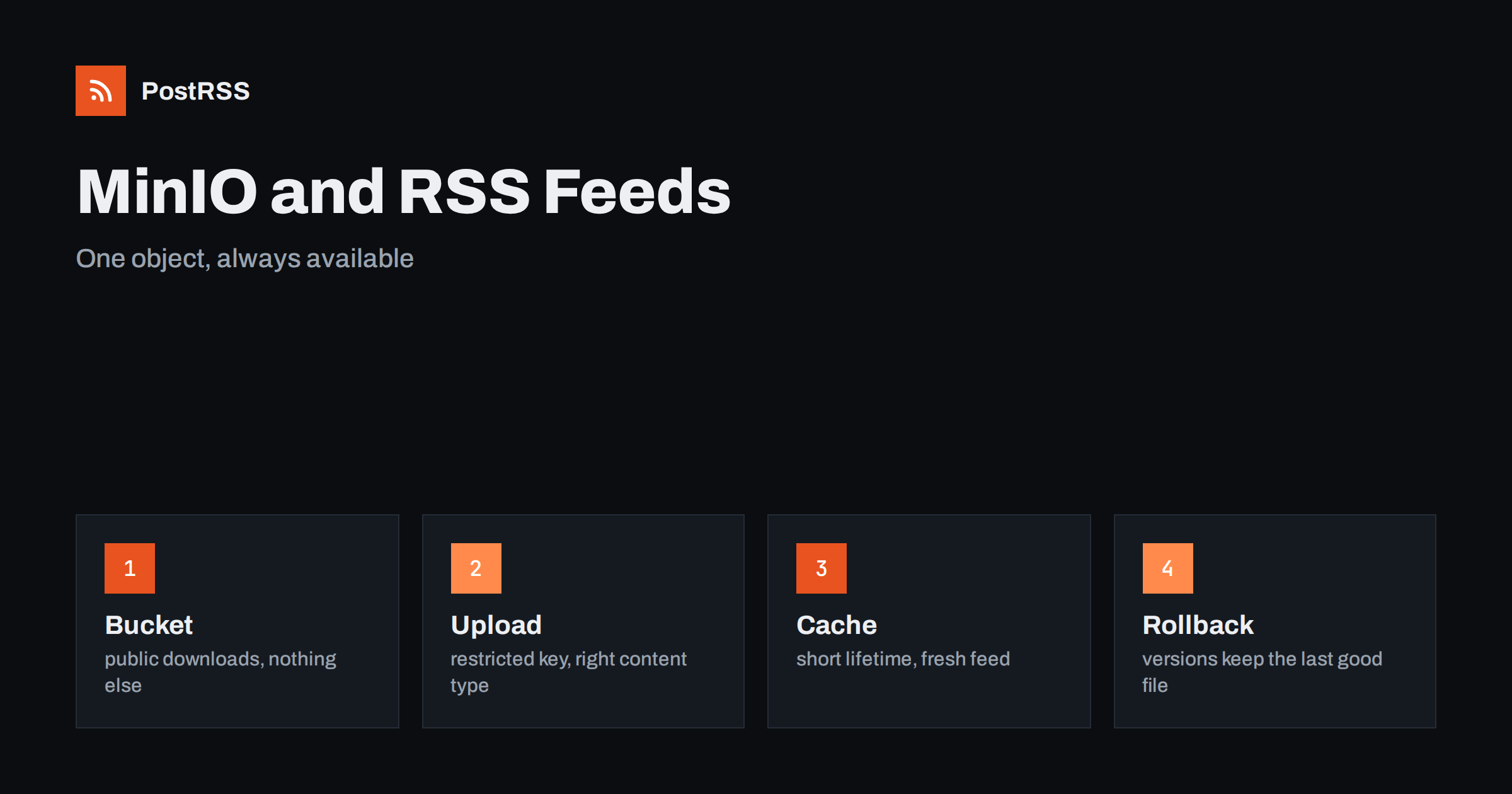
MinIO turns an RSS feed into a simple object that is cheap to serve and safe to replace. Use a dedicated bucket with anonymous download only, a restricted upload key, a proper content type, short cache headers and a stable HTTPS address. Rebuild the whole feed idempotently, validate it before the upload, keep versions for rollback and monitor from outside. Then give the address to an auto-poster, and your new articles reach social networks without anyone touching the feed.
Yes. A feed is a small static file, so you can upload it as an object, allow anonymous download for that bucket and publish the address over HTTPS.
Use application/rss+xml with a UTF-8 charset for RSS, or application/atom+xml for Atom, so that readers and browsers treat the file as a feed.
Not in the same way as on a local disk. An object upload becomes visible only when the request completes, so readers see either the old or the new version.
Five minutes is a sensible default. Use a shorter lifetime if the feed must update within seconds, and avoid lifetimes of many hours.
Yes. PostRSS reads any valid RSS or Atom address that is reachable without a login, no matter which storage serves the file.
What changed in the networks, what broke, and how to fix it before it costs you reach.
Do Internet Solutions, đội ngũ đứng sau PostRSS, phát triển. Mỗi sản phẩm giúp bạn tiết kiệm thời gian theo một cách riêng.
 English
 Lietuviškai
 Deutsch
 Français
 Русский
 Español
 Polski
 Italiano
 Українська
 Čeština
 Português
 日本語
 Latviešu valoda
 Eesti
 Magyar
 Bahasa Indonesia
 Türkçe
 हिन्दी
 Ελληνικά
 العربية
 ไทย
 Tiếng Việt
 Română
 Bahasa Melayu
 বাংলা