RSS в 66 социальных сетей: Facebook, Instagram, X, LinkedIn, Telegram и другие Блог Партнерская программа Контакты
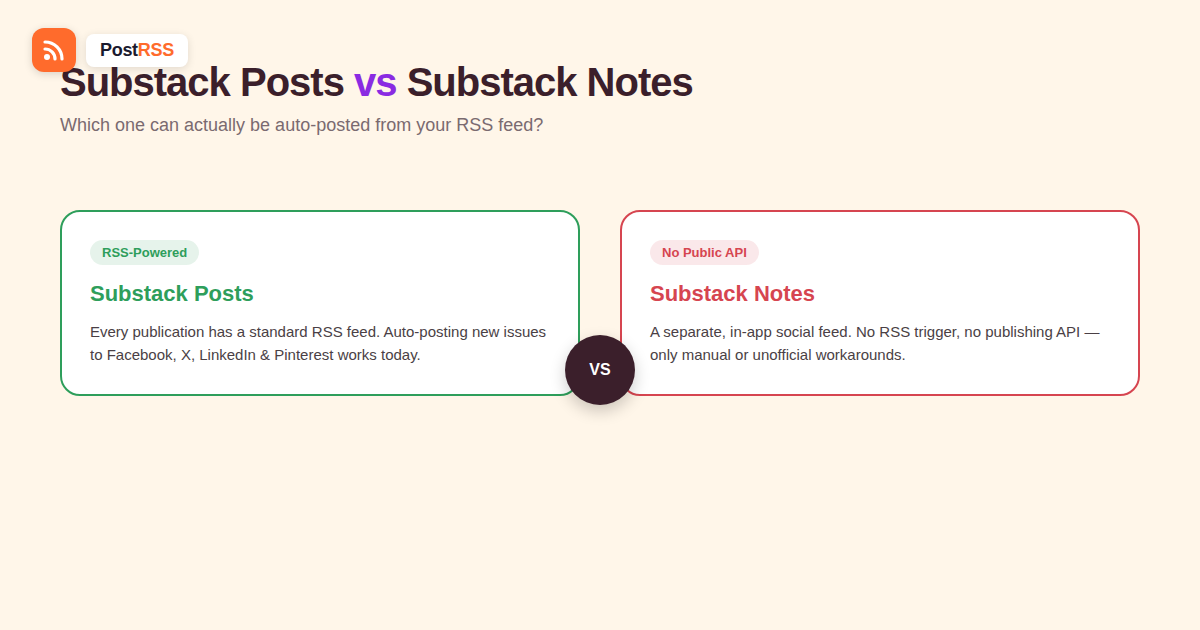
Substack Notes and Substack posts look similar from the outside — both live inside the same app, under the same publication — but they’re built on completely different plumbing, and that difference decides what you can and can’t automate. If you’re trying to auto-post to Substack Notes the way you’d auto-post an article to Facebook or X, it’s worth understanding exactly where that idea runs into a wall, and where it doesn’t.
Every Substack publication exposes a standard RSS-лента at a predictable URL pattern (typically yourpublication.substack.com/feed), the same as any other blogging platform. Free posts appear in full; paid, subscriber-only posts typically appear as a preview. That feed is exactly what an RSS auto-posting tool needs to detect a new newsletter issue and turn it into a post on Facebook, X, LinkedIn, Pinterest or any of the other networks it supports, automatically. This part of the Substack-to-social pipeline has been solid and well-documented for a long time, and nothing about Substack Notes changes it.
Notes is Substack’s separate, short-form social feed — closer to a Twitter/X timeline or Threads than to a newsletter. It lives inside the Substack app and website as its own tab, built around quick text posts, quotes, and links that writers share between full newsletter issues. Critically, Notes isn’t generated from your RSS feed at all. It’s a distinct content type with its own composer, its own feed algorithm, and its own storage — an entirely separate system from the one publishing your actual newsletter posts.
No. Substack’s developer-facing API, as of 2026, exposes a narrow set of endpoints — largely around creator-profile lookups tied to platform integrations — and does not include a documented, sanctioned way for a third-party tool to publish a Note on a writer’s behalf. This is a meaningful gap compared to platforms like blogging tools with open publishing APIs: there’s no equivalent “create a Note” endpoint you can call from an external automation tool, and no webhook or feed-based trigger built around Notes specifically.
In April 2026, Substack introduced the ability to schedule a Note ahead of time directly inside its own composer. That’s a genuinely useful feature for writers planning content in advance, but it’s fundamentally different from what RSS auto-posting does: it’s manual scheduling inside Substack’s own interface, for content you write and queue up yourself, not a trigger that reads an external RSS feed and generates a Note automatically the moment something new is published elsewhere.
Because there’s demand for this, a handful of unofficial tools and scraper libraries have appeared that attempt to publish Notes by reverse-engineering Substack’s internal, undocumented endpoints using a logged-in browser session rather than a sanctioned API key. These can technically work in the short term, but they carry real downsides worth weighing before building anything on top of one:
None of this means nobody should ever use them for casual, low-stakes personal use — but it does mean they’re a poor foundation for a business-critical content pipeline, which is a different bar than “can I make a Note appear from a script this one time.” A publication that depends on consistent, reliable distribution is generally better served by treating Notes as a manual, native activity and reserving automation for the layer that was actually built to support it.
It helps to think of a Substack publication as running two separate products under one roof. The newsletter side is fundamentally a publishing and email-delivery system: content gets written once, gets a permanent URL, gets emailed to subscribers, and gets syndicated through the same open, standards-based RSS format that’s powered blog syndication for two decades. Notes, by contrast, is a real-time social feed built around a following graph, likes, restacks, and an algorithmic timeline — architecturally closer to how X or Threads works internally than to how a blog’s publishing pipeline works. Opening that kind of real-time social graph to arbitrary third-party posting carries a different set of spam, abuse, and moderation concerns than opening a read-only content feed like RSS ever did, which is a plausible part of why platforms tend to keep their social-feed layer more tightly controlled than their content-syndication layer, even when both live in the same product.
The same posts-vs-social-feed distinction shows up elsewhere in ways worth recognizing, since it changes what “auto-posting” can mean on a given platform. A personal LinkedIn profile and a LinkedIn company page have different automation rules despite looking similar on the surface. A podcast’s RSS feed and a platform like Spotify’s own in-app social features (Canvas, Clips) are governed by entirely separate systems even though both live under “your podcast.” Substack Posts and Notes follow the same pattern: the content-syndication layer (RSS) stays open and automatable, while the social-feed layer stays a closed, first-party experience. Recognizing this pattern early saves time chasing an integration that was never going to be technically available, on Substack or anywhere else structured the same way.
| Question | Substack Posts (newsletter) | Substack Notes |
|---|---|---|
| Has a public RSS feed? | Yes, standard and well documented | No, Notes isn’t part of the RSS feed at all |
| Can third-party tools auto-publish to it? | N/A — RSS auto-posting reads from it, doesn’t publish to it | No official API to do this |
| Can it trigger auto-posts to other platforms? | Yes — this is standard RSS-to-social automation | No, since Notes has no feed for other tools to read either |
| Native scheduling available? | Yes, through Substack’s own publishing tools | Yes, added April 2026, but manual and Substack-only |
| Unofficial automation possible? | Not needed — official RSS already covers this | Only through unofficial, unsupported workarounds |
The genuinely productive automation opportunity here isn’t Notes — it’s making sure every new newsletter issue automatically becomes a post everywhere else your audience already is. Connect your publication’s RSS feed to an auto-posting tool, and each new issue turns into a post on Facebook, X, LinkedIn, Pinterest, VKontakte or any of the other 66 networks the moment it goes out, with no manual cross-posting step required. For Notes specifically, the realistic workflow is manual: write and schedule Notes natively inside Substack for the quick, conversational content that format is actually built for, while your RSS automation handles the heavier lift of distributing full newsletter issues everywhere else.
Since the two systems don’t talk to each other, a simple habit closes most of the gap without needing any automation on the Notes side at all:
This division of labor plays to each system’s strength: automation for the repetitive, mechanical distribution work, and a human voice for the one channel that’s specifically built around conversational, native-feeling short-form content. Writers who try to force Notes into an automated, link-and-headline template it wasn’t designed for tend to see it perform worse than a genuinely native, off-the-cuff Note anyway, since the format’s whole appeal to readers is that it doesn’t feel like a syndicated feed.
If the RSS side of this stops working, the cause is almost always one of a few specific things, none of them related to Notes:
.substack.com one, since only one may be actively updating depending on your setup.No — Notes isn’t generated from an RSS feed and has no public API for third-party publishing, so there’s nothing for an automation tool to connect to on that side.
Yes, this hasn’t changed — every Substack publication has a standard RSS feed for its actual newsletter posts, which is exactly what RSS auto-posting tools use to trigger social posts.
Yes, Substack added native Note scheduling in April 2026, but it’s a manual feature inside Substack’s own composer, not an external trigger or API-driven automation.
They carry real risk — they rely on reverse-engineered, unpublished endpoints and often require your actual session credentials, which is a different and riskier trust model than a sanctioned API key, and they can break without warning.
Nothing has been announced publicly as of this writing; Substack’s current developer API remains narrowly scoped and doesn’t include Notes publishing.
Connect your publication’s RSS feed (not Notes) to an auto-posting tool — this reliably turns every new newsletter issue into posts on other platforms, which is the actual high-value automation opportunity here.
Yes — free posts typically appear in full in the feed, while paid, subscriber-only posts usually appear as a preview only, which is worth checking if your auto-posted excerpts look unexpectedly short.
It can — check whether your automation tool is pointed at the custom domain’s feed path or the original substack.com one, since traffic and content can end up split between the two if your setup mixes them.
No — restacking is a native, manual Substack interaction between users and has nothing to do with RSS feeds or third-party automation either way.
You can’t auto-post to Substack Notes from an RSS feed, because Notes isn’t built on RSS and Substack hasn’t opened a public API for publishing to it — only unofficial, higher-risk workarounds exist today. What you can fully and reliably automate is turning every new Substack newsletter issue into a post on 66 networks, including Facebook, X, LinkedIn, Pinterest, Threads, Bluesky, Mastodon, Telegram, Discord, Tumblr, VKontakte, Matrix, Webhook and Instapaper, using the same standard RSS feed every Substack publication already has. Point PostRSS at your Substack feed for that distribution, and treat Notes as the one layer worth writing by hand.
What changed in the networks, what broke, and how to fix it before it costs you reach.
Создано Internet Solutions — командой PostRSS. Каждый продукт экономит ваше время по-своему.
 English
 Lietuviškai
 Deutsch
 Français
 Русский
 Español
 Polski
 Italiano
 Українська
 Čeština
 Português
 日本語
日本語 Latviešu valoda
 Eesti
Eesti Magyar
 Bahasa Indonesia
 Türkçe
 हिन्दी
 Ελληνικά
 العربية
 ไทย
ไทย Tiếng Việt
 Română
 Bahasa Melayu
 বাংলা
বাংলা