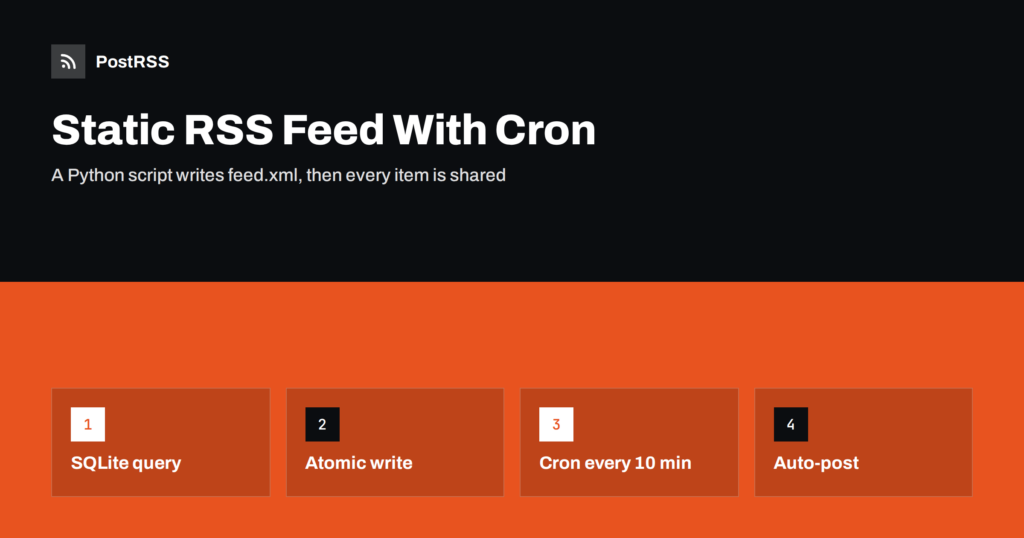
Short answer: If your site cannot add a route or a plugin, generate the feed as a static file. A short Python script reads the newest published rows from a SQLite database, builds RSS 2.0 XML with escaped text, absolute links and RFC 822 dates, writes it to a temporary file and replaces the live feed.xml in one step. A cron job runs the script every few minutes, the web server serves the file, and an auto-poster reads it and shares every new item on your social channels.
Not every website is a modern application. Many sites live on shared hosting, behind a legacy CMS, in a hand-built PHP project or on a static host, and their content sits in a database table, a CSV export or a spreadsheet. A feed route would mean touching code that nobody wants to touch. A static feed file avoids all of that: a small script runs on a schedule outside the website, and the website only has to serve one more file. This guide shows a complete script, explains the design choices, covers cron pitfalls and the checks that keep the file reliable, and ends with how to share each new item automatically.
A generated file is a good fit in several situations:
The trade-off is freshness. A static feed is only as current as the last run of the script. For news, announcements and product launches, a delay of five or ten minutes is usually acceptable. If you need an immediate update, a route inside the application is better; the same ideas appear in guides such as Flask RSS feed și writing an RSS feed by hand.
The example assumes a SQLite database named site.db with a table called articles. The columns are id, title, slug, summary, status, published_at as an ISO date such as 2026-10-16T08:30:00+00:00, and an optional image_url. If your data lives in MySQL or PostgreSQL, the logic is the same and only the connection changes. If it lives in a CSV file, read it with the csv module and sort by date. The important rule is that the script must decide what is public: only rows with the status published and a publication date in the past belong in the feed.
Save the following as build_feed.py in a folder outside the public web root:
#!/usr/bin/env python3
import os
import sqlite3
import tempfile
from datetime import datetime, timezone
from email.utils import format_datetime
from xml.sax.saxutils import escape

DB = '/opt/feed/site.db'
OUT = '/var/www/example/public/feed.xml'
SITE = 'https://www.example.com'
LIMIT = 20

def rfc822(value):
    moment = datetime.fromisoformat(value)
    if moment.tzinfo is None:
        moment = moment.replace(tzinfo=timezone.utc)
    return format_datetime(moment.astimezone(timezone.utc), usegmt=True)

def main():
    now = datetime.now(timezone.utc).isoformat()
    conn = sqlite3.connect(DB)
    conn.row_factory = sqlite3.Row
    rows = conn.execute(
        "SELECT id, title, slug, summary, published_at, image_url "
        "FROM articles WHERE status = 'published' AND published_at <= ? "
        "ORDER BY published_at DESC LIMIT ?",
        (now, LIMIT),
    ).fetchall()
    conn.close()

    if not rows:
        raise SystemExit('No rows found: keeping the old feed')

    items = []
    for row in rows:
        link = SITE + '/blog/' + row['slug']
        parts = [
            '<item>',
            '<title>' + escape(row['title']) + '</title>',
            '<link>' + escape(link) + '</link>',
            '<guid isPermaLink="false">article-' + str(row['id']) + '</guid>',
            '<pubDate>' + rfc822(row['published_at']) + '</pubDate>',
            '<description>' + escape(row['summary'] or '') + '</description>',
        ]
        if row['image_url']:
            parts.append('<enclosure url="' + escape(row['image_url']) + '" type="image/jpeg" length="0"/>')
        parts.append('</item>')
        items.append(''.join(parts))

    xml = (
        '<?xml version="1.0" encoding="UTF-8"?>'
        '<rss version="2.0"><channel>'
        '<title>Example Blog</title>'
        '<link>' + SITE + '/blog</link>'
        '<description>News and articles from Example</description>'
        + ''.join(items) +
        '</channel></rss>'
    )

    folder = os.path.dirname(OUT)
    handle, temp_path = tempfile.mkstemp(dir=folder, suffix='.tmp')
    with os.fdopen(handle, 'w', encoding='utf-8') as out:
        out.write(xml)
    os.chmod(temp_path, 0o644)
    os.replace(temp_path, OUT)

if __name__ == '__main__':
main()Several small decisions make the difference between a toy and a dependable job:
escape function turns ampersands and angle brackets into entities. One stray ampersand in a title would otherwise break the whole file. If summaries contain HTML, escape them or use CDATA; see CDATA and HTML in RSS descriptions.Open the crontab of the user who owns the folders with crontab -e and add a line:
*/10 * * * * /usr/bin/python3 /opt/feed/build_feed.py >> /var/log/feed-build.log 2>&1This runs the script every ten minutes and appends any messages to a log file. Use full paths for both Python and the script, because cron has a minimal environment and does not read your shell profile. Make sure the user can read the database and write to the web folder. If the server uses a time zone other than UTC, remember that cron runs on local time while the feed dates are converted to UTC inside the script. Choose an interval that matches how often you publish: five or ten minutes is enough for most blogs, and more frequent runs add load without benefit. If you work on a platform without cron, a scheduled task or a systemd timer does the same job.
The web server delivers the file like any other static asset. Check two things. First, the content type should be application/rss+xml or at least an XML type; many servers send application/xml for files that end in .xml, which most tools accept, but you can set the type explicitly. In Nginx you can add a location block for the feed with default_type application/rss+xml;. The details are explained in the Content-Type guide. Second, make sure caching does not hide updates: a feed cached for hours delays every share. Short lifetimes are covered in RSS feed caching explained. Compression is welcome; see RSS feed compression with gzip and Brotli.
The weak point of any scheduled job is silence. If the script fails, the old file stays in place, and nobody notices for days. Add a simple check. The feed contains the date of the newest item, and you can compare it with the date of the newest published row in the database. A second approach is to monitor the age of the file: if the modification time is older than an hour while the site is active, send yourself a message. Many hosting panels and monitoring services can check a URL for a keyword or a status code at a fixed interval. If the feed stops updating, the checklist in RSS feed not updating helps to find the cause.
curl -i and check the status and content type. The method is described in debugging an RSS feed with curl.PostRSS has been publishing RSS and Atom feeds to social networks since 2014. Paste the address of your feed.xml file, connect your accounts and choose how each post is built from the title, the description or the page title. PostRSS checks the feed as often as every minute and shares each new post, with its image and link, to the channels you choose among 66 supported networks, messengers, team chats and blogs, including LinkedIn, X, Bluesky, Mastodon and Telegram. Keyword filters, UTM parameters, hashtags from categories and posting windows let you tune each channel, and the REST API and webhooks connect PostRSS to your own systems. See the PostRSS features page and the plan limits on the pricing page. More developer guides are under the Technical Guide tag.
A static RSS feed is a good answer when the application cannot be changed. Query only published rows, escape every value, use stable GUIDs, convert dates to RFC 822, make links absolute, write the file atomically and let cron refresh it every few minutes. Serve it with a sensible content type and a short cache, watch the age of the file and keep the address stable. After that, every new item you publish can reach your social channels automatically.
Yes. An auto-poster only needs a public address that returns valid feed XML. A static file is fast and reliable, as long as the script refreshes it often enough for your publishing rhythm.
Every five or ten minutes is enough for most blogs and news pages. Running more often adds load without much benefit, because most sites publish only a few items per day.
Because a reader could request the feed while the script is still writing it. Replacing the file in one step guarantees that visitors always see a complete document.
Yes. Only the part that reads the data changes. The escaping, dates, GUIDs and atomic write stay the same.
Yes. Paste the public feed address as a source in PostRSS, connect your social accounts and each new item is posted automatically. Make sure the address opens without a login first.
{“@context”: “https://schema.org”, “@type”: “FAQPage”, “mainEntity”: [{“@type”: “Question”, “name”: “Is a static RSS file good enough for auto-posting?”, “acceptedAnswer”: {“@type”: “Answer”, “text”: “Yes. An auto-poster only needs a public address that returns valid feed XML. A static file is fast and reliable, as long as the script refreshes it often enough for your publishing rhythm.”}}, {“@type”: “Question”, “name”: “How often should the cron job run?”, “acceptedAnswer”: {“@type”: “Answer”, “text”: “Every five or ten minutes is enough for most blogs and news pages. Running more often adds load without much benefit, because most sites publish only a few items per day.”}}, {“@type”: “Question”, “name”: “Why write to a temporary file first?”, “acceptedAnswer”: {“@type”: “Answer”, “text”: “Because a reader could request the feed while the script is still writing it. Replacing the file in one step guarantees that visitors always see a complete document.”}}, {“@type”: “Question”, “name”: “Can I use MySQL or a CSV file instead of SQLite?”, “acceptedAnswer”: {“@type”: “Answer”, “text”: “Yes. Only the part that reads the data changes. The escaping, dates, GUIDs and atomic write stay the same.”}}, {“@type”: “Question”, “name”: “Can I use the static feed with PostRSS?”, “acceptedAnswer”: {“@type”: “Answer”, “text”: “Yes. Paste the public feed address as a source in PostRSS, connect your social accounts and each new item is posted automatically. Make sure the address opens without a login first.”}}]}
What changed in the networks, what broke, and how to fix it before it costs you reach.
Create de Internet Solutions, echipa din spatele PostRSS. Fiecare produs vă economisește timp în felul său.
 English
 Lietuviškai
 Deutsch
 Français
 Русский
 Español
 Polski
 Italiano
 Українська
 Čeština
 Português
 日本語
日本語 Latviešu valoda
 Eesti
Eesti Magyar
 Bahasa Indonesia
 Türkçe
 हिन्दी
 Ελληνικά
 العربية
 ไทย
ไทย Tiếng Việt
 Română
 Bahasa Melayu
 বাংলা
বাংলা