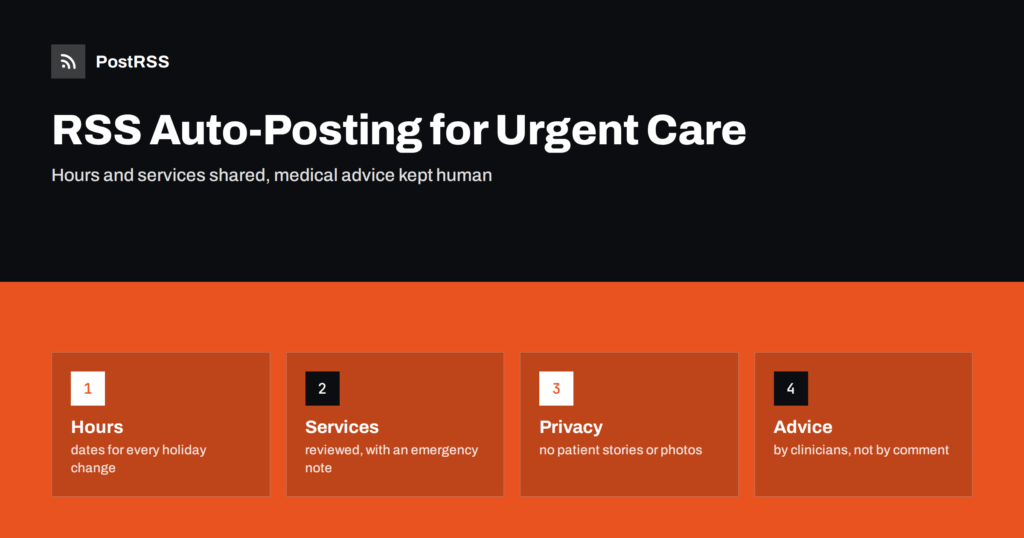
Short answer: RSS auto-posting lets urgent care and walk-in clinics share opening hours, services offered, seasonal health reminders, location news, new staff and hiring notices on social media automatically. Publish each item as a page on your website, let an auto-poster read the RSS feed, and every new page appears on your Facebook Page, Telegram channel and other networks with its link and image. Patients see where and when they can be seen without anyone retyping it, while medical advice, emergencies, wait times and every piece of patient information stay with clinicians and secure channels.
People look for an urgent care clinic at a stressful moment. A child has a fever on a Saturday, someone has twisted an ankle or a worker needs a quick test before a shift. They want to know whether the clinic is open, what it treats, how to register and what to bring. The staff are busy with patients and have little time for social media, yet the same questions arrive by phone and message all day. Most of the general answers can be written once, on a page of the website, and the page can be shared automatically. This guide explains what to publish, how to connect your website to an auto-poster and why medical content needs strict boundaries.
The advice fits many kinds of walk-in care:
Each has opening hours, a list of services, locations and a website where news can be listed. That page becomes the source for every other channel.
Most of what a clinic communicates can be turned into a short page:
Each page is written once and appears on your website, where a person who searches for care nearby can find it. The feed then announces it automatically.
Many clinics already use a system that creates feeds:
/feed/ and one for every category, such as /category/news/feed/. If you are unsure of the address, see how to find your WordPress feed link.Use categories to separate audiences: hours, services, seasonal reminders, employers and jobs. Each category has its own feed, and each feed can go to the channel where it works best; hours and services to the Facebook Page, employer news to LinkedIn, jobs to a hiring channel. Routing by category is explained in category filtering for auto-posting.
| Content | Automate? | Notes |
|---|---|---|
| Opening hours and holiday changes | Yes | Dates written out, one permanent hours page |
| Services and how a visit works | Yes | Reviewed by a clinician, with the emergency note |
| Seasonal reminders and clinics | Yes | Prepared or approved by clinicians |
| Medical advice for a person | No | Invite them to call or come in |
| Patient details and testimonials | No | Never without consent that meets your legal rules |
| Live wait times and capacity | Not alone | Use a dedicated tool that is updated in real time |
A simple rule: if it is general information that helps many people and sits on a finished page of your website, automate it. If it concerns one patient, one symptom or a decision about care, it needs a clinician.
An urgent care clinic is not an emergency department, and the public needs to know the difference. Put a clear sentence on every services page and in the footer of posts that touch on symptoms: in an emergency, call the local emergency number or go to the nearest emergency department. Never answer a medical question in a comment, even a simple one, because you cannot see the patient and a short answer may be wrong. Reply that the clinic cannot give advice online and invite the person to call or visit. Health content should be written or reviewed by a qualified clinician, dated and updated when guidance changes. Rules for health advertising and communication differ from place to place, so follow your local regulations and the policy of your organization. These points are general guidance, not medical or legal advice.
Medical privacy rules are strict in most countries, and a casual post can break them. Do not publish photographs of patients, even with a smile, unless you hold written consent that meets your rules, and do not publish thank-you messages that reveal a condition or a visit. Be careful with pictures of the waiting room or the treatment area, where a screen or a document may be visible. Avoid replying to a patient’s public comment with any detail about their care, and do not confirm that a person has been seen. Treat the comment section as a place for general questions and thanks, and move everything else to a private channel. Staff photographs need the agreement of the people in them.
Patients like to know how long they will wait, but wait times change by the minute, and a feed is the wrong tool for them. A post that says the clinic is quiet can become false before it is read, and a patient who travels because of it will be unhappy. If your clinic offers live wait times, publish them in a dedicated tool that updates automatically, and link to it. For closures at short notice, such as a power cut or a staff shortage, update the hours page, the phone message and the pinned post first, and let the feed carry a calm explanation afterwards. Decide in advance who changes each of these, so that nothing depends on one person being at their desk.
Patients read health pages while they are anxious, so keep the language plain and the layout simple. Put the facts at the top: the address, the hours, whether an appointment is needed and what to bring. Use short sentences, avoid jargon, and spell out abbreviations once. Give the phone number of the clinic and the number for emergencies on every page. Use a real photograph of the entrance and the reception, so that visitors recognise the place when they arrive. A page that answers what, when, where and how without scrolling is a page that people trust and share with family members.
Many walk-in clinics serve employers that need pre-employment tests, injury checks and vaccinations for staff. These customers decide as a group and look for clear processes: how to open an account, how appointments or walk-ins are handled, how results are shared and who to contact. Give them a permanent page that explains each step in plain words and keep it separate from the pages for patients. A short LinkedIn post that links to that page reaches human resources managers and safety officers. Results and personal health information must never appear in a feed or a public post, and employers should be told how they will receive them through a secure channel.
Most clinics do best with a Facebook Page and a simple email list that uses the same pages. Two active channels beat five forgotten ones.
/feed/, and check that it lists recent items.PostRSS has been automating RSS posting since 2014. It checks your website feeds as often as every minute and publishes each new page, with its real image and link, to the channels you connect, from Facebook Pages and Telegram to LinkedIn, Bluesky, Mastodon and many more among its 66 supported networks. You can choose how each post is built, filter items by keywords, add UTM parameters and post only within chosen hours or at exact times in your time zone. See the PostRSS features page for everything it does and the pricing page for plan limits. More ideas for health organizations are under the Healthcare Marketing tag.
An urgent care clinic depends on trust at a difficult moment. RSS auto-posting shares each new hours page, service description and seasonal reminder automatically on your Facebook Page and other channels. Give every page the facts patients need, add the emergency note, keep medical advice, patient information and live wait times out of the feed, let clinicians review every health statement and let your team spend its time with the people in the waiting room.
Yes. If your website has a news section, its RSS feed can be connected to an auto-poster that shares each new page on your Facebook Page and other channels. Medical advice and patient information must stay out of automated posts.
Opening hours, services, how a visit works, seasonal reminders reviewed by clinicians and hiring pages. Keep individual patient details and medical answers out of public posts.
It is safer not to. Reply that the clinic cannot give advice online and invite the person to call or visit, and give the emergency number for urgent situations.
Not through a feed. Wait times change too quickly, so use a dedicated live tool and link to it.
Yes. PostRSS reads any valid RSS or Atom address that is reachable without a login. Paste the address, connect your channels and new pages are shared as soon as they appear.
What changed in the networks, what broke, and how to fix it before it costs you reach.
Create de Internet Solutions, echipa din spatele PostRSS. Fiecare produs vă economisește timp în felul său.
 English
 Lietuviškai
 Deutsch
 Français
 Русский
 Español
 Polski
 Italiano
 Українська
 Čeština
 Português
 日本語
 Latviešu valoda
 Eesti
 Magyar
 Bahasa Indonesia
 Türkçe
 हिन्दी
 Ελληνικά
 العربية
 ไทย
 Tiếng Việt
 Română
 Bahasa Melayu
 বাংলা