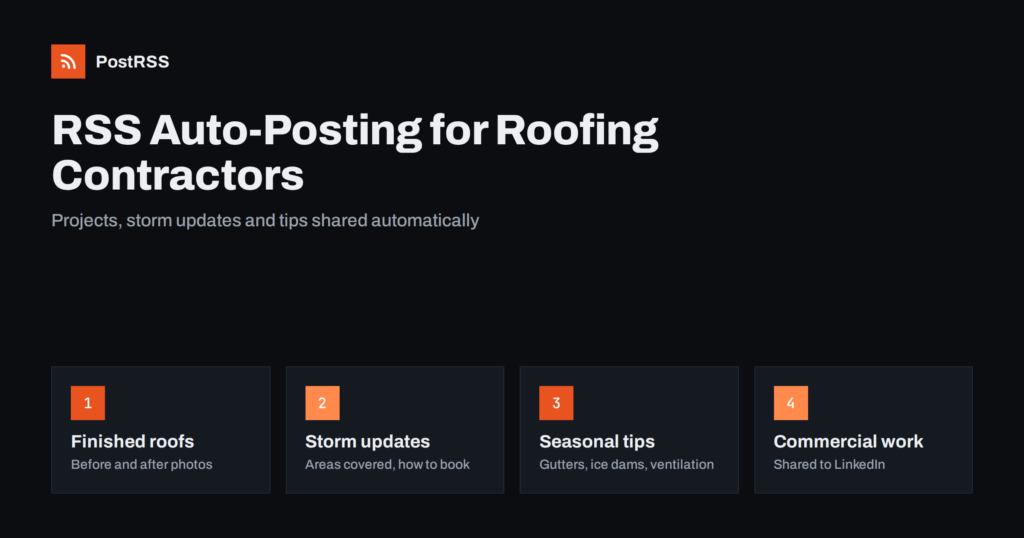
Short answer: RSS auto-posting lets roofing contractors share every new project, storm update, maintenance tip and seasonal offer on social media without logging in to each network. You publish the update once on your website, an auto-poster reads the site’s RSS feed, and the post appears on your Facebook Page, LinkedIn page and other channels with its photo and link. Crews stay on the roof, the office stays on the phone, and homeowners searching for a roofer see an active, trustworthy company.
Roofing is a trust business. A new roof is one of the largest purchases a homeowner makes, insurance is often involved, and many people only need a roofer once every twenty years. When they finally do, they check reviews, look at your website and scroll through your social pages to see whether you are still active, local and careful. A Facebook Page whose last post is from two summers ago quietly sends that homeowner to a competitor. Most roofing companies, however, are run by owners who estimate, supervise crews and handle insurance paperwork in the same week. This guide explains how to keep your channels active with RSS automation, which content suits it, and where the personal touch still matters.
The problem is rarely a lack of content. A typical roofing contractor finishes several jobs a month, handles repairs after every storm, offers inspections and maintenance plans, and answers the same homeowner questions again and again. The problem is time and timing:
RSS automation solves the posting part. Your website becomes the one place where work is published, and every new page is shared everywhere else automatically, at the hours you choose.
Most contractor websites publish RSS feeds without any extra setup:
/feed/ and a separate feed for each category, such as /category/projects/feed/ sau /category/storm-updates/feed/.Organise your updates in a few categories: completed projects, repairs and storm updates, maintenance tips, offers and financing, and company news. Each category then has its own feed, so you can send projects to Pinterest and Facebook, commercial work to LinkedIn and storm updates to every channel at once. The guide to filtering your RSS feed by category before auto-posting shows how this works in practice.
| Content | Automate? | Notes |
|---|---|---|
| Completed project pages | Yes, from a projects category | Before and after photos, roof type, area served |
| Storm and availability updates | Yes, to all channels | Short, factual, with how to book an inspection |
| Maintenance and seasonal tips | Yes | Evergreen; useful for months |
| Offers, inspections and financing | Yes, from an offers category | Clear end dates and conditions |
| Replies to reviews and comments | By hand | Thank, answer and move details to a call |
| Insurance claim questions | By hand, privately | Never discuss a customer’s claim in public |
A simple rule: if it is a finished page on your website, automate it. If it is a conversation with a homeowner, handle it yourself.
Project posts are the most persuasive content a roofer can publish. A homeowner in the next street sees a roof like theirs, replaced by a local team, with clean photos and a short explanation. To make each job easy to publish:
Once the page is published, the projects feed shares it automatically. If a network shows the wrong picture or none at all, the page’s Open Graph tags are usually the reason; see why auto-posted links show the wrong image and the Open Graph protocol itself.
After a hailstorm or a windstorm, homeowners want three things quickly: to know whether you are working in their area, how to book an inspection and what to do until someone arrives. A short storm update page answers all three. Publish it in a storm updates category and it reaches Facebook, LinkedIn and your messenger channel within minutes.
Keep these updates honest and calm. Explain which areas you are covering, how long the waiting list is, and simple safety advice such as staying off the roof and photographing visible damage from the ground. Avoid pressure tactics and never promise that insurance will pay. Homeowners remember which roofer was helpful and which one sounded like a storm chaser. When the situation changes, publish a new update rather than editing the old one, so followers see the latest information.
A good start is a Facebook Page plus one more channel that fits your customers: LinkedIn for commercial work, Pinterest for residential renovation.
Roofing follows the weather. Planning a few evergreen pages around the seasons keeps your feed useful all year, even when crews are fully booked:
Write these pages in the quieter months and schedule them on the website. Each one is shared when it goes live, so your social pages keep posting while the crews are busy. More ideas are in seasonal campaign planning with RSS automation.
The questions you answer on every estimate visit are also the articles homeowners search for. Each answer becomes a page that brings visitors from search engines and is shared automatically on social channels:
Keep the advice accurate and practical. Industry bodies such as the National Roofing Contractors Association publish technical and consumer information that can support your articles, and general marketing guidance for small companies is available from the U.S. Small Business Administration.
Many roofing companies serve two very different markets. Homeowners care about appearance, price, warranties and a tidy site. Property managers, schools and businesses care about flat roofing systems, maintenance contracts, safety, scheduling around tenants and documentation. Mixing both in one stream confuses both audiences.
Separate categories solve this. Residential projects and tips go to Facebook and Pinterest; commercial projects, maintenance programmes and case notes go to LinkedIn. Because each feed is connected to its own target, every audience sees only what is relevant, and nobody has to remember where each post belongs.
PostRSS has been automating RSS posting since 2014. It checks your website feeds automatically, as often as every minute on Enterprise plans, and publishes each new project, storm update or tip, with its real image and link, to the channels you connect, from Facebook Pages and LinkedIn to Pinterest, Telegram, Viber, Bluesky, Mastodon and many more among its 66 supported networks. You can choose the post format, filter items by keywords, set the maximum number of posts per update, add UTM parameters and post only within chosen hours or at exact times in your time zone. The official WordPress plugin builds the feed and creates the targets for you. See the PostRSS features page for everything it does and the pricing page for plan limits. More ideas for local companies are under the Local Business tag.
Roofing contractors already create what homeowners want to see: finished roofs, honest storm updates, maintenance advice and clear offers. RSS auto-posting shares each page from your website on Facebook, LinkedIn, Pinterest and other channels automatically, at the right hours and with real photos, while you keep the conversations, reviews and insurance questions personal. Publish once, let the feed do the posting, and stay visible in the seasons when homeowners are choosing a roofer.
Yes. Publish projects, storm updates and tips on your website, and connect the site’s RSS feed or category feeds to an auto-poster. Each new page is then shared on your Facebook Page, LinkedIn page and other channels with its photo and link.
A Facebook Page is usually the most important for local homeowners. LinkedIn helps with commercial clients and property managers, and Pinterest suits residential renovation ideas such as roof colours and materials.
Publish a short, factual update page with the areas you cover, how to book an inspection and simple safety advice. Put it in a storm updates category whose feed goes to all your channels, and publish a new page when the situation changes.
A simple projects or news section is enough. Most website platforms create an RSS feed for it automatically, and each category can have its own feed for different channels.
No. Post jobs with good photos and a short story, and keep routine repairs off social channels with categories or keyword filters. Fewer, better posts keep followers interested.
What changed in the networks, what broke, and how to fix it before it costs you reach.
Create de Internet Solutions, echipa din spatele PostRSS. Fiecare produs vă economisește timp în felul său.
 English
 Lietuviškai
 Deutsch
 Français
 Русский
 Español
 Polski
 Italiano
 Українська
 Čeština
 Português
 日本語
日本語 Latviešu valoda
 Eesti
Eesti Magyar
 Bahasa Indonesia
 Türkçe
 हिन्दी
 Ελληνικά
 العربية
 ไทย
ไทย Tiếng Việt
 Română
 Bahasa Melayu
 বাংলা
বাংলা