 English
 Lietuviškai
 Deutsch
 Français
 Русский
 Español
 Polski
 Italiano
 Українська
 Čeština
 Português
 日本語
日本語 Latviešu valoda
 Eesti
Eesti Magyar
 Bahasa Indonesia
 Türkçe
 हिन्दी
 Ελληνικά
 العربية
 ไทย
ไทย Tiếng Việt
 Română
 Bahasa Melayu
 বাংলা
বাংলা
Updated: September 23, 2026
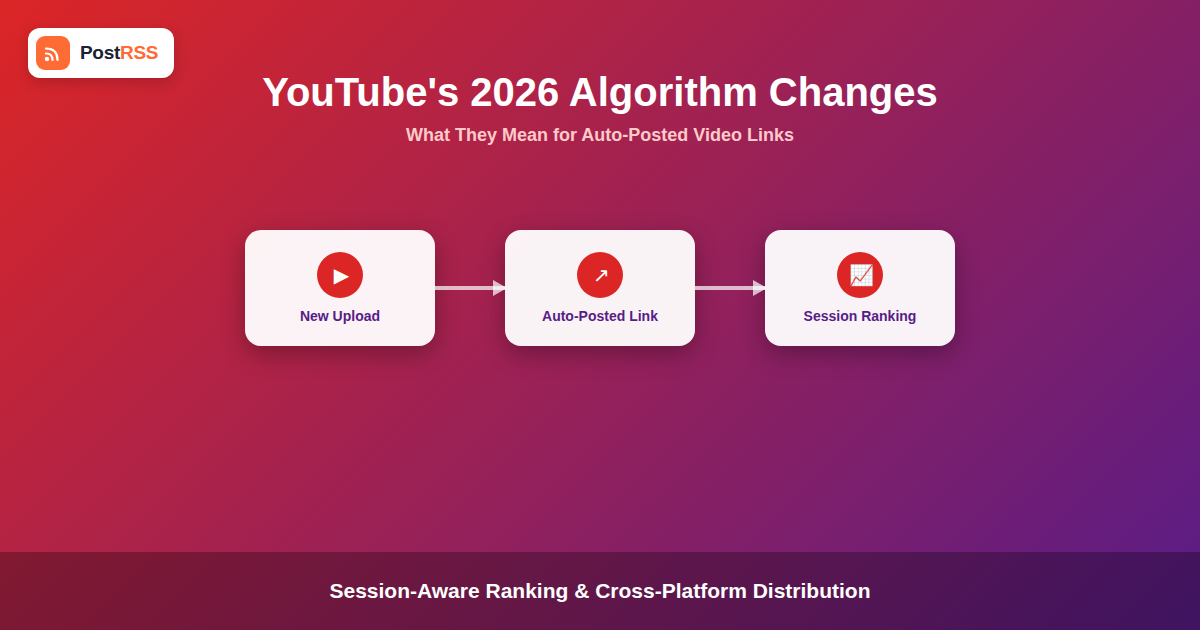
YouTube has rolled out a series of recommendation and ranking changes through 2026 that shift how videos get surfaced, and by extension, how much traffic a shared link to a new video is likely to pull from other platforms. If you use RSS automation to turn new uploads from your channel’s feed into posts on Facebook, X, LinkedIn, or Pinterest, these changes affect how those cross-posted links actually perform once someone clicks through.
This guide breaks down what changed in YouTube’s 2026 algorithm and recommendation system, and what it means for the auto-posted links that drive people from other platforms to your videos. It doesn’t cover posting natively to YouTube itself — PostRSS and similar RSS tools are built for distributing links and updates across other social networks, not for uploading video content to YouTube directly.
What Changed in YouTube’s 2026 Algorithm
YouTube’s recommendation system has continued moving toward heavier personalization based on a viewer’s specific watch history and session behavior, rather than a video’s raw view count or upload recency. A few shifts stand out for anyone relying on off-platform traffic:
- Session-based ranking weight: The system increasingly evaluates whether a video keeps a specific viewer’s session going, not just whether the video itself performs well in isolation. A viewer arriving from an external link with no prior session context can be evaluated differently than one already deep into a YouTube browsing session.
- Format-aware distribution: Shorts and long-form video are treated as increasingly distinct recommendation pools, and a channel’s mix between the two affects how each individual upload gets surfaced internally, separate from how it performs when shared externally.
- External-traffic click quality signals: YouTube has continued refining how it weighs viewers who arrive from outside links versus internal recommendations, factoring in how long those external-referred viewers actually stay, not just whether they clicked.
- Community tab and post visibility changes: Native Community posts have seen adjusted visibility rules that affect how much reach a text or image update gets relative to a video upload, which matters if part of your cross-posting strategy relies on YouTube’s own community features.
What This Means for Auto-Posted Video Links
None of these changes affect whether a link posted to Facebook, X, LinkedIn, or Pinterest can point to your YouTube video — that mechanism hasn’t changed. What has changed is the downstream effect: a viewer who clicks through from an external post and leaves after a few seconds sends a different signal to YouTube’s ranking system than a viewer who watches most of the video, and 2026’s session-aware ranking appears more sensitive to that distinction than in previous years.
In practical terms, this raises the value of the caption and context surrounding your auto-posted link. A post that sets accurate expectations about what the video actually covers tends to attract viewers who watch longer once they arrive, compared to a bare link with minimal context that pulls in clicks but not sustained attention.
Adjusting Your Auto-Posting Templates
- Write specific captions, not generic ones: A template that pulls in the video’s actual title and a one-line description of its content sets better expectations than a generic “New video is up!” caption, which tends to produce lower-quality click-through.
- Match format expectations across platforms: If your channel mixes Shorts and long-form uploads, consider whether your cross-posting template should signal which type of video the link leads to, so viewers self-select accurately before clicking.
- Don’t over-rely on Community tab reach: If part of your promotion plan assumed YouTube’s own Community posts would carry meaningful organic reach, the 2026 visibility adjustments make cross-platform distribution via other social networks comparatively more important, not less.
- Space out multiple video announcements: If your channel publishes several videos close together, spacing out the corresponding auto-posts avoids flooding any single platform’s feed and gives each video’s link a fair chance to be seen and clicked individually.
Comparison: Signal Weighting Then vs. Now
| Signal | Earlier Weighting | 2026 Weighting |
|---|---|---|
| Raw click-through from external links | Strong positive signal on its own | Weighed alongside post-click watch duration |
| Upload recency | Meaningful ranking boost | Secondary to session-fit personalization |
| Shorts vs. long-form mix | Loosely related pools | More distinctly separated recommendation pools |
| Community tab posts | Consistent organic reach | Adjusted, less predictable visibility |
| Caption/context accuracy | Minor influence on click quality | Bigger influence on downstream watch behavior |
Where RSS Automation Still Fits
None of this changes the basic mechanics of turning a channel’s upload feed into social media automation across other platforms — a new video still generates a feed item, and that item can still trigger a formatted post on Facebook, X, LinkedIn, or Pinterest the moment it’s published. What it changes is how much thought is worth putting into the caption template attached to that automation, since a slightly more specific, accurate caption now has a more measurable effect on how the resulting traffic actually performs once it lands on YouTube.
This is also a good reason to periodically revisit templates rather than setting them once and forgetting them. A caption format that worked well under an older ranking approach isn’t guaranteed to produce the same downstream results once the platform’s own signal weighting shifts, even though the auto-posting mechanism itself keeps working exactly as configured.
A Practical Example
Consider a channel that publishes a mix of long-form tutorials and short clips, with its RSS feed auto-posting every new upload to X and LinkedIn using a single generic template: “New video: [title] [link].” Under 2026’s session-aware ranking, viewers clicking through from that generic post with no context about length or format are more likely to bounce quickly if the video isn’t what they expected — a tutorial viewer expecting a quick tip who lands on a 40-minute deep dive, for example.
Adjusting the template to include the video’s actual format and a specific one-line summary — “New 8-minute tutorial: [specific topic] [link]” — sets accurate expectations before the click happens, which tends to produce viewers who watch longer once they arrive, feeding a stronger signal back into YouTube’s own ranking system for that video.
How Session-Aware Ranking Actually Works
It helps to understand the mechanism behind “session-aware ranking” rather than treating it as a vague buzzword. Historically, recommendation systems leaned heavily on aggregate signals: total views, average watch percentage across all viewers, and how quickly a video accumulated views after upload. Those aggregate numbers still matter, but YouTube’s 2026 system puts more weight on evaluating each individual viewing session in context — what that specific viewer watched before, whether this video fits a pattern of content they’ve engaged with deeply, and whether they continue watching related content afterward.
For a viewer arriving from an external link with no YouTube session history at all, the system has less contextual signal to work with initially, which is part of why how long that viewer actually stays matters more than it used to. A viewer who clicks an accurately captioned link, watches most of the video, and then continues browsing related content on the channel sends a much stronger signal than one who clicks, watches ten seconds, and leaves. This is the mechanical reason why caption accuracy has become a bigger lever for anyone relying on cross-platform promotion rather than YouTube’s own internal recommendations to drive views.
Format Mix and What It Means for Multi-Video Channels
Channels that publish both Shorts and long-form video face an additional wrinkle from the 2026 changes: because the two formats are evaluated in more distinctly separated recommendation pools internally, a channel’s external promotion strategy benefits from mirroring that separation rather than treating every upload identically. A generic auto-posting template that doesn’t distinguish between a 45-second Short and a 25-minute long-form video sends the same undifferentiated signal to your audience on Facebook, X, or LinkedIn, even though the platform receiving the resulting click treats the two very differently.
Some channels handle this by maintaining two lightly different caption templates — one triggered for videos under a certain length that emphasizes quick, snackable framing, and one for longer uploads that emphasizes depth and specific topic coverage. Since RSS automation tools read structured feed data including duration metadata where a channel’s feed provides it, this kind of differentiation can often be set up once in your templates rather than requiring manual judgment on every single upload.
Frequently Asked Questions
Does PostRSS post videos directly to YouTube?
No. PostRSS and similar RSS automation tools are built to distribute links and updates to other social networks — 66 networks, including Facebook, X, LinkedIn, Pinterest, Threads, Bluesky, Mastodon, Telegram, Discord, Tumblr, VKontakte, Matrix, Webhook and Instapaper — not to upload video content to YouTube itself. Auto-posting a channel’s new videos means turning the channel’s upload feed into links shared elsewhere.
Do YouTube’s algorithm changes affect whether I can auto-post video links at all?
No, the mechanism of sharing a link to a video from an external platform hasn’t changed. What’s changed is how the resulting traffic gets evaluated once it reaches YouTube, which affects results rather than whether the automation itself works.
Should I stop auto-posting every new video to save my channel’s ranking?
Not necessarily. The concern isn’t the existence of external links, it’s whether the traffic they generate sticks around. Accurate, specific captions that set the right expectations tend to produce better-retained viewers than either overposting with generic captions or not promoting videos externally at all.
Does the Shorts vs. long-form split affect how I should caption cross-posted links?
It’s worth signaling the format in your caption, since viewers who know whether they’re clicking into a short clip or a longer video are more likely to have accurate expectations, which correlates with better watch-through once they land on the video.
Can I auto-post to YouTube Community posts using an RSS feed?
That’s a different feature from cross-posting links to external platforms, and native Community post automation isn’t something RSS-to-social tools are built to handle. This guide focuses specifically on the cross-platform link-sharing side of the equation.
How often should I update my auto-posting caption templates?
There’s no fixed schedule, but it’s worth revisiting templates whenever a platform announces a significant ranking or recommendation change, since a caption format optimized for an older algorithm isn’t guaranteed to produce the same results under a new one.
Does posting to multiple platforms at once dilute any single platform’s traffic quality?
Not inherently — each platform’s audience and click behavior is independent. What matters more is whether each platform’s post is captioned appropriately for that platform’s audience, rather than using one identical caption everywhere.
Is it worth tracking which platform sends the best-retained YouTube viewers?
Yes, if you have the analytics access to do it. Comparing average watch duration for traffic arriving from Facebook versus LinkedIn versus X, for example, can reveal that one platform’s audience consistently watches longer, which is useful information for deciding where to invest more caption effort or posting frequency going forward.
Setting Up the Automation Once, Then Iterating on Captions
The good news buried in all of this is that the automation setup itself is a one-time task, while caption refinement is an ongoing, low-effort process. Connecting your channel’s upload feed and building an initial template takes a few minutes; adjusting that template’s wording as you learn what caption style produces the best-retained clicks is something you can revisit periodically without touching the underlying automation at all. Treat the feed connection as infrastructure you set up once, and the caption text as the one variable worth periodically testing and refining as platform algorithms continue to shift.
The Bottom Line
YouTube’s 2026 algorithm changes don’t affect whether you can auto-post new video links to other platforms, but they do raise the stakes on how well those links are captioned. Session-aware ranking rewards traffic that sticks around, which means specific, accurate captions attached to your cross-platform automation now have a more direct effect on how your videos perform once viewers click through. The distribution mechanism stays the same; the caption content is where it’s worth spending a bit more attention.
Connect your channel’s feed to PostRSS to keep every new video’s link flowing automatically to your other social accounts while you focus on getting the caption right.