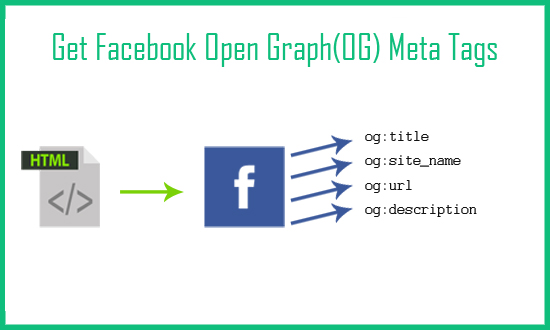
Today I will show you how to fetch facebook Open Graph (OG) meta tags with php script. Open Graph meta tags are used in html page of website to generate previews of content. When your page is shared on facebook it will capture the og meta tags and generate the snippet. Meta tags are added inside the head tag.
The core Open Graph tags Facebook reads when generating a link preview are:
As an example, the following is the Open Graph protocol:
<html prefix="og: http://ogp.me/ns#">
<head>

<meta property="og:title" content="Post title" />
<meta property="og:type" content="article" />
<meta property="og:url" content="https://postrss.com" />
<meta property="og:image" content="https://postrss.com/wp-content/uploads/2014/01/mainslide1.jpg" />
<meta property="og:image:width" content="1200" />
<meta property="og:image:height" content="630" />
...
</head>
...
</html>
Note: og:type must be a value from Facebook’s approved list — common choices are website, article, or product. Custom text like “News Site” isn’t a valid type and will be ignored by Facebook’s parser.
Adding an og:image tag alone doesn’t guarantee the large thumbnail layout — Facebook decides between a large image card and a small square thumbnail based on your image’s dimensions and aspect ratio. To reliably get the large format:
og:image:width e og:image:height tags so Facebook’s crawler doesn’t have to download the image just to measure it.Facebook caches the OG data it reads for a URL, so if you change your tags after the page has already been shared once, the old preview can keep showing. Use the Facebook Sharing Debugger to paste in your URL, see exactly which OG tags Facebook detected, and force it to re-scrape the page for an updated preview.
When PostRSS auto-posts a new article from your RSS feed to Facebook, it relies on your page’s own OG tags (or the image embedded in your feed item) to determine the thumbnail shown. Setting up correct og:image, og:image:width, and og:image:height tags on your website — using the guidance above — is what ensures automated posts also show the large-thumbnail format rather than a small or missing preview.
X setup is documented separately on our RSS to Twitter page.
If Facebook is the destination you care about, our Facebook auto poster page covers that setup on its own.
Automated posting repeats whatever your pages and feed provide, so it is worth checking one or two recent articles before you connect a feed. Open a post, view its source and confirm that:
og:image tag, and it points to the article’s own picture rather than a site-wide logo;og:title e og:description contain the article’s own title and summary, not the homepage text;On WordPress, these tags usually come from your SEO plugin or theme, so fixing the template once fixes every future post.
PostRSS looks for an image in the feed item first: an enclosure, a media:content tag or the first image inside the item. When the feed carries no picture, it reads the Open Graph tags of the linked page. Either way, the result is a post with the real article image instead of a bare link. PostRSS posts to Facebook Pages only, since Meta closed publishing for Groups and personal profiles, and a Facebook Page is available on every plan, including Free. The full list of options is on the features page.
Facebook caches OG data per URL. Run the URL through the Facebook Sharing Debugger and click “Scrape Again” to force a refresh.
Facebook’s documented minimum is 200 × 200 pixels, but anything that small will only ever render as a small thumbnail, never the large-card layout.
og:image alone works, but adding the width/height tags lets Facebook’s crawler skip downloading the image to measure it, which makes your preview render faster and more reliably.
Most major platforms, including LinkedIn and Discord, read the same Open Graph tags Facebook uses, so a correctly sized og:image typically produces a good preview across all of them. X (Twitter) is the one common exception — it primarily reads its own twitter:card e twitter:image tags instead, so if you want a large image preview there too, add those tags alongside your Open Graph tags rather than relying on og:image alone.
What changed in the networks, what broke, and how to fix it before it costs you reach.
 English
 Lietuviškai
 Deutsch
 Français
 Русский
 Español
 Polski
 Italiano
 Українська
 Čeština
 Português
 日本語
日本語 Latviešu valoda
 Eesti
Eesti Magyar
 Bahasa Indonesia
 Türkçe
 हिन्दी
 Ελληνικά
 العربية
 ไทย
ไทย Tiếng Việt
 Română
 Bahasa Melayu
 বাংলা
বাংলা