RSS do 66 sieci społecznościowych: Facebook, Instagram, X, LinkedIn, Telegram i innych Blog Program partnerski Kontakt
Short answer: RSS auto-posting lets a phone or computer repair shop share every new blog tip, repair guide, refurbished device and service notice on social media without logging in to each network. Publish once on your website, let an auto-poster read the site’s RSS feed, and the update appears on your Facebook Page, Telegram channel or other accounts within minutes. You keep posting personal before-and-after photos by hand; the routine updates take care of themselves.
Repair shops live on trust and timing. A customer with a cracked screen or a laptop that will not boot usually searches, asks a friend or checks a local page the same day. If your social profiles show recent, helpful posts, you look active and competent. If the last post is from last spring, many people move on to the next shop on the map. The problem is time: the people who run repair counters are also the people holding the soldering iron. This guide explains how to keep your channels active automatically, what is worth automating, and how to set it up in an afternoon.
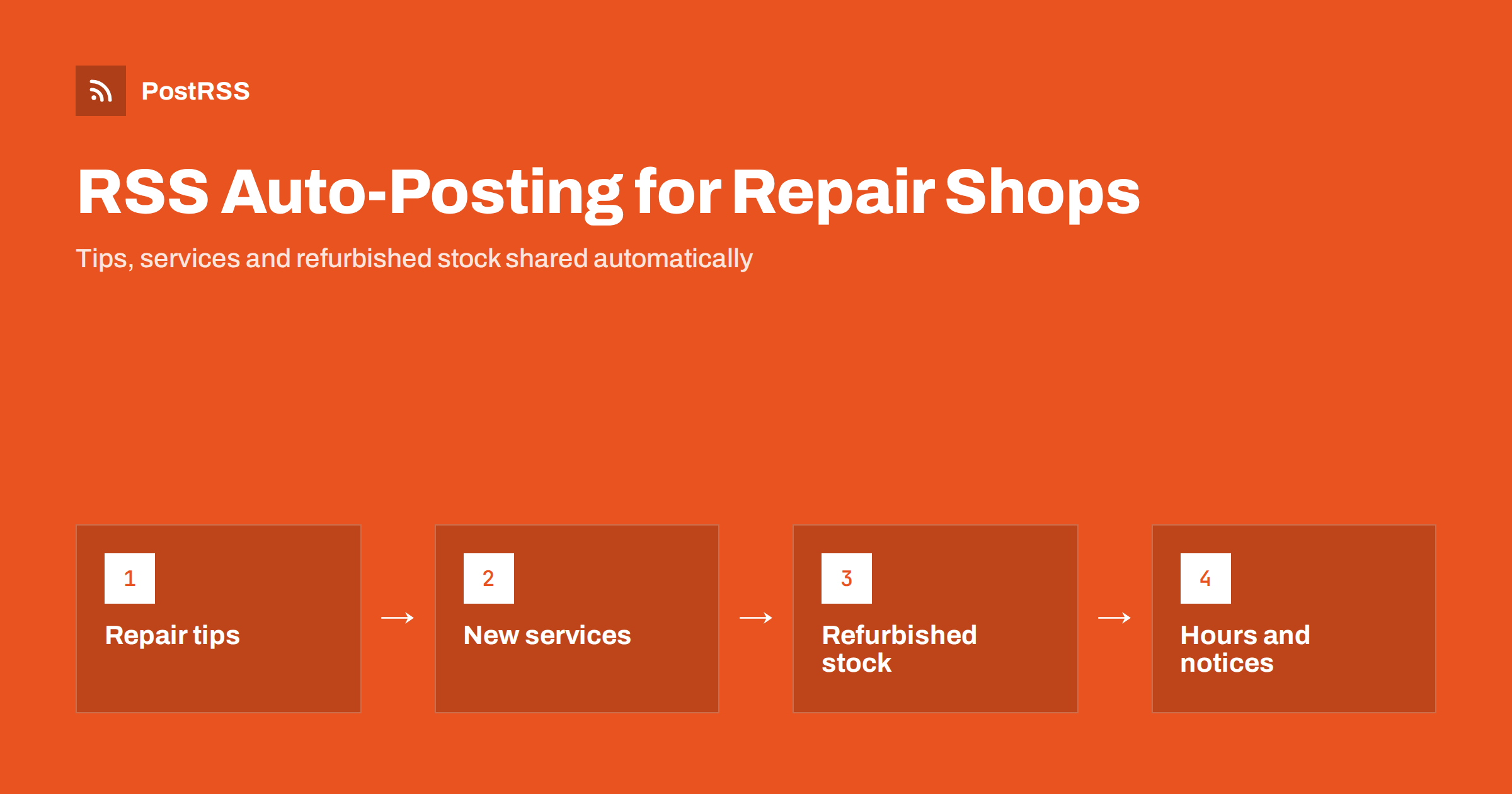
Most repair businesses already create useful content, even if they do not think of it as marketing:
Each of these is worth sharing, but copying them to several networks by hand takes ten minutes a time and is easy to forget on a busy day. Automation removes that step. Once a page or product is published on your site, it appears on your social accounts with its title, image and link, consistently and on time.
Consistency matters for local businesses. People rarely follow a repair shop for entertainment, but they do check its page before walking in. A steady stream of practical posts shows that the shop is open, busy and knowledgeable.
You probably have at least one RSS feed without knowing it:
/feed/, and category feeds such as /category/repair-tips/feed/.If your site has no feed at all, a CSV file of planned posts can act as a source instead, which works well for recurring reminders such as seasonal tips.
Automation is best for content that is already polished on your website. Personal, in-the-moment content still belongs to you.
| Content | Automate? | Why |
|---|---|---|
| Repair tips and how-to articles | Yes | Evergreen, useful, already written |
| New service pages (models, data recovery) | Yes | People search for specific models |
| Refurbished devices for sale | Yes, from a product feed | Stock changes often and sells fast |
| Opening hours and closures | Yes, from a news category | Must reach every channel at once |
| Before-and-after repair photos | By hand | Personal, needs customer consent |
| Replies to reviews and questions | By hand | Conversation, not broadcasting |
A good rule: if it lives on your website, automate it. If it lives in your phone’s camera roll, post it yourself.
You do not need every network. Pick the ones your customers actually use:
Two or three well-maintained channels beat seven abandoned ones. Our article on how local businesses automate updates shows the same principle in another trade.
An automated post is only as good as the page behind it. A few habits make the difference:
For images, see how to control which image gets auto-posted.
If your blog is quiet, these topics are easy to write and genuinely useful to local customers:
Write one short article a week and the feed does the distribution. Over a year that is fifty helpful posts on every channel, without anyone typing them twice.
If you sell refurbished devices, a product feed is one of the most effective sources. Each new listing becomes a post with its photo and link, and good devices often sell within days. A few tips:
Repair work touches personal devices and personal data, so be careful with what you share. Never post photos that show a customer’s screen content, contacts, messages or serial numbers. Ask for consent before sharing any photo of a customer’s device, and blur stickers or engravings that could identify someone. Automation does not change these rules, but it does mean that anything you publish on your website will be shared widely, so review articles before they go live.
If you write about backups, data recovery or security, link to official guidance rather than making broad claims. For example, Google’s help page on how to back up or restore data on an Android device is a reliable reference to send customers to before they drop off a phone.
Repair shops that try automation for the first time tend to run into the same handful of problems. All of them are easy to avoid once you know about them:
None of these require technical skills. They are the same judgement you use at the counter, applied once to your posting setup.
/feed/, or check your website builder’s help pages.After that, the only ongoing task is writing useful content, which you are already doing whenever you explain a repair to a customer.
PostRSS has been automating RSS posting since 2014. It checks your feed as often as every minute and publishes each new article or product, with its real image and link, to the networks you connect, from Facebook Pages and Telegram channels to Viber, Mastodon, Bluesky and dozens more among its 66 supported networks. You can filter items by keywords, add UTM parameters, turn categories into hashtags, and post only within chosen hours or at exact times in your time zone. If you have no feed, a CSV file can be used as a source on supported plans. See everything on the PostRSS features page and compare limits on the pricing page. More ideas for small firms are under the Local Business tag.
A phone or computer repair shop does not need a social media manager to stay visible. Publish tips, service pages, refurbished stock and notices on your website, let RSS auto-posting share them to two or three channels, and keep personal photos and conversations for yourself. The result is an active, trustworthy presence that customers see when they decide where to bring their device.
A blog helps, but it is not the only source. A web shop with refurbished devices, a news page or a YouTube channel can also provide a feed. Without any feed, a CSV file of planned posts can be used as a source.
For most shops a Facebook Page is the starting point, often combined with a messenger channel such as Telegram or Viber. Instagram is good for visual repair photos that you post by hand. Choose two or three channels you can keep active.
Yes. If your shop platform publishes a product feed, each new listing can be posted automatically with its photo and link. Remove sold items promptly so old posts do not lead to unavailable devices.
Only with the customer’s consent and only when nothing personal is visible. Never show screen content, serial numbers or engravings. Automation spreads whatever you publish, so check every photo before it goes on your website.
One or two useful posts a week is enough for most local shops. Consistency matters more than volume, and an automated feed makes it easy to keep that rhythm without extra work.
What changed in the networks, what broke, and how to fix it before it costs you reach.
Tworzy je Internet Solutions, zespół stojący za PostRSS. Każdy produkt oszczędza czas na swój sposób.
 English
 Lietuviškai
 Deutsch
 Français
 Русский
 Español
 Polski
 Italiano
 Українська
 Čeština
 Português
 日本語
日本語 Latviešu valoda
 Eesti
Eesti Magyar
 Bahasa Indonesia
 Türkçe
 हिन्दी
 Ελληνικά
 العربية
 ไทย
ไทย Tiếng Việt
 Română
 Bahasa Melayu
 বাংলা
বাংলা