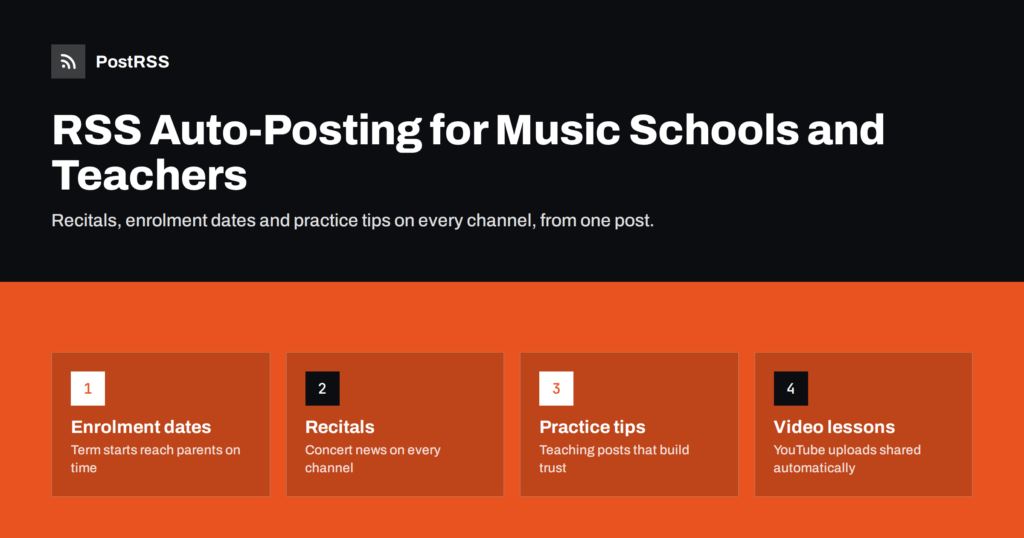
Short answer: A music school or private music teacher can post recital dates, enrolment deadlines, practice tips and new video lessons once, on their own website or YouTube channel, and let an RSS auto-posting tool share each new item to Facebook, X, LinkedIn, Telegram and other channels automatically. Parents and students see steady, useful updates, the school looks active, and the teacher spends the saved time teaching. The main care points are consent for photos and videos of students, especially children, and timing announcements around the school calendar.
Music education runs on a calendar. Enrolment opens before each term, recitals and exam dates come at predictable moments, and summer programmes fill up months in advance. Families choosing a music school often look at its website and social pages first, and an active page signals an active school. A page with no updates since last spring suggests the opposite, even if the teaching is excellent.
The difficulty is time. A private piano teacher may teach thirty students a week, prepare pupils for exams, handle invoices and still be expected to post on several networks. A community music school has more staff, but the administrator who manages social media is usually also managing the timetable, room bookings and parent emails. Posting falls behind because it is the task with no immediate deadline.
RSS auto-posting solves the repetitive part. The school publishes an update once, on its website or video channel, and every connected network receives a post with the image, text and link. The teacher decides what to say; the software handles where it goes.
There is also a longer-term benefit. Every post published on the school website stays there, searchable and linkable, long after a social post has scrolled out of view. A school that shares its advice and news on its own site first builds an archive that keeps attracting families for years, while the social channels bring the same content to people who already follow the school.
The best content for a music school answers questions parents and students already have, and shows the school’s personality. Useful post types include:
Most of these can be short website posts of a few paragraphs with one photo. Over a year, they also build a library of pages that people find when they search for music lessons in your area.
Almost every website platform a school might use, including WordPress, Wix, Squarespace and Joomla, produces an RSS feed of new posts automatically. The feed lists your latest posts with titles, descriptions, links and usually images. An auto-posting service checks that feed regularly and creates a post on each connected channel whenever something new appears.
YouTube channels also have a public RSS feed of new uploads. That means a teacher who posts video lessons can use the channel feed as a second source, so each new video is announced on Facebook, Telegram or a team chat without extra work. Our guide to turning YouTube uploads into automatic social posts explains how to find that feed.
A typical setup takes an afternoon:
Music schools naturally want to share recital photos and student performances, and these are often the most engaging posts. They also carry the most responsibility. Before anything featuring a student goes on your website, and therefore into your feed and onto social networks, make sure you have clear permission.
A practical approach is to keep recital galleries in a website category that is not auto-posted, and share only selected, consented images through the feed. Our article on GDPR and RSS automation covers the privacy side in more depth.
A music school’s content calendar almost writes itself, because the year follows the same pattern. Plan a few posts for each phase and schedule them in your CMS so they appear at the right time:
When a post is scheduled in your CMS, it only appears in the feed when it is published, so the social posts follow automatically on the same day. For time-sensitive posts, a posting window can make sure announcements reach parents at a sensible hour rather than late at night. See automating a year-round social media calendar for a broader planning method.
Not every network is worth the effort for a local school. Start with the places parents and students already look:
A private teacher might use just a Facebook Page and YouTube. A community music school with several departments might connect separate feeds for piano, strings and choir, each posting to the audience that cares about it.
The same text becomes your website post and your social posts, so a few writing habits make a big difference:
If you are unsure where to start, pick one habit: publish one practice tip every week on your website. It takes fifteen minutes to write, it gives every channel fresh content, and after a term you will have a small library of advice that you can also send to new students individually.
PostRSS is an RSS auto-posting service that has been running since 2014. It checks your website or YouTube feed every 5 minutes and posts each new item with its image and link to the channels you connect, including Facebook Pages, X, LinkedIn, Telegram, Viber, Pinterest and many others. Music schools can use keyword filters to keep certain posts off social media, turn post tags into hashtags, add UTM parameters to links and, on paid plans, post only during chosen hours. One feed can go to several targets, and a school can also add separate feeds for different departments. The Free plan covers one Facebook Page, and the plans and supported networks are listed on the pricing page.
Music schools and private teachers have plenty to share: term dates, recitals, practice advice and performances. RSS auto-posting lets them publish each update once and have it reach every channel parents and students use. Combine it with a simple yearly content plan and a strict consent routine for student images, and the school stays visible all year without taking time away from teaching.
Yes. A simple site with a news or blog section is enough, because most website builders create an RSS feed automatically. A YouTube channel with regular uploads can also act as a feed source.
One or two useful posts a week is enough for most schools, with extra posts around enrolment and recitals. Consistency matters more than volume. Scheduling posts in your CMS makes a steady rhythm easy.
Yes, if you publish them on YouTube or on your website, their feed can trigger announcements with a link to the video. Make sure you have consent from students or their parents before publishing. Keep galleries without full consent out of the auto-posted feed.
For most local schools, a Facebook Page and YouTube cover the core audience, with Instagram for photos and short clips. Messaging channels such as Telegram work well for notices to enrolled families. Add others only when you can maintain them.
Yes. Give each department its own category feed and connect it to the relevant page or channel. Shared news, such as enrolment dates, can come from a general feed connected to all of them.
What changed in the networks, what broke, and how to fix it before it costs you reach.
 English
 Lietuviškai
 Deutsch
 Français
 Русский
 Español
 Polski
 Italiano
 Українська
 Čeština
 Português
 日本語
日本語 Latviešu valoda
 Eesti
Eesti Magyar
 Bahasa Indonesia
 Türkçe
 हिन्दी
 Ελληνικά
 العربية
 ไทย
ไทย Tiếng Việt
 Română
 Bahasa Melayu
 বাংলা
বাংলা