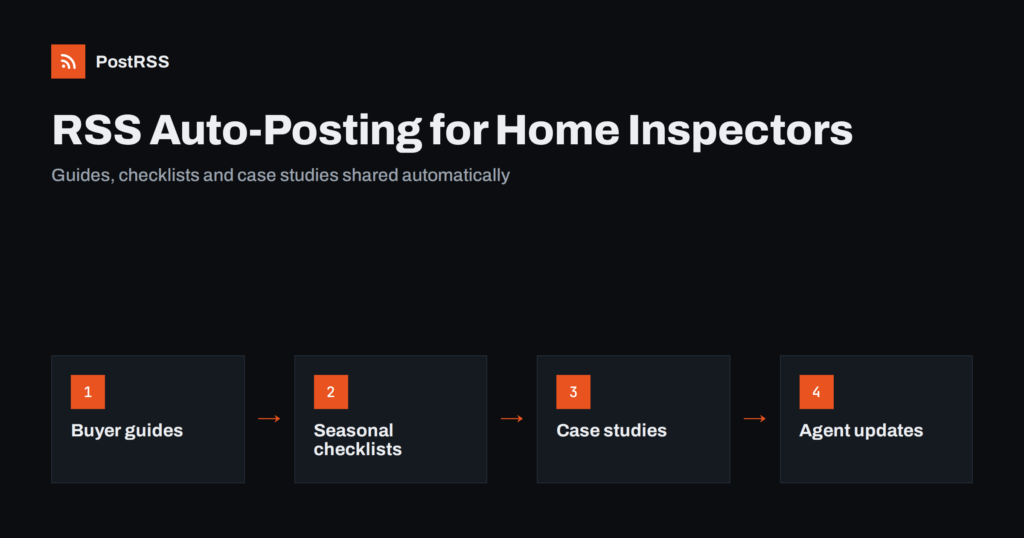
Short answer: RSS auto-posting lets home inspectors and inspection firms share every new article, inspection tip, seasonal checklist, service update and case study on social media automatically. Publish the item once on your website, let an auto-poster read its RSS feed, and it appears on your Facebook Page, LinkedIn page and other channels with its image and link. Inspectors keep the personal side, such as answering buyers’ questions and building relationships with agents, while routine updates reach every channel on time.
Home inspectors work in a referral business. Buyers often choose an inspector recommended by their real estate agent, a friend or an online search, and both buyers and agents want to see that an inspector is knowledgeable, thorough and easy to understand. Social media is where that impression forms, but inspectors spend their days in crawl spaces, attics and on roofs, then write detailed reports in the evening. Posting regularly on several networks rarely fits in. This guide explains how to keep your channels active with RSS automation, which content works, which channels matter for inspectors, and how to share findings without exposing your clients.
Inspection firms have plenty of valuable content to share, and much of it already sits on the website or is easy to publish there:
Each piece builds trust with buyers and agents. Automation makes sure everything you publish reaches your followers as soon as it is live, without anyone logging in to several apps after a long day of inspections.
Most inspection company websites run on platforms that publish RSS feeds automatically:
/feed/ and category feeds such as /category/homeowner-tips/feed/.Use categories to separate topics, for example homeowner tips, buyer guides, case studies, services and company news. Each category then has its own feed, which can go to the channels where it is most useful.
| Content | Automate? | Notes |
|---|---|---|
| Educational articles and guides | Yes | The core of your social presence |
| Seasonal maintenance checklists | Yes, from a tips category | Publish before the season starts |
| Anonymised case studies | Yes | No addresses or identifiable photos |
| New services and service areas | Yes | Clear description and booking link |
| Questions from buyers and agents | By hand | Personal answers win referrals |
| Reviews and thank-you messages | By hand | Respond individually |
A simple rule: if it is a finished, reviewed page on your website, automate it. If it involves a specific client, agent or conversation, handle it yourself.
Inspection findings are sensitive. A report belongs to the client, the sale may still be under negotiation, and a photo of a damaged roof with a recognisable house behind it can affect a seller. Before any case study is published on your website, and therefore shared automatically, check the following:
Because automated posts come from your website, these checks happen once, when you publish the page, rather than in a hurry on a phone at the end of a job.
Most inspectors do best with a Facebook Page and a LinkedIn page. Add more only if you can keep them active.
Buyers are often nervous: they are making the largest purchase of their lives and do not know what an inspection will reveal. Educational content reassures them and shows that you explain things clearly. Topics that work well:
Each article becomes a social post automatically and keeps working in search results for years. Professional associations such as ASHI および InterNACHI publish standards of practice and consumer information that you can link to in articles, which adds credibility.
Agents recommend inspectors who are reliable, communicate calmly and write reports that clients understand. Content for this audience is different from buyer content:
Put these in a separate category and send its feed to LinkedIn, where agents and brokers are active. Category routing is explained in category filtering for auto-posting. More ideas for working with the property industry are in RSS auto-posting for real estate agents.
Homes change with the seasons, and so do homeowners’ questions. Seasonal content is useful, easy to write and popular on social media:
Publish each checklist a few weeks before it is needed, and use posting windows so posts appear in the evening or at weekends, when homeowners plan maintenance. More planning tips are in seasonal campaign planning with RSS automation.
Many inspection firms earn a large share of their income from additional services: radon testing, mould sampling, thermal imaging, sewer scope inspections, pool and spa checks, well and septic inspections, or annual maintenance inspections for owners. Buyers often do not know these services exist until someone mentions them. Give each service its own page on your website, with a short explanation of what it finds, when it is worth ordering and how long it takes, and publish an article whenever you add a new one. The feed shares the announcement automatically, and the page keeps working afterwards as a destination for links from your articles and from agents. Seasonal timing helps here too: radon and moisture topics in winter, roof and drainage topics after storm season. Keep claims precise and within your certifications, and link to the relevant standards where your association publishes them.
An automated post shows the title, the featured image and the first sentences of the page. Write them for someone scrolling quickly:
If networks show the wrong image, check the page’s Open Graph tags; see why auto-posted links show the wrong image.
/feed/, and check that it lists recent articles.PostRSS has been automating RSS posting since 2014. It checks your website feeds as often as every minute and publishes each new article, checklist, case study or service update, with its real image and link, to the channels you connect, from Facebook Pages and LinkedIn to Pinterest, Telegram, Viber and many more among its 66 supported networks. You can choose the post format, filter items by keywords, add UTM parameters and post only within chosen hours or at exact times in your time zone. See the PostRSS features page for everything it does and the pricing page for plan limits. More ideas for small businesses are under the Local Business tag.
Home inspectors already have the knowledge buyers, homeowners and agents value: explanations of defects, seasonal checklists, case studies and clear service information. RSS auto-posting shares each page automatically on Facebook, LinkedIn and your other channels, on time and with the right image, while inspectors keep the personal conversations that win referrals. Anonymise every case study, explain findings calmly and let the feed keep your pages active through the busiest seasons.
Yes. If your website has a blog or news section, its RSS feed can be connected to an auto-poster that shares each new article on your Facebook Page, LinkedIn page and other channels. Personal replies to buyers and agents are still best done by hand.
Only anonymised findings. Remove addresses, recognisable exteriors and names, and publish case studies well after the sale has closed, so a post never affects a transaction.
Facebook reaches local buyers and homeowners, and LinkedIn is important for referral relationships with real estate agents, brokers and property managers. Pinterest suits seasonal checklists.
Explain the inspection process, common findings, seasonal maintenance and specialised services such as radon or sewer scope inspections. Clear, calm articles build trust with buyers and agents.
One useful article a week is enough for most firms. Prepare articles in quieter months and schedule them on your website, so the feed keeps posting during the busy buying season.
What changed in the networks, what broke, and how to fix it before it costs you reach.
PostRSSを手がけるInternet Solutionsが開発。どの製品も、それぞれの形で時間を節約します。
 English
 Lietuviškai
 Deutsch
 Français
 Русский
 Español
 Polski
 Italiano
 Українська
 Čeština
 Português
 日本語
日本語 Latviešu valoda
 Eesti
Eesti Magyar
 Bahasa Indonesia
 Türkçe
 हिन्दी
 Ελληνικά
 العربية
 ไทย
ไทย Tiếng Việt
 Română
 Bahasa Melayu
 বাংলা
বাংলা