WordPress spits out an RSS feed the moment you install it. Ghost has one built in. Even a barebones Jekyll or Hugo site generates feed.xml automatically as part of the build. Then you build a site with React or Next.js and go looking for the same thing — and it isn’t there. No /feed, no /rss.xml, nothing in the response headers hinting at one. That’s not a bug. React and Next.js are frameworks for building UI, not content-management systems, and neither one ships an opinion about syndication formats. If you want an RSS feed, you write it yourself.
The good news is that adding one is a small, well-defined task — usually under an hour of work, even less if you’re already fetching your content from a headless CMS or a folder of MDX files. This guide walks through why the feed is missing in the first place, how to add it correctly in both the Next.js App Router and Pages Router, what a static export changes, the specific technical requirements that make a feed actually usable by RSS automation tools, and how to wire the finished feed into PostRSS so every new post gets auto-shared to your social accounts without you touching a scheduler again.
RSS predates the modern JavaScript framework ecosystem by about a decade, and the tools that generate it automatically — WordPress, Ghost, Ruby on Rails’ blogging scaffolds, Jekyll, Hugo — are all built around a fixed idea of “a post.” They know what a blog post looks like, they know it has a title, a body, a publish date, and a permalink, and they render a feed template on every build or every request because that data model is baked into the platform.
React has no data model. A React app is a rendering library; it has no concept of “posts” unless you build one. Next.js adds routing, rendering strategies, and a server runtime on top of React, but it’s still framework-agnostic about content — your “content” might be MDX files in a Git repo, rows in Postgres, entries in Contentful or Sanity, or hand-written JSX components. There’s no canonical place Next.js could generate a feed from, so it doesn’t try. The same logic applies to a Vite-powered SPA, Remix, or Astro islands mixed with React — if the framework doesn’t own your content model, it can’t auto-generate a syndication file for it.
This is also true of headless CMS setups. Contentful, Sanity, Strapi, and similar tools are increasingly common behind a custom React/Next.js frontend, and while some of them expose a webhook or GraphQL API, none of them generate an RSS 2.0 or Atom feed for you out of the box either. The feed generation step always has to happen somewhere in your own code — either at build time, at request time, or in a small script you run on a schedule.
None of that is a problem for your readers, most of whom browse your site directly or find posts through search and social. It becomes a problem the moment you want to automate distribution, because every RSS-to-social tool, feed reader, and content aggregator needs a feed URL to poll. Without one, there’s nothing to point PostRSS, Zapier, or any RSS reader at.
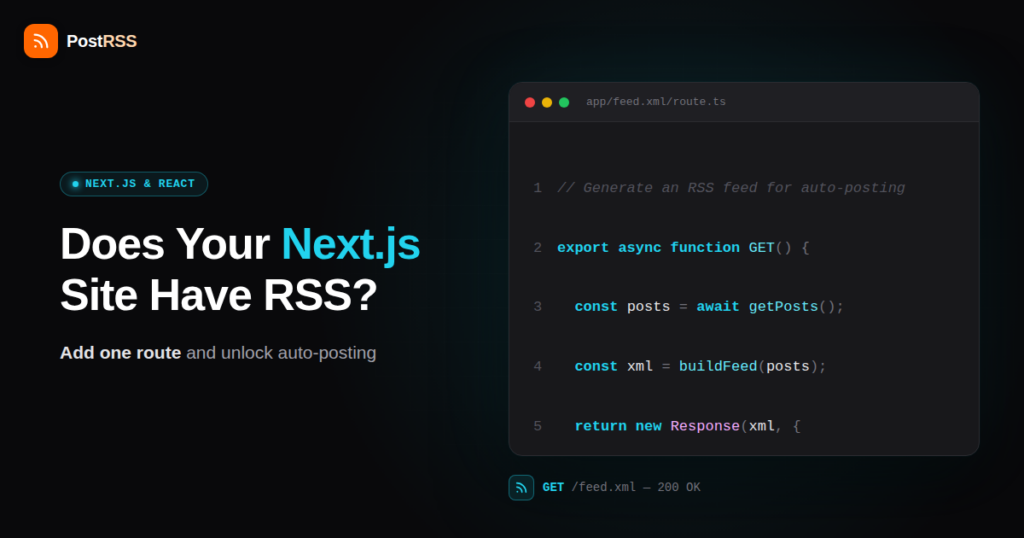
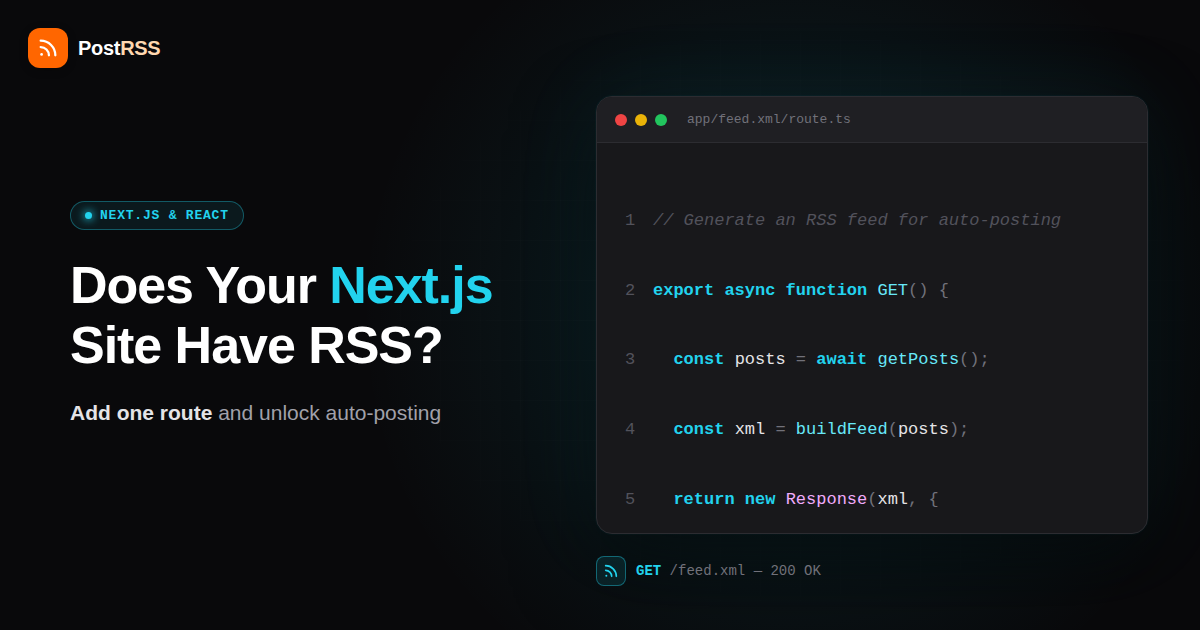
If you’re on Next.js 13+ with the App Router, the cleanest approach is a Route Handler that returns XML directly. Create a file at app/feed.xml/route.ts (または app/rss.xml/route.ts if you prefer that path) and have it fetch your content, build the XML, and return it with the right content type.
Rather than hand-writing XML string concatenation — which is easy to get subtly wrong — use the feed npm package. It handles escaping, namespaces, and RSS/Atom/JSON Feed output from one API, so you describe your feed once and get valid XML back:
// app/feed.xml/route.ts
import { Feed } from "feed";
import { getAllPosts } from "@/lib/posts"; // your content source

export async function GET() {
  const posts = await getAllPosts(); // MDX files, CMS API, or DB query
  const siteUrl = "https://example.com";

  const feed = new Feed({
    title: "Example Blog",
    description: "Latest posts from Example Blog",
    id: siteUrl,
    link: siteUrl,
    language: "en",
    updated: new Date(posts[0]?.date ?? Date.now()),
    generator: "Next.js",
    feedLinks: {
      rss: `${siteUrl}/feed.xml`,
    },
  });

  for (const post of posts) {
    feed.addItem({
      title: post.title,
      id: `${siteUrl}/blog/${post.slug}`,   // stable, unique GUID
      link: `${siteUrl}/blog/${post.slug}`, // absolute URL, required
      description: post.excerpt,
      date: new Date(post.date),
    });
  }

  return new Response(feed.rss2(), {
    headers: {
      "Content-Type": "application/xml; charset=utf-8",
    },
  });
}
A few things matter in that snippet beyond just “it compiles.” The id および link for each item use the full absolute URL, not a relative path — more on why that’s non-negotiable below. The response sets Content-Type: application/xml explicitly rather than relying on a default, because Next.js Route Handlers return text/plain or JSON content types by default depending on how you construct the response, and a feed served without the right header gets silently rejected or mis-parsed by a lot of feed readers and automation tools.
By default this route runs dynamically (or gets statically generated at build time and cached, depending on your data fetching), which is exactly the behavior you want for a feed — see the section on revalidation below for how to control that explicitly.
If you’re still on the Pages Router, there are two workable patterns. The first is an API route at pages/api/feed.xml.ts, which behaves like any other serverless function — it runs on request, fetches your content, and writes the XML response directly:
// pages/api/feed.xml.ts
import type { NextApiRequest, NextApiResponse } from "next";
import { Feed } from "feed";
import { getAllPosts } from "@/lib/posts";

export default async function handler(
  req: NextApiRequest,
  res: NextApiResponse
) {
  const posts = await getAllPosts();
  const feed = new Feed({
    title: "Example Blog",
    id: "https://example.com",
    link: "https://example.com",
    copyright: "",
  });

  posts.forEach((post) =>
    feed.addItem({
      title: post.title,
      id: `https://example.com/blog/${post.slug}`,
      link: `https://example.com/blog/${post.slug}`,
      date: new Date(post.date),
      description: post.excerpt,
    })
  );

  res.setHeader("Content-Type", "application/xml; charset=utf-8");
  res.setHeader("Cache-Control", "s-maxage=3600, stale-while-revalidate");
  res.status(200).send(feed.rss2());
}
The second Pages Router pattern uses getServerSideProps on a page at pages/feed.xml.tsx, writing directly to the underlying response object and returning empty props (a slightly older technique that predates dedicated API routes, but still works and is common in blogs migrated from earlier Next.js versions). Either approach gives you a feed that regenerates on request, which is what you want for content that changes.
If your site uses output: 'export' in next.config.js — a fully static export with no Node.js server behind it, often deployed to a plain CDN or static host — neither Route Handlers with dynamic behavior nor API routes are available at request time, because there’s no server to run them. In this setup the feed has to be generated as a static file during the build, the same way your HTML pages are.
The practical fix is a small build-time script — run via a prebuild または postbuild npm script — that imports the same feed package, pulls your content the same way your pages do, and writes the resulting XML straight to public/feed.xml (or into the out/ directory after export, depending on your build order) so it ships alongside the static HTML. This is functionally identical to how Jekyll or Hugo produce their feed, just implemented by hand:
// scripts/generate-feed.mjs (run as part of your build)
import { writeFileSync } from "fs";
import { Feed } from "feed";
import { getAllPosts } from "../lib/posts.mjs";

const posts = await getAllPosts();
const feed = new Feed({
  title: "Example Blog",
  id: "https://example.com",
  link: "https://example.com",
});

posts.forEach((post) =>
  feed.addItem({
    title: post.title,
    id: `https://example.com/blog/${post.slug}`,
    link: `https://example.com/blog/${post.slug}`,
    date: new Date(post.date),
  })
);

writeFileSync("public/feed.xml", feed.rss2());
The catch with this approach, and it’s an important one: the feed is now only as fresh as your last deploy. Publish a new post without triggering a rebuild, and the feed silently keeps serving the old snapshot — no error, no warning, just stale content that any automation tool polling it simply won’t see. If your CMS supports deploy webhooks (most headless CMS platforms do), wire content publishes to trigger a rebuild automatically; otherwise this is a manual step you’ll forget at some point.
| Approach | Where the feed lives | Setup complexity | Auto-updates on new content? |
|---|---|---|---|
| App Router (Route Handler) | app/feed.xml/route.ts | Low — one file, native to the framework | Yes, on request or per your revalidate setting |
| Pages Router (API route) | pages/api/feed.xml.ts | Low — standard serverless function | Yes, runs fresh on every request (add caching as needed) |
| Pages Router (getServerSideProps) | pages/feed.xml.tsx | Medium — older pattern, writes raw response | Yes, same as SSR pages |
Static export (output: 'export') | Build script → public/feed.xml | Medium — requires a separate build step | No — only updates when you rebuild and redeploy |
The getAllPosts() function in every example above is a stand-in for whatever your real content source is, and it’s worth being concrete about the three common cases:
gray-matter to parse frontmatter and body from each file in a content/ または posts/ directory, sort by date, and map the results into the shape feed.addItem() expects.Whichever source you use, the mapping logic is the same: title, absolute link, a stable ID, a description or excerpt, and a publish date, in that order of importance.
A feed that renders fine in a browser tab isn’t automatically a feed that works with RSS-to-social automation. Tools that poll your feed on a schedule and treat new items as “post this to X/Facebook/LinkedIn” are stricter about a few things than a human skimming the page would ever notice:
feed package handles escaping for you, which is exactly why hand-rolled string concatenation is worth avoiding — it’s easy to build a feed that looks right in a browser (which tolerates minor malformed XML) but gets rejected by a strict XML parser.<link> and item URL needs the full https://yoursite.com/... form. Relative URLs like /blog/my-post render correctly on your own site because the browser resolves them against the current page, but a feed reader or automation tool has no “current page” context — it just sees a broken path and either drops the link or posts a dead URL to social media.id field (which becomes the RSS <guid>) is how automation tools decide whether an item is new or already posted. If you reuse the same ID after editing a post, or generate IDs from something that changes (like an array index or a timestamp that shifts on every fetch), tools will either re-post old content or skip genuinely new items. The post’s permanent URL is almost always the right choice for a GUID, since it’s unique and doesn’t change once published.pubDate per item. This has to be a real, parseable date reflecting when the item was actually published — not the build time, not “now” recalculated on every request. If every item’s date updates to the current timestamp on each rebuild, automation tools that sort or filter by date will misread your entire publish history.Content-Type header. Serving XML with a text/html or default text/plain content type causes some polling tools to reject the response outright before even trying to parse the body. Set application/xml または application/rss+xml explicitly, as shown in the examples above.Get these details right and you’ve built exactly the kind of feed that RSS-reading tools expect — the same underlying format that’s powered content syndication for two decades, just generated by your own code instead of a CMS.
If you’re using the App Router with cached fetches or Incremental Static Regeneration, the feed route is subject to the same caching rules as any other route unless you tell it otherwise. Export a revalidate value from the route file to control how often it’s allowed to regenerate:
// app/feed.xml/route.ts
export const revalidate = 3600; // regenerate at most once per hour
Set this too high and your feed lags behind actual publishes by hours, which matters a lot if you’re relying on it to trigger near-real-time social posting. Set it to 0 or omit it (letting the route run dynamically on every request, which is the default for routes reading dynamic data) if freshness matters more than the extra compute cost of hitting your CMS or database on each poll. For most blogs, anywhere from 15 minutes to an hour is a reasonable middle ground — automation tools typically poll feeds every 15 minutes to a few hours anyway, so there’s rarely a reason to regenerate faster than that.
The same caution applies to any CDN or edge caching layer in front of your deployment. A Cache-Control header set too aggressively (or a CDN default that ignores your header) can hold onto an old version of the feed well past your app-level revalidation window. If new posts aren’t showing up in the feed despite the route working correctly when tested directly, check the CDN cache before assuming the code is broken.
A handful of issues account for most “the feed doesn’t work” reports from developers who’ve built one of these routes themselves:
output: 'export' later in a project’s life, don’t forget the feed route stops being dynamic along with everything else.Content-Type headers. Covered above, but it’s worth repeating because it’s an easy one-line fix that’s also easy to skip when you’re focused on getting the XML output right and forget the response headers entirely.getAllPosts() function reuses a helper built for internal Next.js <Link> components, it probably returns relative paths by design — that’s correct for internal navigation and wrong for a feed. Build the absolute URL explicitly with your site’s base URL rather than reusing that helper as-is.Once your feed is live and returns valid, well-formed XML with absolute URLs and correct headers, the last step takes a couple of minutes. Add the feed URL — whatever you settled on, https://yoursite.com/feed.xml or similar — to PostRSS, choose which social accounts each new item should post to, and PostRSS takes over from there: it polls the feed on your chosen interval, detects new items by GUID, and pushes them out to Facebook, X/Twitter, LinkedIn, Pinterest, Instagram, Threads, Mastodon, Bluesky, VKontakte, and the other platforms it supports, formatted for each one.
Because the setup is standard RSS on both ends, none of this depends on you having a CMS at all — a hand-rolled Next.js route publishing straight from MDX files works exactly the same way as a WordPress or Ghost feed from PostRSS’s side. If you later add new content types (a changelog, a newsletter archive) you can generate a second feed at a different path and connect it as a separate source. And if you want to sanity-check the feed’s structure before connecting it, most feed readers (or the validator linked above) will show you exactly what an automation tool would see — catching a malformed date or a relative URL before it causes silently-skipped posts down the line.
No. The feed is generated from whatever data source your app already uses — MDX files, a headless CMS API, or a database. There’s no requirement to add a traditional CMS just to get syndication working; the feed package only needs an array of post objects, however you produce it.
Yes, but only as a static file, the same way the static-export approach works for Next.js. Since a client-side-only SPA has no server to generate XML on request, you’d run a build-time script (as part of your CI/CD pipeline) that fetches your content and writes a feed.xml file into your build output. It won’t update between deploys, so you’d want that build triggered whenever content changes.
Both formats carry the same essential information (title, link, date, description per item) with different XML structures and slightly different field names. Nearly every feed reader and automation tool, PostRSS included, supports both. The feed npm package can output either from the same feed definition (feed.rss2() または feed.atom1()), so pick whichever you’re more comfortable with — RSS 2.0 is the more commonly seen default in tutorials and existing tooling.
As often as your content actually changes, within reason. If the route runs dynamically (App Router with no long revalidate window, or a Pages Router API route), it reflects new content the moment it’s published to your data source. Automation tools like PostRSS typically poll on intervals measured in minutes to hours, so there’s little benefit to a feed regenerating faster than every few minutes.
The most common causes are a missing or wrong Content-Type header, malformed XML from unescaped special characters in titles or descriptions, or (for static exports) a feed file that was never regenerated after the initial build. Run the URL through a feed validator first — it will usually point straight at the specific line causing the failure.
An excerpt or summary is enough, and often preferable, for social auto-posting specifically, since tools like PostRSS are pulling the title, link, and a short description to build a social post — not republishing your full article text. If you also want the feed to serve traditional RSS readers well, including full content in the content field (separate from the description) is good practice, but it’s not required for auto-posting to work.
No. A feed route is a separate endpoint that doesn’t touch your page rendering or Core Web Vitals, and search engines don’t penalize a site for having one — if anything, an RSS feed can help content get discovered faster by feed-reading crawlers and tools.
React and Next.js don’t ship a feed because they don’t own your content model the way WordPress or Hugo do — but that also means adding one is entirely within your control, with no plugin ecosystem or CMS quirks to work around. In the App Router, it’s one route handler. In the Pages Router, one API route. For a static export, one small build script. In every case, the feed package handles the XML generation correctly, and the requirements that matter — absolute URLs, stable GUIDs, real publish dates, correct headers, and a feed that actually refreshes when you publish — are the same handful of details regardless of which pattern you pick. Get those right once, point PostRSS at the resulting URL, and every new post starts reaching your social accounts automatically, with no manual step added to your publishing workflow ever again.
What changed in the networks, what broke, and how to fix it before it costs you reach.
PostRSSを手がけるInternet Solutionsが開発。どの製品も、それぞれの形で時間を節約します。
 English
 Lietuviškai
 Deutsch
 Français
 Русский
 Español
 Polski
 Italiano
 Українська
 Čeština
 Português
 日本語
日本語 Latviešu valoda
 Eesti
Eesti Magyar
 Bahasa Indonesia
 Türkçe
 हिन्दी
 Ελληνικά
 العربية
 ไทย
ไทย Tiếng Việt
 Română
 Bahasa Melayu
 বাংলা
বাংলা