Creators running a Patreon page often already run a blog, podcast, or YouTube channel with its own RSSフィード, and the natural next question is whether that feed can auto-post directly into Patreon the way it auto-posts to Facebook or X. The answer depends heavily on which direction you mean — Patreon’s relationship with RSS is actually the reverse of most platforms covered in this series, and understanding that reversal is the key to using it well.
This confusion is understandable. Nearly every other platform a creator connects to an auto-posting tool treats RSS the same way: as an input that triggers a new post. Patreon is the outlier, and knowing exactly where it differs saves a lot of wasted setup time trying to find a “connect RSS feed” option in Patreon’s creator dashboard that simply doesn’t exist for general posting.
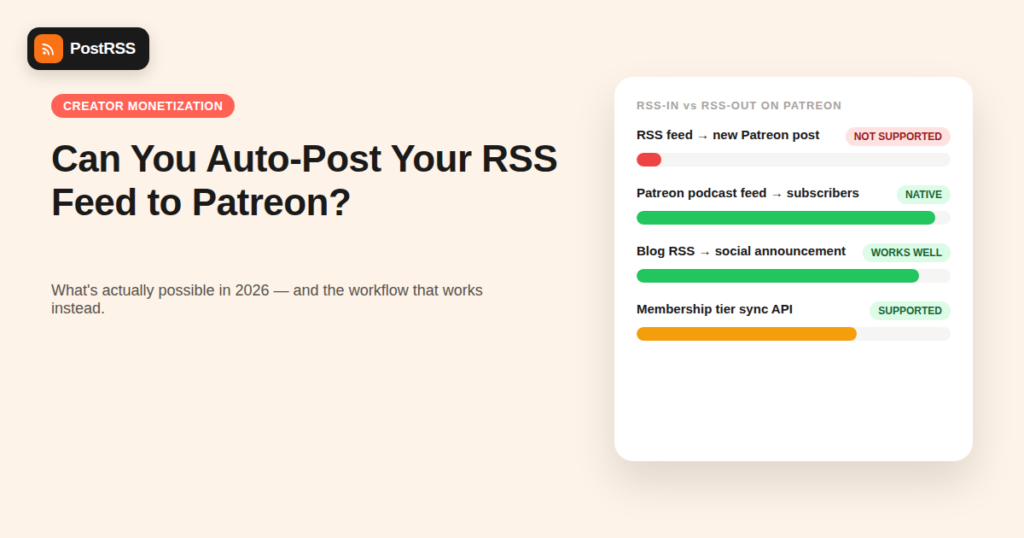
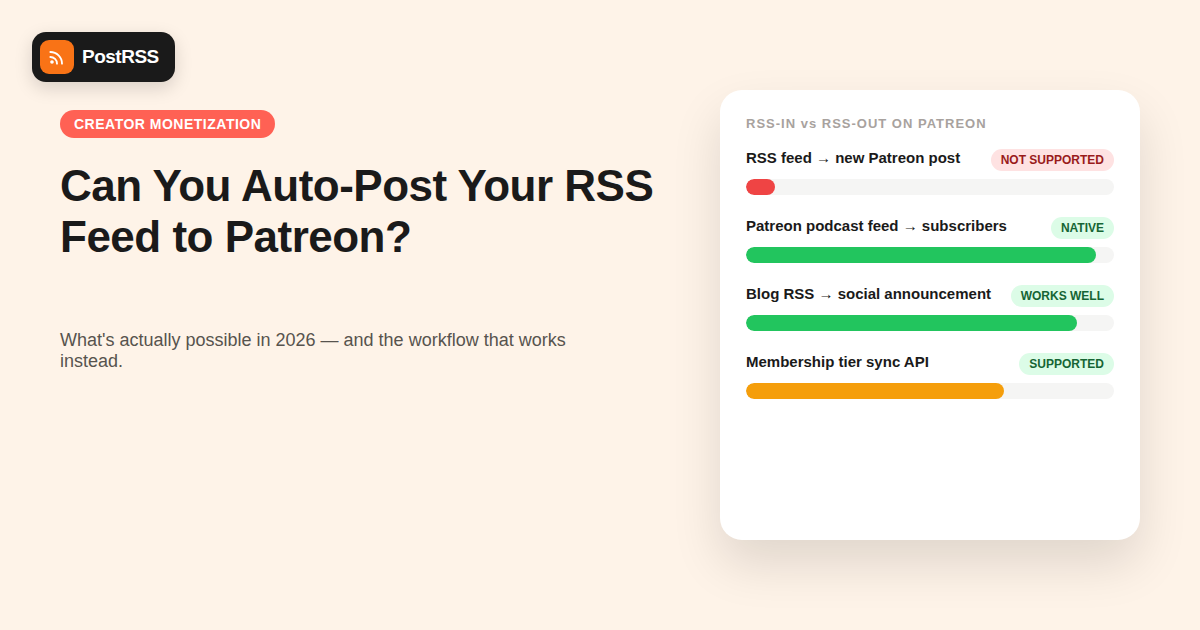
On nearly every platform in this “can you auto-post” series — Instagram, TikTok, Twitch — the question is whether an external RSS feed can push content in. Patreon flips this: its best-known RSS integration is a private, personalized feed that Patreon itself generates for each paying member, letting them subscribe to a creator’s paywalled podcast episodes in Apple Podcasts, Overcast, or any podcast app. That feed flows out of Patreon to the subscriber, not into Patreon from an external source.
This matters because it means the “auto-post my blog’s RSS feed to Patreon” use case that works cleanly on Facebook or LinkedIn doesn’t have a direct equivalent on Patreon — there’s no public “create a post from this feed item” API endpoint for third-party tools to call.
Patreon does publish a developer API, but it is scoped almost entirely around identity and membership verification — checking who a logged-in user is, what tier they’re pledged at, and syncing that against your own membership system (common for creators who gate Discord roles or website content behind a Patreon tier). As of 2026, Patreon’s API does not expose a general-purpose “create a new post” endpoint that third-party RSS automation tools can call the way Meta, X, or LinkedIn allow for their own feeds.
That’s a deliberate scope decision, not an oversight. Patreon’s core product is a paywall and membership relationship, and opening broad posting automation would sit awkwardly against a platform built around direct creator-to-member communication, similar to the reasoning behind Instagram restricting Broadcast Channel automation.
| Workflow | Possible via RSS Automation? | Notes |
|---|---|---|
| Auto-post blog/podcast RSS to Patreon as a new post | No | No public posting endpoint exists for third-party tools |
| Auto-post “new Patreon post” announcements to Facebook/X/LinkedIn | Partially, with workaround | Requires an RSS bridge tool since Patreon has no native public post feed |
| Deliver paywalled podcast episodes to subscribers | Yes — native to Patreon | Patreon generates this feed itself per-member |
| Sync membership tiers to website/Discord access | Yes, via Patreon API | Identity/webhook use case, not content posting |
Many creators actually want the opposite workflow from what they first ask about: not pushing content into Patreon, but announcing new Patreon posts out to their public social channels to drive membership signups. This is achievable, but it takes an extra step, because Patreon doesn’t publish a standard public RSS feed of a creator’s post activity the way a blog does.
The practical workaround creators use:
This achieves the actual business goal — visibility for new Patreon content — without needing Patreon itself to support outbound posting automation, since the trigger lives on a platform that already supports it.
Three factors explain why Patreon keeps its posting surface closed to third-party automation:
Patreon’s entire business model depends on content staying behind the membership wall until a creator deliberately publishes it. A public posting API would create a much larger attack surface for accidentally or maliciously leaking paywalled content before a creator intends.
Posts on Patreon aren’t binary public/private — they’re often scoped to specific pledge tiers. Automated posting would need to correctly replicate that tier logic every time, and getting it wrong (posting a $20-tier reward publicly) is a much costlier mistake than a misfired social media post.
Unlike Meta or X, Patreon doesn’t monetize through advertising, so it has less product incentive to build and maintain a broad content-publishing API surface for third parties compared to platforms whose growth depends on external integrations pushing more content through the system.
For creators who do use Patreon’s own RSS feature, it’s worth understanding the mechanics, since it’s easy to confuse with general auto-posting. When you publish an audio post on Patreon and mark it as a podcast episode, Patreon generates a unique, tokenized RSS URL for every paying member at the eligible tier. That member pastes the URL into their podcast app once, and from then on, every new paywalled episode appears automatically — Patreon is acting as the RSS publisher, not the consumer.
Because the feed URL is tokenized per subscriber, it can’t be shared publicly without giving away paid access, and Patreon actively monitors for feed URLs that get leaked or redistributed. This is fundamentally different from a blog’s public RSS feed, and it’s part of why there’s no equivalent “give an automation tool your feed URL” workflow on the input side — the entire feed mechanism exists to protect the paywall, not to accept external content.
| Platform | Outbound RSS to Subscribers? | Public API for Auto-Posting In? | Best Automation Strategy |
|---|---|---|---|
| Patreon | Yes (tokenized podcast feed) | No | Automate public announcements elsewhere, link to Patreon |
| Substack | Yes (public RSS feed per publication) | Limited (email-based publishing, not full RSS-in) | Auto-post Substack’s own feed out to social |
| Ko-fi | No native RSS feed | No public content API | Manual posting, announce elsewhere |
| Buy Me a Coffee | No native RSS feed | No public content API | Manual posting, announce elsewhere |
The pattern holds across nearly every membership/creator-monetization platform: the paywall logic that makes these platforms valuable to creators is the same logic that keeps them closed to generic third-party content syndication tools.
Most successful Patreon creators who also run active social channels use a layered approach rather than expecting one tool to do everything:
Here’s how to build the practical “new Patreon post drives social traffic” workflow described above, from scratch:
Once this is set up, the manual work drops to just writing the teaser itself — everything after that, from posting to scheduling across platforms, runs on autopilot the same way it would for a regular blog post.
No. Patreon doesn’t expose a public API endpoint for third-party tools to create posts on your page, so this has to be done manually or through Patreon’s own publishing tools.
Yes, indirectly — by publishing a companion announcement (on your blog, Substack, or similar) that has its own RSS feed, and letting that feed drive auto-posting to Facebook, X, LinkedIn, and Pinterest.
Yes, but it’s a private, per-subscriber podcast feed generated for paying members, used for delivering paywalled audio content to podcast apps — not a general public feed of a creator’s posts that automation tools can read.
Not through a supported public API as of 2026. Some creators use browser-automation workarounds, but these risk violating Patreon’s terms of service and can break without warning when Patreon updates its site.
There’s no announced roadmap for it. Given the tier-based paywall logic involved, any future API would likely need careful scoping around access levels rather than a simple “post anywhere” endpoint.
Yes — the identity and pledge-tier API is commonly used to sync membership status with a website, Discord server, or other gated system, which is a genuinely well-supported automation use case, just not a content-posting one.
Start with automating the public-facing distribution of your blog or podcast RSS feed to your social channels, since that’s what drives new visitors toward your Patreon page in the first place — automation on the Patreon side itself isn’t available regardless of setup order.
Not if the teaser is genuinely short and distinct from the gated content itself — a one- or two-sentence hook with a link isn’t duplicate content in any meaningful sense, and treating it as a standard blog post in your feed keeps it consistent with how search engines already index your other short-form updates.
General workflow tools face the same limitation as dedicated auto-posters: they can only act on APIs a platform actually exposes, and since Patreon doesn’t expose a public post-creation endpoint, no workflow tool — regardless of how it’s built — can post into Patreon on your behalf either.
Yes, but reframe the goal: rather than automating Patreon itself, automate the visibility layer around it. A short public teaser feed, even a bare-bones one, gives you something an auto-posting tool can actually act on — and that’s usually the missing piece for creators who publish consistently on Patreon but see inconsistent new-member growth.
You can’t auto-post your RSS feed directly into Patreon in 2026, because Patreon’s API is scoped around membership and identity rather than content publishing, and its own RSS integration runs in the opposite direction — delivering paywalled content out to subscribers, not pulling content in. The workflow that actually works is to keep Patreon’s gated posts manual, and use RSS automation to handle the public distribution layer that drives traffic toward your Patreon page in the first place.
What changed in the networks, what broke, and how to fix it before it costs you reach.
PostRSSを手がけるInternet Solutionsが開発。どの製品も、それぞれの形で時間を節約します。
 English
 Lietuviškai
 Deutsch
 Français
 Русский
 Español
 Polski
 Italiano
 Українська
 Čeština
 Português
 日本語
日本語 Latviešu valoda
 Eesti
Eesti Magyar
 Bahasa Indonesia
 Türkçe
 हिन्दी
 Ελληνικά
 العربية
 ไทย
ไทย Tiếng Việt
 Română
 Bahasa Melayu
 বাংলা
বাংলা