RSS verso 66 social network: Facebook, Instagram, X, LinkedIn, Telegram e altri Blog Affiliazione Contatti
Short answer: a parent-teacher association or school booster club can use PostRSS to turn each news page on its website into posts on a Facebook Page, a Telegram channel and Bluesky or Mastodon. Publish meeting dates, volunteer calls, fundraiser details and reminders as separate entries with categories such as meetings, events or volunteers, connect the feed, and use exact times and filters so that families see each notice at the right moment. The volunteers write each notice once, and the posting follows, which matters when everyone involved also has a job and a family.
Parent associations run on goodwill and on very little spare time. A handful of volunteers organise the autumn fair, the book sale, the sports day and the end-of-year thank-you for teachers, and every event needs the same chain of messages: an announcement, a call for helpers, a reminder and a thank-you. Families receive information from the school, from classroom chats, from the association and from a dozen other places, so notices are easily missed. The honest problem is not a lack of effort. It is the repetition of copying the same text into several places on busy evenings. A feed lets the association write each notice once, on its own page, and lets PostRSS carry it to the channels that families already use. This guide shows how to set it up with the options that PostRSS offers today and how to handle the sensitive points of a children’s community with care.
The simplest habit is to treat every notice as its own entry on the association page. The date of the next meeting is one entry. The call for volunteers for the autumn fair is another, and the reminder a week later is a third. The fundraiser report with the total raised is a fourth. PostRSS posts each feed item once, so reaching families more than once means writing more than one entry, and this is a good discipline, because each notice then has its own purpose. An entry has a title, a short description, a link to the full page and, where it helps, a picture. A title such as Autumn fair: we need ten volunteers on Saturday morning says what is needed and when.
If the association page runs on a platform that provides a feed, the integrations page shows where to find the address for common ones. If it runs on WordPress, the official PostRSS plugin can build a feed for chosen categories and create the targets for you.
Parents do not want everything. A family with a child in the first year wants the dates for that year, and a parent who cannot give time wants to know about events that need only attendance. Give each entry a category: meetings, events, volunteers, fundraising, class news, safety or thank-you. If the school has several levels, add the level as a category too. Categories travel in the feed, and PostRSS can use them in two ways. Keyword filters decide which items a source posts, and hashtags can be built from the categories on networks where hashtags make sense.
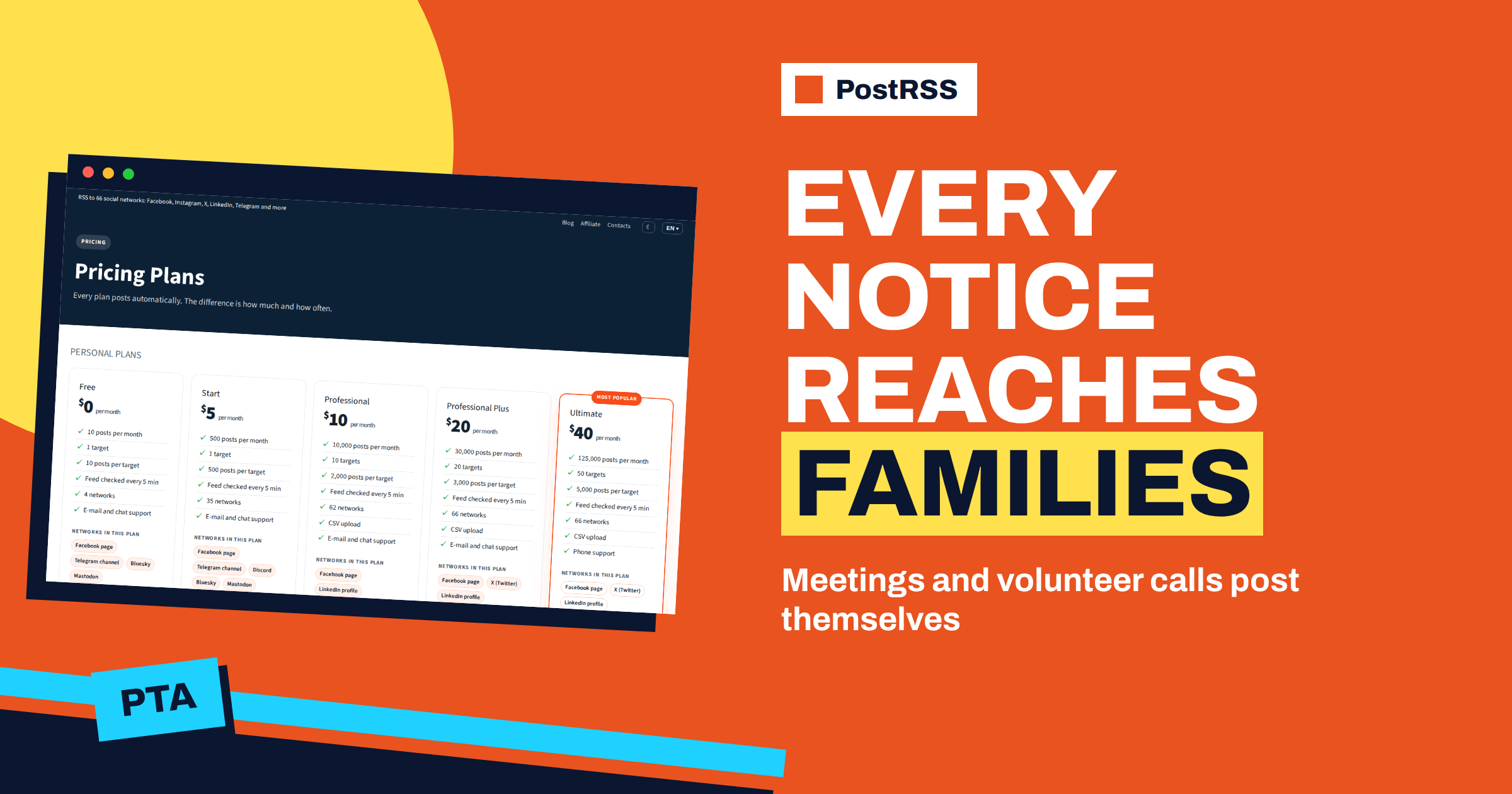
The pricing page shows which networks each plan includes. The Free plan has one target, which is often enough for an association that wants only a Facebook Page, and a plan with more targets suits one that also keeps a channel.
The first lines of an entry become the post. PostRSS can build the post from the item title, the item description, the page title or your own fixed text, in nine combinations. A fixed label such as PTA news at the start of every post helps families recognise the source among all the other messages. In the first lines say what a parent needs: what, when, where, and what to do. Put the date and the place before the explanation, and keep the rest on the page. Many parents read on a phone while standing at the school gate, so the first two lines have to carry the point.
A children’s community requires extra care. Do not publish names of children, and do not post photographs in which children can be recognised unless parents have given clear permission and the school policy allows it. Prefer pictures of the stall, the cakes, the decorations or the volunteers, with the consent of the adults. Do not publish home addresses, personal phone numbers or the movements of individual families. PostRSS posts exactly what the feed entry contains, so the decision about what to include is made once, when the entry is written. A short house rule that the team keeps next to the template for new entries is the best protection, and a second volunteer reading each entry before it goes live is a good habit.
Families respond to notices at predictable times: early morning, in the lunch break or in the evening after dinner. A good rhythm for an event looks like this: the announcement three weeks before on a weekday evening, the call for volunteers a week later, a reminder on the Monday of the event week and a last call on the day before. PostRSS lets you post at exact times on chosen days in your time zone, and it also offers posting windows, both on paid plans. Create one source for each kind of entry so that each kind has its own slot. The article on exact times, windows and intervals describes the options.
A source can have an include filter, an exclude filter or both. Filters search the title, the description and the categories, ignore capital letters and match parts of words, and an exclude word always wins over an include word. Items that a filter removes are not posted and do not count against your monthly allowance.
A typical split: the Page receives all news. A Telegram channel for volunteers receives only the entries with the volunteers category. A channel for the youngest classes receives only the entries tagged with that level. Internal items, such as the draft agenda for a committee meeting, can be excluded from every public source with an exclude word in the title. The guide to include and exclude keyword filters explains the matching rules in detail.
The hardest notice for an association is the call for helpers. People are willing, but they need to know exactly what is asked: how many people, which task, what time and for how long. A good call is specific and small. Ten volunteers for two hours on Saturday morning is easier to say yes to than a general request for help. Write the call as its own entry with a link to a simple sign-up page, and publish a short thank-you entry after the event that names the roles, not the individuals. People who feel thanked are more likely to volunteer again, and a feed that posts thank-you notes regularly makes the association look warm and organised.
Parents like to know where the money goes. After each fundraiser, publish a short entry with the total raised and the purpose it will serve, such as new books for the library or a trip for a class. Keep the numbers in the entry accurate and the tone modest. Because each report is a feed entry, it travels to all of the channels with the same effort as an announcement, and over the year the association builds a visible record of its work. If the association handles payments, keep the payment details and the rules on the page itself, not in the post.
On networks where hashtags make sense, PostRSS can add your own fixed hashtags and can turn the categories of the item into hashtags. For an association, the name of the school and the word PTA are enough, and the categories add the event type. On Facebook and LinkedIn at most five hashtags in total are used, with yours first. Hashtags are not added on chat tools such as Discord. The article on automatic, custom and random hashtags explains the options.
| Target | Filter | Timing | Purpose |
|---|---|---|---|
| Facebook Page | All public news | Weekday evenings | All families |
| Telegram channel, volunteers | Volunteers | Weekday mornings | Helpers |
| Telegram channel, events | Events and fundraising | Week before each event | Planning ahead |
Three weeks before the autumn fair the secretary writes four short entries: the announcement, the call for ten volunteers, the reminder and the last call, and sets the dates. The announcement goes out on a Tuesday evening to the Page and the events channel. The call for volunteers goes to the helper channel the next morning with a link to a sign-up page. A week later the reminder follows, and on the day before the fair the last call and the practical details. After the fair the treasurer writes the report and the chair writes the thank-you. The association wrote six entries and never copied the same message into a channel by hand.
Associations lose their knowledge every time a chair or a secretary leaves. A feed helps, because the work is visible on the website and the structure is simple. Write a short handover note for the next volunteer: where the entries are written, which categories exist, which sources use which filters and how to read the report in PostRSS. The reports show which items were sent and which were skipped, so a new volunteer can check on the first day that everything works. The guide to reports and item statuses explains what each status means.
For a parent-teacher association, PostRSS turns each notice on the website into a timely post: meeting, call for helpers, reminder and thank-you, routed by category to the families who need it. Write each notice as its own entry, protect the children, use exact times and keep a short handover note. The options are on the features page, and the plans are on the pricing page.
Yes, as two separate feed entries. PostRSS posts each item once, and on paid plans you can choose the day and hour for each source.
Yes. Give the entries a volunteers category and create a source for the helper channel with an include filter for that word.
No. PostRSS posts to Facebook Pages only, because Meta closed the interface for groups in 2024. Share the Page post into the group by hand if the group allows it.
Add an exclude word to the title of internal items and set it as an exclude filter on the public sources. An exclude word always wins over an include word.
The Free plan lets you test one target, such as a Facebook Page. For a Page and two channels you need at least three targets, which starts with Professional.
What changed in the networks, what broke, and how to fix it before it costs you reach.
Realizzati da Internet Solutions, il team dietro PostRSS. Ognuno ti fa risparmiare tempo in modo diverso.
 English
 Lietuviškai
 Deutsch
 Français
 Русский
 Español
 Polski
 Italiano
 Українська
 Čeština
 Português
 日本語
 Latviešu valoda
 Eesti
 Magyar
 Bahasa Indonesia
 Türkçe
 हिन्दी
 Ελληνικά
 العربية
 ไทย
 Tiếng Việt
 Română
 Bahasa Melayu
 বাংলা