Diperbarui: 2026-08-20
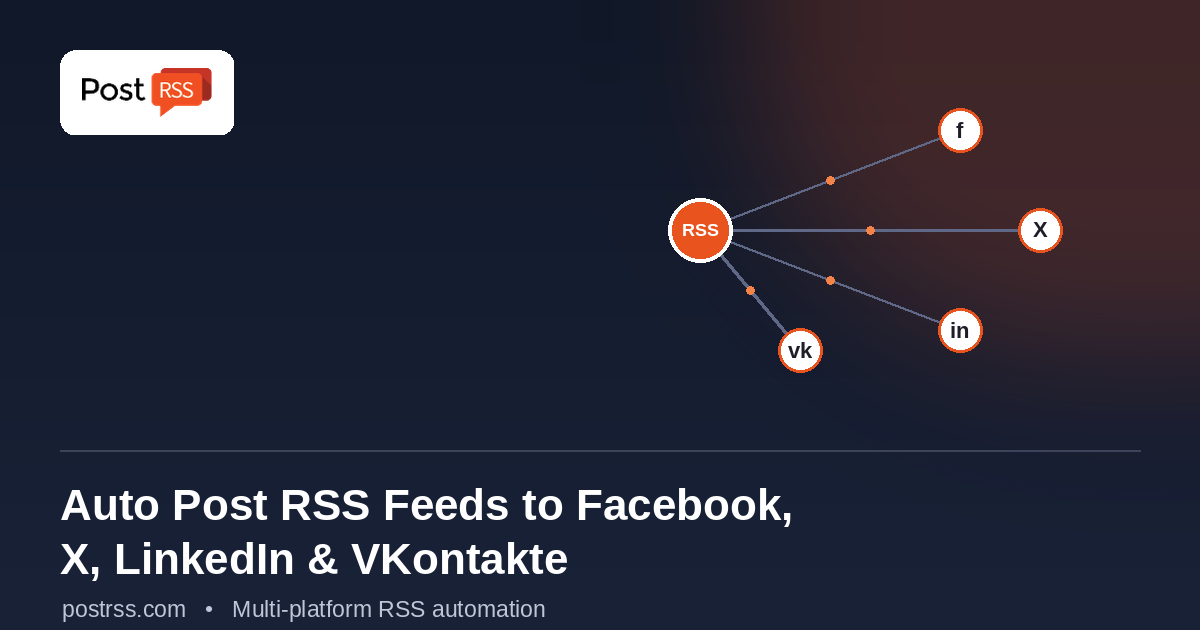
If you publish content on a website — a blog, a news site, an e-commerce store, or a company page — chances are you're also expected to share that content across several social platforms. Doing it manually, post by post, platform by platform, is one of the most time-consuming and easiest-to-neglect parts of running an online presence. PostRSS solves this by connecting directly to your site's RSS or Atom feed and automatically publishing new content to Facebook, X (formerly Twitter), LinkedIn, VKontakte and the rest of its 66 supported networks the moment it goes live.
If you want the setup rather than the background, see our RSS to Twitter page.
This guide walks through exactly how that works, what each platform integration looks like in practice, and how to set it up.
Every time you publish a new post on a WordPress site, an e-commerce platform, or most modern CMS tools, an RSS (or Atom) feed updates automatically in the background — no extra work required on your part. That feed already contains everything a social post needs: the title, a summary or excerpt, the link, and often a featured image.
PostRSS treats that feed as a live trigger. Instead of you manually detecting "oh, I just published something new" and going platform by platform to share it, PostRSS's automation monitors the feed continuously and reacts the moment new content appears.
PostRSS posts automatically to Facebook Pages. (Facebook Groups are no longer possible for any third-party tool — Meta closed the Groups API in April 2024.) New posts appear as clean link previews — pulling your article's headline, image, and summary directly from your feed, rather than a bare URL. This keeps your Page looking actively managed without you logging in daily.
For X, PostRSS formats each new post to fit the platform's fast-moving, high-frequency style — pairing your headline and link in a way suited to real-time discovery and search trends. This is especially useful for time-sensitive content like news, announcements, or product updates where being early to post matters.
LinkedIn automation through PostRSS supports personal profiles, company pages, and groups. This is particularly valuable for B2B content — case studies, industry commentary, or thought-leadership posts — where consistent visibility on LinkedIn helps build professional authority over time without manual, repetitive sharing.
For audiences and markets where VKontakte remains a primary social platform, PostRSS auto-posts directly to VK walls and pages, extending your content's reach into regions where other Western platforms may have less traction.
We keep the step-by-step version on the auto-post RSS to VK page.
A common concern with any auto-posting tool is that the output looks obviously automated — a bare link with no context, an ugly thumbnail, or oddly truncated text. PostRSS is built to avoid that:
Automation doesn't mean giving up control over your posting behavior. PostRSS gives you several configuration options:
yoursite.com/feed for WordPress sites.Not every plan supports every platform out of the box. As a general guide:
If you're planning to auto-post across all four platforms covered in this guide, it's worth checking PostRSS's current pricing page to confirm which tier includes the specific combination you need.
Will posting to four platforms at once feel repetitive to my audience? Not usually — most people follow you on only one or two of these platforms, not all four. Cross-posting means each audience segment sees your content on the platform they actually use.
What if a platform's API changes or a post fails to publish? PostRSS's integrations are maintained to keep pace with platform changes, but it's worth periodically checking your dashboard to confirm all connected accounts remain authorized and active.
Can I exclude certain posts from being auto-shared? Depending on your feed setup (for example, using specific categories or tags), you can scope which content flows into your automated feed versus what stays web-only.
Manually cross-posting to four different platforms every time you publish something is a habit that rarely survives contact with a busy week. Automating it with PostRSS means your content reaches audiences on Facebook, X, LinkedIn, VKontakte and every other network you connect, consistently — without that consistency depending on you remembering to do it.
👉 Connect your RSS feed and start auto-posting with PostRSS today.
Many site owners default to a native WordPress plugin for social syndication. Plugins can work, but the trade-offs are worth knowing:
Because the feed is read externally rather than executed on your server, none of those apply. The same setup also works on any platform that produces a feed — not only WordPress.
Three things separate automation that looks deliberate from automation that looks automated:
Not necessarily, but two tools posting to the same accounts will produce duplicates. Disable one before activating the other for the same platform.
No. The feed is read externally rather than by code running on your server, so there is no additional load on your installation.
Any platform producing a standard RSS or Atom feed works identically. The setup does not depend on what the site is built on.
No. Meta closed the Groups API in April 2024, so no third-party tool can publish to Groups. Facebook Pages are unaffected.
Coverage differs by plan — X, for example, is available from the Ultimate plan upwards. The pricing page lists the networks included with each.
It is logged and retried where retrying makes sense. Reading that log occasionally is the only way to notice a token that has expired.
What changed in the networks, what broke, and how to fix it before it costs you reach.
Dibuat oleh Internet Solutions, tim di balik PostRSS. Masing-masing menghemat waktu Anda dengan caranya sendiri.
 English
 Lietuviškai
 Deutsch
 Français
 Русский
 Español
 Polski
 Italiano
 Українська
 Čeština
 Português
 日本語
日本語 Latviešu valoda
 Eesti
Eesti Magyar
 Bahasa Indonesia
 Türkçe
 हिन्दी
 Ελληνικά
 العربية
 ไทย
ไทย Tiếng Việt
 Română
 Bahasa Melayu
 বাংলা
বাংলা
