 English
 Lietuviškai
 Deutsch
 Français
 Русский
 Español
 Polski
 Italiano
 Українська
 Čeština
 Português
 日本語
日本語 Latviešu valoda
 Eesti
Eesti Magyar
 Bahasa Indonesia
 Türkçe
 हिन्दी
 Ελληνικά
 العربية
 ไทย
ไทย Tiếng Việt
 Română
 Bahasa Melayu
 বাংলা
বাংলা
Updated: September 23, 2026
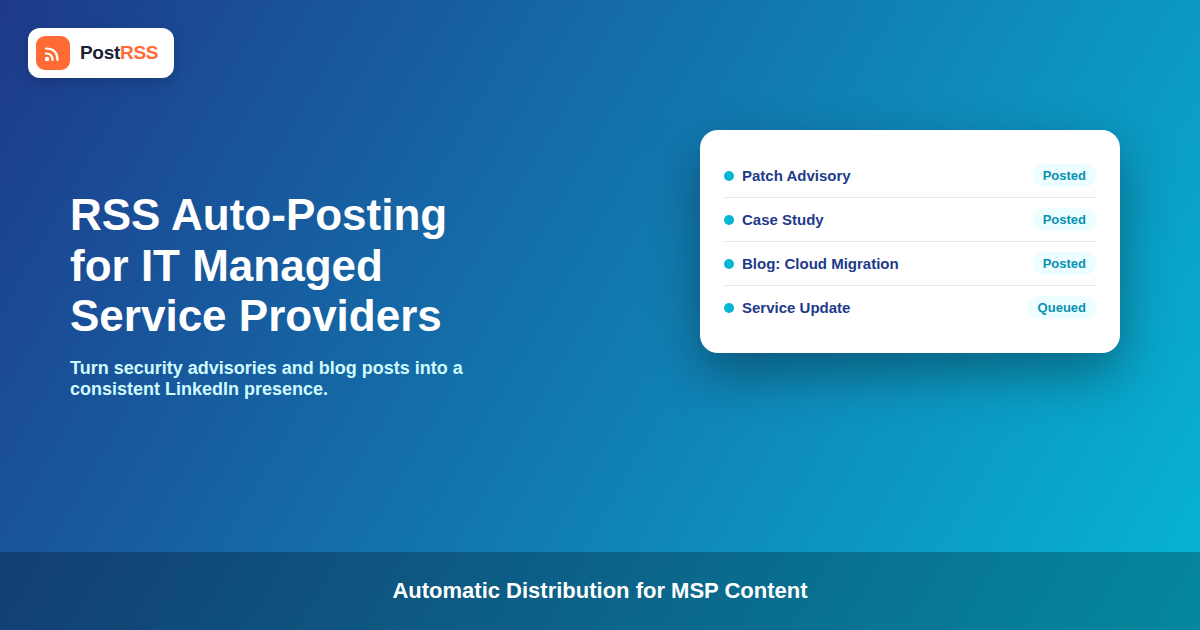
Managed service providers live on trust and visibility. Prospective clients want to see that an MSP is actively patching, actively writing about security, and actively present where B2B buyers do research — but the people running an MSP’s technical operations rarely have spare hours to manually post to social media every time they publish a blog post, a security advisory, or a case study. RSS automation closes that gap by turning your existing content feed into a steady stream of properly formatted social posts without adding a task to anyone’s daily checklist.
This guide covers how MSPs and IT service companies can use PostRSS to keep LinkedIn, X, and Facebook consistently updated with content they’re already producing, without hiring a dedicated social media person or asking an engineer to do it between tickets.
Why MSPs Struggle With Consistent Social Posting
MSPs are unusual among B2B service businesses in how much of their actual output is documentation-shaped: knowledge base articles, security advisories, patch notes, case studies, and blog posts explaining a technology shift clients should know about. That’s genuinely useful content for social media — it demonstrates expertise, which is exactly what prospective clients are evaluating when they’re choosing between MSPs. The problem is that the people producing this content are technical staff, not marketers, and posting to four different social networks with the right formatting for each one isn’t a good use of an engineer’s time, nor is it usually anyone’s full-time job at a small or mid-sized MSP.
The result is a common pattern: a strong knowledge base and blog that barely gets shared anywhere, while the MSP’s social presence goes quiet for weeks between the rare occasions someone remembers to post manually.
What to Auto-Post From an MSP’s Content
- Blog posts and technical explainers: Any content already written for your site’s blog is immediately reusable as a LinkedIn or X post the moment it publishes, with no additional writing required.
- Security advisories and patch notices: If your site publishes advisories as blog posts or a dedicated feed, auto-posting them keeps clients and prospects aware you’re actively monitoring and responding to threats — a genuine trust signal in this industry.
- Case studies and client wins (with permission): Case study pages published to your site’s feed become steady proof points on LinkedIn, where B2B buyers actually spend research time before a sales call.
- Service and partnership announcements: New certifications, vendor partnerships, or service line launches are the kind of update that’s easy to forget to promote manually but works well as a scheduled, automatic post.
Platform Priorities for MSPs
Not every platform deserves equal weight for an MSP’s audience. LinkedIn is generally where the highest-value B2B decision-makers actually spend research time, making it worth the most template attention — longer captions, professional framing, and consistent posting cadence. X tends to work well for shorter status-style updates, particularly anything time-sensitive like a security advisory. Facebook can still matter for local visibility if an MSP serves a specific geographic market, and Pinterest is rarely relevant for this audience unless the content itself is highly visual, which most MSP content isn’t.
Compliance and Confidentiality Considerations
MSPs handle sensitive information about client environments, which makes it worth being deliberate about what actually lives in the public-facing feed that gets auto-posted. A few practical guardrails:
- Keep client-identifying details out of security advisories and incident-related content unless a client has explicitly agreed to be named, and make sure whoever manages the feed understands that anything published there gets distributed automatically and immediately.
- Case studies should go through the same approval process they’d go through for any other marketing channel before they’re added to the feed that triggers auto-posting — automation doesn’t change who needs to sign off on client-facing content, it just removes the manual step of sharing it afterward.
- If your site publishes both public marketing content and anything semi-technical meant for a narrower audience, consider whether a single feed or a filtered, category-specific feed makes more sense for what actually gets pushed to public social accounts.
A Practical Setup Example
Consider an MSP with fifteen employees, no dedicated marketing hire, and a blog that publishes roughly twice a month covering security topics, plus occasional case studies. Connecting that blog’s feed to PostRSS with LinkedIn and X templates configured takes a single setup session. From that point forward, every new post appears on both platforms automatically, with LinkedIn’s caption written to lead with the practical takeaway for an IT decision-maker, and X’s version condensed to fit its shorter format. For the configuration details, our RSS to LinkedIn page covers them in full.
The compounding effect matters here: an MSP that posts consistently for a year, purely because the mechanism runs without anyone remembering to do it manually, ends up with a materially stronger LinkedIn presence than one that posts in occasional bursts whenever someone has spare time — even if the second MSP occasionally produces flashier individual posts.
Scaling From Solo IT Consultant to Multi-Client MSP
The way RSS automation gets used tends to shift as an MSP grows. A solo consultant or a two-person shop typically has one blog and one set of social accounts, so the setup is as simple as connecting a single feed to LinkedIn and X. As an MSP scales into a larger operation with multiple service lines — managed security, cloud migration, help desk support — the content itself often becomes more varied, and it can be worth separating category-specific feeds so that, for example, security-focused content gets its own posting cadence distinct from general company news.
For MSPs that manage marketing across multiple brands, such as an umbrella company operating several regional IT service brands under one roof, the same automation approach scales by connecting each brand’s own feed separately, so each maintains its own consistent posting cadence without one person manually juggling multiple sets of social accounts.
Measuring Whether Auto-Posting Is Actually Helping
Because RSS automation runs in the background, it’s easy to set it up once and never check whether it’s producing any measurable benefit. A simple way to track this is watching LinkedIn follower growth and engagement on your company page over the months following setup, compared to the sporadic posting pattern before automation started. Most MSPs won’t see dramatic overnight change, but a steady upward trend in profile visits and follower count over several months is a reasonable sign that consistent presence is doing its job — building familiarity with an audience that may not become a client for months after first noticing your content.
It’s also worth periodically reviewing which posts get the most engagement once you have a few months of automated posting history. If security advisories consistently outperform general company news, for example, that’s useful information for deciding where to invest more content-writing effort going forward, even though the distribution mechanism itself doesn’t need to change.
Common Mistakes MSPs Make When Setting This Up
- Connecting an internal or staging feed by accident: Double-check that the feed you connect is your live, public blog rather than a staging environment or an internal knowledge base not meant for public distribution.
- Using identical captions across every platform: A caption written for LinkedIn’s professional tone often reads oddly if copied verbatim to X. Taking a few extra minutes to write platform-appropriate templates pays off in how the content is received.
- Forgetting to review the feed after a site redesign: If your website or CMS changes, confirm the RSS feed URL and its content structure haven’t changed in a way that breaks the automation, since a redesign is a common, easily overlooked cause of auto-posting silently stopping.
Comparison: Manual Posting vs. RSS Automation for MSPs
| Factor | Manual Posting | RSS Automation |
|---|---|---|
| Consistency | Depends on someone remembering | Automatic every time content publishes |
| Time cost per post | Several minutes, per platform | Configured once per platform |
| Who’s responsible | Usually falls on technical staff | No ongoing task once set up |
| Posting during busy periods | Often skipped entirely | Unaffected by staff workload |
| Cross-platform formatting | Manually adjusted each time | Set once per platform template |
Frequently Asked Questions
Do I need a marketing person to set up RSS automation for an MSP?
No. Setting up a feed connection and platform templates is a one-time configuration task that doesn’t require ongoing marketing staff to maintain. Many MSPs set this up as part of general IT operations rather than treating it as a marketing project.
Should security advisories be auto-posted immediately, or is there a delay risk?
Auto-posting typically happens shortly after publication, similar to any other blog content. If timing sensitivity matters for a specific advisory, publishing it to your site when you’re ready for it to go public is the right control point, since the feed reflects your site’s publish time.
Can I control which blog categories get auto-posted?
RSS automation tools generally support filtering by category or feed, so you can separate public marketing content from anything meant for a narrower or internal audience, and only connect the feed you actually want distributed publicly.
Is LinkedIn really worth more setup effort than other platforms for an MSP?
For most MSPs targeting B2B clients, yes — LinkedIn is where IT decision-makers are most likely to encounter and evaluate your content during a buying process, making it worth more attention in your caption templates than platforms with less relevant B2B reach.
What happens if a case study gets auto-posted before a client approves it?
That’s a process issue rather than a tool issue — only add case studies to the feed that triggers auto-posting after they’ve cleared whatever approval process your MSP already uses for client-facing content, the same as you would before manually sharing it anywhere else.
Can auto-posting work alongside occasional manual posts for time-sensitive announcements?
Yes. Most MSPs use automation for their regular content cadence while still manually posting anything urgent or unusually time-sensitive that shouldn’t wait for the normal publishing flow.
How long before an MSP sees a real benefit from consistent auto-posting?
Most MSPs report the benefit showing up gradually over several months rather than immediately — a steadier LinkedIn presence tends to build familiarity with prospects who are researching options long before they’re ready to talk to a sales team, so the payoff is cumulative rather than tied to any single post.
Do multi-location or franchise-style MSPs need separate automation for each branch?
It depends on whether each location maintains its own separate blog and social accounts or shares a single company-wide presence. If each location publishes its own local content, connecting each location’s feed separately preserves that local relevance rather than merging everything into one generic company feed.
Fitting Automation Into an Already Busy IT Operation
The reason this matters specifically for MSPs, more than for many other B2B service categories, is that the people best positioned to write credible technical content are also the people with the least spare time for repetitive marketing tasks. An engineer who just finished writing a clear explanation of a new vulnerability shouldn’t also need to manually reformat and post that explanation to three different social networks before moving on to the next ticket. Removing that last step is what makes it realistic for technical content to actually reach an audience consistently, rather than being written once and left to sit on the blog with no distribution at all. Treating distribution as infrastructure, configured once and left to run, keeps the marketing side of the business moving even during the weeks when everyone’s attention is fully consumed by client work.
The Bottom Line
MSPs already produce the kind of content that builds trust with prospective clients — security advisories, technical explainers, case studies — but that content only helps if it actually reaches an audience. RSS automation turns your existing publishing habits into a consistent social presence without adding a task to any technical staff member’s plate, which matters most for smaller MSPs without a dedicated marketing hire.
See PostRSS pricing and connect your blog’s feed to start building a consistent LinkedIn and X presence automatically.