WordPress Post RSS Feed Website

This tag covers turning a WordPress site's RSS feed into an automated, multi-channel publishing pipeline through PostRSS, covering the full path from feed URL to live social posts. WordPress generates a default RSS feed automatically at /feed/ for every site, and PostRSS connects to that native feed directly, so no additional on-server plugin is needed and the site's own performance is unaffected. Because PostRSS runs its feed checks in the cloud rather than on the WordPress server itself, it avoids the resource drain that some self-hosted auto-posting plugins introduce during high-traffic periods. PostRSS can be pointed at a category-specific or tag-specific WordPress feed URL rather than the site-wide feed, which allows automating posting for only certain types of content. Articles here walk through the complete process end to end, useful as a single reference rather than jumping between several narrower tags. This tag overlaps significantly with wordpress-autoposter and wordpress-blog-rss-feed.
Auto Post WordPress and Blog RSS Feed to Facebook, X, LinkedIn, and VKontakte
Mis à jour le : 2026-08-30

Updated: 2026-08-20 If you run a WordPress website or a professional blog, consistently promoting your new content on s...

En savoir plus »
Post Your RSS Feeds Easier and Faster Than Ever
Mis à jour le : 2026-08-30

Updated: 2026-08-20 Managing multiple social media accounts while regularly publishing fresh content on your website ca...

En savoir plus »
How to Connect Official PostRSS Apps to Securely Auto-Post to Major Social Networks
Mis à jour le : 2026-08-30

In the world of social media automation, security and ease of use are paramount. To broadcast your website’s RSS or Atom ...

En savoir plus »
Which PostRSS Plan Supports Which Platform? A Clear 2026 Breakdown
Mis à jour le : 2026-08-30

Updated: 2026-08-20 This post originally announced, back in December 2016, that PostRSS's Start and Professional pl...

En savoir plus »
How to Automate Your Social Media Traffic and Grow Your Website Audience
Mis à jour le : 2026-08-30

Updated: 2026-08-20 Every website owner, blogger, and e-commerce business shares a common ultimate goal: driving consis...

En savoir plus »

How to Increase Your Sales Automatically Using E-Commerce RSS Syndication
Mis à jour le : 2026-08-30

Updated: 2026-08-20 For e-commerce store owners, digital marketers, and product creators, driving consistent revenue is...

En savoir plus »
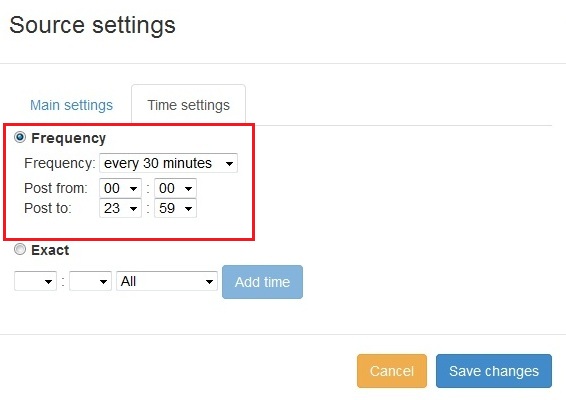
Nouvelle fonctionnalité ajoutée à PostRSS : sélection avancée de l'heure de publication
Mis à jour le : 11-11-2015

  New feature added to PostRSS Advanced posting time selection. No source from Advanced time settings Possible to add i...

En savoir plus »

Comment synchroniser votre compte social avec les applications PostRSS ?
Mis à jour le : 03-11-2015

We receiving many questions: How to synchronize social my accounts? I am don't see my Facebook page in listings? How po...

En savoir plus »
PostRSS Plans for Every Size: From Solo Start to Enterprise 5000
Mis à jour le : 2026-08-30

Updated: 2026-08-20 This post originally announced two additions to PostRSS's pricing lineup back in June 2015: a S...

En savoir plus »
Automate Your Pinterest Marketing: How to Turn Visual Content into Continuous Web Traffic
Mis à jour le : 2026-08-30

Updated: 2026-08-20 Pinterest is not just another social network; it is a powerful visual search engine. For e-commerce...

En savoir plus »
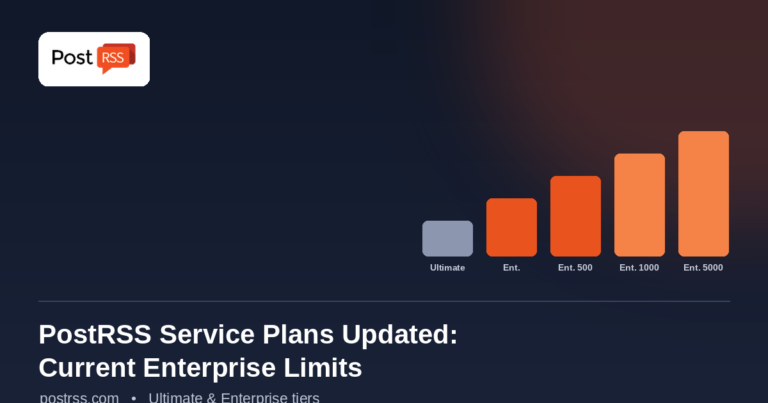
PostRSS Enterprise & Ultimate Plans (2026 Update)
Mis à jour le : 2026-08-30

Updated: 2026-08-20 This post originally announced a May 2015 increase to Ultimate and Enterprise plan task limits. Those nu...

En savoir plus »
Menu
x
PostRSS - Plateforme d'automatisation de flux RSS et outil d'auto-publication
Aperçu de la confidentialité

Ce site utilise des cookies afin de vous fournir la meilleure expérience utilisateur possible. Les informations relatives aux cookies sont stockées dans votre navigateur et permettent, entre autres, de vous reconnaître lors de votre retour sur notre site et d'aider notre équipe à comprendre quelles sections du site vous trouvez les plus intéressantes et utiles.