RSS vers 66 réseaux sociaux : Facebook, Instagram, X, LinkedIn, Telegram et plus Blog Affiliation Contacts
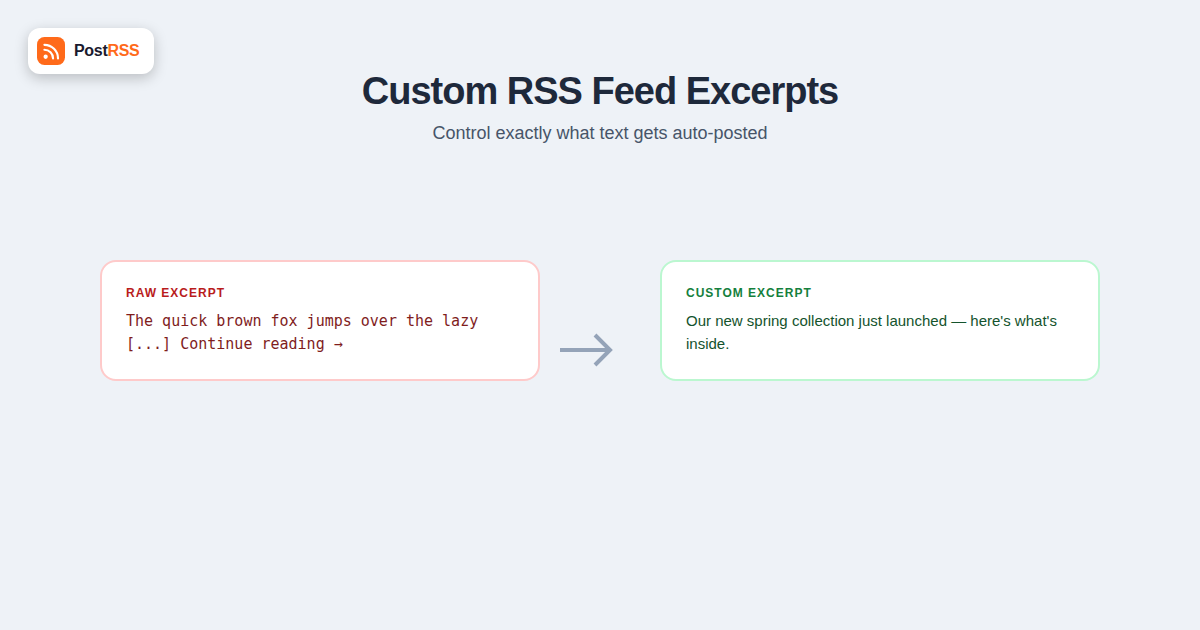
“The quick brown fox jumps over […]” is not a caption anyone meant to publish. Neither is a post that stops mid-sentence, or one that opens with “By Sarah Chen | Filed under: Uncategorized” before it gets to the point. These are the default outputs of a feed excerpt nobody configured, and they show up everywhere a feed touches — the same broken snippet on Facebook, X, LinkedIn, and Pinterest at once, because every auto-posting tool pulled from the same source field. The fix isn’t a per-platform workaround. It’s fixing the excerpt at the source, in the feed itself, so every downstream post inherits clean text automatically.
An RSS or Atom feed doesn’t send one blob of text per item — it sends up to two distinct fields, and most site owners don’t realize they have control over either one. In RSS 2.0, the relevant fields are <description> and, when present, <content:encoded> (from the Content Module namespace). The <description> element was specified as a short item synopsis — a summary, not the full article. <content:encoded> is where the complete HTML body lives, images, formatting, embedded shortcodes, and all. Atom draws the same line with <summary> et <content>: summary is meant to be brief, content is the whole entry.
The spec distinction matters because auto-posting software has to choose which field to read, and different tools choose differently. Some prioritize the summary/description field for caption text and only fall back to a truncated slice of the full content when no summary exists. Others default to full content and truncate it themselves, which is how you end up with captions that stop on a random word because the tool cut the HTML string at a fixed character count without checking for a sentence boundary. Neither behavior is a bug — it’s a reasonable default reacting to whatever the feed provides. Which means the real point of control isn’t the posting tool. It’s the feed. If the description field going out over RSS is already clean, short, and complete, it doesn’t matter which field a given platform tool prefers or how aggressively it truncates, because there’s nothing sloppy left to truncate.
Because a large share of sites running RSS auto-posting workflows are built on WordPress, it’s worth being specific about where that description field actually comes from. Every WordPress post has an Excerpt field in the editor sidebar (sometimes hidden behind “Options” in the block editor until you enable it). If you fill that field in, WordPress uses your text, verbatim, as the item’s feed description. If you leave it blank, WordPress doesn’t leave the field empty — it auto-generates an excerpt by stripping HTML and shortcodes from the post content and truncating at roughly 55 words, cutting wherever that word count lands, mid-sentence, mid-clause, wherever. That auto-generated version is what most feed readers and most auto-posting tools were seeing before anyone ever looked at the Excerpt box.
This makes the Excerpt field the single most direct lever for controlling what gets posted, and it requires no code. Writing two or three deliberate sentences there, instead of leaving WordPress to guess where the 55th word falls, is the difference between a caption written for social media and one that reads like an accident of string truncation. Some SEO plugins complicate the picture: Yoast SEO and All in One SEO both let you set a custom meta description per post, separate from the excerpt, intended for search snippets. Depending on plugin version, theme, and how the feed template is built, that meta description sometimes gets pulled into the feed output instead of (or alongside) the manual excerpt — worth checking directly in your feed’s raw XML rather than assuming. Theme functions and feed-related plugins can also inject content into the description field that has nothing to do with either box: read-more prompts, author bio blocks, category tag lists. If your posted captions contain text you never typed anywhere in the post editor, that’s usually where it’s coming from.
| Default / Auto-Generated Excerpt | Custom-Written Excerpt |
|---|---|
| Cuts off at a fixed word count (WordPress: ~55 words), often mid-sentence | Ends wherever you decide the thought is complete |
| No control over which sentence or detail leads | Front-loads the specific detail you want readers to see first |
| May include boilerplate injected by theme or plugin filters | Contains only the words you deliberately wrote |
| Generic phrasing carried over from the article’s opening lines, not written with a caption in mind | Can be written with keywords and a hook aimed at the social audience specifically |
| Click-through appeal is incidental, whatever the first paragraph happened to say | Click-through appeal is deliberate — the excerpt can pose a question or tease a payoff |
Most broken auto-posted captions trace back to one of a handful of causes, and diagnosing which one you’re dealing with is mostly a matter of viewing your feed’s raw output and reading the description field the way a bot would. A quick check: open your feed URL directly in a browser (append /feed/ to a WordPress URL) and look at what’s actually inside the <description> tags for a recent item, rather than trusting how the post looks on your site.
| Problem | Likely Cause | Fix |
|---|---|---|
| Caption cuts off mid-word or mid-sentence | Excerpt field left blank; WordPress’s 55-word auto-truncation, or the posting tool’s own character-limit truncation, cut at a fixed length with no regard for sentence boundaries | Write a manual excerpt short enough that no automatic truncation ever has to touch it |
| Caption includes “Continue reading…”, author byline, or a related-posts list | A theme filter or feed-related plugin is appending that text to the_excerpt() or the_content() before it reaches the feed | Check theme functions.php and active plugins for feed filters; remove or disable the injection, or override with a manual excerpt that supersedes it |
| Raw HTML tags visible in the posted text (e.g. <strong>, <a href…>) | Content field is being used instead of a plain-text summary, and the posting tool isn’t stripping markup before displaying it | Ensure the excerpt field itself is plain text with no HTML, since a clean summary field sidesteps the stripping problem entirely |
| Shortcodes like or appear as literal text | Shortcode wasn’t rendered because it lives in post content that’s being excerpted directly, and shortcode processing wasn’t applied before the feed pulled the text | Never let raw content stand in for the excerpt in a post that uses shortcodes; write a manual excerpt that doesn’t reference the shortcode content at all |
| Excerpt is technically complete but generic or uninformative | WordPress auto-generated it from whatever the post’s first sentence happened to be, which was written to open an article, not to stand alone as a caption | Write the excerpt as its own sentence, not as a copy of the article’s opening line |
The HTML-leaking issue is really a symptom of using the wrong field rather than a bug in any single tool. When a feed’s description field is populated with a stripped, plain-text summary — which is what the RSS description element was designed for — there’s no markup to leak in the first place. The problem shows up when a site, often through a caching layer or a theme override, starts feeding raw post content, tags and all, into that field. This is worth checking under a site’s technical SEO housekeeping, since a feed with markup bleeding into its description field is usually also serving malformed excerpts to search engines and feed readers, not just to whatever social account is watching it.
Once you’ve confirmed the excerpt field is the one actually feeding your social captions, writing a good one is a small, repeatable exercise. A few concrete rules make the difference between an excerpt that reads like a caption and one that reads like an accidentally truncated paragraph:
Applying that to an example: instead of the WordPress fragment “Our team spent the last three months redesigning the checkout flow based on feedback from hundreds of customers who told us that the old process was confusing and took too many […]”, a manual excerpt might read: “We rebuilt checkout from scratch — fewer steps, faster load times, no surprise shipping costs at the last screen.” Same post, but the second version was written to stand on its own, with no other context.
There’s a real tension between excerpt length and usefulness. A very short excerpt — a single tight sentence — reads cleanly everywhere and is nearly impossible to truncate awkwardly, but it can strip out context a reader needed to understand why the post matters, especially for anything more nuanced than a product update or an event date. A longer excerpt, closer to a full first paragraph, gives more of that context but runs into two kinds of truncation outside your control: the platform’s own limits and its own UI behavior. X enforces a hard character cap, so anything past it is either rejected or silently cut depending on how the posting tool handles overflow. LinkedIn doesn’t cap the same way, but it collapses long posts behind a “see more” link after the first few lines, burying anything past that fold unless the opening sentence alone justifies the click.
The practical resolution is to write toward the shorter end by default and treat length as a deliberate choice per post rather than a fixed template. A routine update — a new blog post, a small feature tweak — rarely needs more than one sentence. A post that genuinely benefits from more setup, like an announcement with real nuance, can run longer, with the understanding that the first sentence still has to work on its own, since that’s the part every platform shows before any truncation or “see more” kicks in.
Because the excerpt problem is really a feed problem, the most reliable diagnostic is to stop looking at your website and look at the feed XML itself. View the raw feed, find a recent item, and read exactly what sits inside its description or summary tag — no rendering, no CSS, just the text a posting tool would actually receive. If that text is clean, any caption built from it will be clean too, regardless of which platform or tool is reading it. If it’s not, that’s the thing to fix once, at the source, rather than chasing the symptom separately on Facebook, then X, then LinkedIn. This belongs with the rest of a site’s periodic RSS troubleshooting routine, alongside validating that the feed parses correctly and that dates and enclosures are well-formed, since a broken excerpt field is often sitting next to other structural feed issues that never surface until something downstream consumes them.
It’s also worth testing after any theme or plugin update. Feed output is a low-visibility part of most themes — nobody previews it the way they preview the homepage — so a change that alters how the_excerpt() is filtered can quietly start injecting boilerplate, and the first place it shows up is usually in a social caption, not the WordPress admin.
Most do, but not all. A feed generated by WordPress, Ghost, or similar CMS platforms includes a description or summary element by default. A hand-rolled or minimally configured feed might only output full content, in which case there’s no short field to prefer, and a posting tool has to work from a truncated version of the full article body instead.
It can, depending on your theme. Many WordPress themes display the_excerpt() on archive pages, search results, and category listings, so a manually written excerpt often improves those pages too, not just the feed. Some themes only use excerpts in the feed and ignore the field on-site, so check your archive pages after writing one to confirm.
Something between the excerpt field and the feed output is overriding it — commonly a theme filter, an SEO plugin’s meta description taking priority, or a caching layer serving a stale version of the feed. Clear any feed cache and re-check the raw XML to confirm the new text made it into the description tag.
For anything auto-posted to social media, yes, at minimum a quick check. A one-line status update might only need a few seconds of editing to turn WordPress’s auto-generated fragment into a complete sentence, but that’s the difference between a professional-looking post and one that visibly trails off.
Generally not at the feed level — the feed sends one description field, and most auto-posting tools, including PostRSS, use whatever excerpt or summary field your feed provides for every connected platform. Meaningfully different text per platform has to happen through platform-specific settings in the posting tool itself, if it offers that kind of customization.
Not directly — feed excerpts and search meta descriptions are technically separate fields, even though they sometimes get confused or conflated by the same plugin. But a site that has boilerplate leaking into its feed excerpts often has the same underlying issue affecting other auto-generated text fields, so cleaning it up tends to be a reasonable general housekeeping step rather than a wasted one.
An auto-posted caption is only as good as the text your feed hands over, and that text is determined almost entirely by which field your CMS populates and how carefully you’ve written it — not by which social platform receives it or which tool does the posting. Fixing a sloppy excerpt once, at the source, in the Excerpt field of the post itself, propagates that fix to every platform the feed touches, permanently, for every future post that follows the same pattern. It’s a five-minute habit per post rather than a per-platform fire drill, and the single highest-leverage change available to anyone whose auto-posted captions currently read like an accident of word-count truncation instead of something a person meant to publish.
What changed in the networks, what broke, and how to fix it before it costs you reach.
Conçus par Internet Solutions, l'équipe derrière PostRSS. Chaque produit vous fait gagner du temps à sa façon.
 English
 Lietuviškai
 Deutsch
 Français
 Русский
 Español
 Polski
 Italiano
 Українська
 Čeština
 Português
 日本語
日本語 Latviešu valoda
 Eesti
Eesti Magyar
 Bahasa Indonesia
 Türkçe
 हिन्दी
 Ελληνικά
 العربية
 ไทย
ไทย Tiếng Việt
 Română
 Bahasa Melayu
 বাংলা
বাংলা