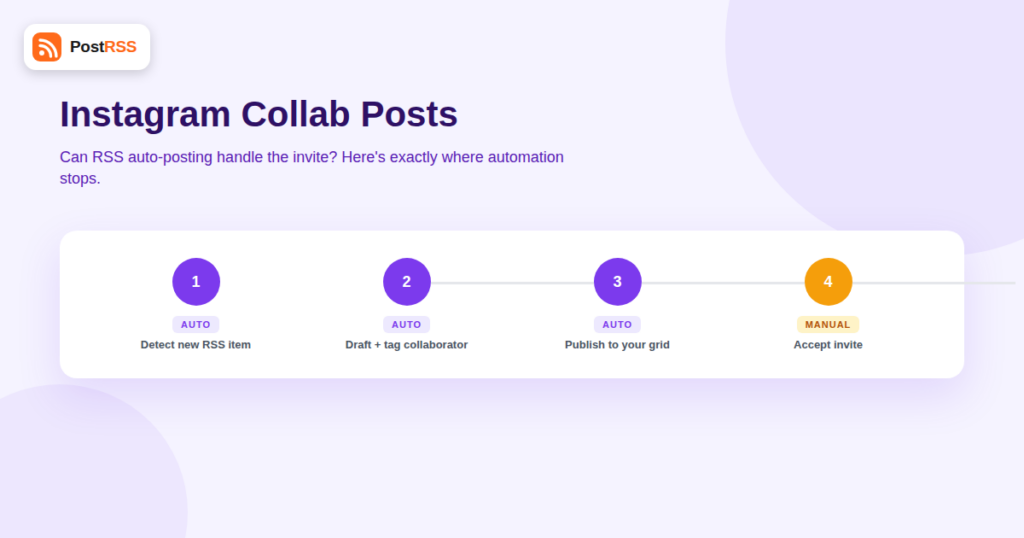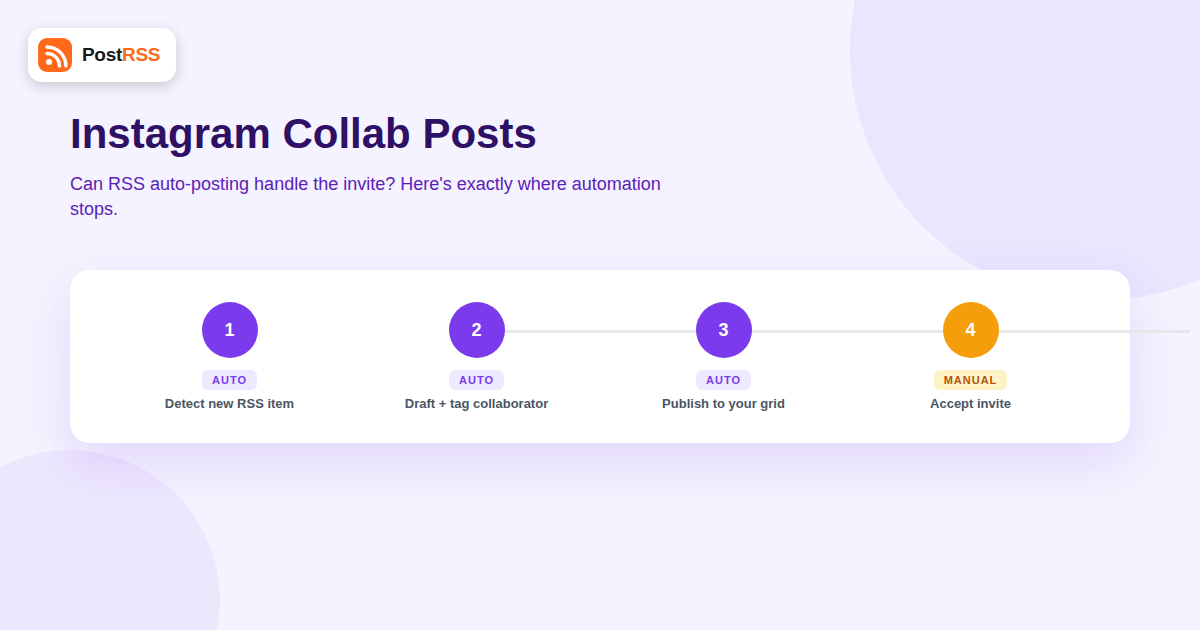
Instagram Collab posts — where two accounts share a single feed post or Reel that appears on both profiles with shared likes and comments — have become a standard tactic for co-branded content, guest features, and partnership announcements. If your business publishes content through an RSS-to-Instagram automation, it’s natural to wonder whether that same pipeline can also handle collab invites automatically. The short answer is no, not the invite part — but there’s more nuance here than a flat yes or no, and understanding exactly where the automation boundary sits will save you from building a workflow around a feature that can’t actually deliver what you expect.
A Collab post lets two Instagram accounts co-author a single feed post, Reel, or carousel. Once published, it shows up natively on both accounts’ grids simultaneously, and engagement — likes, comments, view counts — is combined and shown to both audiences rather than split across two separate posts. It’s a meaningfully different mechanic from simply tagging another account in a caption, because a tagged post still only lives on the original poster’s grid.
The catch is built into the workflow itself: one account creates the post and sends a collaboration invite, and the invited account has to accept that invite before the post becomes a true Collab post visible on both grids. Until it’s accepted, the original poster’s version is just a normal post with a pending tag.
Meta has added collaborator functionality to the Instagram Graph API, and it’s real — but it’s narrower than it sounds. The API allows an app to programmatically add a collaborator tag when creating a media container, which is the same mechanic third-party scheduling tools use to let you draft a Collab post in advance and queue up the intended co-author. What the API does not do is let a third-party tool complete the handshake on the invited account’s behalf. The invited party still has to open Instagram and manually accept the collaboration request before it becomes a live, dual-grid Collab post.
No — and this is true industry-wide, not a limitation specific to any one auto-posting tool. No third-party service, regardless of how sophisticated its API integration is, can force-accept a collaboration invite on another account’s behalf. That acceptance step is a deliberate identity and consent checkpoint Meta built into the feature: it exists specifically so that no one can be added as a “co-author” of content they never agreed to appear on, which is a reasonable safeguard once you consider how collab tags could otherwise be abused for spam or unwanted association.
What this means practically for RSS-based automation: a new item in your feed can trigger a post creation and even pre-fill the intended collaborator, but the loop can’t close itself. A human has to be in the process at the acceptance step, every single time.
| Étape | Automatable via RSS/API | Requires Manual Action |
|---|---|---|
| Detecting new content from your RSS feed | Yes | — |
| Generating the caption and selecting the image | Yes | — |
| Creating the draft post with a collaborator tag attached | Yes, where the tool’s integration supports it | — |
| Publishing the post to your own grid | Yes | — |
| Accepting the invite on the collaborator’s account | No | Yes, always |
| Making the post appear on both grids | No, until accepted | Depends on collaborator’s action |
Given the acceptance step can’t be removed, most businesses that regularly publish co-branded content settle into one of two patterns:
Most brands running high-frequency RSS-based Instagram automation choose the second pattern for their regular content stream, and reserve genuine Collab posts for planned partnership moments — a launch, a co-hosted event, a guest feature — where the extra thirty seconds of manual acceptance is a small price for the doubled reach a real Collab post delivers.
| Format | Appears on Both Grids? | Combined Engagement? | Requires Acceptance? |
|---|---|---|---|
| Collab Post | Yes, once accepted | Yes | Yes |
| Tagged Post (@mention in caption) | No — only in the tagged account’s “Tagged” tab | No | No |
| Manual Repost by the Other Account | Yes, as two separate posts | No — counts are separate | No, but requires the second account to post independently |
This distinction matters when deciding whether a fully automated pipeline is even the right tool for a given piece of content. If the goal is simply to make sure a partner brand’s audience is aware of something, a tagged post that flows entirely through your existing RSS auto-posting setup achieves that without ever touching a manual step. If the goal is specifically to combine reach and engagement into one shared post, a Collab post is the only format that does that — and it’s the one format that structurally cannot skip human involvement.
For businesses that publish partnership content often enough to make the manual acceptance step a real bottleneck, the fix isn’t to keep hunting for a fully automated workaround — it’s to make the handoff itself fast and reliable. A simple pattern that works well in practice:
This doesn’t eliminate the manual step, but it shrinks it down to something closer to a single tap performed within minutes of publishing, which is a very different experience from manually building and posting an entire Collab post by hand.
It’s worth understanding the reasoning, because it explains why no auto-posting tool will ever offer a workaround here, no matter how it markets itself. Allowing any app to unilaterally publish content onto a second account’s grid without that account’s explicit, in-the-moment consent would turn Collab posts into a vector for spam, brand impersonation, and unwanted association — imagine a bad actor programmatically “collaborating” a legitimate brand into low-quality content without anyone at that brand ever approving it. The manual acceptance requirement is Meta’s way of keeping the feature genuinely opt-in on both sides, and it’s consistent with how Meta treats other identity-adjacent actions across its platforms, like accepting a tag or approving a page role.
Some general-purpose browser automation or account-management scripts attempt to simulate a logged-in session and click through the acceptance flow programmatically. This isn’t a supported use of the platform, tends to violate Instagram’s terms of service around automated account activity, and carries real risk of the account being flagged or restricted. It’s not a shortcut worth taking for a feature that only saves a single tap once a day at most.
Agencies running RSS-based social automation across several client accounts hit this limitation more often than solo creators, simply because cross-client and cross-brand collaboration posts come up more frequently in campaign work. The practical solution is the same handoff pattern scaled up: build the acceptance step into whatever project management or client-communication tool the agency already uses, rather than routing it through a personal Slack DM that gets missed during a busy week. Some agencies designate one team member per client relationship specifically responsible for accepting collaboration invites promptly, treating it the same way they’d treat approving a client’s ad spend or signing off on a design proof — a small, recurring task that needs a clear owner rather than being left to whoever happens to notice the notification.
It’s also worth setting expectations with clients up front: if a co-branded Collab post is part of a campaign plan, the timeline should account for the fact that publishing isn’t instantaneous the way a normal RSS-triggered post is. Building in even a one-hour buffer between “content is ready” and “post needs to be live” avoids a scramble if the person responsible for accepting the invite happens to be away from their phone when the automation fires.
Yes, drafting and scheduling a post with a collaborator tag attached is supported by tools with Instagram Collaborator API access. What can’t be scheduled or automated is the collaborator’s acceptance of the invite.
The invite notification is typically sent when the post is actually published with the collaborator tag attached, not when it’s merely drafted inside a third-party tool, since Instagram only becomes aware of the intended collaboration at publish time.
Instagram doesn’t publish a fixed expiration window, but unaccepted invites can sit pending indefinitely. In practice, if you want a Collab post to look timely, the accept step should happen within minutes to hours of publishing, not days later.
It simply remains a normal post on your own grid, tagged with the pending collaborator, but never appears on the invited account’s grid or combines engagement counts.
Yes, Collab functionality works for Reels as well as static feed posts and carousels, and the same acceptance requirement applies regardless of format.
Meta’s broader Collaborator API spans both Instagram and Facebook contexts, and the same principle holds everywhere it’s used: any action that adds another account or Page as a co-author of content requires that account’s explicit, in-the-moment acceptance, which can’t be automated away by a third-party tool no matter how it’s marketed.
Yes, it still saves real time — pre-filling the collaborator tag and caption via automation means the only manual step left is a single tap to accept, rather than building the entire post from scratch by hand every time a partnership piece goes out.
RSS-based automation can carry a Collab post most of the way there: detecting the new content, writing the caption, attaching the collaborator tag, and publishing to your own grid. What it can never do, on any platform or through any tool, is accept the invite on someone else’s behalf — that single human checkpoint is a deliberate, permanent part of how Instagram protects accounts from unwanted co-authorship. Build your workflow around that reality — automate everything up to the invite, and keep a lightweight manual step for the acceptance — rather than waiting for a “fully automated” Collab post that Meta’s own API design makes structurally impossible. Once that expectation is set correctly, the feature becomes a genuinely useful part of an otherwise hands-off content pipeline rather than a source of recurring frustration.
What changed in the networks, what broke, and how to fix it before it costs you reach.