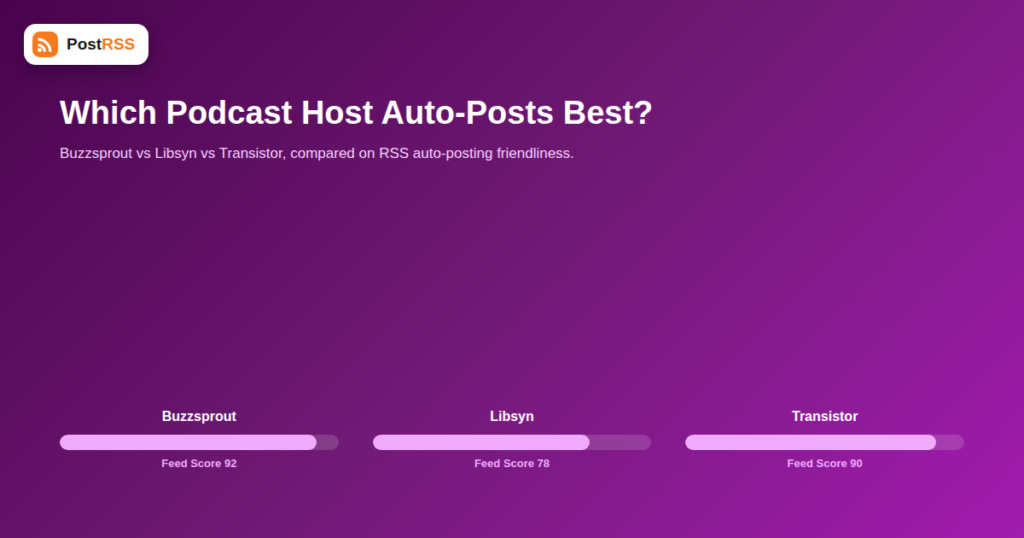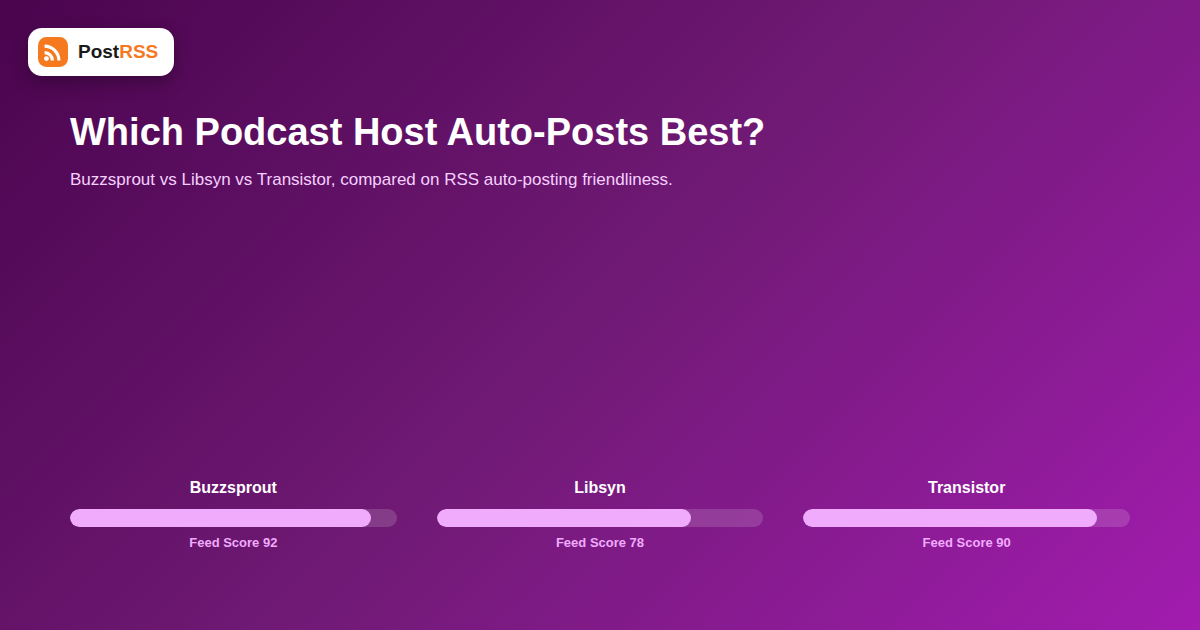
Every major podcast host generates an RSS feed — that part is table stakes, since RSS is literally how podcasts get distributed to Apple Podcasts, Spotify, and every other listening app. What’s less consistent is how clean, complete, and auto-posting-friendly that feed actually is once you point a social automation tool at it. Buzzsprout, Libsyn, and Transistor are three of the most popular hosts for independent and small-team podcasters, and they handle the details that matter for auto-posting differently enough to be worth comparing directly.
This isn’t a general podcast hosting review — it deliberately skips the broader questions of pricing tiers, storage limits, and download analytics that most host comparisons focus on. It’s narrowly about one thing: once you’ve picked a host and want new episodes to show up automatically on your show’s social accounts, which of these three gives you the least friction getting there.
All three of these hosts are reliable, established platforms for the core job of hosting and distributing episodes. The question here is narrower: when a podcast automation tool polls the show’s RSS feed to auto-post new episodes to Facebook, X, or LinkedIn, how much usable information does it actually find — episode title, description, artwork, and a working episode link — versus how much ends up missing, malformed, or hidden behind extra steps?
| Feature | Buzzsprout | Libsyn | Transistor |
|---|---|---|---|
| Feed validates cleanly out of the box | Yes | Mostly, some legacy accounts show quirks | Yes |
| Episode artwork in feed | Yes, per-episode supported | Yes, per-episode supported | Yes, per-episode supported |
| Full show notes in description | Yes | Yes, formatting can carry over oddly | Yes, generally clean HTML |
| Custom domain for feed URL | Available on paid plans | Available on paid plans | Available on paid plans |
| Feed update speed after publishing | Fast | Fast | Fast |
| Multi-show account support | Limited on lower tiers | Supported | Strong, built for multi-show from the start |
Buzzsprout’s feeds are generally simple and well-formed, which is exactly what matters most for reliable auto-posting: consistent title formatting, clean episode descriptions, and per-episode artwork that carries through to social previews without extra configuration. Its magic-mail episode publishing workflow (emailing in an episode) doesn’t affect feed quality, so however an episode gets uploaded, the resulting feed item tends to be reliably parseable.
Libsyn is one of the oldest podcast hosts still operating, and that longevity is a double-edged sword for feed consistency: accounts created years ago sometimes carry legacy feed settings or formatting quirks that newer accounts don’t have, which can occasionally produce oddly formatted show notes when picked up by an auto-poster. Newer Libsyn accounts, and shows that have migrated to its updated publishing tools, generally don’t run into this and produce clean, standard feeds.
Transistor stands out for teams running more than one podcast, since its account structure was designed around multiple shows from the start rather than treating a second show as an afterthought. For RSS auto-posting purposes, this means each show gets its own clean, separate feed URL without workarounds, which matters if you want to route different shows to different social accounts automatically rather than manually sorting them.
Across all three platforms, the same handful of issues account for most auto-posting problems, and none of them are host-specific bugs so much as configuration choices:
| Your Situation | Likely Best Fit |
|---|---|
| Single show, want something simple that just works | Buzzsprout |
| Established show, already invested in a host, feed working fine | Stay put — switching hosts for auto-posting reasons alone rarely pays off |
| Running or planning multiple shows under one account | Transistor |
| Need the most mature analytics and dynamic ad insertion alongside hosting | Libsyn |
Buzzsprout, Libsyn, and Transistor were picked for this comparison because they’re among the most common choices for independent and small-team shows, but the same evaluation approach applies to any host. Spotify for Podcasters (formerly Anchor), Captivate, and Megaphone all generate valid RSS feeds too; the questions worth asking are identical regardless of which host you’re evaluating: does the feed include full show notes, per-episode artwork, and a stable URL that survives future changes to your account.
Podcasters who switch hosts — often moving from a free entry-level host to one with better analytics or multi-show support — sometimes discover their auto-posting stops working weeks later. This almost always traces back to one of two causes:
Testing with one real episode immediately after a migration, rather than waiting to notice a gap days later, catches both issues quickly.
Whichever host you’re on, running through this list after any account change takes a couple of minutes and heads off most auto-posting issues before they start:
<title> y <description> fields are populated and readable.<itunes:image> or enclosure-linked artwork tag is present for the latest episode.A single-show podcaster rarely notices account-level structure at all — one show, one feed, one set of social accounts. The picture changes fast once a network grows to two or three shows, especially if different shows have different hosts, different social audiences, or different posting cadences. Buzzsprout and Libsyn can both technically support multiple shows, but often through separate logins or add-on pricing rather than a single unified dashboard. Transistor built multi-show management into its core account structure from the beginning, which in practice means setting up separate auto-posting rules per show — one show’s episodes going to a niche-specific X account, another’s going to a broader network Facebook page — requires less manual reconfiguration as the network grows.
It’s worth being clear that this comparison deliberately sets aside two of the biggest reasons people actually choose a podcast host in the first place: download analytics depth and dynamic ad insertion capability. Libsyn has a long track record here and remains a common choice specifically for shows monetizing through ads. None of that changes the RSS auto-posting evaluation above, but it’s a reminder that host selection should be driven primarily by your monetization and analytics needs, with feed-friendliness for social automation as a secondary, tie-breaking factor rather than the primary decision driver.
It can, if your feed URL changes as part of the migration. Most hosts support 301-redirecting the old feed URL to the new one specifically to avoid this, but it’s worth manually updating your auto-posting tool’s connection to the new URL rather than relying entirely on the redirect.
In practice, Buzzsprout and Transistor tend to produce the most consistently clean previews out of the box, mainly because their default templates keep show notes formatting simple. Libsyn can match this once show notes are written with lighter formatting.
No — all three generate a working RSS feed on free or entry-level tiers. Paid tiers typically add things like a custom feed domain, multi-show support, or advanced analytics, not the basic feed itself.
Yes, by connecting multiple feed URLs (whether from the same host or different hosts entirely) to the same set of social accounts within your auto-posting tool.
Usually because the specific episode wasn’t given its own artwork and fell back to the show’s default cover image. Adding unique per-episode artwork at upload time resolves this on all three hosts.
All three update quickly in practice, typically within minutes, so the delay you experience in auto-posting is far more likely to come from your automation tool’s own polling interval than from the podcast host itself.
No — hosting quality, analytics, pricing, and distribution reach to apps like Apple Podcasts and Spotify should drive that decision first. Feed quality for auto-posting is a real but secondary consideration, and all three hosts covered here are workable once basic feed hygiene (artwork, clean show notes) is in place.
Most podcasters don’t, since it duplicates hosting costs and creates a real risk of two different feed URLs both circulating publicly, which can confuse auto-posting setups into treating the same episode as two separate items if both feeds get connected by mistake.
Usually not directly, since a private feed typically requires authentication or a unique per-subscriber URL that a general-purpose auto-posting tool isn’t designed to log into. Public promotional episodes usually still live on a separate public feed, which is the one worth connecting for social automation.
Behavior varies slightly by auto-posting tool, but most treat the episode as already posted once picked up, meaning a same-day title correction won’t automatically trigger a fresh social post. Finalizing the title before publishing avoids this altogether.
Buzzsprout, Libsyn, and Transistor all produce genuinely usable RSS feeds for auto-posting, and the differences between them are more about account structure and long-term account quirks than any fundamental feed-quality gap. If you’re already established on one of these hosts, the highest-leverage move is almost always fixing feed hygiene — consistent artwork, clean show notes, a stable feed URL — rather than switching hosts. Get that right once, and every new episode flows into your social accounts automatically from that point on, freeing up time better spent recording the next episode than manually formatting announcement posts for it.
What changed in the networks, what broke, and how to fix it before it costs you reach.
 English
 Lietuviškai
 Deutsch
 Français
 Русский
 Español
 Polski
 Italiano
 Українська
 Čeština
 Português
 日本語
日本語 Latviešu valoda
 Eesti
Eesti Magyar
 Bahasa Indonesia
 Türkçe
 हिन्दी
 Ελληνικά
 العربية
 ไทย
ไทย Tiếng Việt
 Română
 Bahasa Melayu
 বাংলা
বাংলা