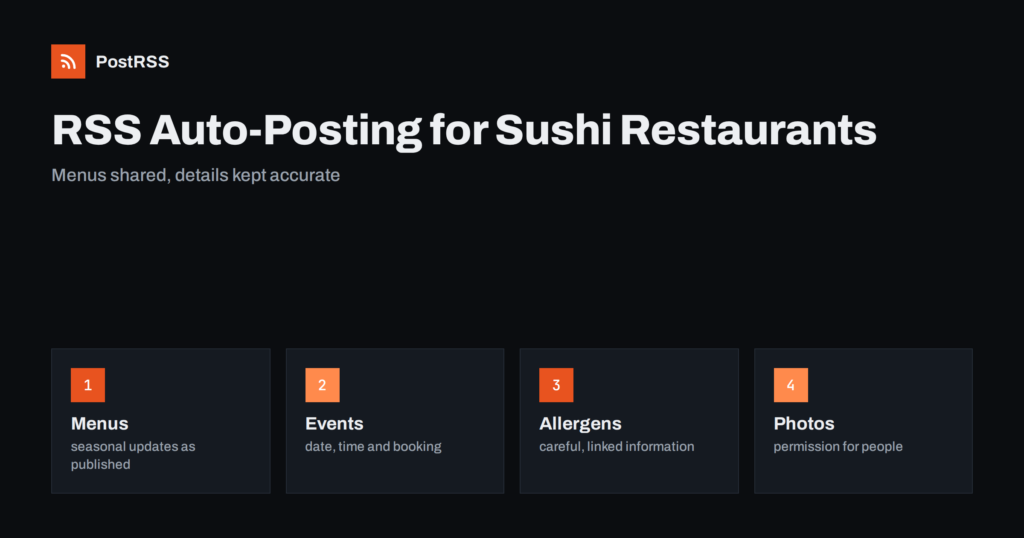
Short answer: Sushi and Japanese restaurants can use RSS auto-posting to share seasonal menus, omakase nights, takeout offers and event news from their website on social networks without rewriting each post. The website publishes a feed, PostRSS reads it and posts every new item with its image and link. The restaurant stays responsible for accurate hours, honest descriptions, allergen information and respectful use of customer photographs.
Sushi is a visual food. A tray of nigiri, a glossy roll or a bowl of ramen photographs beautifully, and diners often choose a restaurant after scrolling through its pictures. Yet the people who make that food are the least available to post: the kitchen is busiest exactly when social media is most active, in the evening. Many restaurants therefore post in bursts, then disappear for weeks, and their page tells a half-finished story. Auto-posting from the website closes the gap. Whenever the restaurant publishes a new menu, an event or a news item on its site, the feed carries it to the social accounts automatically. This guide explains what to publish, how to keep details accurate, how to handle allergens and raw fish with care and how to set up a routine that survives a busy week.
It is written for independent sushi bars, izakaya, ramen shops, teppanyaki and yakitori restaurants, Japanese bakeries and small groups with two or three locations. It also suits delivery-focused kitchens and ghost kitchens that sell sushi online. If your website has a news page, a blog, a menu that you update or an events section that can produce a feed, you can automate part of your posting.
The website is the home of the facts, and the social networks are where people notice them. Typical feed items include a seasonal menu change, a new chef’s special, an omakase evening with a date and number of seats, a sake or tea tasting, a lunch set offer, a holiday opening schedule, a catering menu for office events, a takeout promotion and a short story about an ingredient or a technique. Each item should answer one question a guest might ask: what is new, when can I come and how do I book.
Avoid turning the feed into a stream of discounts. Guests follow restaurants they trust and enjoy, and a mix of menu stories, events and practical notices builds more loyalty than constant offers.
If the website runs on WordPress, Squarespace, Wix or a restaurant platform with a blog, it probably publishes a feed. Add the feed address to the auto-poster and check that each item has a featured image. For a restaurant, the image is the post. Use a sharp photograph taken in good light, with the dish as the clear subject, and avoid heavy filters that change the color of the fish. If the menu itself is a PDF, publish a short web page for each important update, because a feed cannot carry a PDF as a readable post.
Automate announcements that are planned in advance: menus, events, holiday hours, new locations and seasonal specials. Keep personal and fast-moving communication manual: replies to guests, thanks to a reviewer, a same-day sold-out notice and anything involving a complaint. A good rule is that the auto-poster speaks for the restaurant on a schedule, and a human speaks for the restaurant in conversations.
Nothing frustrates a hungry guest more than arriving at a closed door. Every post that mentions an event should include the day, the start time, the address or the neighborhood and how to book. Put the details at the top of the web page and in the excerpt, because the auto-poster builds the message from the title and the description. If hours change for a holiday, publish that notice early and again a few days before, and update the opening hours on every listing, not only on the website.
Japanese cuisine includes fish, shellfish, soy, wheat, sesame, eggs and other common allergens, and soy sauce usually contains wheat. A post about a dish should never imply that it is safe for everyone. Link to the allergen information on your website, encourage guests with allergies to tell the staff when ordering and never promise a dish is free of an allergen unless the kitchen can guarantee it. If a post mentions raw fish, it is reasonable to add a short note for guests who are pregnant or have weakened immunity, in line with local guidance. These details protect guests and the restaurant.
Guests love stories about where fish and rice come from. Tell them only what you can prove. Claims such as sustainably sourced, fresh daily or imported from a famous market are marketing statements that must match reality, and in many countries they are regulated. If you work with a specific supplier, name them with their permission. If a dish uses a seasonal fish, say which season and why it matters. Specific, true details are more persuasive than generic superlatives.
A restaurant feed often features cheerful scenes, but people in photographs need to agree. Ask for permission before posting images that show guests, especially children, and tell your team that the same rule applies to staff. A photograph of the sushi counter with the chef at work is wonderful, provided the chef is happy to appear. When a guest posts a picture and tags you, ask before reposting it on your own page.
Guests decide where to eat late in the afternoon and in the early evening, and they plan weekend dinners a few days ahead. Post lunch offers in the morning, dinner and event news in the afternoon and weekend specials on Thursday or Friday. On paid plans PostRSS can post only between chosen hours or at exact times in your time zone, which keeps posts from appearing at midnight. A steady pattern of three to five posts a week is easier to maintain than a daily schedule.
Facebook Pages are useful for opening hours, events and local reach, because many guests check them to find out whether a restaurant is open. Instagram is the natural home for food photography, although in PostRSS Instagram is currently listed as being tested, so check the features page before relying on it. Telegram channels suit regulars who want to know the daily special. Bluesky and Mastodon reach food communities. Pick the networks your guests really use and keep the page details current on each.
Hashtags such as the city name and the kind of cuisine help local discovery, but too many look desperate. PostRSS can turn the categories and tags of each feed item into hashtags, up to a limit, and you can also add your own fixed hashtags. Name your categories clearly, for example omakase, lunch and events, and the generated tags will stay tidy. Two or three well-chosen tags are enough on most networks.
You can add your own query parameters to every link so that your analytics shows which network sends visitors to the booking page. After a month, compare the visits and the bookings by source. A small number of reservations from a Facebook event post is more valuable than hundreds of likes on a food photograph. Use the numbers to decide which networks deserve more attention.
Japanese cooking follows the seasons, and a restaurant can too. Plan a spring menu with the first seasonal ingredients, a summer menu with lighter dishes and cold noodles, an autumn menu with richer flavors and a winter menu with warm dishes. Write each announcement a week before the change, with a photograph of the key dish. Add the major holidays when guests look for a table, and publish the booking details early. A calendar made once a quarter removes the daily question of what to post.
Many sushi restaurants earn a large share of revenue from takeout and delivery. Give that service its own pages and its own posts: the ordering link, the delivery area, the usual preparation time and the opening hours of the kitchen, which may differ from the dining room. Explain how to reheat or store items when it matters, and be honest that raw fish should be eaten soon after it is prepared. A clear post with a direct ordering link turns a casual scroll into an order, and the feed makes sure the post goes out every time the page changes.
Guests remember a restaurant that explains itself. Write a short article about the chef’s training, the meaning of a seasonal dish, the difference between types of rice vinegar or the way a knife is sharpened. These articles do not need to be long, and each one gives you a feed item with a photograph, a story and a link back to the website. Over a year, a dozen of them build a library that search engines can index and that your social pages can share again. They also make your staff proud, because the craft behind the counter finally gets attention.
An active page invites comments. Decide in advance how you will answer questions about prices, vegetarian options, reservations for large groups and gluten-free choices, and keep a short document with approved answers. Respond politely to critical reviews, invite the guest to contact you directly and never argue in public. A calm, helpful reply is a form of marketing in itself, read by every future guest who scrolls through the comments.
PostRSS reads the feed of your website and publishes each new item, with its image and link, to the networks you connect. It has been running since 2014, needs no code and offers a Free plan that can post to one target, such as a Facebook Page, a Telegram channel, Bluesky or Mastodon. Paid plans add more targets and networks, listed on the pricing page, and the features page explains keyword filters, hashtags and posting windows. For a busy kitchen, the main benefit is simple: you publish once, and the posting happens by itself.
A sushi or Japanese restaurant can keep its social accounts alive by publishing menus and events to its website and letting an auto-poster share them. Keep hours and booking details precise, handle allergens with care, make only claims you can prove, respect people in photographs and choose a few networks that your guests use. The kitchen keeps cooking, and the posting keeps happening.
Yes, for planned announcements such as menus, events and holiday hours. Replies to guests and urgent notices should stay manual.
Publish a page with the date, time, number of seats, price information and the way to book, and let the feed share it. Repeat the announcement a few days before the event.
Link to your allergen information and invite guests to tell the staff about allergies. Never imply that a dish is safe for everyone.
Facebook Pages are practical for hours and events, and photo-oriented networks suit food pictures. Choose the networks your guests use and keep them accurate.
Yes, if the site publishes an RSS or Atom feed that opens without a login. PostRSS posts each new item with its image and link.
What changed in the networks, what broke, and how to fix it before it costs you reach.
Vytvořilo je Internet Solutions, tým za PostRSS. Každý produkt vám ušetří čas po svém.
 English
 Lietuviškai
 Deutsch
 Français
 Русский
 Español
 Polski
 Italiano
 Українська
 Čeština
 Português
 日本語
 Latviešu valoda
 Eesti
 Magyar
 Bahasa Indonesia
 Türkçe
 हिन्दी
 Ελληνικά
 العربية
 ไทย
 Tiếng Việt
 Română
 Bahasa Melayu
 বাংলা