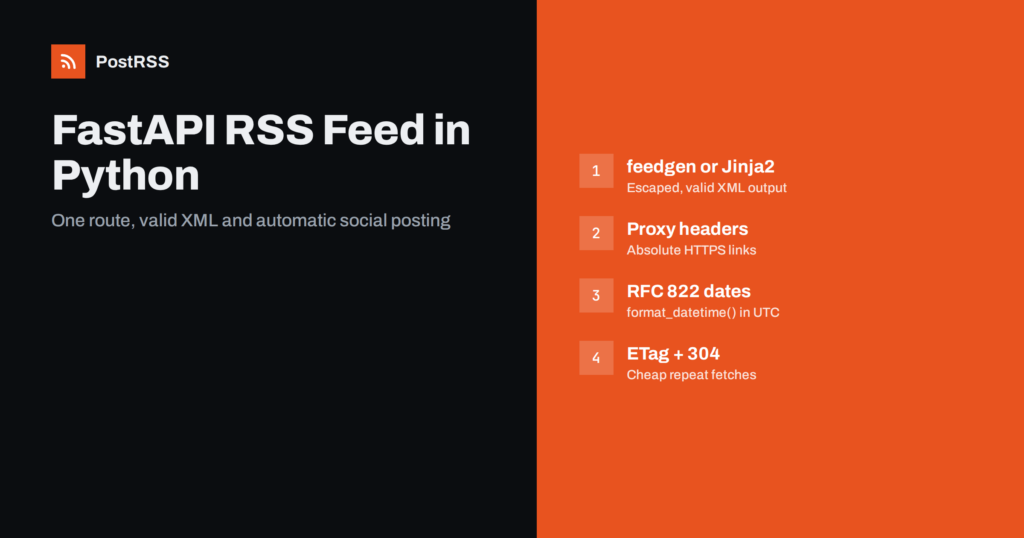
Short answer: FastAPI has no built-in feed module, but a FastAPI RSS feed is one route that returns XML. Load your latest published items, build the XML with a small library such as feedgen or with a Jinja2 template, use absolute URLs and RFC 822 dates, and return a Response with the application/rss+xml media type and a short cache lifetime. Validate the result once, and an RSS auto-poster can share every new item on social networks without extra code.
FastAPI is a popular choice for Python back ends: content APIs for headless front ends, documentation portals, internal news services, product catalogues and blogs that grew out of a data model rather than a CMS. Because FastAPI is built for JSON APIs, a feed is easy to forget. Yet an RSS feed is still the simplest public contract for “something new was published”, and readers, aggregators and automation tools all understand it. This guide shows a clean way to add the feed, the details that most often go wrong in FastAPI projects, and how to turn the feed into automatic social posts.
Before writing the route, agree on what the feed must deliver. A feed that works well for readers and for automation:
guid;Images, categories and full content are optional, but they decide how a shared post looks, so we will add them once the basic version works. If you want a refresher on what each element does, see what guid and pubDate actually do.
The feedgen package is a mature Python library that produces both RSS 2.0 and Atom. It handles escaping and namespaces for you, which removes the most common source of broken XML. Install it with pip install feedgen and add a route:
from email.utils import format_datetime
from fastapi import FastAPI, Request, Response
from feedgen.feed import FeedGenerator

app = FastAPI()

@app.get("/feed.xml", include_in_schema=False)
async def rss_feed(request: Request):
    posts = await get_latest_published_posts(limit=30)  # your data layer

    fg = FeedGenerator()
    fg.title("Example Blog")
    fg.link(href=str(request.url_for("home")), rel="alternate")
    fg.link(href=str(request.url_for("rss_feed")), rel="self")
    fg.description("New articles from Example Blog")
    fg.language("en")

    for post in posts:
        url = str(request.url_for("post_detail", slug=post.slug))
        fe = fg.add_entry(order="append")
        fe.title(post.title)
        fe.link(href=url)
        fe.guid(url, permalink=True)
        fe.description(post.summary)
        fe.pubDate(post.published_at)  # timezone-aware datetime

    xml = fg.rss_str(pretty=True)
    return Response(content=xml, media_type="application/rss+xml; charset=utf-8")
Two details in that snippet save real debugging time. First, add_entry() prepends by default, so if you loop over posts newest first without order="append", the finished feed lists them oldest first. Most tools sort by date anyway, but some readers and validators do not, and a reversed feed looks broken. Second, pubDate() needs a timezone-aware datetime. A naive value raises an error or, worse, is interpreted in the wrong zone. Store publication times in UTC and attach timezone.utc when you load them.
Setting include_in_schema=False keeps the feed out of the generated OpenAPI documentation, which is usually what you want for a public XML endpoint.
If your project already uses Jinja2 for HTML pages, a template gives you full control over the output and no extra dependency. Create templates/rss.xml:
<?xml version="1.0" encoding="UTF-8"?>
<rss version="2.0" xmlns:atom="http://www.w3.org/2005/Atom">
  <channel>
    <title>Example Blog</title>
    <link>{{ site_url }}</link>
    <description>New articles from Example Blog</description>
    <atom:link href="{{ feed_url }}" rel="self" type="application/rss+xml"/>
    {% for p in posts %}
    <item>
      <title>{{ p.title }}</title>
      <link>{{ p.url }}</link>
      <guid isPermaLink="true">{{ p.url }}</guid>
      <pubDate>{{ p.date }}</pubDate>
      <description>{{ p.summary }}</description>
    </item>
    {% endfor %}
  </channel>
</rss>
Render it with Jinja2Templates. The Starlette helper that FastAPI uses switches autoescaping on by default; keep it that way, and never mark titles or summaries as |safe, because one unescaped ampersand in a single title makes the whole feed invalid. Prepare the dates in Python with email.utils.format_datetime(post.published_at), which produces the RFC 2822 format RSS expects, for example Thu, 08 Oct 2026 05:15:00 +0000.
from fastapi.templating import Jinja2Templates
templates = Jinja2Templates(directory="templates")

@app.get("/feed.xml", include_in_schema=False)
async def rss_feed(request: Request):
    posts = await get_latest_published_posts(limit=30)
    items = [{
        "title": p.title,
        "url": str(request.url_for("post_detail", slug=p.slug)),
        "date": format_datetime(p.published_at),
        "summary": p.summary,
    } for p in posts]
    return templates.TemplateResponse(
        request, "rss.xml",
        {"posts": items, "site_url": str(request.url_for("home")),
         "feed_url": str(request.url_for("rss_feed"))},
        media_type="application/rss+xml",
    )
Wrong date formats are one of the most common validator errors, so keep the formatting in one helper. Our guide to RFC 822 pubDate errors lists the typical mistakes.
Every link in a feed must be absolute. request.url_for() builds absolute URLs from the incoming request, which is exactly right, until the app runs behind Nginx, a load balancer or a platform router. Then the request that reaches Uvicorn often says http://127.0.0.1:8000, and the feed fills up with internal addresses or plain HTTP links.
Fix it at the server, not in the template:
--proxy-headers a --forwarded-allow-ips set to the address of your proxy, so it trusts X-Forwarded-Proto a X-Forwarded-Host;proxy_set_header X-Forwarded-Proto $scheme; in Nginx;root_path so generated URLs include it.Alternatively, keep a canonical SITE_URL setting and join paths onto it. That is predictable and works the same in tests, workers and background jobs. Whatever you choose, open the live feed and look at the first <link>: it should match the address a visitor sees in the browser. Relative or internal links are a classic reason why shared posts lead nowhere, as explained in relative URLs in RSS feeds.
When the feed is used for social posting, the image matters more than anything else. Auto-posters usually take the image from the feed item first and fall back to the page’s Open Graph tags. You can help in two ways:
<enclosure> with the image URL, its MIME type and its size in bytes (feedgen: fe.enclosure(url, length, "image/jpeg"));og:image, because many tools and the networks themselves read it.Categories become <category> elements (fe.category(term="Python")). They are useful for routing items to different accounts and for turning tags into hashtags. Full article HTML can go into content:encoded (feedgen: fe.content(html, type="CDATA")), but keep the description short and plain: it is what most social posts use as text.
Feeds are fetched often and by many clients, so serving them straight from the database on every request wastes work. Two small steps make the endpoint cheap:
Cache-Control: public, max-age=300 (or similar) so proxies and CDNs can reuse the response for a few minutes. Do not cache for hours: a long cache delays every downstream tool.If-None-Match request header and return Response(status_code=304) when nothing changed.etag = f'"{posts[0].id}-{int(posts[0].updated_at.timestamp())}"' if posts else '"empty"'
if request.headers.get("if-none-match") == etag:
return Response(status_code=304, headers={"ETag": etag})
...
return Response(content=xml, media_type="application/rss+xml; charset=utf-8",
headers={"ETag": etag, "Cache-Control": "public, max-age=300"})
If you put a CDN in front of the site, check that it does not cache the feed much longer than the origin intends. Long edge caches are a common cause of delayed auto-posts; see RSS feed caching explained.
Add a discovery tag to the <head> of your HTML pages so browsers, readers and tools can find the feed from any page:
<link rel="alternate" type="application/rss+xml"
      title="Example Blog" href="https://example.com/feed.xml">
If you publish several kinds of content, a path parameter gives you one feed per category with the same code: @app.get("/category/{slug}/feed.xml"). Return 404 for unknown categories instead of an empty feed, so a typo in a feed address is noticed immediately rather than silently posting nothing.
FastAPI’s TestClient makes a feed test short. Check the status, the content type and that the XML parses:
from fastapi.testclient import TestClient
import xml.etree.ElementTree as ET

def test_feed():
    client = TestClient(app)
    r = client.get("/feed.xml")
    assert r.status_code == 200
    assert r.headers["content-type"].startswith("application/rss+xml")
    root = ET.fromstring(r.content)
    items = root.findall("./channel/item")
    assert items and items[0].find("link").text.startswith("https://")
Then run the deployed feed through the W3C Feed Validation Service once. It catches problems tests miss, such as invalid dates or a missing self link. The RSS 2.0 specification is short and worth keeping open while you work. A broader checklist is in RSS feed validation before auto-posting.
| Symptom | Likely cause | Fix |
|---|---|---|
| Browser downloads JSON or shows quotes around the XML | Returning a string from the route, so FastAPI serialises it as JSON | Return a Response with an XML media type |
| Links point to 127.0.0.1 or use http | Proxy headers not trusted | --proxy-headers, forwarded IPs, or a fixed SITE_URL |
| Validator reports invalid dates | Naive datetimes or ISO 8601 strings | Timezone-aware UTC values and format_datetime() |
| Items appear in reverse order | feedgen’s default prepend | add_entry(order="append") |
| Old items reposted after a deploy | guid changed, for example from ID to URL | Keep guid values permanent |
| Feed breaks on one article | Unescaped & or control characters | Use a library or an autoescaped template |
The guid deserves extra care. If you change the guid scheme, every tool that reads the feed sees all items as new. Our article on duplicate guid fixes covers this in detail.
Once the feed validates, sharing becomes configuration instead of code. You could write a background task that calls each network’s API, but every network has its own authentication, token refresh, rate limits, image rules and policy changes. Maintaining that for one network is work; for several, it becomes a product of its own. An RSS auto-poster reads the feed you already have and posts new items for you.
Practical tips for a FastAPI project:
description short and readable, since it often becomes the post text;PostRSS has been turning RSS and Atom feeds into social posts since 2014. You paste the feed address, connect your accounts and choose what each post contains. PostRSS checks the feed as often as every minute and publishes each new item, with its image and link, to any of 66 networks, messengers, team chats and blogs. It can build the text from the item title, the description or your own static text, add UTM parameters, filter items by keywords, turn categories into hashtags and post only within chosen hours. Developers can also use the REST API v1 and outgoing webhooks. The full list is on the PostRSS features page, and plan limits are on the pricing page. More developer articles are collected under the Technical Guide tag.
A FastAPI RSS feed takes one route: load recent published items, build the XML with feedgen or an autoescaped Jinja2 template, return it with an XML media type, and add caching. Get absolute URLs right behind your proxy, keep dates timezone-aware and guids permanent, and validate once. After that, the feed can drive automatic social sharing for every item you publish.
No. FastAPI focuses on APIs and does not ship a feed module. You add a route that returns XML, built with a library such as feedgen or with a Jinja2 template. It is usually less than 50 lines of code.
If a route returns a plain string, FastAPI serialises it as JSON. Return a Response object with the application/rss+xml media type instead, and the client receives raw XML with the correct content type.
feedgen is the safer default because it handles escaping, namespaces and both RSS and Atom. A Jinja2 template is fine if you already use Jinja2 and want full control, as long as autoescaping is on. Both produce the same result for readers and auto-posters.
Use timezone-aware datetimes in UTC and format them with email.utils.format_datetime(). It produces the RFC 2822 format that RSS requires, such as Thu, 08 Oct 2026 05:15:00 +0000.
Yes. Once the feed is public and valid, an RSS auto-poster such as PostRSS can read it and publish each new item to the networks you connect. No extra code is needed in your FastAPI app.
What changed in the networks, what broke, and how to fix it before it costs you reach.
Vytvořilo je Internet Solutions, tým za PostRSS. Každý produkt vám ušetří čas po svém.
 English
 Lietuviškai
 Deutsch
 Français
 Русский
 Español
 Polski
 Italiano
 Українська
 Čeština
 Português
 日本語
日本語 Latviešu valoda
 Eesti
Eesti Magyar
 Bahasa Indonesia
 Türkçe
 हिन्दी
 Ελληνικά
 العربية
 ไทย
ไทย Tiếng Việt
 Română
 Bahasa Melayu
 বাংলা
বাংলা