66টি সোশ্যাল নেটওয়ার্কে RSS: Facebook, Instagram, X, LinkedIn, Telegram এবং আরও অনেক কিছু ব্লগ অ্যাফিলিয়েট যোগাযোগ
Updated: 2026-08-20 At its core, digital marketing is about building relationships and staying visible. To grow your br...
আরও পড়ুন »
Updated: 2026-08-20 When scrolling through social media, people rarely stop for cold, dry statistics or generic product spe...
আরও পড়ুন »
Updated: 2026-08-20 Manually sharing every new website update across multiple social profiles is an ineffective use of ...
আরও পড়ুন »
Updated: 2026-08-20 Managing multiple social media accounts while regularly publishing fresh content on your website ca...
আরও পড়ুন »
In the world of social media automation, security and ease of use are paramount. To broadcast your website’s RSS or Atom ...
আরও পড়ুন »
Updated: 2026-09-27 This post originally announced, back in December 2016, that PostRSS's Start and Professional plans ...
আরও পড়ুন »
Updated: 2026-08-20 As an entrepreneur, blogger, or digital marketer, your most valuable asset isn't capital — it's time. Be...
আরও পড়ুন »
Updated: 2026-08-20 In the modern digital landscape, web security is no longer an optional luxury — it is an absolute necess...
আরও পড়ুন »
Updated: 2026-08-20 For e-commerce store owners, digital marketers, and product creators, driving consistent revenue is...
আরও পড়ুন »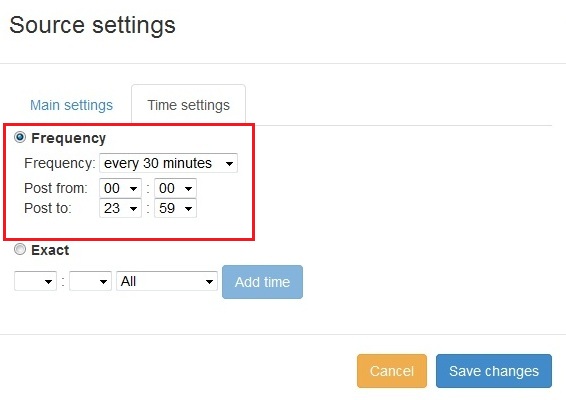
New feature added to PostRSS Advanced posting time selection. No source from Advanced time settings Possible to add i...
আরও পড়ুন »
We receiving many questions: How to synchronize social my accounts? I am don't see my Facebook page in listings? How possib...
আরও পড়ুন »
Twitter Card META Tags There are four current types of Twitter/X Cards: summary, summary_large_image, player, and app. The sum...
আরও পড়ুন »PostRSS-এর পেছনের টিম Internet Solutions-এর তৈরি। প্রতিটি পণ্য নিজের মতো করে আপনার সময় বাঁচায়।
 English
 Lietuviškai
 Deutsch
 Français
 Русский
 Español
 Polski
 Italiano
 Українська
 Čeština
 Português
 日本語
日本語 Latviešu valoda
 Eesti
Eesti Magyar
 Bahasa Indonesia
 Türkçe
 हिन्दी
 Ελληνικά
 العربية
 ไทย
ไทย Tiếng Việt
 Română
 Bahasa Melayu
 বাংলা
বাংলা