RSS'den 66 sosyal ağa: Facebook, Instagram, X, LinkedIn, Telegram ve daha fazlası Blog Satış Ortaklığı İletişim
If you’ve spent any time in SEO or web dev circles in the last couple of years, you’ve probably seen a new file mentioned alongside robots.txt ve sitemap.xml: llms.txt. It’s pitched as a way to help large language models understand your site. For anyone running a blog or content site that already publishes an RSS akışı, the obvious question is whether this is a genuinely useful addition or just another file to maintain for marginal benefit. Here’s what llms.txt actually is, what it isn’t, and whether it’s worth your time in 2026.
llms.txt is a proposed convention — not an official web standard ratified by a body like the IETF or W3C — for a plain Markdown file placed at the root of a domain (yoursite.com/llms.txt). It’s meant to give a large language model a concise, curated map of a site’s most important content: what the site is, what its key pages are, and links to the material worth reading, all written in clean Markdown rather than HTML.
The idea was proposed in late 2024 by Jeremy Howard (co-founder of Answer.AI and fast.ai) as a lightweight solution to a real problem: LLMs have limited context windows and struggle to parse cluttered HTML pages full of navigation, ads, and scripts. A curated Markdown file, the theory goes, gives a model a cleaner, faster path to your actual content.
| File | Primary Purpose | Audience | Enforced? | Format |
|---|---|---|---|---|
| robots.txt | Tells crawlers what they may or may not access | Search and AI crawlers | Advisory — well-behaved bots respect it, others ignore it | Plain text directives |
| sitemap.xml | Lists all URLs for crawl discovery | Search engine crawlers (Googlebot, Bingbot) | Not enforced — a discovery aid | XML |
| RSS/Atom Feed | Announces new and updated content in real time | Feed readers, auto-posting tools, some aggregators | Not enforced — a subscription mechanism | XML |
| llms.txt | Curated summary and link list for LLMs to reference | LLM-based tools that choose to fetch it | Not enforced — purely voluntary on both sides | Markdown |
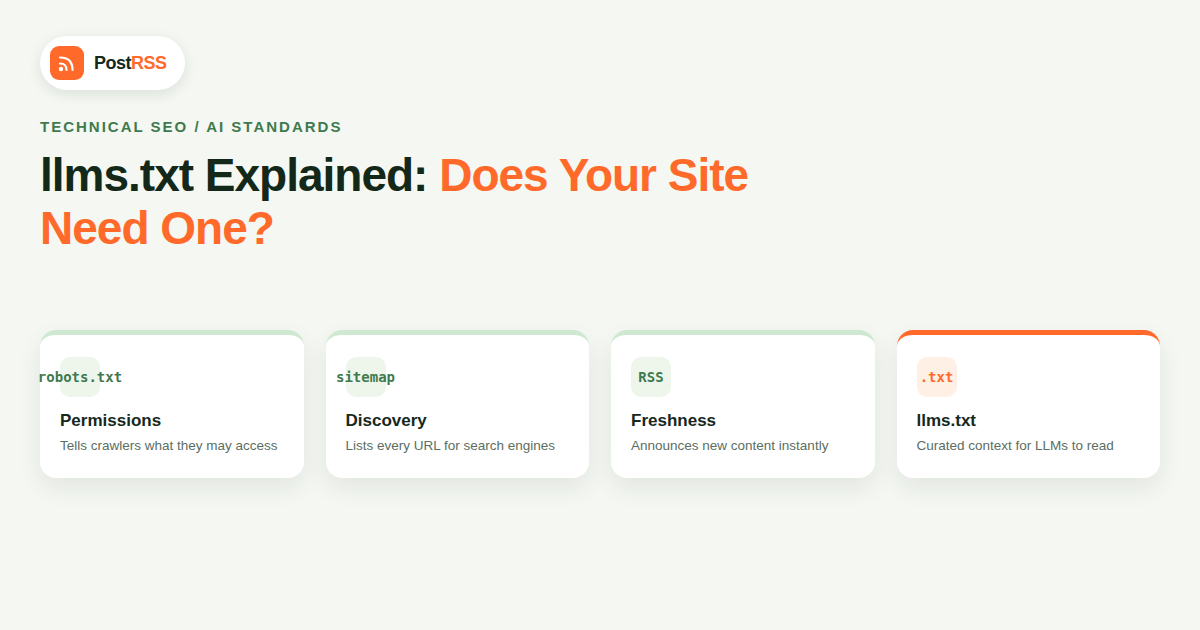
The key distinction: robots.txt is a permission system, sitemap.xml and RSS are discovery mechanisms, and llms.txt is closer to a curated table of contents. None of them force anything — a crawler can ignore all four if it wants to, but well-behaved tools generally respect robots.txt directives and use sitemaps and feeds as intended.
This is the part that matters most, and the honest answer as of 2026 is: inconsistently, and not as a confirmed core mechanism from any major AI vendor. OpenAI, Anthropic, and Google have not published official documentation stating that their production crawlers (GPTBot, ClaudeBot, Google-Extended) specifically look for and prioritize an llms.txt file the way Googlebot reliably reads robots.txt. Some third-party tools built on top of LLMs — browser extensions, custom RAG pipelines, developer tools that summarize sites — do fetch it when present, because it’s a convenient, structured shortcut for them to build. But there’s a meaningful difference between “some tools use it” and “the major AI answer engines rely on it,” and right now llms.txt sits closer to the former.
That doesn’t mean it’s worthless. It means you should think of it as a low-cost, forward-looking addition rather than a guaranteed lever for AI search visibility. Adoption of these kinds of proposed standards tends to follow an S-curve — slow at first, then suddenly ubiquitous once enough tooling supports it. Having one in place costs you almost nothing and means you’re ready if and when broader adoption happens.
The convention (as documented at llmstxt.org) calls for a specific lightweight Markdown structure:
For a content site or blog, a practical version might list your most important cornerstone guides, link to your category or tag archives, and point to your RSS feed as the mechanism for finding the newest content, rather than trying to enumerate every single post you’ve ever published — that defeats the “curated” part of the concept and turns it into a second sitemap.
These two files solve different problems, and treating them as competitors misses the point. Your RSS feed is the live, constantly updating signal of what’s new — it’s what powers auto-posting to social media, podcast apps, and feed readers, and it updates itself automatically every time you publish. llms.txt is closer to a hand-curated, mostly-static index of your best and most representative content, updated occasionally rather than on every post.
A sensible setup links the two: your llms.txt file can include a line pointing to your RSS feed under a “Latest Updates” heading, so any LLM-based tool that does read it has an obvious path to freshness data, while the curated sections handle evergreen context. Neither file replaces the other, and neither replaces the actual crawling and indexing infrastructure (sitemap.xml, structured data, and open crawl access) that still does the heavy lifting for both traditional search and AI answer engines.
| Mistake | Why It’s a Problem |
|---|---|
| Treating it as an access-control file, like robots.txt | It grants or blocks nothing — it’s purely informational and voluntary |
| Auto-generating it as a dump of every URL on the site | Defeats the “curated” premise and produces a bloated file no model benefits from reading over your sitemap |
| Publishing it once and never updating it | A stale llms.txt pointing to outdated cornerstone content is worse than not having one |
| Expecting it to replace schema markup or crawl-access fixes | It’s a supplement to technical SEO fundamentals, not a substitute for them |
| Writing it in HTML instead of clean Markdown | The whole point is a lightweight, easy-to-parse format — HTML defeats that |
To make this concrete, here’s roughly what a small content site’s llms.txt might contain, stripped down to the structure rather than full copy:
# Example Blog Name

> Example Blog covers X, Y, and Z for an audience of [who]. Founded in [year], it publishes practical, no-fluff guides rather than news commentary.

## Guides
- [Complete Beginner's Guide to X](https://example.com/guide-to-x): The main starting point for new readers.
- [Advanced Y Techniques](https://example.com/advanced-y): A deeper dive for returning readers.

## Latest Updates
- [RSS Feed](https://example.com/feed/): Subscribe here for new posts as they publish.

## Optional
- [About](https://example.com/about): Background on the site and its authors.
- [Archive](https://example.com/archive/): Full historical post list.
Notice what’s absent: no navigation menu items, no ad-related boilerplate, no cookie notice text, and no attempt to list every post the site has ever published. That restraint is the entire value proposition — it’s a distilled version of the site, not a mirror of it.
Because no major AI vendor publishes a confirmed, dedicated user agent specifically for llms.txt requests, verifying uptake is harder than checking for GPTBot or PerplexityBot hits in your server logs. The most practical approach is to watch your access logs for direct requests to the exact /llms.txt path over several weeks and cross-reference the requesting IP ranges and user agents against known AI company ranges. Expect low volume — this is still an emerging convention, not a heavily trafficked endpoint on most sites in 2026. Treat a lack of hits as normal for now rather than a sign you did something wrong.
Yes, with realistic expectations. It takes under an hour to create a solid one for most blogs, it costs nothing to host, and it does no harm — unlike more invasive changes, there’s no downside risk to trying it. Treat it as insurance against a future where AI tools standardize around reading it, not as a fix for today’s visibility problems. If your technical SEO fundamentals — crawl access, schema, fast indexing, consistent publishing — aren’t already solid, fix those first; they matter far more today than llms.txt does.
If you’re running a WordPress site, several plugins can now generate a basic llms.txt automatically from your existing content structure, though a hand-edited version focused on your 10–20 best pages will almost always be more useful to any tool that reads it than an auto-generated list of hundreds of thin pages.
llms.txt is still young as web conventions go. It was proposed in September 2024, and adoption followed the pattern most grassroots web standards go through: a small cluster of documentation-heavy sites and developer tools adopted it early, a handful of static-site generators and CMS plugins added one-click generation, and larger platforms mostly stayed on the sidelines waiting to see whether AI vendors would formally commit to reading it. As of 2026, that formal commitment still hasn’t arrived from OpenAI, Anthropic, or Google in the form of official crawler documentation — which is the main reason this article treats it as a reasonable bet rather than a settled best practice.
That said, the absence of an official vendor commitment hasn’t stopped a meaningful ecosystem from forming around it. Several independent AI browsing tools, RAG frameworks, and developer-facing “site-to-context” utilities now check for llms.txt by default before falling back to scraping raw HTML, simply because it’s cheaper and more reliable for them when it’s present. If you build developer tools, documentation, or an API product, that segment of adoption is already worth targeting. If you run a general content blog like most PostRSS readers do, the upside is smaller today but the cost of adding one is low enough that it’s still a reasonable use of an hour.
No. It’s a community-proposed convention, not something ratified by a standards body. It functions similarly to how sitemap.xml started as a Google-specific proposal before becoming widely adopted — llms.txt is earlier in that same kind of process, with adoption still uneven.
At the root of your domain, exactly like robots.txt: https://yoursite.com/llms.txt. That’s the location the convention specifies and where any tool checking for it will look first.
No — that’s what robots.txt directives targeting GPTBot, ClaudeBot, and similar user agents are for. llms.txt does the opposite job: it helps tools find and use your content more easily, rather than restricting access to it.
Google has not indicated that llms.txt affects traditional search rankings, and there’s no evidence it factors into Google AI Overviews either, since those pull from the standard search index. Its potential benefit is specifically for LLM-based tools that choose to fetch it directly.
You can use your feed as a data source for the “recent content” section, but a fully automated, comprehensive dump defeats the purpose of curation. The most useful llms.txt files are edited by a human to highlight genuinely important pages, not just every item in the feed.
Some sites publish an extended llms-full.txt containing the complete text of key pages inline, for tools that want to ingest content without additional fetches. It’s optional and mainly useful for documentation-heavy sites; most blogs don’t need it.
Whenever your cornerstone content changes meaningfully — a new pillar guide, a restructured category, a major product change. Monthly or quarterly review is reasonable for most sites; it doesn’t need per-post updates the way your RSS feed does.
llms.txt is a small, low-risk, forward-looking addition to your site’s technical setup — not a proven ranking lever and not a replacement for the fundamentals that already drive both search and AI visibility. Add one if you have the hour to spare, keep it genuinely curated rather than auto-generated, and let it complement your RSS feed rather than duplicate it: the feed handles freshness and distribution, llms.txt handles curated context, and neither one does much good if your site’s actual crawl access and content structure aren’t solid first.
What changed in the networks, what broke, and how to fix it before it costs you reach.
PostRSS'in arkasındaki ekip Internet Solutions tarafından geliştirildi. Her biri size farklı bir şekilde zaman kazandırır.
 English
 Lietuviškai
 Deutsch
 Français
 Русский
 Español
 Polski
 Italiano
 Українська
 Čeština
 Português
 日本語
日本語 Latviešu valoda
 Eesti
Eesti Magyar
 Bahasa Indonesia
 Türkçe
 हिन्दी
 Ελληνικά
 العربية
 ไทย
ไทย Tiếng Việt
 Română
 Bahasa Melayu
 বাংলা
বাংলা