RSS'den 66 sosyal ağa: Facebook, Instagram, X, LinkedIn, Telegram ve daha fazlası Blog Satış Ortaklığı İletişim
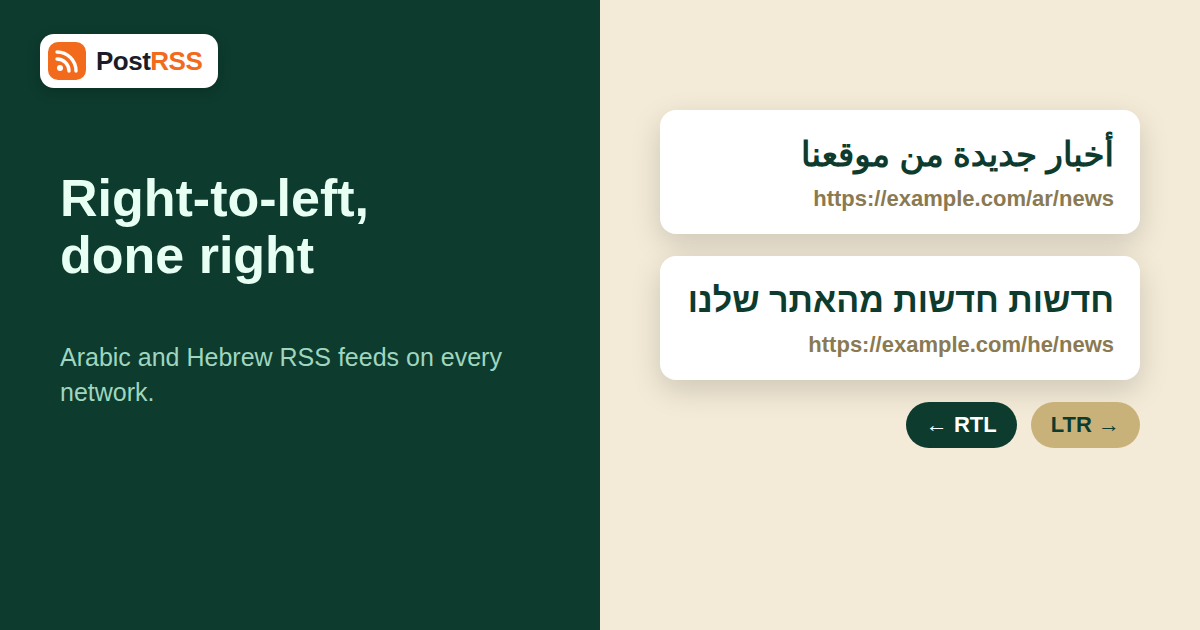
Arabic and Hebrew readers have plenty of reasons to follow your site, and an RSS feed is the easiest way to reach them on social networks without manual work. But Arabic and Hebrew RSS feeds come with a wrinkle that English-language guides rarely mention: the text runs from right to left, and the moment it meets a link, a number or a Latin brand name, the display can go wrong. A perfectly written headline can arrive with its final question mark on the wrong side, its numbers scrambled or its link pushed to a strange position.
The good news is that most of these problems have simple causes and simple fixes, and nearly all of them are solved at the source, in the feed and the site that produces it. This guide explains how right-to-left text is rendered, what commonly breaks in auto-posted content, how to prepare a feed and how to test it on every network you use. It belongs with the other material in our auto-posting archive; the PostRSS homepage explains the product.
Computers store text in logical order, the order in which you type it. A rendering algorithm then decides how to display it. That algorithm is the Unicode Bidirectional Algorithm, described in Unicode Standard Annex 9. Every character has a direction class: Arabic and Hebrew letters are strongly right-to-left, Latin letters are strongly left-to-right, and digits, punctuation and spaces are “weak” or “neutral”, meaning that they take direction from the text around them.
A paragraph’s overall direction is normally set by its first strongly directional character. In a headline that begins with an Arabic word, the paragraph runs right to left. Neutral characters at the end of the line, such as a full stop, question mark or closing bracket, are placed according to the paragraph direction, so they should appear at the visual left end of an Arabic sentence. Problems arise when the text mixes directions in ways the algorithm cannot resolve on its own, for example a Latin brand name followed by a question mark inside an Arabic sentence.
Feeds are plain text, and they carry no visual layout. They can carry a language declaration, and the browser or app decides how to render everything else. The social network then applies its own logic to the post text. You cannot control network rendering, so you control what you send: clean UTF-8, consistent direction and predictable structure.
When a headline mixes Arabic or Hebrew with a trailing Latin word or number, the final punctuation can display at the beginning of the line instead of the end. The text is not damaged; it only looks wrong. The fix is to end titles with a strong right-to-left character or to restructure the title so that Latin terms sit in the middle.
Digits are neutral-weak and are displayed left to right even inside right-to-left text. A price or a range like “50-100” can appear reversed. Writing the range with words, or using a consistent numeral system, avoids confusion. Note also that Arabic-Indic digits and Western digits look different but mean the same, and you should stick to one style per publication.
Many networks append the article URL to the post text. In a right-to-left post, the URL is a left-to-right island. It usually sits on its own line and renders fine, but if it lands in the middle of a sentence, the surrounding punctuation may attach to the wrong side of it. Keep the link separate from the sentence whenever you can.
Question marks or boxes where letters should be almost always mean an encoding problem, typically a feed that is not served as UTF-8 or a database that stores text in a legacy encoding. Our guide to RSS feed encoding issues walks through the diagnosis. Check that the XML declaration says UTF-8, that the HTTP header agrees and that the database collation is Unicode.
Some characters combine with others. Arabic diacritics, Hebrew points and joiners can count as separate characters even though they do not take separate space, and some networks count differently from others. Leave a comfortable margin under the character limit. See our guide to platform character limits and formatting for the numbers.
Arabic and Hebrew hashtags work on many networks, but a hashtag that contains a Latin word or a zero-width joiner may split. Test each hashtag once before you use it in a template.
Networks generally detect direction automatically from the first strong character and align the post accordingly. The details differ, and interfaces change, so use this table as a checklist for testing rather than as a guarantee. Plan names refer to PostRSS plans; prices are monthly, and annual billing is 20% cheaper.
| Network | Typical behaviour | Watch for | PostRSS plan |
|---|---|---|---|
| Facebook Page | Detects direction per post and aligns right | Trailing punctuation next to Latin words | Free ($0) or Start ($5) |
| Telegram channels | Aligns per message, supports mixed text well | Links wrapped by RTL text | Ultimate, $40 |
| X | Detects direction and shows right-aligned text | Character counting for combined characters | Ultimate, $40 |
| Aligns per post, mixed with Latin professional terms | Titles ending in Latin or numbers | Professional Plus, $20 | |
| Bluesky and Mastodon | Direction per post; instances vary | Hashtag parsing, mentions | Ultimate, $40 |
| Titles and descriptions shown per pin | Image text is not translated or flipped | Professional, $10 |
Facebook Pages are widely used across the Middle East and North Africa and in Israel, and they run on every PostRSS plan, so many publishers start there with the Facebook auto poster. Telegram is enormously popular in several Arabic-speaking countries and in Iran, and it sits on the Ultimate plan; our guide to how to auto-post RSS to Telegram covers that side. Instagram is in testing at PostRSS and is not part of any paid plan, so we do not count on it here. See the supported networks page for the full lineup and the pricing page for limits.
ar veya he) helps readers and tools. It does not change how social networks render a post, but it documents intent and helps validators.On the website itself, set the dir="rtl" attribute and the language on the page or the containing element. The W3C explains when and how in its guide to setting the base direction in HTML. Article pages that declare direction properly also produce better link previews, because the page title and description are interpreted correctly.
Imagine a regional news site that publishes in Arabic and English. The Arabic desk produces around twenty articles a day, and the English desk around ten. Editors originally used one combined feed, and the resulting Facebook Page posted Arabic and English headlines in an unpredictable mix. Followers who read only one language complained, and engagement dropped.
The fix took an afternoon. The developer created two category feeds, one per language, and the social team created two Facebook Pages. The Arabic feed goes to the Arabic Page and to a Telegram channel; the English feed goes to the English Page. The editors agreed on a title rule: headlines must not end with a Latin acronym or a bare number, and if they must, the sentence is reworded. They also added a short hand-written excerpt field, which replaced automatic truncation. After two weeks, punctuation errors had disappeared, and both Pages reported steadier reach because each audience now saw only its own language.
Sometimes the feed comes from a third-party platform and you cannot edit titles. In that case you have three options. First, ask whether the platform offers a custom feed or a template for titles. Second, accept small cosmetic issues where they do not change meaning, such as a misplaced full stop, and concentrate on fixing real errors like garbled characters. Third, if a particular title pattern always breaks, request a change from the publisher or filter those items out with a category feed. Whichever route you choose, document the decision so that colleagues understand why a feed looks the way it does.
Right-to-left readers use screen readers and assistive tools like everyone else. Clear, well-structured text benefits them as well as sighted readers. Avoid decorative Unicode characters and stylised alphabets that screen readers may not pronounce properly, keep hashtags short and put a hashtag in camel case only when the script supports it. Where images contain text, include the same text in the alt text, since it will not be translated or reversed automatically. Our article on alt text on auto-posted images explains what each network actually receives.
Everything above applies to Persian, Urdu, Pashto, Kurdish in Arabic script and Yiddish as well. Persian has extra letters and uses a zero-width non-joiner in many words, so pay special attention to character handling and hashtags. Urdu uses a calligraphic style on some platforms that can look different between apps. If your site serves several of these languages, apply the same test routine to each one.
Many publishers run Arabic or Hebrew as one of several languages on the same website. Give each language its own feed, its own target and its own account where the audience differs. Sending every language to one account confuses followers and dilutes engagement. Plan the volume too: a site with five languages and ten articles a day per language produces fifty items a day, which changes which plan makes sense. The multilingual content archive collects related guides.
Posts are built from the text in your feed, and networks display right-to-left scripts natively. Most problems come from encoding or mixed-direction titles, which you can fix at the source.
The title probably ends with a Latin word or number. Neutral characters such as full stops follow the direction of the surrounding text, so reorder the title or end it with a right-to-left word.
That usually indicates an encoding problem. Make sure the feed, the HTTP header and the database all use UTF-8, then re-check the feed.
It is better to use one feed per language, or category feeds per language, so that each audience receives posts in the right language on the right account.
Facebook Pages and Telegram are widely used in these regions. A Facebook Page works on every plan, while Telegram channels need the Ultimate plan ($40 per month).
On most networks, yes, but hashtags mixing scripts or containing joiners may split. Test each hashtag before adding it to a template.
Create a private test target, publish three sample articles with different title structures and check them on phone and desktop. Repeat after changes to your theme or plugins.
Right-to-left feeds are not hard to automate, but they are unforgiving of sloppy encoding and mixed-direction titles. Serve UTF-8 everywhere, keep one language per feed, write titles that end cleanly, control your excerpts and test on real accounts before you publish at scale. Choose networks where your readers already are: a Facebook Page costs nothing to start with, and Telegram and others follow on the Ultimate plan. Do the preparation once, and your Arabic or Hebrew site will reach its readers as reliably as an English one. Explore the plans at PostRSS and connect your first right-to-left feed.
What changed in the networks, what broke, and how to fix it before it costs you reach.
 English
 Lietuviškai
 Deutsch
 Français
 Русский
 Español
 Polski
 Italiano
 Українська
 Čeština
 Português
 日本語
日本語 Latviešu valoda
 Eesti
Eesti Magyar
 Bahasa Indonesia
 Türkçe
 हिन्दी
 Ελληνικά
 العربية
 ไทย
ไทย Tiếng Việt
 Română
 Bahasa Melayu
 বাংলা
বাংলা