Post Joomla to Facebook
This tag covers auto-posting Joomla content to Facebook Pages and Groups using PostRSS's multi-channel automation, covering extraction of clean data from Joomla extensions. Once a Joomla feed is connected, PostRSS treats it exactly like a WordPress or other CMS feed: checking it every 5 minutes and publishing new items to whichever Targets are configured. In PostRSS, a Facebook destination is set up as a "Target" — each connected Page or Group counts toward your plan's target limit, and every post it publishes counts against your monthly "Tasks" allowance. PostRSS checks your source feed every 5 minutes on every plan, including Free, so a new Facebook post typically appears within minutes of the original content going live. Articles here cover feed-parsing specifics for Joomla sites using different templates or components that affect how the feed is structured. Facebook is available on PostRSS's Free plan.
Updated: 2026-09-29
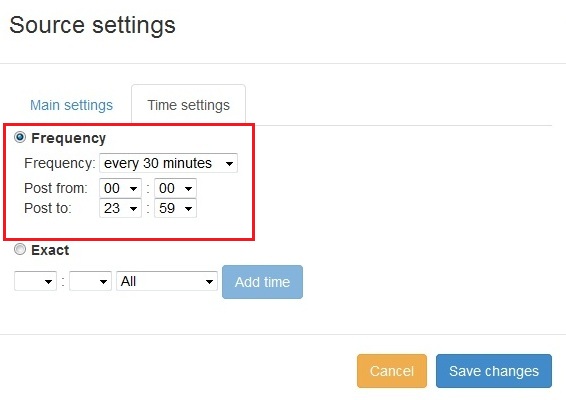
New feature added to PostRSS Advanced posting time selection. No source from Advanced time settings Possible to add i...
อ่านเพิ่มเติม » 
Updated: 2026-09-29
We receiving many questions: How to synchronize social my accounts?
I am don't see my Facebook page in listings?
How possib...
อ่านเพิ่มเติม » 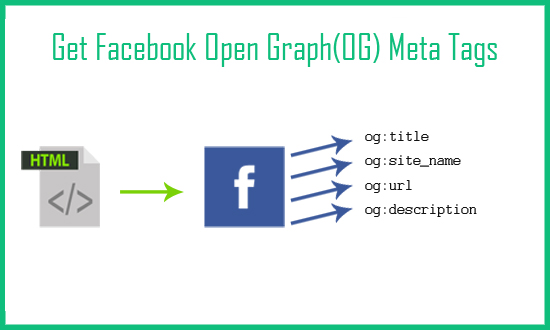
Updated: 2026-09-29
Today I will show you how to fetch facebook Open Graph (OG) meta tags with php script. Open Graph meta tags are used in html pa...
อ่านเพิ่มเติม »  English
 Lietuviškai
 Deutsch
 Français
 Русский
 Español
 Polski
 Italiano
 Українська
 Čeština
 Português
 日本語
日本語 Latviešu valoda
 Eesti
Eesti Magyar
 Bahasa Indonesia
 Türkçe
 हिन्दी
 Ελληνικά
 العربية
 ไทย
ไทย Tiếng Việt
 Română
 Bahasa Melayu
 বাংলা
বাংলা