Most auto-posting troubleshooting conversations are about the whole system going quiet — a feed that stops updating, an entire connection going stale. But a more common, and more confusing, failure mode is narrower: everything is working, ninety-nine posts out of a hundred go out fine, and then one single item from your feed simply never makes it to a specific platform. No obvious system-wide problem, no dashboard full of red errors — just one silent gap in an otherwise unbroken, weeks-long record. Understanding what happens in that moment, and what a well-built auto-posting tool does about it, matters more than most people realize until it happens to a post they actually cared about getting in front of every single connected audience.
| Cause | What’s Happening |
|---|---|
| Platform API rate limit hit | The connected account temporarily exceeded a posting quota, and this one attempt landed in the throttled window |
| Expired or revoked access token | The specific account connection needs re-authentication, unrelated to the feed itself |
| Content rejected by platform-side moderation | The platform’s automated content review flagged something in this specific post — a word, an image, a link pattern |
| Missing or broken image for this one item | A 404’d image URL blocks image-required platforms for that specific post while text-only platforms still succeed |
| Temporary platform-side outage | The social network’s own API was briefly unavailable at the exact moment this item was being posted |
| Character limit or formatting violation | This specific item’s title or content happened to exceed a platform’s length limit or included unsupported formatting |
Notice that every one of these is item-specific or moment-specific rather than a structural problem with the feed connection itself, which is exactly why the rest of your posting schedule keeps working normally around a single failure like this.
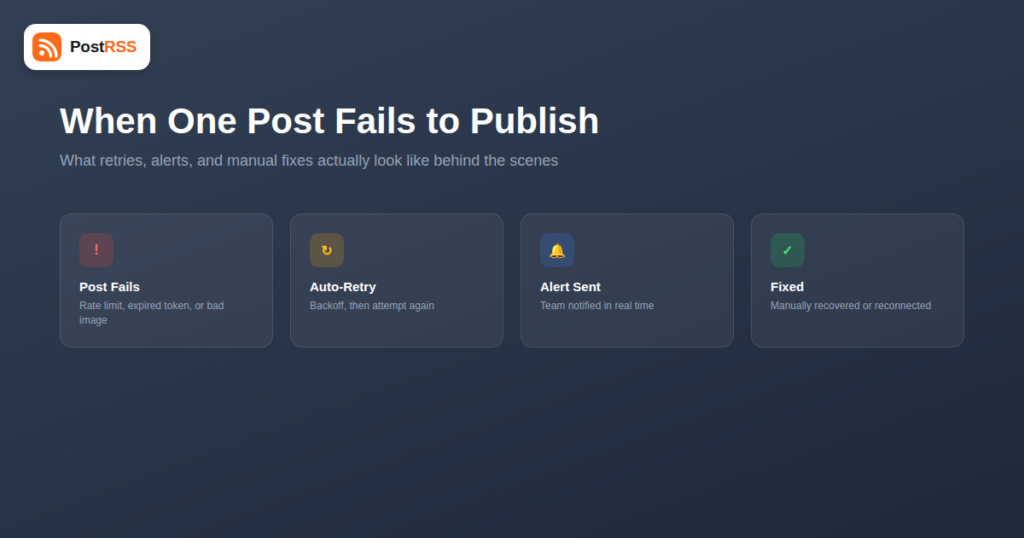
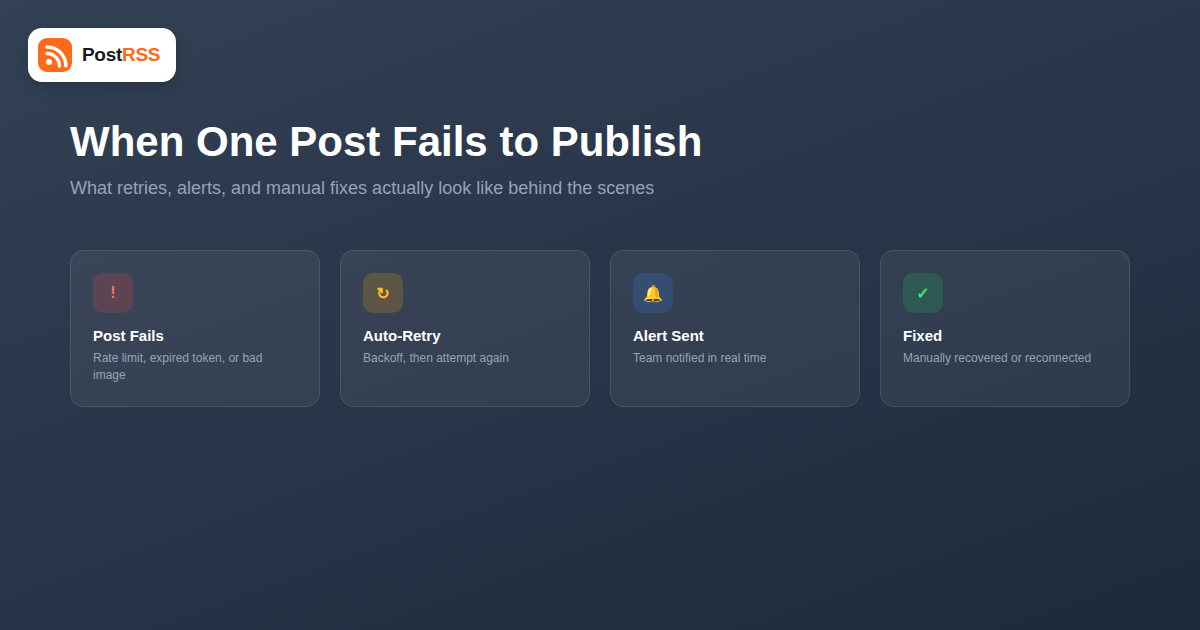
A well-built auto-posting pipeline doesn’t treat a single failed attempt as final. The general pattern most reliable systems follow:
The difference between a minor hiccup and a missed announcement often comes down entirely to whether you find out about the failure in time to do anything about it. A well-designed reliability-focused auto-posting setup surfaces failures clearly rather than burying them in a dashboard nobody checks daily:
| Notification Approach | How Useful It Actually Is |
|---|---|
| Silent failure, visible only in a dashboard log | Low — relies entirely on someone proactively checking, which rarely happens consistently |
| Email digest of failures at the end of the day | Moderate — good enough for routine issues, too slow for time-sensitive announcements |
| Real-time team notification (Slack, email alert) the moment a failure is detected | High — gives you a chance to manually post before the moment passes |
For most routine content, a daily digest is perfectly adequate. For a launch announcement, a time-sensitive promotion, or breaking news, real-time failure alerts are the difference between catching a problem within minutes and discovering it a full day later when the moment it mattered for has already passed.
Nothing catastrophic happens to your account or your feed connection — a single failed item doesn’t cascade into breaking future posts. What you lose is narrower and easy to underestimate: that specific piece of content simply never reaches that specific platform’s audience. For a routine blog post, that’s a minor, mostly invisible gap. For a product launch, a limited-time offer, or a press announcement, it’s a real missed opportunity that you may not even notice happened unless you’re specifically checking each platform against your source content.
Over time, unnoticed failures also erode trust in the automation itself. If a team member later manually checks and finds gaps, the instinct is often to assume the whole system is unreliable, when in reality it’s usually a small, fixable, item-specific issue that never got surfaced clearly to whoever could have acted on it in the moment.
Once you know an item failed and why, recovery is usually straightforward:
Rather than waiting for a failure to become visible by accident, it’s worth building a lightweight habit: check your auto-posting tool’s activity log or notification channel at a fixed point each week, even if nothing seems wrong. Most failures are individually minor, but a pattern — the same platform failing repeatedly, the same type of content getting rejected — is a signal worth acting on before it becomes a bigger problem, like an account connection that’s slowly degrading toward a full disconnection.
It’s worth clearly separating this problem from a full account disconnection or feed-wide outage, since the diagnosis and fix are completely different for each. A full outage — your entire feed stops being read, or every post to a specific platform starts failing — usually points to something structural: a revoked API permission at the platform level, a feed URL that’s changed or gone offline, or your auto-posting tool itself experiencing downtime. A single-item failure, by contrast, is isolated to one specific post at one specific moment, and everything before and after it in your posting history continues working normally. If you’re seeing what looks like a single-item failure but it keeps recurring across many different items in a short window, it’s worth re-checking whether it’s actually the early stage of a broader outage rather than a series of unrelated coincidences.
| Symptom | Likely Category | Where to Look First |
|---|---|---|
| One post out of many fails, others succeed normally | Single-item failure | That specific item’s content, image, and the target platform’s status page |
| Every post to one platform fails, other platforms fine | Account-level issue | That platform’s connection/token status in your auto-posting tool |
| Nothing has posted anywhere for hours or days | Feed-wide outage | The feed URL itself, and your feed’s accessibility from outside your own network |
Not every failure justifies engineering effort to prevent. A platform-side outage that happens once every few months and resolves itself within the hour isn’t worth building elaborate custom handling around — the automatic retry will usually catch it, and the rare case it doesn’t is a minor, forgettable gap. Where the effort is worth spending is on the failure types that recur predictably: if the same image-hosting issue causes failures every week, or the same platform’s moderation flags a particular kind of content repeatedly, that’s a pattern worth fixing at the source rather than continuing to absorb as routine noise.
Typically yes, a retry is a new request and counts toward the same rate limit as any other post, which is why well-built retry logic waits for the rate limit window to reset rather than immediately hammering the API again.
This varies, but a common pattern is two to three automated retries with increasing delays before the item is marked as failed and surfaced for manual attention, rather than retrying indefinitely.
A well-designed activity log should show this distinction clearly — a status like “retrying” versus “failed, action needed” — so you’re not left guessing whether a delay is normal processing or something that needs your attention.
No — a failed social media post has no bearing on your website’s own SEO. It only means that specific piece of distribution to that specific platform didn’t happen; your underlying content and its search visibility are unaffected.
The occasional isolated failure — a transient API hiccup, a brief platform outage — is normal and not a sign of a broken setup. What’s worth investigating is a pattern: the same platform or the same type of content failing repeatedly.
Some tools let you temporarily disconnect and reconnect an account to simulate a token failure, or you can watch how the system behaves the next time a genuine rate limit is hit, to confirm notifications actually reach you the way you expect before a real, time-sensitive failure happens.
Treating the auto-posting dashboard as something to check reactively only when something already seems wrong, rather than routing failure alerts somewhere they’ll actually be seen in real time, like a team Slack channel or an email address someone genuinely monitors day to day rather than an inbox that quietly fills up unread.
Not every piece of content carries the same cost if it silently fails to post. A routine blog update failing to reach one platform is a minor, mostly forgettable gap. A product launch, a time-limited discount code, or breaking news failing the same way is a genuinely different situation, since the value of that specific post is often tied tightly to a narrow window of time. For content in that second category, it’s worth manually confirming it actually went out across every platform shortly after publishing, rather than trusting the automation silently and finding out days later that one channel never got the message. This isn’t a sign the automation is untrustworthy — it’s the same instinct as double-checking a wire transfer went through, applied to the one or two posts a month where the stakes are genuinely higher than routine content.
A single failed post is a normal, expected part of running any automation that talks to third-party platform APIs — networks have outages, tokens expire, rate limits get hit, and no amount of careful engineering eliminates that underlying reality entirely, no matter how mature the tooling gets. What separates a minor blip from a real problem is whether the failure gets surfaced clearly and quickly enough to fix, or quietly buried until someone notices a gap by accident. Understanding the difference between a retryable transient error and a “needs a human” failure, and making sure notifications actually reach someone who can act on them, turns an occasional inevitable hiccup into a non-event rather than a missed announcement that only gets noticed after the moment it mattered has already passed.
What changed in the networks, what broke, and how to fix it before it costs you reach.